

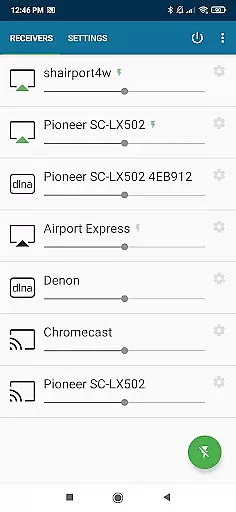
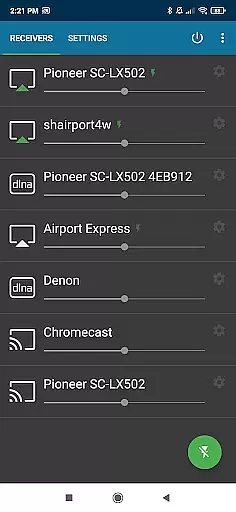
AirMusic is a versatile audio streaming application that allows users to stream all audio from nearly any app to a wide range of receivers with just one click. Compatible with popular platforms like YouTube Music, Deezer, Amazon Music, Apple Music, and Spotify, it supports devices such as SONOS, Apple TV, Chromecast, Fire TV, Smart TVs, AV-receivers, Homepod, Samsung Multiroom, Denon HEOS, Roku, Raspberry Pi, and Airport Express.
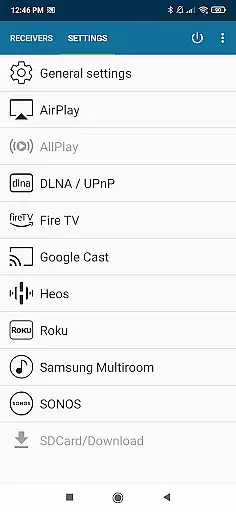
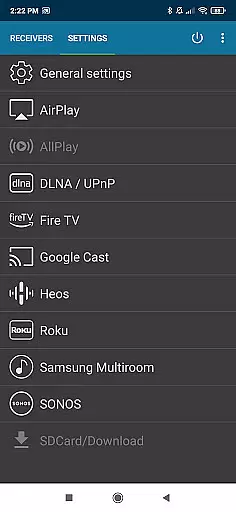
The app integrates seamlessly with the latest streaming technologies including Apple AirPlay, SONOS, Google Cast, DLNA, Amazon Fire TV, Samsung Multiroom, Denon HEOS, and Roku. Whether you're using an Apple TV, Homepod, or even software receivers like Kodi, AirMusic ensures your music reaches every corner of your home effortlessly.
AirMusic stands out with its powerful features tailored for Android users. It operates in the background, enabling users to stream audio with just one click. The app sends metadata and artwork to compatible AirPlay or Google Cast receivers, enhancing the overall listening experience.
Additionally, AirMusic supports automation tools like Tasker and MacroDroid, allowing users to create widgets or automate their music streaming routines. This flexibility makes it an ideal choice for those seeking seamless integration and control over their audio environment.
AirMusic offers an extensive streaming solution that supports a wide range of music services including YouTube Music, Deezer, Amazon Music, Apple Music, and Spotify. This compatibility ensures users have access to a vast music library across multiple platforms.
With AirMusic, users can stream audio from almost any app on their Android device to various receivers in their home. The service guarantees the authenticity of content by supporting legitimate music streaming platforms, thus respecting copyright laws and ensuring users receive high-quality, legal audio content.
The app's integration with popular streaming technologies like Apple AirPlay, SONOS, Google Cast, DLNA, and others allows for seamless playback of music from these services. Users benefit from a diverse selection of audio content while being assured of its legality and quality.
AirMusic is designed to provide the best possible audio experience by supporting the latest streaming technologies. It ensures high-quality sound transmission to a variety of devices such as SONOS, Apple TV, Chromecast, and more, preserving the integrity of the original audio source.
One of the key features of AirMusic is its ability to send metadata and artwork to compatible receivers, enhancing the listening experience with rich media information. This attention to detail in audio delivery underscores the app's commitment to superior audio quality.
Additionally, AirMusic addresses potential limitations by offering solutions that work within the constraints of certain apps and Android versions. By doing so, it maintains a balance between delivering excellent audio quality and adhering to platform-specific restrictions, ensuring users enjoy their music without compromise.
User-friendly interface
Wide device compatibility
Seamless background operation
Metadata and artwork support
Automation capabilities
Limited Amazon Music version support
Android 10/11 compatibility issues
Restricted access to some apps
Requires additional steps for certain services
No direct iOS support

Turn your phone into a musical instrument from the future!
 3.90
3.90
Control your MIDI USB or Bluetooth devices in app and avoid some trampling
3.30
Walkout Song DJ is the most intuitive app to manage your sports music.
4.70
Bass Booster Pro takes auto-equalizing to the next level!
4.30
USB audio recording and playback finally possible on Android 3.1 or higher!
3.90
Make songs with AI! Any genre, custom lyric, song generator for music creation!
4.80
The official Sonos app
4.10
A complete sound package for the sound engineer or enthusiast
4.60
Offline Tunes, Unlimited Vibes
3.90
24,000 free audio books and no ads!
4.90
Performance-Synthesizer & Multi-Track-Sequencer, polyphonic + multi timbral!
4.70
Simple & Intuitive Metronome
4.70
The best music and audio player, with beautiful UI, music search and equalizer.
4.60
Visualize the guitar fretboard, master scales & play through changes like a pro!
4.50
Guzheng Master supports many playing techniques as an acoustic Guzheng
4.50
10-Band Audio Equalizer, Sound / Bass Booster for Spotify Users & Music Players
4.40
Play KORG’s revolutionary touch-based instrument on a variety of devices.
4.40
Permanently backup Now Playing. Maps, filters & listening stats.
4.00
Simply convert wav to mp3. Clear. Reliable. Safe.
4.5

User Reviews