

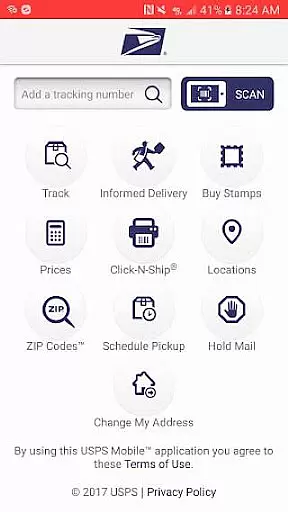
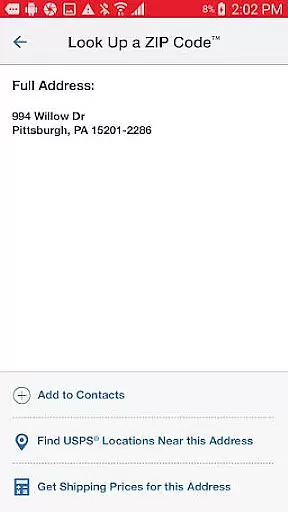
USPS Mobile® is a comprehensive business tool designed to streamline postal services for users on the go. This app provides access to essential USPS.com® features, allowing customers to calculate shipping prices, find Post Office locations, look up ZIP Codes, schedule pickups, and manage mail holds. Its compatibility with newer Android devices ensures optimal performance while bug fixes enhance reliability.
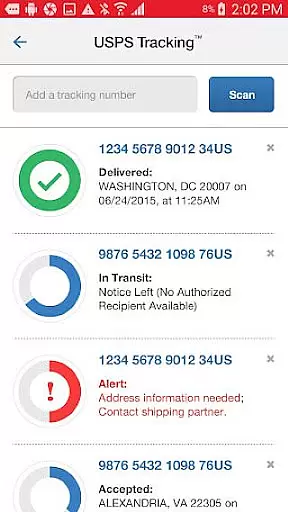
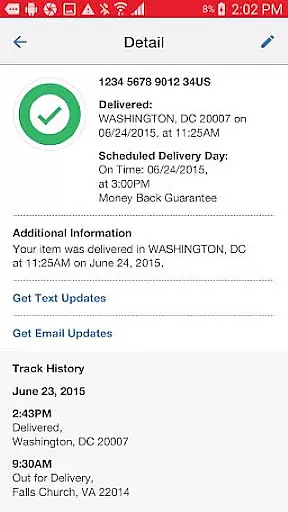
The app's core functionality includes shipment tracking for Priority Mail®, Priority Mail Express®, and Certified Mail® services. Users can nickname shipments and receive real-time delivery status updates via text and email alerts. The integrated Informed Delivery® feature enables package tracking and digital previews of incoming mail, offering a complete postal management solution.
Whether you're a small business owner managing regular shipments or an individual needing occasional postal services, USPS Mobile® provides practical tools to simplify these tasks. The app's GPS-enabled location finder and next-day pickup scheduling make it particularly valuable for businesses requiring efficient logistics management.
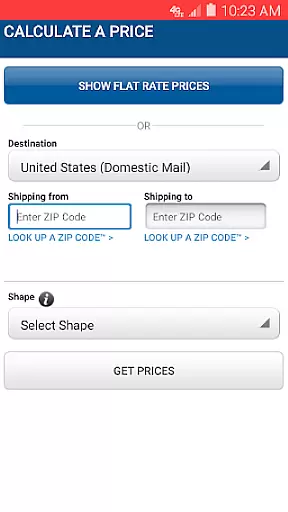
USPS Mobile® stands out through its diverse feature set tailored for modern business needs. The app provides detailed shipping price calculations for both domestic and international shipments, including options for retail and online pricing. Users can add extra services and view total costs, ensuring accurate budgeting for their postal needs.
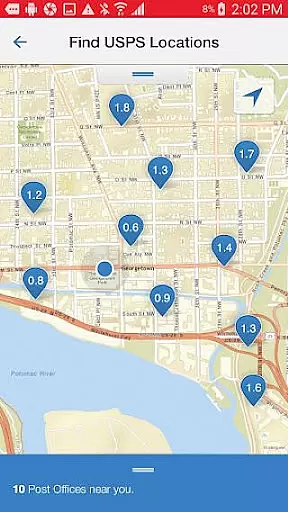
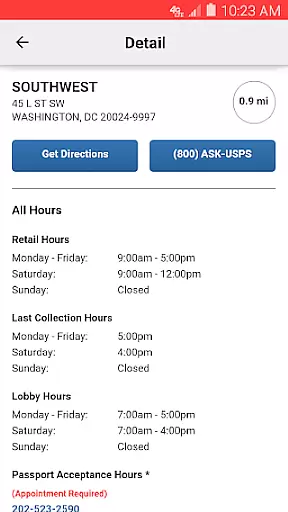
A key innovation is the app's integration with device GPS, providing precise location data for Post Office™ facilities, Self-Service Kiosks (APC®), and collection boxes. The app displays Regular Hours, Special Hours, and Last Collection Times while offering navigation options for driving, walking, or public transit. Another distinctive feature is the barcode scanning capability, which uses the device's camera to recognize and store shipment label numbers for easy tracking.
The app's implementation of Informed Delivery® represents a significant advancement in mail management. This feature allows users to digitally preview incoming mail and track packages through a single interface. The combination of these features creates a powerful tool that enhances operational efficiency for businesses relying on postal services.
In today's fast-paced business environment, the ability to collaborate effectively is crucial. The USPS Mobileu00ae app facilitates collaborative work features by enabling users to nickname their shipments and share tracking information effortlessly. This functionality ensures that all team members are on the same page regarding the status of important deliveries.
Moreover, the app allows users to sign up for text and email alerts. These notifications keep everyone informed about the delivery status of shipments sent using services like Priority Mailu00ae, Priority Mail Expressu00ae, and Certified Mailu00ae. By integrating these real-time updates, teams can better coordinate their efforts and plan subsequent steps in their business processes.
The USPS Mobileu00ae app also provides businesses with the tools needed for efficient communication and task management. Whether it's calculating shipping prices or scheduling pickups, team members can access the necessary features from their mobile devices. This accessibility enhances productivity and ensures that collaborative tasks related to postal services are executed smoothly and efficiently.
Effective task management is at the core of any successful business operation. With the USPS Mobileu00ae app, users can manage a variety of tasks related to their postal needs. From calculating Domestic or International Prices for shipping to finding the nearest USPSu00ae locations, the app consolidates essential functions into one convenient platform.
One standout feature is the ability to schedule a free next-day pickup. This service allows businesses to arrange for their Letter Carrier to pick up shipments from their home or office during regular mail delivery. Such a feature streamlines logistics and saves valuable time, contributing to more effective task management.
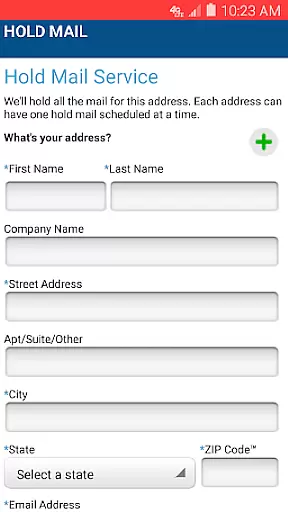
Additionally, the Request Hold Mail Service offers an easy way to manage mail while away. Users can request this service through the app, ensuring their mail is securely held at the local Post Officeu2122 until their return. These capabilities, combined with GPS-driven location services and barcode scanning for shipment tracking, make the USPS Mobileu00ae app a comprehensive tool for managing various postal-related tasks efficiently.
User-friendly interface
Comprehensive tracking system
Integrated mail management
GPS-enabled location services
Free next-day pickup service
Limited to USPS services
Requires internet connection
Occasional update issues
Device compatibility limits
Pricing limitations apply

Find jobs and make money fast with JobStack.
 4.60
4.60
Completed Course Lectures on how to use IBM Maximo in Maintenance issues
4.2
The revolutionary flexible staffing platform
4.40
Quickly open and manage PDF files on your device.
3.80
The All-in-One File Manager for Phone, TV, Watch, Cars, XR / VR, Chromebook
4.10
Get your benefits on-the-go.
3.80
Collaborate seamlessly with Google Chat, part of Google Workspace
4.50
Say hello to the mobile work experience built to help you thrive at work.
4.30
Chat, meet, and collaborate to achieve more together, all in one place on Teams
4.60
Recover what matters — quickly and easily.
4.70
The MyWalmart App is available for all associates in stores.
4.70
Make invoices, bills, receipts & estimates on the go with Invoice Generator.
4.70
We help people get jobs
4.70
Finance, Investing, Stocks, Trading and Stock news
4.60
Amazon A to Z is the place to manage your work-life at Amazon.
4.50
Drive and earn extra money
4.50
Find work, shifts and gigs near you. Jobs lasting a few hours to a few months.
4.30
Build a store in minutes with our full suite of AI tools. Start for free!
4.20
Take the stress out of storage with the all-in-one app to manage your space.
3.70

User Reviews