

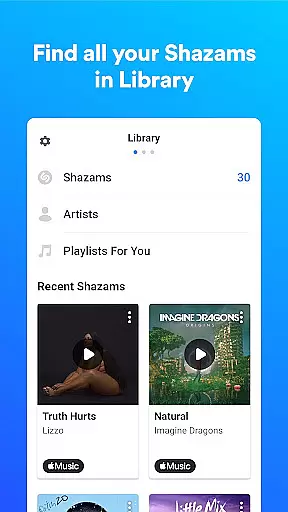
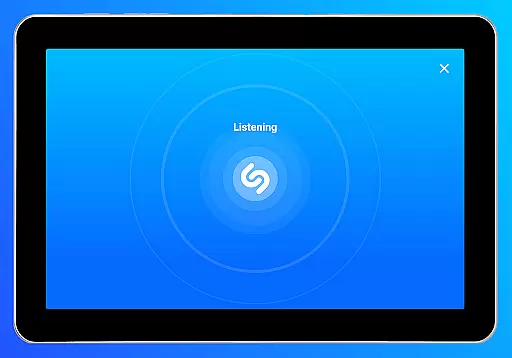
Shazam is a powerful music identification app designed specifically for Android Wear devices. It allows users to instantly recognize songs playing around them, even with headphones on. The app provides a seamless experience by saving your song history and offering time-synced lyrics for an immersive music experience.
Beyond basic song recognition, Shazam enables users to explore artist information, watch music videos, and discover upcoming concerts. With integration across major streaming platforms like Apple Music, Spotify, and YouTube Music, it creates a comprehensive music discovery ecosystem. The Auto Shazam feature ensures continuous song detection, making it an essential tool for music enthusiasts on the go.
Shazam stands out with its unique ability to identify songs from any source, including social media apps like Instagram and TikTok through its Notification Bar feature. The app's offline functionality ensures music recognition even without an internet connection. Its Wear OS compatibility allows for quick access to music identification directly from your smartwatch.
The application goes beyond simple song recognition by providing detailed analytics about each track, including its popularity through Shazam count metrics. Users can explore similar songs, create playlists, and share discoveries across multiple social platforms. The inclusion of location-based services helps users find local concerts and events while maintaining privacy through optional permission settings.
Shazam offers seamless companion app integration, allowing users to identify songs across various platforms effortlessly. Whether you're on Instagram, YouTube, or TikTok, the app works harmoniously with these services through its Notification Bar feature.
The synchronization between Shazam and other music streaming services like Apple Music, Spotify, and YouTube Music is a testament to its robust companion app integration. This ensures that once a song is identified, it can be directly accessed or saved in your preferred music platform without any hassle.
For users who enjoy discovering music while multitasking, Shazam's Auto Shazam feature continues to identify songs even when you switch to another app. This uninterrupted service highlights the app's dedication to providing a cohesive experience across different digital environments.
Moreover, Shazam's offline functionality means that users can still identify songs without an internet connection, showcasing the app's commitment to accessibility and convenience. This level of integration enhances user engagement by offering a versatile and reliable music identification tool.
Shazam extends its exceptional music identification capabilities to Wear OS devices, ensuring comprehensive device compatibility. By downloading Shazam for Wear OS, users can conveniently identify songs directly from their smartwatches, making it an indispensable tool for music enthusiasts on the go.
The app's compatibility with Wear OS demonstrates Shazam's adaptability to emerging technologies and its dedication to enhancing user experience across various devices. With this feature, users can enjoy the same swift and accurate song recognition they've come to expect from Shazam, now accessible right from their wrists.
Furthermore, Shazam's thoughtful design for Wear OS maintains the simplicity and intuitiveness of its mobile counterpart. The ability to identify songs quickly and efficiently, even with headphones on, underscores the app's versatility and user-centric approach to technology integration.
By embracing Wear OS, Shazam not only broadens its reach but also solidifies its position as a pioneer in cross-device functionality. This compatibility empowers users to engage with their favorite music anytime, anywhere, reinforcing the app's reputation as a magical and indispensable tool in the realm of music discovery.
Instant song recognition
Offline functionality
Cross-platform integration
Comprehensive music analytics
Social sharing capabilities
Limited offline features
Requires streaming services
Ads in free version
Location permissions needed
Country-specific limitations









Watch the sharpness of the sky on your wrist..
 3.70
3.70
Christmas and New Year - Themed Watchface
4.0
Christmas is near, let's count together the days left until Santa comes
4.1
Embrace the festive spirit with our Christmas Countdown watchface for Wear OS
4.10
Hyperlocal rain alerts by MyRadar using patent-pending technology, radar & more
4.80
Locate your family members by GPS phone location tracker everywhere and anytime
4.30
Stay in touch with your friends and family using LINE!
3.40
A realistic hybrid watch face with many customization options.
4.60
Start and succeed with PAP
4.10
Christmas Theme Watch Face for Wear Os
5.00
Gym Log & Workout Tracker | Fitness Journal, Training & Weight Lifting Planner
4.90
Christmas watch face. For Wear OS devices.
4.30
Bold, Modern Hybrid Watch Face for Wear OS. 10 Colors, Rich Info Display.
4.30
Calming & relaxing sounds for sleeping and stress relief. Stay focused all day!
4.20
A customizable Christmas watch face for Wear OS with a countdown.
4.20
Watch face for Wear OS.
4.20
Authentic military-tactical design with ZULU time! Realistic and functional!
3.80
Your local weather forecast, storm tracker, radar maps & live weather news
3.40
Minimalistic design modern digital watch face.
4.2


User Reviews