
MusicGo is a versatile offline music player app designed for audiophiles who demand both quality and functionality. Supporting all major audio formats including MP3, FLAC, WAV, and AAC, it ensures optimal sound delivery across devices. With over 20 built-in equalizer presets tailored to various music genres, users can customize their listening experience with ease.
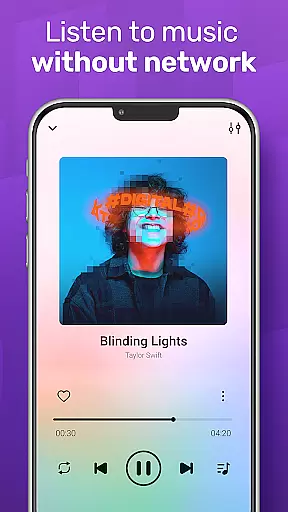
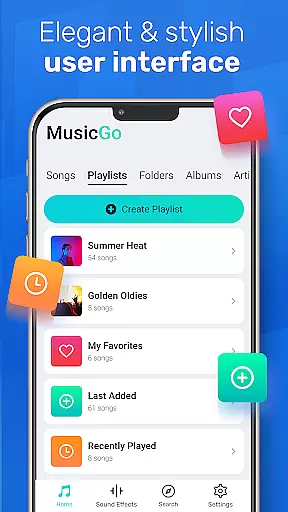
The app's intuitive interface combines aesthetics with practicality, offering features like library management, playlist creation, and smart auto playlists such as Most Played and Recently Played. Whether you're commuting or relaxing at home, MusicGo provides seamless playback even in offline mode, making it an essential tool for enjoying high-quality audio anytime, anywhere.
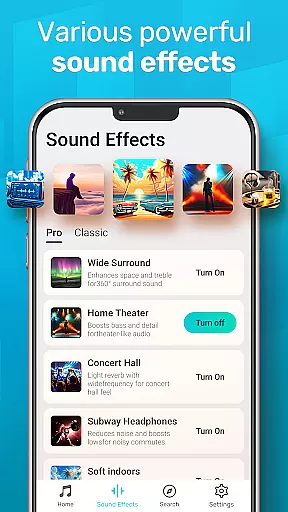
MusicGo stands out with its robust feature set tailored for music enthusiasts. The app includes a powerful equalizer with bass boost and reverb effects, allowing users to fine-tune audio output according to their preferences. Its deep scanning capability automatically refreshes your music library, ensuring that all files are up-to-date and easily accessible.
Additional functionalities include support for multiple audio formats, background playback, and compatibility with both Bluetooth and wired headphones. Smart auto-generated playlists such as Featured, Most Played, and Recently Played enhance user convenience. Moreover, the stylish and customizable UI lets users personalize themes and designs, creating an engaging and visually pleasing experience while enjoying their favorite tracks.
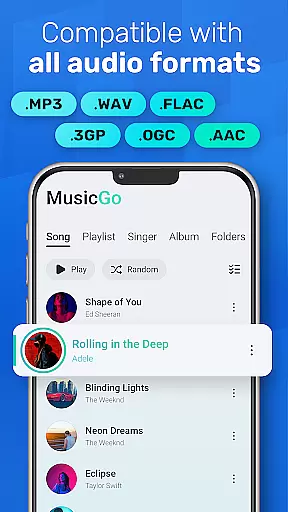
MusicGo offers an extensive music library that supports all major audio formats including MP3, FLAC, WAV, MIDI, AAC, and APE. This ensures users have access to a wide variety of music options without worrying about format compatibility.
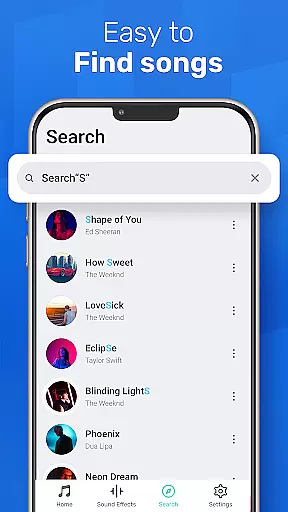
The app's deep scanning capability automatically refreshes and organizes your music library, making it easy to manage files directly on your device. With support for various playlists such as albums, artists, and smart auto playlists like Featured, Most Played, and Recently Played, MusicGo provides a comprehensive music management solution.
Regarding copyright authenticity, MusicGo respects user-loaded content and emphasizes the importance of legally obtained music. By supporting offline audio files, it encourages users to play music they own, ensuring compliance with copyright laws while delivering optimal sound quality.
One of MusicGo's standout features is its outstanding sound quality, enhanced by over 20 built-in equalizer presets. These include options for classical, dance, folk, rock, and more, allowing users to customize their listening experience according to different music genres.
The powerful equalizer comes with bass boost and reverb effects, enabling users to fine-tune audio output to match personal preferences effortlessly. Whether you're looking for a richer bass or clearer treble, MusicGo delivers a superior auditory experience tailored just for you.
In addition to customizable equalizers, MusicGo supports high-quality audio formats like FLAC and WAV, ensuring lossless audio playback. Combined with background playback support and compatibility with both Bluetooth and wired headphones, MusicGo guarantees an uninterrupted, premium listening experience in any setting.
User-friendly interface
Wide format compatibility
Powerful equalizer options
Offline playback support
Auto library management
Limited online streaming
No lyrics integration
Basic widget options
Occasional bugs
Ads in free version

Over 100 million tracks available for high quality streaming and download
 4.60
4.60
Remove ads permanently from Music Visualizer
4.3
Guzheng Master supports many playing techniques as an acoustic Guzheng
4.50
24,000 free audio books and no ads!
4.90
Make songs with AI! Any genre, custom lyric, song generator for music creation!
4.80
PowerAudio is a powerful offline music player.
4.20
Versatile MP3 recorder with auto-backup to Dropbox and Google Drive
4.10
Travel To The Music Universe
3.40
Be a true music maker: create beats, mix and make music like a real DJ!
4.30
JBL PartyBox APP works with 110/310/710/120/320/520/Encore/Encore 2/Encore Ess 2
4.80
Music, News & Sports Radio Tuner App. Tune in Live FM & AM Radio Stations.
4.80
Gorgeous UI, Powerful music Search and Equalizer, the great choice for you!
4.70
Super Sound Editor, Song Maker & Mixer, Vocal Remover, Voice Recorder & Changer!
4.60
A synth that really lets you shape your sounds!
4.50
Ringtone Maker is free app create ringtone from music files or your recording.
4.40
Time Guru will strengthen your internal sense of musical time via random muting.
4.30
Equalizer, Bass Booster and Volume Booster (Eq & Bass) improve sound quality
4.30
VB-AUDIO Software / VBAN-Receptor allows listening to any VBAN Streams
4.10
The Minimalistic Premium Music Player. Handmade with passion for music
2.20

User Reviews