

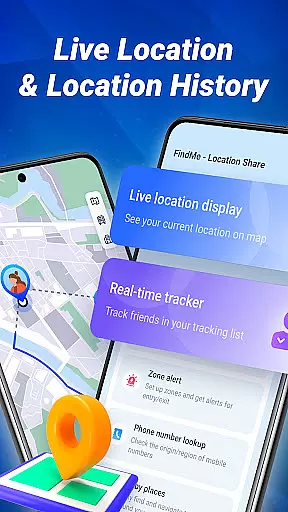
FindMe is a location-sharing app designed to help users connect safely with friends and family. The app allows you to share your real-time location securely using unique codes, ensuring that only approved contacts can access your whereabouts. With its mobile-friendly interface, FindMe provides an easy-to-navigate map feature that displays your current location while offering additional tools such as alert zones and nearby place discovery. Whether you're coordinating with loved ones or exploring new areas, this app ensures privacy and security remain a top priority.
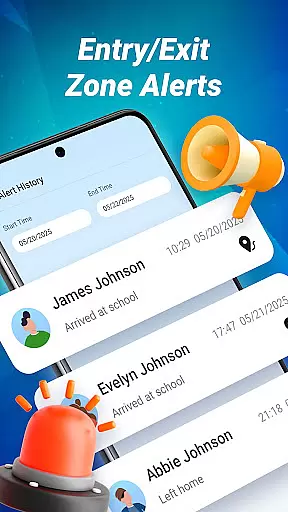
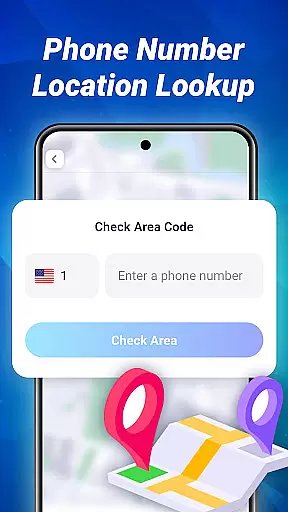
In addition to basic location sharing, FindMe includes advanced features like alert zones, which notify you when someone enters or exits predefined areas such as schools or workplaces. It also offers a phone number lookup tool to identify regional details of mobile numbers. These functionalities make it ideal for families looking to stay connected or individuals wanting to explore their surroundings safely. By giving users complete control over who accesses their data, FindMe delivers both convenience and peace of mind in one comprehensive package.
FindMe stands out through its robust combination of security features and user-friendly design tailored for seamless navigation. One key feature is the unique code system, allowing users to manage exactly who can view their location. This ensures that location sharing happens only with mutual consent, maintaining strict privacy standards. Additionally, the app's map interface is optimized for mobile use, providing clear visuals and smooth performance even during active location tracking.
Beyond basic mapping, FindMe incorporates practical tools such as alert zone creation, enabling users to set up geofenced areas that trigger notifications upon entry or exit. Another notable feature is the nearby places function, which helps users discover local points of interest like cafes and parks. The inclusion of a phone number lookup service adds another layer of utility by identifying regional information tied to mobile numbers. Together, these features create a versatile navigation tool suitable for personal safety, family coordination, and exploration.
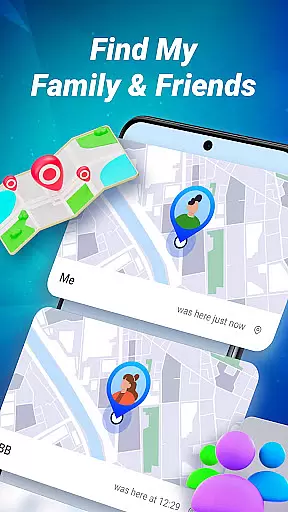
Map accuracy is a fundamental feature of any navigation app, and FindMe excels in this area. The application provides users with precise location data displayed on an intuitive, mobile-friendly map interface. This ensures that users can easily understand their current position as well as the locations of their friends and family.
The app employs advanced mapping technology to deliver real-time location updates. Users can view their own spot on the map with high clarity, which is crucial for making informed decisions about movements and meetings. The accuracy extends to specific points of interest, such as cafes and parks, allowing for seamless exploration of nearby places.
By prioritizing accuracy, FindMe offers peace of mind to its users. Knowing that the location data is reliable means that individuals can depend on the app during both everyday commutes and special outings. This precision fosters trust between users, enhancing their overall experience while using the service.
In conclusion, FindMe's commitment to providing accurate maps empowers users to stay connected safely. With clear visuals and dependable information at their fingertips, people are able to maintain closeness with loved ones without compromising privacy or security.
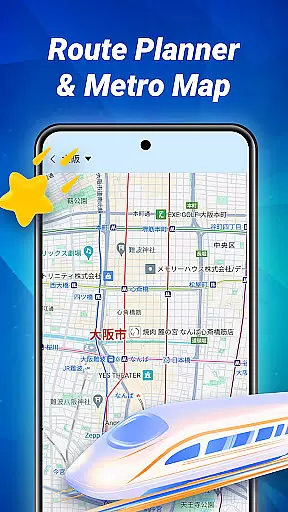
Route planning is an essential aspect of the FindMe app, designed to help users navigate efficiently. By entering a destination, users receive optimized routes based on current traffic conditions and road networks. This functionality not only saves time but also reduces travel stress by offering alternative paths when needed.
The app goes beyond basic directions by incorporating alert zones into route calculations. Users can mark important areas like schools or workplaces, receiving notifications when they enter or exit these regions. Such features enhance safety and ensure that individuals remain aware of their surroundings while traveling.
Moreover, FindMe supports discovery through its ability to suggest nearby places along planned routes. Whether looking for a coffee shop or park, users have access to recommendations that make trips more enjoyable. These suggestions are integrated smoothly into the navigation process, encouraging exploration without disrupting the journey.
Ultimately, FindMeu2019s route planning capabilities provide a comprehensive solution for modern travelers. By combining accurate mapping with intelligent alerts and local insights, it creates a reliable tool for staying connected while exploring new destinations.
User-friendly interface
Secure location sharing
Customizable alert zones
Nearby places discovery
Phone number lookup
Limited offline functionality
Requires constant internet
Premium features locked
Occasional GPS lag
Small learning curve

The fastest and most convenient way to pay for parking on our lots.
 4.40
4.40
Find 93 Octane Gas: Locate Gasoline Stations Selling Premium 93 Octane or Higher
4.3
Find EV & Tesla charging stations with PlugShare
4.70
Order a cab online. An affordable taxi ride and driver in no time. What a bolt!
4.80
Parcel map, property lines, owner, acres, land use, zoning and more from Regrid.
4.60
Ride CTA, Metra & Pace: Manage your fares, buy Metra tickets, get arrivals.
3.00
Get directions, Maps, GPS navigation & GPS Maps using GPS App
4.10
ParkWhiz, an Arrive Mobility brand, part of the Arrive Network
4.30
Route Planner is travel map to get turn by turn navigation & driving directions
3.90
Find shortest way and save energy . Distance and area calculator.
4.70
Navigate confidently with our precise Digital Compass app & Direction Compass!
4.70
Explore with GPS Navigation with GPS offline, voice GPS, speed camera radar
4.60
Affordable rides and food delivery with incredible discounts in just one app.
4.50
Plan routes, share locations, and set custom alert zones
4.40
Find radar maps, GPS coordinates, altitude, offline maps, location, travel route
4.40
Simple & easy to use a compass app. Get accurate directions.
4.20
Find routes fast with GPS Maps, GPS Navigation & driving directions.
4.10
Get route, find shortest path, near by places and weather update
3.90
Your real-time window to the world. Explore anywhere, anytime.
3.30

User Reviews