
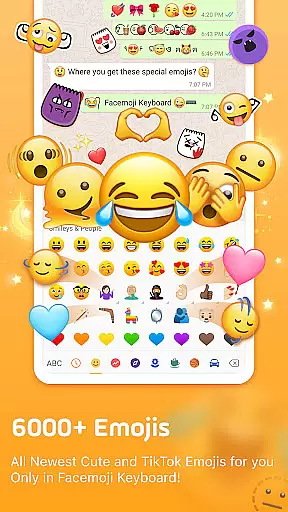
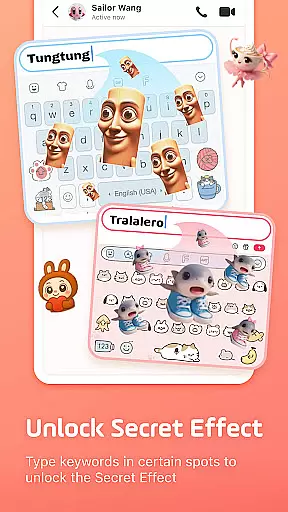
Facemoji AI Emoji Keyboard is a feature-rich personalization app that transforms your mobile typing experience. This AI-powered keyboard offers over 6000 emojis, custom emoji creation tools, and unique Genmoji-style designs. Users can enjoy exclusive TikTok emojis, stylish themes, and advanced customization options.
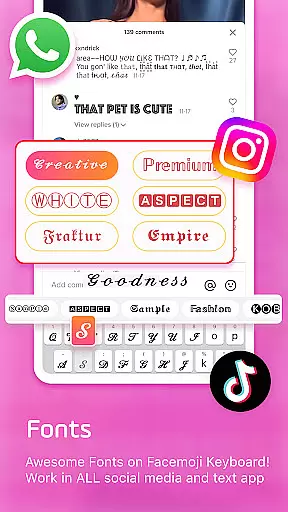
The app's standout feature is its powerful emoji creator, allowing users to design personalized emojis based on their face or create custom characters. With support for GIFs, WhatsApp stickers, and 100+ cool fonts, it caters to diverse messaging needs while providing creative tools for social media platforms.
Ideal for users seeking enhanced self-expression in digital communication, Facemoji combines functionality with personalization. The app's comprehensive features make it particularly valuable for social media enthusiasts and those who frequently use messaging apps, offering both practical utility and creative possibilities in one package.
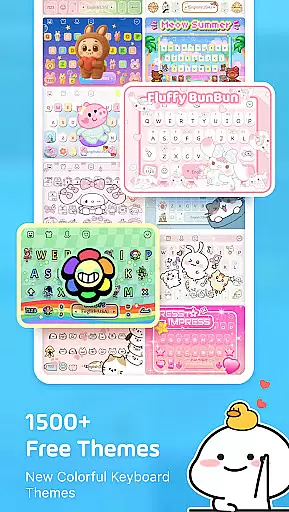
Facemoji AI Emoji Keyboard distinguishes itself through innovative features across multiple dimensions. Its AI-powered Genmoji generator creates unique personalized emojis, while the DIY Avatar Sticker function allows users to generate custom stickers from text input. The app includes over 1500 fancy keyboard themes, ranging from K-Pop idols to Japanese anime styles.
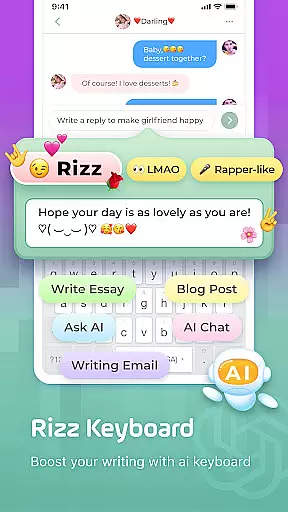
The keyboard's customization capabilities are extensive, enabling users to modify button layouts, colors, fonts, and even typing sound effects. Advanced functionality includes smart emoji suggestions, sticker predictions for WhatsApp, and swipe typing. Specialized modes cater to gamers with dedicated keyboards for Among Us and other popular games.
What sets Facemoji apart is its comprehensive approach to personalization combined with practical utility. The bilingual support for 100+ languages, built-in translator, and privacy-focused design demonstrate the app's commitment to both functionality and user security, making it a versatile tool for global communication.
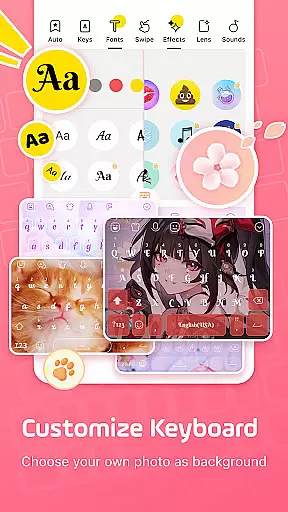
Facemoji AI Emoji Keyboard offers an extensive range of customization options that allow users to personalize their typing experience like never before. With over 1500 stylish themes, including popular designs such as Japanese anime, Neon, LED, RGB, K-Pop idols, and cute animals, users can select a theme that resonates with their personality or mood.
Beyond just themes, the keyboard provides the ability to create your own keyboard wallpaper using your favorite photo or picture. You can further customize buttons, colors, fonts, tapping effects reminiscent of BTS lightsticks, and even tapping sounds such as piano notes, guitar strums, or playful dog barks, ensuring that every aspect of your keyboard is tailored to your liking.
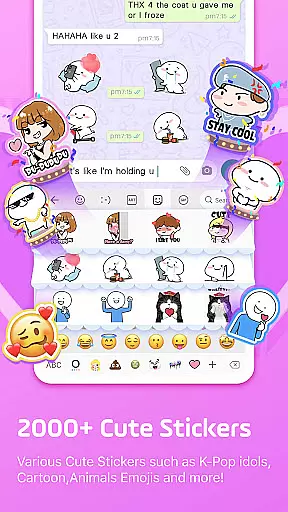
The app also includes a unique feature for creating personalized emojis and stickers, allowing you to design look-alike stickers based on your face or custom emoji characters. These creations can be shared across various platforms like TikTok, WhatsApp, and Facebook, enhancing personal expression in digital communication.
With weekly updates adding new themes and customization features, Facemoji ensures that your keyboard remains fresh and reflective of the latest trends, offering a dynamic and engaging user experience that stands out in the realm of personalized keyboards.
Theme compatibility is a standout feature of Facemoji AI Emoji Keyboard, ensuring that all its 1500+ themes are not only visually appealing but also fully functional across different devices and operating systems. This means whether you're using an Android or iOS device, you can expect a seamless integration of vibrant themes like Boba milk tea, Avocado, Ironman, Unicorn, and many others without any loss in quality or performance.
In addition to aesthetic variety, Facemoji's themes support advanced functionalities such as custom fonts and special tapping effects. Whether itu2019s emulating the iconic BTS lightstick effect or choosing from over 100 cool fonts for Instagram bios, TikTok posts, or Snapchat messages, each theme maintains consistent behavior and appearance throughout your typing experience.
Moreover, Facemoji takes pride in regularly updating its theme library with new additions every week, keeping up with current trends and user preferences. This commitment to freshness ensures that users always have access to cutting-edge designs while enjoying complete compatibility with their devices' latest software versions.
By prioritizing both visual appeal and technical compatibility, Facemoji AI Emoji Keyboard delivers a cohesive and delightful customization journey, empowering users to express themselves through a truly personalized mobile interface.
Extensive emoji library
Advanced customization
AI-powered features
Regular updates
Privacy-focused
Feature overload possible
Learning curve
Ads present
Premium required
Storage intensive

A light in the dark, a unique style and an andless cutomization!
 4.30
4.30
Sparkle your screen with Glitter Wallpapers For Girls and Cute Backgrounds!
4.80
Interactive Miniature Painting Catalogue
3.30
Ultimate widget creator. Design custom widgets for a truly unique home screen!
3.90
Customizable screen pets that play, climb, and keep you company.
4.50
Design your screen with unique, vibrant clocks
3.80
Embrace the Night. Unleash the power of darkness with Raven Dark Icon Pack
4.60
One 8 icons glass color version
4.80
Transform your phone with stunning video wallpapers and a unique, personal touch
3.80
Classic analogue watch face. For wear os devices.
4.60
Zip lock screen with magic wallpaper to decorate your phone with fun zipper lock
4.60
Icons made of colorful linear lines
4.60
300+ widgets inspired by Material You and Material 3 expressive design.
4.60
Ultra realistic gold analog watch face with lots of customization options.
4.50 4.50
4.50 4.50
4.50
Your home screen, just the way you like it.
4.30
Customize glowing edges, wallpapers, and caller screen with EdgeAura.
3.50
Adorable pets roam and play right on your phone screen!
3.30


User Reviews