

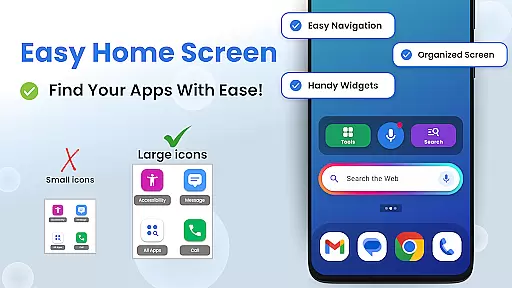
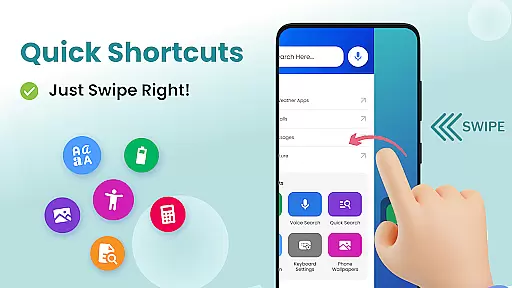
Big Keyboard: Easy Homescreen is a personalization app designed to simplify smartphone usage through an intuitive home screen layout and essential tools. The app features a new home screen experience with quick-swipe shortcuts, offering users easy access to their favorite functions without the hassle of navigating through multiple menus.
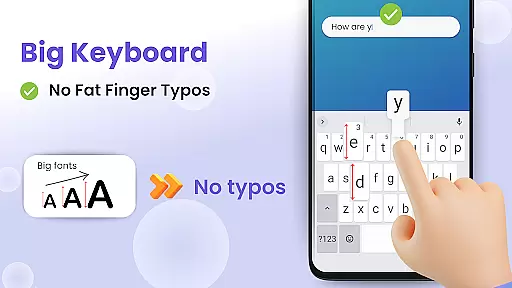
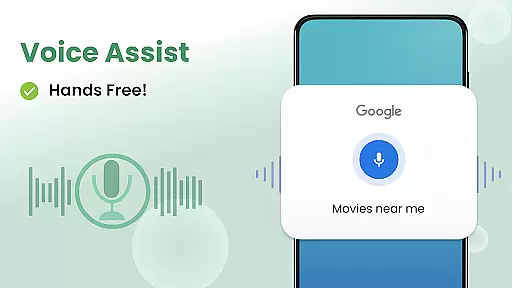
A standout feature is the Big Keyboard, which can be enlarged by up to 70%, significantly reducing typos and making typing more comfortable, especially for those with vision or dexterity challenges. Additionally, the hands-free voice assistant tool allows users to search the web effortlessly, powered by Yahoo, while suggested searches enhance the efficiency of information retrieval.
The app also includes practical utilities such as a magnifier and flashlight, perfect for reading small text in low-light environments. With customizable wallpapers and accessibility settings, users can personalize their phone's appearance while ensuring comfort and usability. This combination of functionality and personalization makes Big Keyboard: Easy Homescreen a valuable tool for enhancing everyday smartphone interactions.
Big Keyboard: Easy Homescreen offers a variety of innovative features that cater to user convenience and accessibility. One of its key highlights is the enlarged keyboard, which can be customized up to 70% larger than the default size. This feature not only minimizes typos but also improves typing speed by allowing users to type confidently without squinting or struggling with small keys.
In addition to the big keyboard, the app provides a hands-free voice assistant tool that simplifies web searches. By integrating with Yahoo, users can perform searches quickly and efficiently using voice commands. The app also suggests relevant search terms, streamlining the process of finding desired information. These features are particularly beneficial for users who prefer voice interaction or have difficulty typing.
Another notable feature is the built-in magnifier and flashlight, which assist users in reading small text in challenging lighting conditions. Whether it's a dimly lit restaurant menu or fine print on documents, this tool ensures clarity and ease of reading. Combined with customizable wallpapers and easy access to accessibility settings, these features create a personalized and functional smartphone experience tailored to individual needs.
Customization is at the heart of Big Keyboard's design philosophy. The app offers a range of options to tailor your smartphone experience according to your preferences and needs. With features like an intuitive home screen layout, quick-swipe shortcuts, and a magnifier tool, users can personalize their interaction with their device.
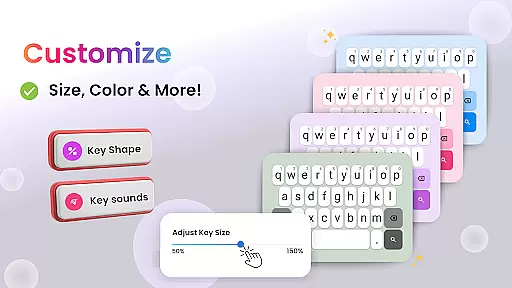
The standout customization feature is the ability to adjust the keyboard size up to 70% larger than the default, ensuring that typing becomes not only easier but also error-free. This flexibility allows users to set their preferred keyboard dimensions during setup or modify them anytime, catering to individual typing styles and visual requirements.
Moreover, Big Keyboard provides built-in free wallpaper options, enabling users to express their personality through unique phone backgrounds. Coupled with easy access to display and accessibility settings, these customization options ensure that your phone doesn't just serve as a functional tool but also reflects your personal style and interests.
Big Keyboard ensures seamless theme compatibility, allowing users to enjoy a cohesive visual experience across their devices. Whether you prefer a vibrant look or something more subdued, the app supports various themes that align with your aesthetic preferences without compromising functionality.
In addition to offering diverse themes, the app includes helpful tools such as a magnifier for reading small text in different environments. This means whether you're navigating through menus in low-light settings or examining fine print, the theme adapts to provide optimal visibility and usability.
By integrating essential utilities like voice assistant capabilities and easy shortcuts within its framework, Big Keyboard maintains consistency between appearance and performance. Users can thus expect an engaging yet practical interface that enhances both productivity and enjoyment while using their smartphones.
Intuitive design
Customizable keyboard
Voice assistant integration
Magnifier and flashlight
Free wallpaper options
Limited advanced features
Potential performance issues
Ads may be present
Occasional bugs
Basic customization


Ultra realistic gold analog watch face with lots of customization options.
 4.50
4.50
Transform your phone with Launcher iOS 26 - Smooth & elegant iOS experience
4.50
Turn text & photos into stunning AI videos, art, and creative visual stories.
4.50
Customize glowing edges, wallpapers, and caller screen with EdgeAura.
3.50 4.50
4.50
Your home screen, just the way you like it.
4.30
Enjoy a variety of amazing live wallpapers and colorful EDGE lighting borders!
4.80
Customize phone with anime themes, 3D icons, aesthetic widgets & wallpapers
4.80
Install amazing sticker packs: endless styles, always cool.
4.70
Wallpaper HD 4K Live - Thousands of high-quality Anime backgrounds for you.
4.80
One 8 icons glass color version
4.80
300+ Stunning and well-designed widgets inspired by NOTHING.
4.70
A retro cartoon style watch face and a punch right in the face of the copyright
4.60
Ultimate Gallery Lock App - Hide Pictures, Videos and Lock Apps Instantly!
4.60
Customizable screen pets that play, climb, and keep you company.
4.50
Vibrant Adaptive Icons with Material You and Enhanced Monet Colors.
4.50 3.50
3.50
Struggling to find apps? Use this app to locate and open any app on your phone!
2.20
Custom edge gestures for volume control, brightness, apps, and shortcuts.
4.2

User Reviews