

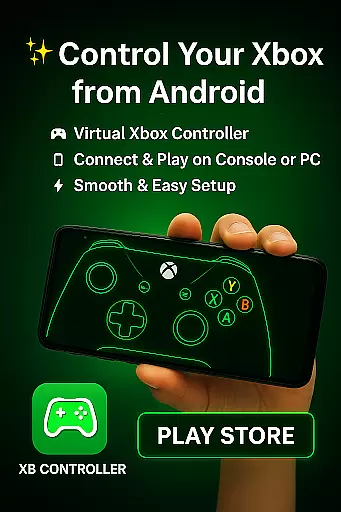
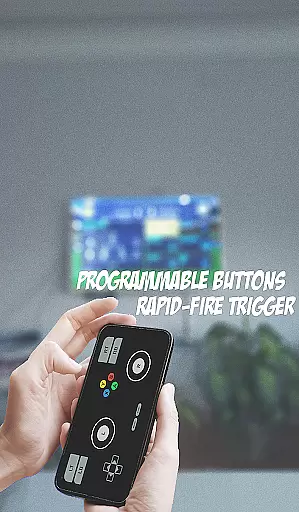
The XB CONTROLLER app brings the functionality of the Xbox controller to your mobile device, allowing you to enjoy a seamless gaming experience on the go. Designed for gamers who prefer console-quality controls, this application transforms your smartphone into a versatile gaming controller that mirrors the layout and features of actual Xbox controllers.
With its intuitive interface, the app supports wireless connectivity, enabling you to play games without being tethered by cables. The ergonomic design ensures comfort during long gaming sessions, while the responsive controls provide accurate input for various gaming genres. Whether you're navigating complex game worlds or engaging in fast-paced action, the XB CONTROLLER app delivers precision and convenience.
This app is particularly useful for players looking to enhance their mobile gaming experience with physical controls. By offering customizable button mappings and support for multiple gaming platforms, it caters to both casual and hardcore gamers alike. Elevate your gameplay and enjoy an immersive experience with the XB CONTROLLER app.
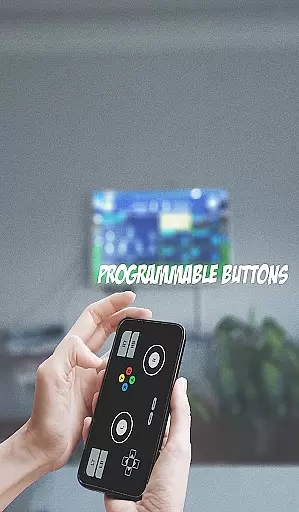
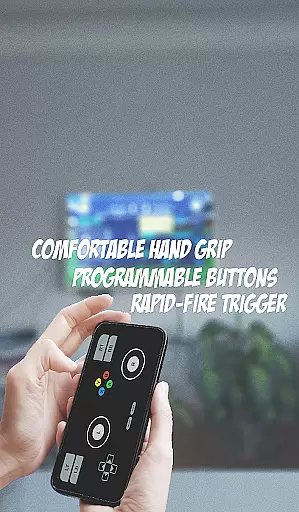
The XB CONTROLLER app boasts a range of features designed to enhance your mobile gaming experience. One of its standout capabilities is the ability to map physical buttons to on-screen controls, providing tactile feedback that significantly improves gameplay accuracy. This feature allows users to customize their control schemes according to personal preferences or specific game requirements.
In addition to customizable controls, the app supports wireless connectivity, ensuring that you can play games from a comfortable distance without worrying about tangled cables. The app also incorporates vibration feedback, which enhances immersion by simulating in-game events through tactile sensations. This feature adds a layer of realism, making each gaming session more engaging and interactive.
Furthermore, the XB CONTROLLER app includes advanced settings for adjusting sensitivity and response times of the virtual thumbsticks. These settings enable players to fine-tune their gaming experience for optimal performance across different genres, from first-person shooters to racing simulations. With its robust feature set, the XB CONTROLLER app stands out as a versatile tool for mobile gamers seeking console-like precision.
Functionality completeness refers to the extent to which a gaming controller meets the diverse needs of players across various game genres. The XB CONTROLLER excels in this aspect by offering a comprehensive set of input options that cater to different gameplay requirements.
The controller features two thumbsticks for precise movement control, a directional pad for quick menu navigation, and four action buttons (A, B, X, Y) for executing in-game actions. Additionally, it includes shoulder buttons (LB and RB), triggers (LT and RT), and a menu button, all strategically placed for easy access and accurate control during intense gaming sessions.
With its wireless functionality and optional wired connection via USB, the XB CONTROLLER ensures uninterrupted gameplay while minimizing input lag. This dual connectivity option provides flexibility and reliability, allowing gamers to enjoy their favorite titles without worrying about signal interruptions or battery life.
Moreover, the inclusion of vibration feedback enhances the overall gaming experience by delivering tactile responses corresponding to in-game events. This feature not only adds realism but also helps players stay immersed in the virtual worlds they explore.
Usability in gaming controllers pertains to how intuitive and comfortable the device is during extended gaming sessions. The XB CONTROLLER achieves high marks in usability through its ergonomic design and well-placed controls that reduce hand fatigue.
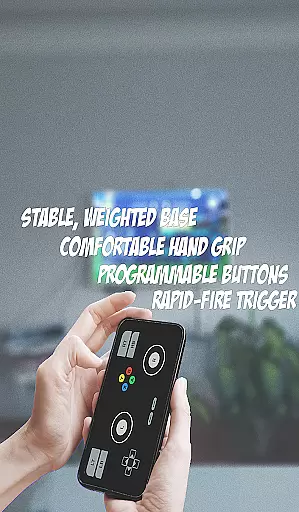
The layout of the controller follows an established pattern familiar to many gamers, making it easy to pick up and play without a steep learning curve. Its comfortable grip and balanced weight distribution contribute to prolonged use without discomfort, ensuring that players can focus on their gaming performance.
Operational smoothness is evident in the controller's responsive inputs and seamless wireless connectivity. Players can expect immediate response times from all buttons and triggers, which is crucial for competitive gaming scenarios where every millisecond counts.
Furthermore, the latest iteration of the XB CONTROLLER introduces enhanced haptic feedback and an improved D-pad, both of which contribute to more precise inputs and a smoother overall operation. These enhancements demonstrate the controller's commitment to providing an optimal user experience that keeps pace with technological advancements in gaming.
Customizable button mapping
Wireless connectivity support
Vibration feedback for immersion
Advanced sensitivity settings
Comfortable ergonomic design
Limited to compatible devices
Requires stable Bluetooth connection
Potential battery drain
No physical buttons
Learning curve for new users

Do you want to drive easy ? do you wanna full mirror link Mobile with your car
 4.10
4.10
Block and secure the microphone and protect from secret listening and recording.
4.50
Android secret code for smart phone, mobile codes, with secret codes app
4.20
With Endoscope Camera Connector you can connect your phone with endoscope cam
3.70
Recite Quran Majeed القران with special 16 line real Kuran page in hand
4.30
Mirror Link Car Display to share your screen with car dashboard wirelessly
4.2
An impressive collection of tools, characters, weapons, skins and more!
4.30
Game booster GFX may reduce interruptions and improve gaming experience.
4.50
Mirror phone to TV effortlessly! Stream, share & connect with Airplay ease.
3.60
TV USB connector app provides you a seamless cast option from your phone to tv.
4.70
Barcode scanning made simple!
4.40
Unlock the hidden menus of your phone with our mobile secret codes app.
4.20
A Pydroid Quick Install repository provider.
4.00
Sad ringtones full of feeling, sad music ringtones
3.90
Mobile Connect To TV - HDMI USB & WiFi Screen Mirroring
3.70
CloudEye 365 is a easy-handling APP
3.60
Identify securely online
3.10
Record with Double Camera Video Recording using Dual Camera Front and Back Video
3.00
Turn your phone into a wireless Xbox controller – play, stream & control anytime
4.3
User Reviews