

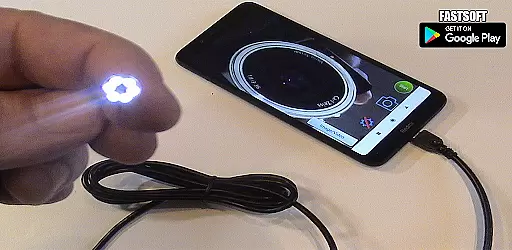
Endoscope Camera Connector is a specialized application designed to connect Android devices with external cameras such as endoscopes, USB cameras, or Borescope cameras. This app allows users to view live feeds from these devices directly on their smartphones, making it an essential tool for professionals in plumbing, sewer inspection, and other fields requiring remote visual inspections.
The app functions similarly to an OTG (On-The-Go) viewer, enabling the connection of external cameras via USB OTG or Type-C ports. Once connected, users can record videos with sound and capture images, which are then stored in the device's gallery. Before using the app, it is important to ensure that your device supports USB OTG technology and that your camera is UVC-compatible.
This versatile tool is particularly useful for inspecting blocked drains, eliminating the need for traditional drain cameras or plumbing repair services. By providing a clear view of hard-to-reach areas, Endoscope Camera Connector enhances efficiency and accuracy in various inspection tasks.
Endoscope Camera Connector offers a range of features tailored to enhance the user experience when working with external cameras. One of its primary capabilities is the ability to check if your device supports USB OTG technology through an integrated USB OTG checker. This ensures compatibility before you begin using the app, saving time and potential frustration.
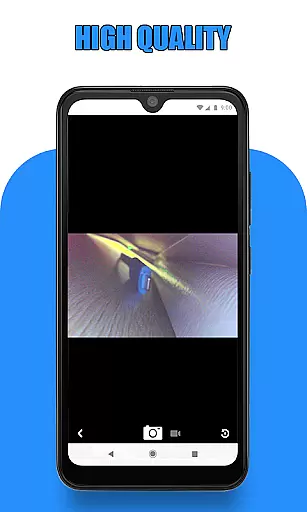
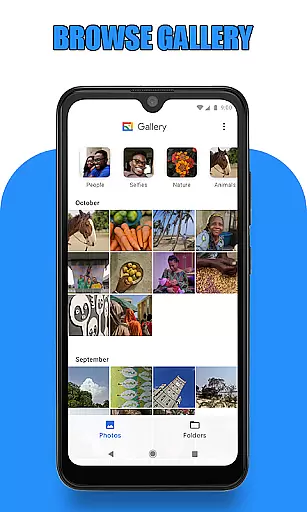
Once connected, the app provides a seamless interface for interacting with your external camera. Users can easily take photos and record videos by simply clicking on the camera icon within the app. The captured media is stored in a dedicated gallery section, where users can view, manage, and delete their files effortlessly.
In addition to basic media capture, the app supports advanced functionalities such as viewing live feeds from Borescope or endoscope cameras. This makes it an invaluable tool for professionals who require detailed inspections of pipes, drains, and other confined spaces. The intuitive design and robust feature set make Endoscope Camera Connector a reliable choice for both novice and experienced users.
Endoscope Camera Connector offers a comprehensive solution for connecting your mobile device with various external cameras, including endoscopes, USB cameras, and Borescope cameras. This app ensures that users can access the full functionality of their external devices directly from their Android phones.
The app supports essential features such as video recording with sound and photo capturing, making it versatile for different use cases. Whether you're conducting sewer inspections or examining blocked drains, this app provides the necessary tools to get the job done efficiently.
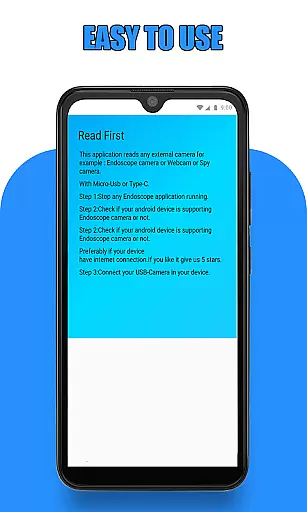
Before using the app, users are guided to check if their device supports USB OTG technology and if their camera is UVC-compatible. These preliminary steps ensure seamless integration and optimal performance, allowing users to leverage the full potential of their external cameras.
By offering these extensive functionalities, Endoscope Camera Connector stands out in the Libraries & Demo category, providing users with a reliable and feature-rich tool for all their inspection needs.
Usability is a key aspect of Endoscope Camera Connector, designed to provide a smooth and intuitive user experience. The app simplifies the process of connecting an external camera to your phone, ensuring that even those with minimal technical expertise can operate it effortlessly.
Upon opening the app, users are presented with straightforward instructions: connect the USB of the endoscope camera to your phone, click on the camera icon, and start viewing the feed immediately. This streamlined process eliminates unnecessary complications, making it accessible for a wide range of users.
In addition to its ease of use, the app includes a gallery feature where users can manage their captured images and videos. By allowing users to view, delete, and share their media conveniently, the app enhances operational smoothness and overall user satisfaction.
With its focus on usability and operational efficiency, Endoscope Camera Connector ensures that users can focus on their tasks without being hindered by complex operations, thus delivering a superior user experience in the Libraries & Demo category.
User-friendly interface
Compatible with various cameras
Efficient media management
Live feed capability
OTG compatibility checker
Limited to Android devices
Requires OTG support
Dependent on UVC compatibility
No iOS version available
Basic editing tools

View your cameras anywhere and anytime
 4.20
4.20
Enjoy Minecraft Mod Scary Neighbor Granny for Minecraft PE.
4.30
Demo for Key Attestation feature of the Android system.
4.80
Identify securely online
3.10
Read Quran pak offline & listen online mp3 Quran in Al Quran Majeed app
4.3
Connect and Find your smart tag via our app.our app is compatible with smarttag.
3.30
Mirror link car connector to share your screen with car dashboard
3.80
DamonSx2 is the open Source LGPL Emulator
3.20
A Pydroid Quick Install repository provider.
4.00
Study Bible King James Version: the correct way to learn the Bible with audio
4.80
Manage apps & elevate your gaming experience with Game Launcher: Gaming Hub app.
4.30
Android secret code for smart phone, mobile codes, with secret codes app
4.20
use your smartphone as Remote control drones .
4.20
You can remote control and play much easier.
4.10
charging your phone by other phone easly
4.00
Mobile Connect To TV - HDMI USB & WiFi Screen Mirroring
3.70
Experience virtual reality on your smartphone with Cardboard.
3.50
Record with Double Camera Video Recording using Dual Camera Front and Back Video
3.00
Turn your phone into a wireless Xbox controller – play, stream & control anytime
4.0

User Reviews