

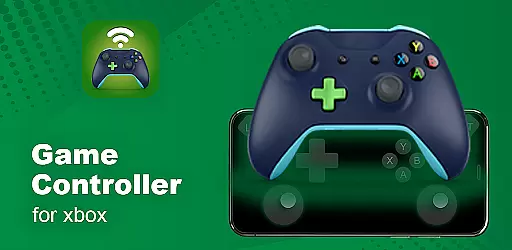
XB Game Controller is a powerful tool that transforms your smartphone into a wireless Xbox remote, allowing you to control your Xbox Series X/S or Xbox One directly from your phone. With its innovative features, the app enables users to enjoy remote play anywhere with ultra-low latency and smooth gameplay.
The application supports both game streaming and controller functionalities, making it an ideal solution for gamers who want to access their console remotely. Whether you're at home or on the go, XB Game Controller provides a seamless experience by mapping every button, trigger, and joystick just like the original Xbox controller.
Beyond basic controls, the app also offers multiplayer support, audio & chat functionality, and customizable buttons, enhancing the overall gaming experience. Its quick setup process ensures users can start playing in no time, while the modern interface makes navigation intuitive and easy.
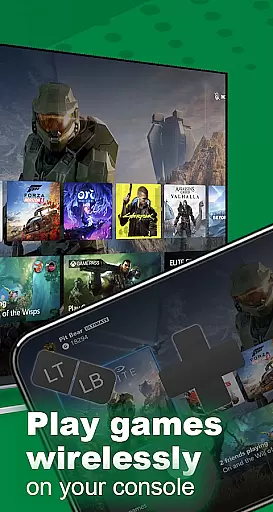
XB Game Controller stands out with its comprehensive feature set tailored for Xbox gamers. The app's Remote Play functionality allows users to stream games in real-time over Wi-Fi or mobile data, delivering a high-quality 1080p streaming experience with minimal lag.
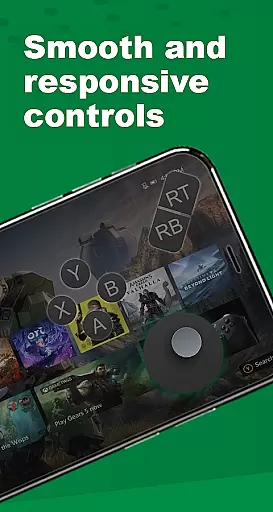
In Gamepad Mode, the app transforms your phone into a fully functional Xbox controller. Every input is precisely mapped, ensuring responsive controls for all types of games. Additionally, the app supports multiplayer sessions, enabling friends to join in using their own phones as controllers, which is perfect for local co-op or party games.
Other notable features include integrated voice chat through the phone’s microphone, compatibility with Bluetooth keyboards and headsets, and seamless device switching. These capabilities make XB Game Controller a versatile tool for managing your Xbox console remotely while offering superior performance compared to similar apps.
Functionality completeness is a critical aspect of any application, especially for tools like XB Game Controller that aim to replace physical hardware. This app offers an extensive range of features designed to provide users with a comprehensive Xbox control experience directly from their smartphones.
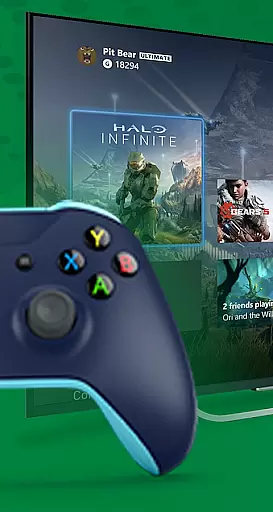
The app supports both Xbox Series X/S and Xbox One, allowing users to stream games in real time over Wi-Fi or mobile data. With ultra-low latency and smooth gameplay, it ensures optimal remote gaming performance. Additionally, the instant gamepad mode transforms your phone into a responsive Xbox controller, mapping every button, trigger, and joystick just like the original.
XB Game Controller also includes multiplayer support, enabling friends to join gaming sessions using their phones as controllers. This feature is perfect for local co-op or party games, enhancing the social aspect of gaming. Moreover, the app provides audio and chat support, allowing users to utilize their phone's microphone for voice chat and control in-game audio seamlessly.
Overall, the functionality completeness and coverage of XB Game Controller make it a versatile tool for gamers who want to enjoy their Xbox experience without being tied to a physical controller.
Usability and operational smoothness are essential for ensuring that users can easily navigate and utilize an application's features. XB Game Controller excels in providing a user-friendly interface that simplifies the process of connecting and controlling an Xbox console from a smartphone.
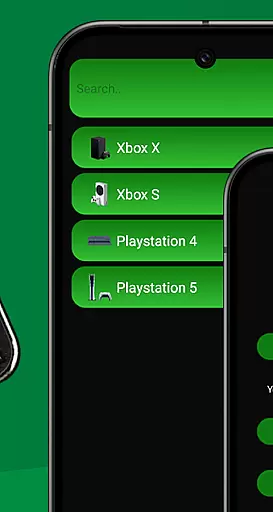
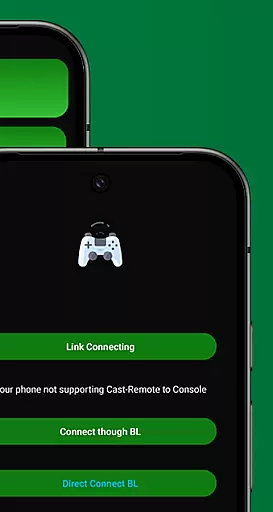
The quick setup steps guide users through connecting their Xbox and phone to the same Wi-Fi network, launching the app, logging into their Xbox account, and starting to stream. Users can choose between remote play or gamepad mode, offering flexibility based on their preferences and needs.
One of the standout usability features is the customizable gamepad layout, which allows users to tailor the controls to their liking. The app also supports seamless device switching and works with Bluetooth keyboards and headsets, further enhancing its operational smoothness.
In summary, XB Game Controller delivers a streamlined and efficient user experience, making it easy for anyone to take full control of their Xbox console directly from their smartphone.
User-friendly interface
Low latency streaming
Customizable controls
Multiplayer support
Voice chat integration
Limited to Xbox consoles
Requires stable Wi-Fi
No offline mode
Premium features locked
Third-party app risks

Tune your game graphics with our GFX optimizer for optimal gaming experience
 4.50
4.50
Wireless reverse charging using phone now is possible
4.30
The Free Catholic Latin American Bible in complete Spanish
4.60
A great tool help you to format Micro SD memory Card
3.10
Popular mods fnaf mods for melon playground
4.50
Read Quran pak offline & listen online mp3 Quran in Al Quran Majeed app
4.0
Game booster GFX may reduce interruptions and improve gaming experience.
4.50
Simulator of real black light
3.50
Expo is a free & open source platform to build apps using JavaScript and React.
4.70
Study Bible King James Version: the correct way to learn the Bible with audio
4.80
TV USB connector app provides you a seamless cast option from your phone to tv.
4.70
Barcode scanning made simple!
4.40
Al QURAN-القرأن الكريم app to read Quran offline just like an actual Quran book
4.30
An impressive collection of tools, characters, weapons, skins and more!
4.30
Android secret code for smart phone, mobile codes, with secret codes app
4.20
A Pydroid Quick Install repository provider.
4.00
Connect and Find your smart tag via our app.our app is compatible with smarttag.
3.30
Endoscope camera an app to connect with endoscope cam or any device
3.30
Collection of high-quality, trendy skins and outfits!
4.2

User Reviews