

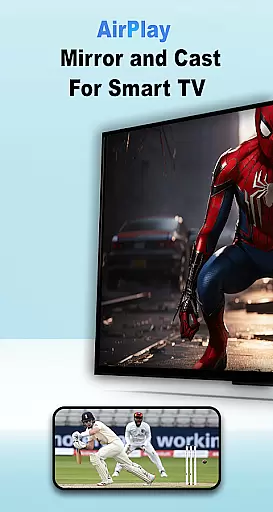
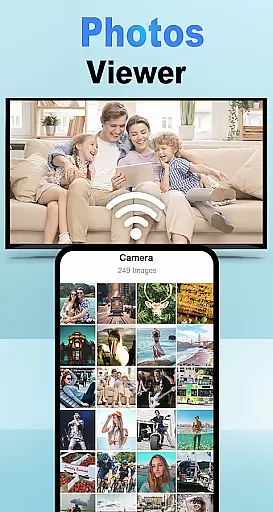
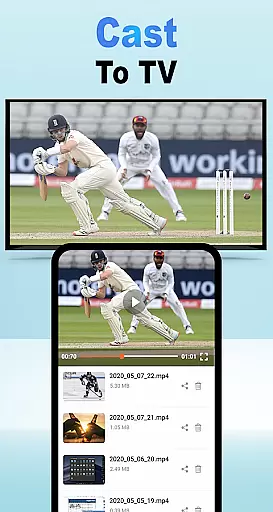
Air Play: Cast to TV is an innovative screen mirroring and wireless streaming application designed for Android users. This app allows seamless connectivity between your Android device and a wide range of AirPlay-compatible devices, including Samsung AirPlay TVs, Apple TVs, and AirPlay speakers. With its user-friendly interface, you can effortlessly cast your favorite videos, photos, and music to larger screens or audio systems.
The app supports multiple protocols such as DLNA and Chromecast, ensuring broad compatibility with various smart TVs and speakers. Whether you're looking to enhance your home entertainment experience or make presentations more engaging, Air Play: Cast to TV offers a versatile solution that caters to different needs.
By enabling wireless streaming, this app eliminates the hassle of cables and complicated setups, providing a smooth and enjoyable user experience. Its ability to connect to multiple devices on the same Wi-Fi network makes it an ideal choice for both personal and professional use.
Air Play: Cast to TV stands out with its comprehensive feature set tailored for seamless media sharing. One of its core functionalities is the ability to cast various types of media, including videos, photos, and music, directly to a TV or compatible device using advanced protocols like DLNA and Chromecast. This ensures high-quality streaming without interruptions.
The app boasts wide compatibility, working efficiently with AirPlay for TV, Samsung AirPlay, and AirPlay receivers. This versatility allows users to connect to a multitude of devices, enhancing their streaming options. Additionally, the effortless streaming feature provides a smooth experience when connecting to AirPlay-enabled devices such as smart TVs and speakers.
For ease of use, the app simplifies the connection process. Users can open the app, select the media they wish to share, ensure both devices are on the same Wi-Fi network, choose the target AirPlay receiver, and tap 'Connect' to start streaming. This straightforward approach makes it accessible even for those who may not be tech-savvy.
Functionality completeness is a critical aspect of any application, especially for Air Play: Cast to TV. This app offers a comprehensive solution for users looking to mirror their Android device screens to various TVs and AirPlay-compatible devices. With support for DLNA protocols, Chromecast, and other technologies, it ensures that you can cast your favorite videos, photos, and music without limitations.
The app's wide compatibility with different devices such as Samsung AirPlay TVs, Apple TVs, and AirPlay speakers highlights its extensive coverage. Whether you're aiming to stream content to an AirPlay 2 receiver or connect with smart TVs and speakers, Air Play: Cast to TV provides the necessary tools to facilitate a seamless connection. This broad device support underlines the app's commitment to delivering a versatile streaming experience.
For users, this means enjoying a frustration-free streaming experience where they can easily share media from their Android devices to larger screens or audio systems. The ability to effortlessly switch between different types of receivers enhances user convenience and satisfaction. By covering a wide array of use cases, Air Play: Cast to TV ensures that users have the freedom to explore various entertainment options without technical hindrances.
Usability and operational smoothness are essential for ensuring a pleasant user experience, and Air Play: Cast to TV excels in these areas. The app is designed to make the process of screen mirroring and wireless streaming as intuitive as possible. Users can quickly open the app, select the media they wish to share, and connect to a variety of devices with minimal effort, thanks to clear instructions and an easy-to-navigate interface.
One of the standout features is the requirement for both the Android device and the target device to be on the same Wi-Fi network, which simplifies the connection process significantly. Once connected, users can choose their target AirPlay receiver from a list, tap 'Connect,' and enjoy uninterrupted streaming. This straightforward approach reduces potential connectivity issues and enhances overall usability.
Ultimately, the operational smoothness of Air Play: Cast to TV translates into a superior user experience. By focusing on ease of use and reliable performance, the app allows users to concentrate on enjoying their content rather than troubleshooting technical difficulties. This dedication to providing a seamless and enjoyable streaming experience makes Air Play: Cast to TV a valuable tool for anyone looking to enhance their home entertainment setup.
User-friendly interface
Wide device compatibility
High-quality streaming
Wireless convenience
Multiple protocol support
Limited to Wi-Fi networks
Occasional connectivity issues
Requires compatible devices
No offline functionality
Premium features locked behind paywall

Wireless reverse charging using phone now is possible
 4.30
4.30
The Free Catholic Latin American Bible in complete Spanish
4.60
Demo for Key Attestation feature of the Android system.
4.80
Test DPC is a sample device policy controller for use with Android Enterprise.
4.20
charging your phone by other phone easly
4.00
A Pydroid Quick Install repository provider.
4.00
Manage apps & elevate your gaming experience with Game Launcher: Gaming Hub app.
4.30
Mobile Connect To TV - HDMI USB & WiFi Screen Mirroring
3.70
Now Available on Android ™
3.40
Read Holy Quran Feel Like Real Quran & Listen Al Quran Mp3 Audio Online Offline.
4.70
Phone Software Update Quick Checker helps you to keep your phone apps up to date
4.50
Al QURAN-القرأن الكريم app to read Quran offline just like an actual Quran book
4.30
Unlock the hidden menus of your phone with our mobile secret codes app.
4.20
The best PS2 games from your childhood come to life in their mobile version!
4.00
Connect your phone to any endoscope camera, USB camera, or borescope with ease.
3.70
Ps2 plugins for 64 bit artitechture
3.70
CloudEye 365 is a easy-handling APP
3.60
Looking to connect your phone to your car screen? Mirror Link is the solution.
3.20
Mirror Link Car Display to share your screen with car dashboard wirelessly
4.0
User Reviews