

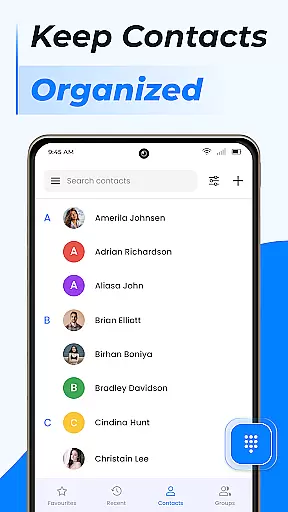
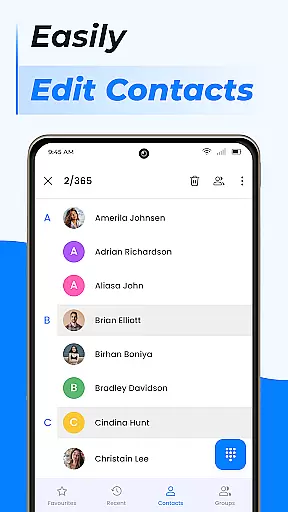
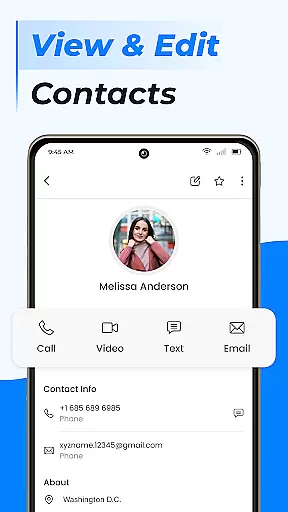
Contacts is a comprehensive communication management tool designed to simplify and enhance the way you handle your Android phone's contact list. This app allows users to efficiently manage their contacts by providing features such as quick access to recent contacts, sharing contact information with ease, and blocking unwanted calls or messages.
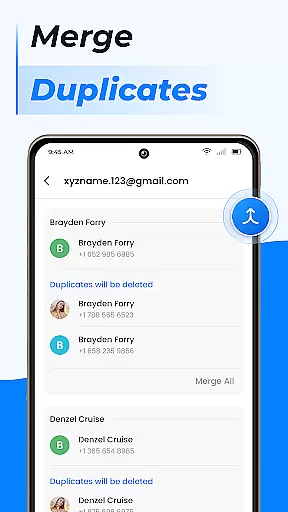
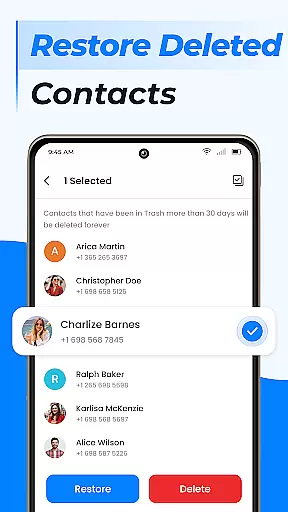
In addition to basic contact management, Contacts offers advanced functionalities including duplicate contact merging, group creation for better organization, and seamless contact backup and synchronization. Whether you need to add new contacts, edit existing ones, or manage storage by moving contacts to a SIM card, this app ensures that all your contact-related tasks are intuitive and hassle-free.
The true value of Contacts lies in its ability to centralize and streamline communication management, making it an essential tool for both personal and professional use. By integrating features like call blocking, caller ID, and smart contact search, it elevates the traditional phone calling experience to the next level.
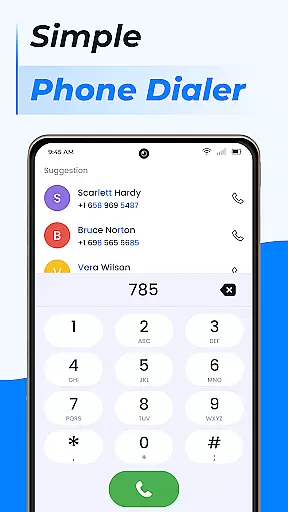
Contacts stands out due to its rich array of features tailored to optimize contact management on Android devices. One of its key strengths is the fast dialer functionality, which lets users quickly call their favorite or frequently used contacts with just one tap. The app also includes a robust caller ID feature, ensuring users know who is calling before they answer.
Another significant aspect is the ability to organize contacts into custom groups, making it easier to manage different sets of people, such as separating work contacts from personal ones. Additionally, the app provides powerful tools for handling duplicate contacts by merging them, thus keeping the contact list clean and organized.
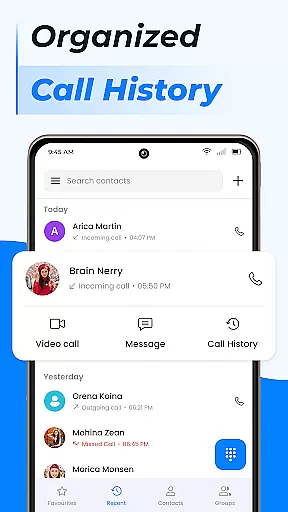
Furthermore, Contacts supports cloud syncing across multiple devices and integrates with Google Contacts for reliable backups. Its smart contact search and call log history ensure that users can swiftly find and connect with their contacts, enhancing overall communication efficiency.
Real-time messaging speed and reliability are crucial for any communication app, ensuring that messages are delivered instantly and without fail. The Contacts app excels in this area by providing a seamless experience where users can reach out to their contacts with just a tap.
This application leverages advanced algorithms to maintain an efficient connection between devices, which means you won't experience delays when sending or receiving messages. Whether it's a quick text or an important call, the app ensures your communication is prioritized and handled swiftly.
For users, this translates into peace of mind knowing that their communications will be received promptly. This reliability fosters trust in the app as a dependable tool for both personal and professional interactions, enhancing overall user satisfaction.
Moreover, the app's infrastructure supports high message throughput, allowing multiple conversations to occur simultaneously without compromising on speed or reliability. This makes it ideal for managing busy schedules and staying connected with numerous contacts effortlessly.
Media sharing support within a communication app like Contacts allows users to easily exchange photos, videos, and other files. This feature enriches conversations by enabling more expressive and informative exchanges beyond plain text.
The Contacts app facilitates media sharing through its intuitive interface, allowing users to attach files directly from their device storage or cloud services. With robust compatibility across various file formats, users can share content without worrying about format restrictions or conversion issues.
By integrating with popular cloud services, the app ensures that large files can be shared efficiently without consuming excessive data or storage space on the device. Users benefit from faster transfer speeds and reduced waiting times, making media sharing not only convenient but also time-saving.
In addition, the app maintains the quality of shared media, ensuring that images and videos retain their original clarity. This attention to detail enhances the user experience, making every shared moment feel as vivid as if it were experienced firsthand.
User-friendly interface
Advanced contact organization
Efficient call management
Comprehensive backup solutions
Integrated communication tools
Limited iOS compatibility
Occasional sync issues
Ads in free version
Feature overload for casual users
Requires account setup

Enables Plus features of Quick Search.
 4.4
4.4
Secure Messaging App to Enhance Messenger Texting Experience and Organize SMS.
3.50
Enjoy secure messaging & calling. Safe Messenger: group chats, calls, messages.
4.20
WazzapMigrator: transfer your WhatsApp history from iPhone to Android
4.00
An agentic AI browser for Android, built by Perplexity
4.50
Fast, Simple And Secure Application That Provides SMBv3 Server On Your Device
3.30
Weargram is an unofficial Telegram Client for Wear OS.
3.50
A browser that does more than load page, like keeping your privacy safe.
4.70
Share the moment!
4.10
Read OBD2 data and DTCs Create custom dashboards Enhanced diagnostics available
4.70
Say “hello” to privacy.
4.60
Create a secure hotspot on-the-go with Portable WiFi - Mobile hotspot.
4.40
Get through your inbox faster with the mail app designed to simplify your life.
4.40
Manage your data, talk & text - affordable phone plans & data usage made simple
4.30
2nd Phone Number Line for Anonymous Texting, Calling, and Picture Messages
4.30
RemoteHams.com Android RCForb Client Pre-Release
4.30
BiP is a fast, secure, free messaging and HD video calling app!
4.10
Measure BHP, Torque & 0-60 Clear car OBD faults View engine data in Google Earth
4.00
Official NDI app: turn your phone into a professional live-streaming IP camera.
3.20
User Reviews