

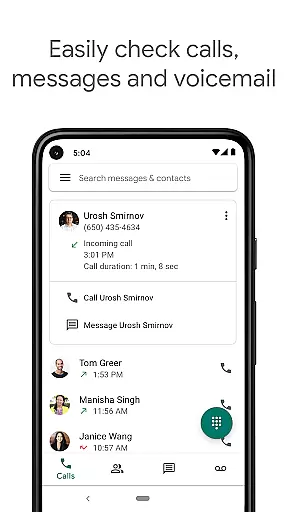
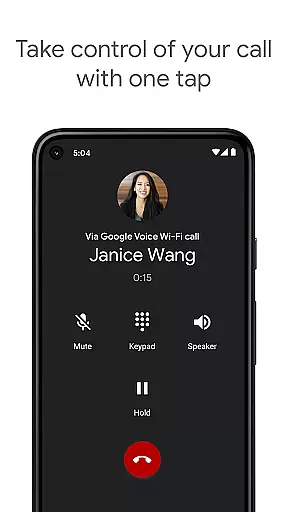
Google Voice is a communication app that provides users with a dedicated phone number for calling, text messaging, and voicemail services. The app seamlessly syncs across all devices including smartphones and computers, ensuring you stay connected wherever you are. With features like spam filtering, call forwarding, and voicemail transcription, it offers a comprehensive solution for managing your communications efficiently.
The app stands out with its ability to store and back up all calls, messages, and voicemails, making them easily searchable. This ensures you never lose important information and can access your communication history whenever needed. Additionally, Google Voice allows sending and receiving SMS messages from all your devices, providing flexibility and convenience in managing messages.
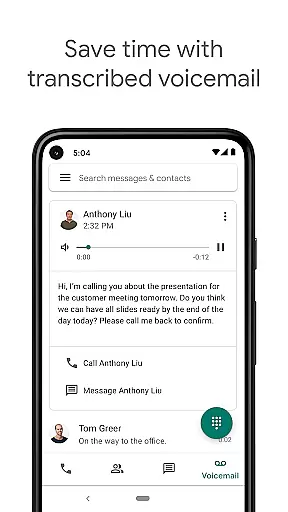
Whether you're at home, in the office, or traveling internationally, Google Voice helps you save on calling costs while maintaining high-quality communication. Its advanced voicemail transcription feature converts voicemails into readable text, which can be accessed directly in the app or via email. This makes staying updated with your communications effortless and efficient.
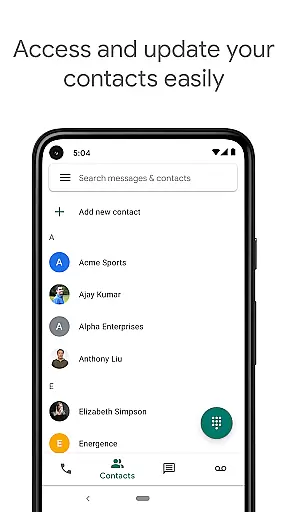
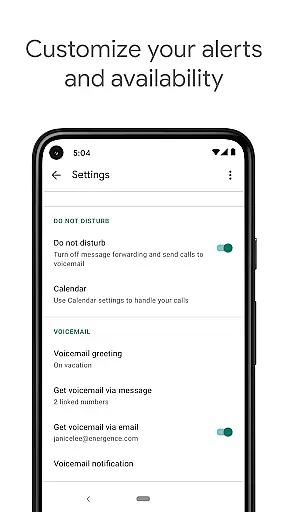
Google Voice boasts an array of features designed to enhance user experience. One of its key functionalities is automatic spam filtering and the ability to block unwanted numbers, ensuring a hassle-free communication environment. Users can also personalize settings for call forwarding, text messages, and voicemail, allowing them to manage their time effectively.
Another standout feature is the app's capability to store and back up all communication data, including calls, messages, and voicemails. This not only secures your data but also makes it easily accessible and searchable. Furthermore, the app supports sending and receiving individual and group SMS messages from multiple devices, streamlining message management across platforms.
Google Voice also offers competitive rates for international calls, helping users save on expensive calling costs. Its advanced voicemail transcription service converts spoken messages into text format, which can be read within the app or sent to your email. This innovative approach to voicemail ensures you stay informed without needing to listen to lengthy audio recordings.
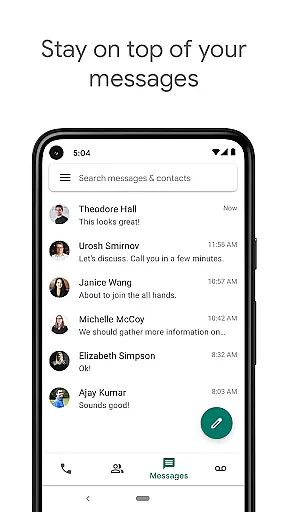
Real-time messaging speed and reliability are crucial for any communication app, ensuring that messages are delivered instantly and without fail. Google Voice excels in this area by providing users with a seamless experience when sending and receiving text messages across multiple devices.
The app's infrastructure is designed to sync messages almost instantaneously across smartphones, tablets, and computers. This means you can start a conversation on your phone during your commute and continue it on your laptop once you reach the office, without missing a beat.
For users, this translates into enhanced productivity and peace of mind. Knowing that their messages will be delivered reliably allows them to focus on the content of their communications rather than worrying about technical glitches or delays.
Moreover, Google Voice filters out spam automatically, which not only declutters your message list but also ensures that important messages stand out and receive immediate attention. This feature further enhances the overall reliability of the messaging experience.
Media sharing support is an essential feature for modern communication apps, allowing users to exchange photos, videos, and other files effortlessly. Google Voice offers robust media sharing capabilities, making it easy for users to enrich their conversations with multimedia content.
With Google Voice, you can send and receive various types of media files within individual or group messages. The app supports common formats, ensuring compatibility and ease of use whether you're sharing vacation photos with family or collaborating with colleagues on a project document.
This functionality extends across all supported devices, meaning you can initiate a media share from your smartphone and access it later from your computer. Such flexibility empowers users to communicate more effectively and naturally, bridging gaps between different platforms and locations.
In addition to basic media sharing, Google Voice provides options for managing these shared resources efficiently. Users can search through their message history to locate specific images or documents quickly, thanks to the appu2019s storage and backup features. This ensures that valuable content remains accessible over time.
User-friendly interface
Seamless cross-device syncing
Advanced voicemail transcription
Effective spam filtering
Cost-effective international calls
Limited to select markets
No support for MMS
Dependent on cellular plan
Occasional transcription errors
Restricted business use

 3.90
3.90
SMS & MMS Messaging App to easily send messages or schedule SMS on Chat
4.10
WazzapMigrator: transfer your WhatsApp history from iPhone to Android
4.00
Fast and mini browser with Ad Blocker,Video Downloader and Video Player
4.40
Welcome to the future of phone service.
4.60
Simplify texting with Messages SMS, offline messaging, themes & smart tools!
4.30
Comprehensive and powerful scan tool app with enhanced functions
3.00
A softphone app with seamless SIP calling and an intuitive VoIP dialer
3.50
Manage your mobile phone plan, check unlimited 5g data usage and track rewards
4.50
Read OBD2 data and DTCs Create custom dashboards Enhanced diagnostics available
4.70
Fast internet with AI, Adblock & VPN. Browse on a safe, incognito web browser.
4.70
Adblock & VPN Browser: Blocks banners, pop-ups and video ads, fast downloader!
4.60
Stay in touch with the people who matter most.
4.60
Simple tool for businesses to talk to their customers.
4.40
Send SMS and chat messages easily with a fast text messaging app for Android.
4.10
Messages: Fast, simple SMS app with scheduling and smart features.
4.00
Messages is Private SMS Messenger 2023 with text message, instant messaging.
4.00
Caller ID, Spam Call & SMS Blocker
3.80
Manage Phone Calls, call history, and contacts easily with Phone Pro.
4.3


User Reviews