

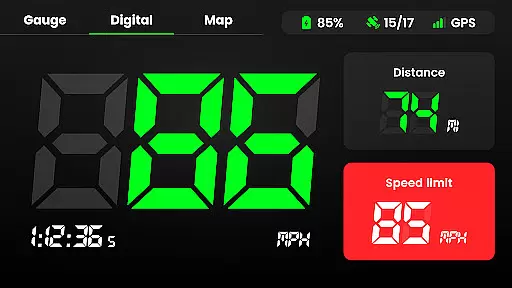
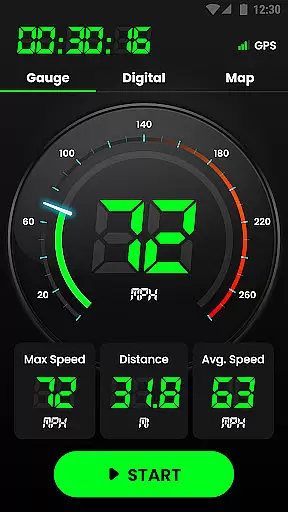
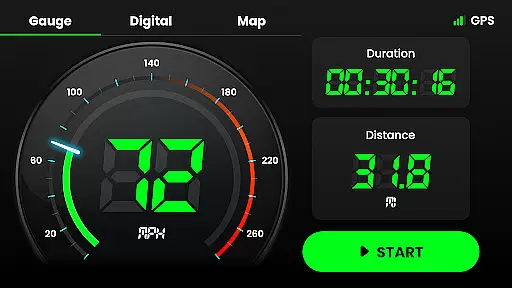
Speedometer is a highly accurate GPS-based speed tracking application designed for various modes of transportation. The app provides real-time speed monitoring, distance tracking, and speed limit alerts through notifications. It supports both digital and analog display modes, catering to different user preferences. Whether you're driving a car, riding a bicycle, or even jogging, this app ensures precise velocity measurement while offering offline functionality.
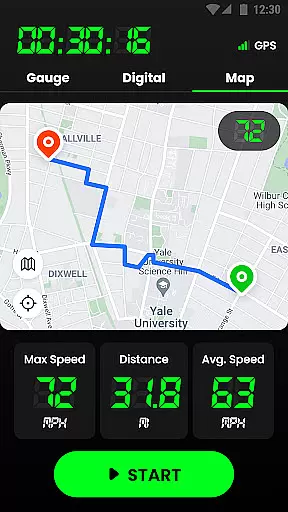
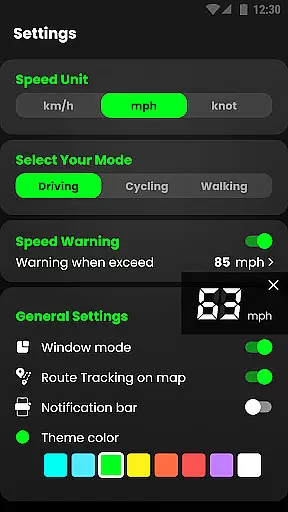
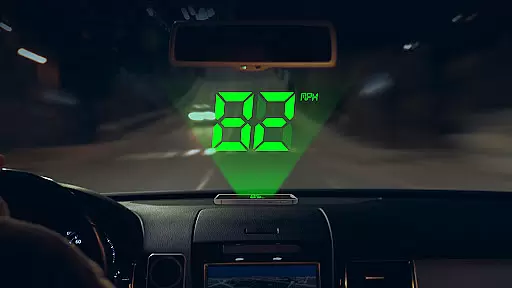
The application's head-up display (HUD) mode projects your speed onto your car windshield for easy viewing. With GPS navigation, users can track their location and journey routes on an interactive map. Speedometer also allows switching between speed units like kilometers per hour (km/h), miles per hour (mph), and knots. Its intuitive interface and additional features such as widgets, multiple themes, and small size make it a versatile tool for everyday use.
For those who need reliable speed tracking during commutes or workouts, Speedometer offers a practical solution. By providing detailed statistics like average speed, maximum speed, and mileage, the app helps users monitor their performance and stay safe on the road. This makes it especially useful for drivers looking to replace an inaccurate vehicle speedometer or athletes tracking their progress.
Speedometer stands out with its comprehensive feature set tailored for accurate speed and distance tracking. One of its key highlights is the dual-mode display, offering both digital and analog formats to suit individual preferences. The HUD mode enhances convenience by mirroring the speed readings onto the windshield, ensuring drivers can keep their eyes on the road. Additionally, the app works seamlessly offline, making it reliable in areas with poor internet connectivity.
Another notable feature is the ability to set custom speed limits with instant alerts via vibration, voice notifications, and alarms when exceeded. This promotes safer driving habits and prevents unintentional speeding. Users can switch between three different speed units—km/h, mph, and knots—ensuring compatibility with global standards. The built-in GPS navigation not only tracks real-time location but also records trip history, including starting points, endpoints, and total distance covered.
Speedometer further enhances user experience with customizable themes, portrait and landscape modes, and compact widgets that integrate into the notification bar. Its lightweight design minimizes battery consumption while delivering high performance. For multitasking, the floating window feature lets users overlay the speedometer on other apps, ideal for navigation purposes. These innovative features collectively create a robust tool for anyone seeking precision and flexibility in speed tracking.
Map accuracy is crucial for any navigation or tracking application, and Speedometer excels in this area. The app uses advanced GPS technology to provide real-time location data with impressive precision. This ensures that users can rely on the app to track their routes accurately, whether they are driving, cycling, or walking.
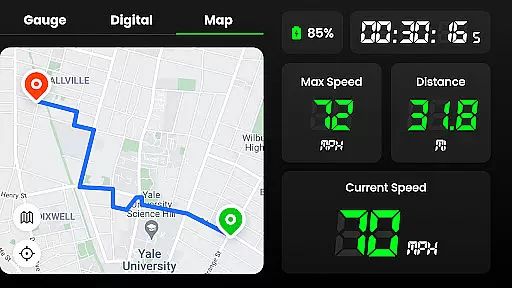
The GPS Speedometer & Odometer app provides detailed mapping features that allow users to see their journey routes on the map intuitively. It records trails and offers the option to enable or disable tracking on the map according to user preference. This level of detail and control enhances the overall accuracy of the map data presented to the user.
For those who require precise location tracking, Speedometer's ability to function offline is a significant advantage. Even with poor internet connectivity, the app continues to deliver accurate speed and distance information, ensuring users are never lost, regardless of their environment or situation.
Effective route planning is essential for optimizing travel time and ensuring a smooth journey. Speedometer offers robust route planning capabilities by leveraging GPS navigation to help users see their real-time location quickly. This feature allows users to plan their trips efficiently, providing them with the information needed to make informed decisions about their routes.
In addition to real-time location tracking, the app keeps a detailed record of every journey, including starting and ending points, distance traveled, and time spent. These logs enable users to analyze past trips and refine future route plans, making each subsequent journey more efficient than the last.
Speedometer also supports both portrait and landscape modes, offering flexibility in how users interact with their route data. With its comprehensive tracking features and user-friendly interface, Speedometer stands out as a powerful tool for anyone looking to improve their route planning and overall travel experience.
User-friendly interface
Accurate GPS tracking
Offline functionality
Customizable speed alerts
Versatile unit options
Limited advanced analytics
No social sharing
Premium features locked
Occasional lag
Ads in free version

Turn your Android device into a real off-road GPS using off-line topo maps!
 4.40
4.40
Play in the outdoors with Android as your Handheld GPS and offline topo maps!
3.50
Your guide to the recreational opportunities of the Bureau of Land Management!
3.40
Turn your tablet or Android powered unit into a full blow Android Auto headunit.
2.30
Maps, Driving Directions & GPS navigation using directions app & GPS App
4.30
Explore offline maps with radar, satellite view, and real-time alerts.
3.60
Simple & easy to use a compass app. Get accurate directions.
4.20
Park in Chicago, NYC, Boston, SF, Houston & more!
4.70
Track friends in real-time and explore worldwide live cameras.
4.60
GPS Speedometer & Odometer: Track car, bike, truck speed & distance in real-time
4.70
Find trails, organize your locations and navigate with offline maps.
4.60
Route tracker, Speedometer, Odometer, Fuel, HUD mode, save route as .GPX
4.40
Instant diesel discounts - save big with each fill up!
4.40
Explore a light pollution map to find suitable dark sky locations for observing.
4.30
Use GPS maps or search by property owner, address or parcel to view parcel data
4.30
GPS navigation offers route finder, compass, translator, currency converter, etc
4.30
Use GPS Maps and GPS Voice Navigation to find your way and get directions
4.10
Avoid delays. Get real-time GPS navigation, safety alerts and live traffic.
4.10
Get real-time bus and train schedules for easy, hassle-free city transportation.
3.90

User Reviews