

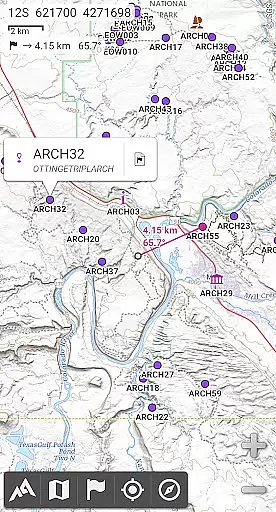
AlpineQuest Off-Road Explorer is a comprehensive outdoor navigation app designed for adventurers and sports enthusiasts. It offers access to numerous online topographic maps, which can be stored locally for offline use, ensuring availability even without cell coverage. The app leverages your device's GPS and magnetic sensors to provide real-time location tracking on the map, which can also be oriented to your viewing direction.
In addition to its mapping capabilities, AlpineQuest supports advanced features such as placemark management, path tracking, and statistical analysis. Users can save an unlimited number of waypoints, import and export various file formats, and share locations with friends. Whether you're hiking, hunting, or sailing, this app provides the tools necessary for accurate navigation and exploration.
The application is particularly suited for off-road navigation and wilderness exploration, where traditional connectivity may not be available. With support for multiple map layers, digital elevation models, and polar maps, AlpineQuest ensures that users have the most detailed and versatile mapping data at their disposal, making it an essential tool for any outdoor activity.
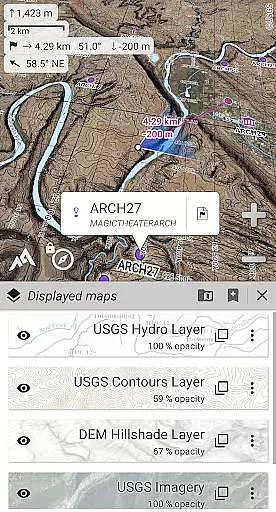
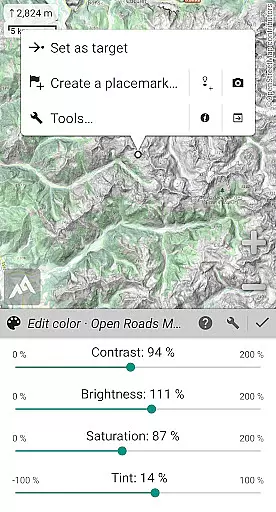
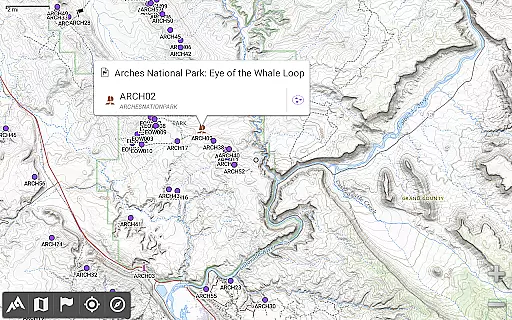
AlpineQuest Off-Road Explorer stands out with its extensive map support and customization options. The app includes built-in online maps with automatic local storage, covering road, topo, and satellite views. Users can easily download additional maps from a community list and store large areas for offline use. It also supports various onboard file-based raster map formats, including KMZ Overlays, GeoTiff, and MbTile, allowing for flexible map usage.
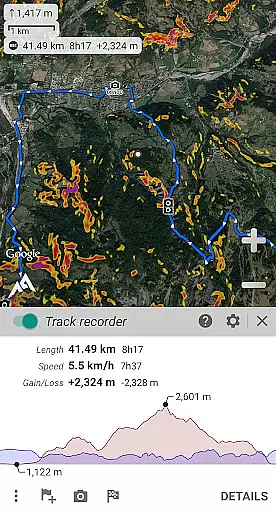
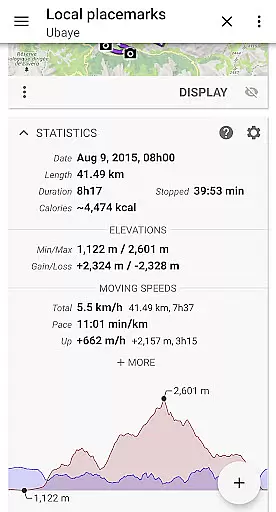
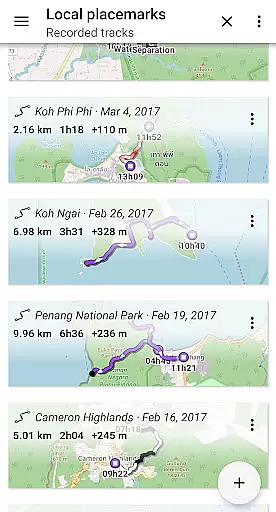
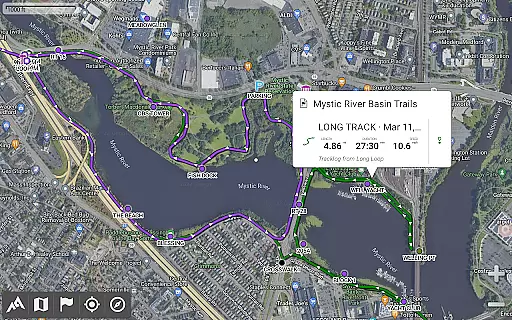
Beyond mapping, AlpineQuest offers robust placemark management. You can create, display, and manage an unlimited number of waypoints, routes, and tracks. Importing and exporting functionalities support GPX, KML/KMZ, and CSV files, among others. Advanced statistics and interactive graphics provide detailed insights into your activities, enhancing your outdoor experience.
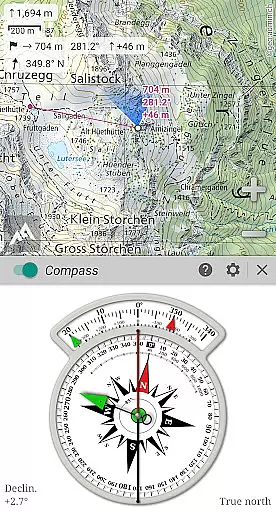
Real-time GNSS positioning using GPS, Glonass, or Galileo ensures accurate location tracking. The app includes a built-in compass and target finder, along with GNSS/Barometric track recording. Additional features like proximity alerts, leave path alerts, and barometer support (on compatible devices) further augment its utility, making AlpineQuest a powerful companion for all your navigational needs.
Map accuracy is a crucial feature for any navigation app, and AlpineQuest Off-Road Explorer excels in this area. The application provides access to a wide range of online topographic maps, which can be stored locally and remain accessible even without cell coverage. This ensures that users have reliable map data at all times, regardless of their location.
In addition to online maps, AlpineQuest supports numerous file-based raster map formats, allowing for extensive offline capabilities. Users can take advantage of built-in image calibration tools to use personal scans or pictures as maps, further enhancing the accuracy and personalization of their mapping experience. With support for digital elevation models and various map layers, the app delivers detailed terrain information and customizable map displays.
The importance of map accuracy is reflected in the app's ability to provide precise localization using the device's GPS. This real-time positioning helps prevent users from getting lost during outdoor activities. By delivering high-quality, accurate maps both online and offline, AlpineQuest ensures that adventurers can explore with confidence, knowing their maps are dependable.
Route planning is an essential component of AlpineQuest Off-Road Explorer, designed to assist users in organizing their outdoor pursuits efficiently. The app allows users to save and retrieve an unlimited number of placemarks, which serve as waypoints for creating detailed routes. These placemarks can be shared with friends, making it easy to collaborate on trip plans or exchange favorite spots.
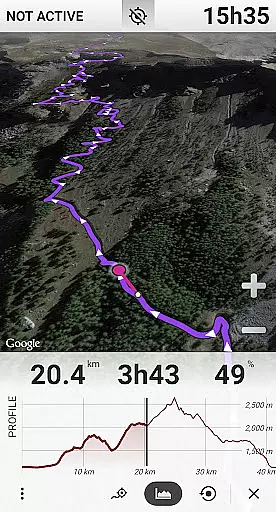
AlpineQuest goes beyond simple waypoint marking by offering advanced statistics and interactive graphics related to tracks and routes. Users can track their paths and analyze their journeys through comprehensive data visualizations. This functionality supports informed decision-making and enhances the overall experience of planning and executing routes.
Another standout feature is the Time Controller, which enables users to replay time-tagged tracksu2014a valuable tool for reviewing past trips or preparing for future ones. With these robust route planning capabilities, AlpineQuest empowers users to venture into the wilderness equipped with well-structured plans and the assurance that they can navigate complex terrains effectively.
Comprehensive map support
Offline functionality
Real-time location tracking
Advanced placemark management
Customizable map layers
No advertisements
No third-party libraries
No analytics
No data sharing
Premium version required

Find AI powered cameras, ALPRs, and other surveillance infrastructure near you
 4.70
4.70
The fastest and most convenient way to pay for parking on our lots.
4.40
Route tracker, Speedometer, Odometer, Fuel, HUD mode, save route as .GPX
4.40
Find EV & Tesla charging stations with PlugShare
4.70
Use GPS maps or search by property owner, address or parcel to view parcel data
4.30
LIRR and Metro-North tickets and trips
4.80
Get route map navigation with 3D satellite view, and live earth camera streaming
3.70
Navigate seamlessly with Real-Time Traffic, Offline Maps, and Voice Navigation.
4.10
Use GPS Maps and GPS Voice Navigation to find your way and get directions
4.10
Get there with the Waymo Driver — The World’s Most Experienced Driver™
4.90
This app is military GPS coordinate systems helper. (MGRS, UTM & DMS Maps)
4.80
Complete offline 1:50k South Island topo map including DOC Hunting Permit Areas
4.60
Explore with GPS Navigation with GPS offline, voice GPS, speed camera radar
4.60
Navigate MTA, NJ Transit, MBTA, SEPTA, BART, MARTA, CTA & 900+ cities
4.60
Rideshare, taxi cabs, and more for your airport travels and everyday trips.
4.50
Get matched with a nearby driver — you’ll be on your way in minutes.
4.30
Easy, Moderate and difficult offroad adventures.
4.00
Start your next adventure confidently using our Accurate Compass App
3.70
Your guide to the recreational opportunities of the Bureau of Land Management!
3.40
User Reviews