

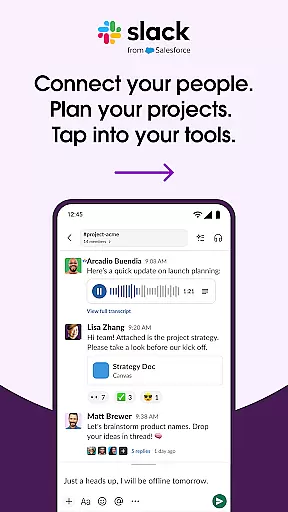
Slack is a comprehensive business communication platform designed to streamline collaboration and enhance productivity. It serves as a centralized hub where teams can seamlessly interact through text, voice, and video channels.
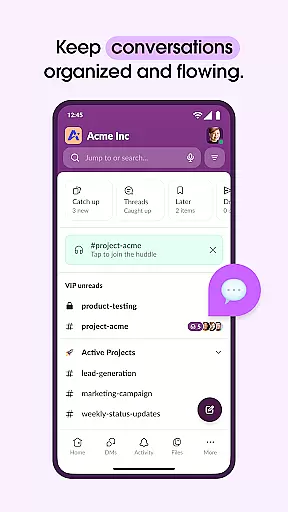
The app's core functionality revolves around organized workspaces that allow users to create dedicated channels for different projects or topics. This structure helps maintain clear communication lines while enabling efficient file sharing and document collaboration.
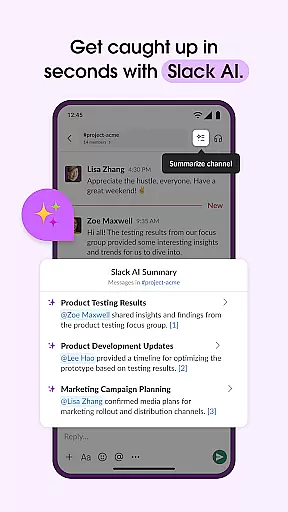
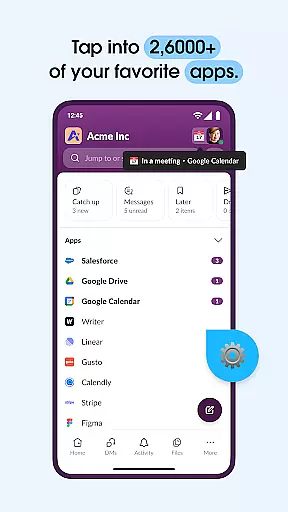
Beyond basic messaging, Slack integrates with over 2,600 third-party applications, creating a unified ecosystem for various business tools. Its AI-powered features facilitate smart search capabilities and automated meeting notes, making it invaluable for remote and hybrid work environments.
Slack distinguishes itself through its robust feature set tailored for modern workplace needs. The platform's channel-based organization system enables teams to compartmentalize discussions by project, department, or topic, ensuring relevant information remains easily accessible.
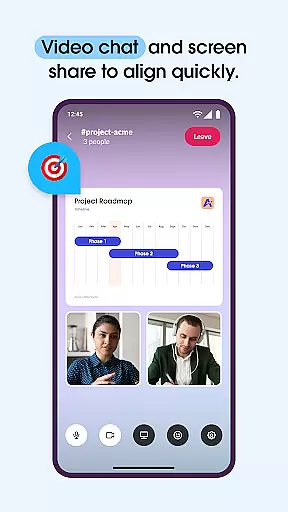
Advanced communication tools include integrated video conferencing, screen sharing, and the ability to record audio/video messages. These multimedia capabilities are complemented by powerful collaboration features such as shared document editing and project management tools.
The application's extensibility shines through its extensive integration library, connecting users with essential business services like Google Drive, Salesforce, and Dropbox. Additionally, Slack's AI functionalities provide intelligent assistance through automated note-taking and enhanced search capabilities.
Collaboration is at the heart of Slack's functionality, enabling teams to work together seamlessly regardless of location. The platform offers dedicated channels for every project, ensuring that discussions, documents, and files are organized and accessible.
Slack allows users to conduct meetings through video chat directly within the app, with screen sharing capabilities to present and discuss work live. For more complex ideas, users can record and send audio or video clips, enhancing clarity in communication.
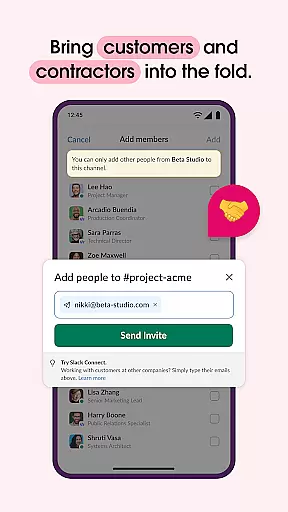
Integration with external partners and contractors is made simple, allowing businesses to expand their collaborative efforts beyond internal teams. This interconnected approach ensures that all stakeholders remain aligned and informed throughout projects.
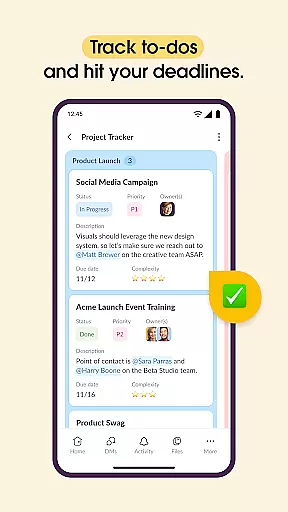
Effective task management is crucial for project success, and Slack addresses this need with robust tools. Users can set up projects using pre-made or customizable templates, providing a structured starting point for various initiatives.
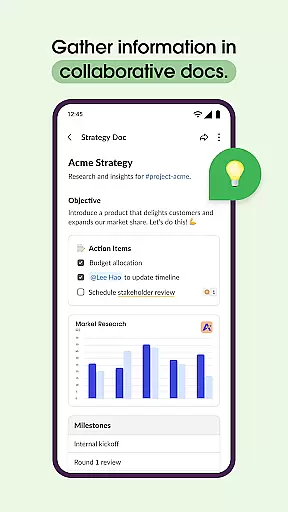
The platform supports collaboration on shared documents, keeping them alongside team conversations for easy reference. This proximity of information streamlines workflows and enhances productivity during project execution.
With project management features, teams can track to-dos, assign tasks, and establish milestones. These capabilities ensure that projects stay on schedule and objectives are met efficiently, although some advanced features may require an upgrade to Slack Pro or higher plans.
Streamlined team communication
Extensive app integrations
Robust organizational tools
AI-powered productivity features
Cross-platform accessibility
Steep learning curve
Premium features costly
Occasional connectivity issues
Mobile app limitations
Complex notification settings

AI-powered document scanner with auto enhance for perfect PDFs.
 4.60
4.60
Find flexible, hourly jobs hiring near you in restaurant, retail & hospitality!
4.00
Windows App allows you to connect to remote PCs and virtual apps.
3.70
Take the stress out of storage with the all-in-one app to manage your space.
3.70
One marketplace. Hundreds of services. Unlimited possibilities. All on Fiverr.
4.40
Access to Paylocity, empowering employees with information they need 24/7.
4.70
Smarter career moves start here. AI job alerts, insights & the right tools.
4.20
Roadie connects people with stuff to send with drivers already going that way.
3.50
ADP Mobile Solutions is an employee self service app
4.50
Start earning fast. Apply Today.
4.80
BuildCalc - the easiest AND the most advanced construction calculator app.
4.80
Permission Guard is a security app that helps you manage app permissions.
4.80
Use Generative Summary to understand your rental or insurance docs in seconds.
4.70
Manage work life on the go
4.50
A secure, all-in-one team collaboration app
4.30
All-in-one Mobile solutions for employees & managers to succeed at work
4.30
Make money as a delivery driver with DoorDash and work when you want as a Dasher
4.30
Formerly Facebook Ads Manager. Manage and create ads on the go.
4.20
Delivery Track App - Tracking with Fedex, USPS, UPS, DHL. Monitor your Orders.
3.20


User Reviews