

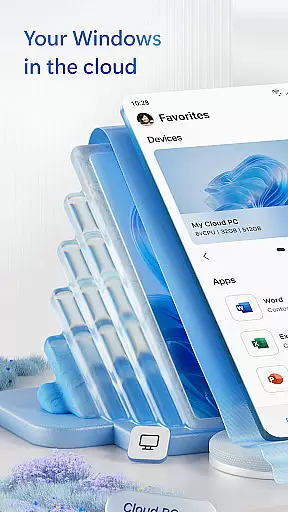
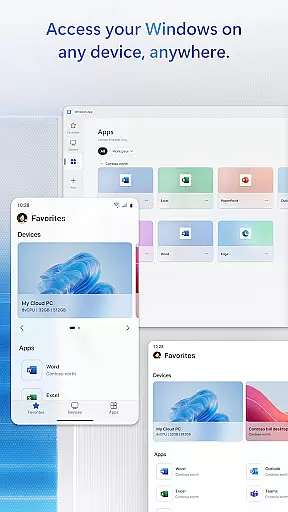
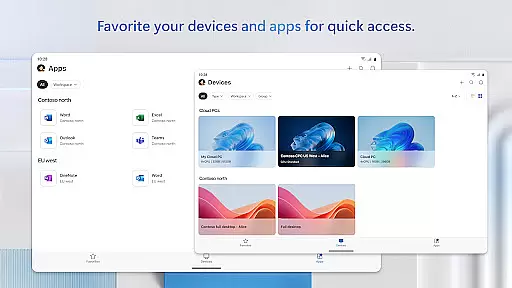
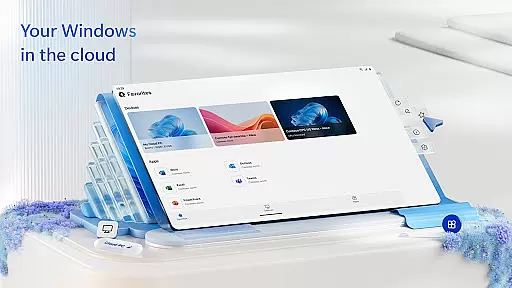
Windows App is a powerful business tool designed to provide secure remote access to various Windows environments. The app serves as a gateway to Azure Virtual Desktop, Windows 365, Microsoft Dev Box, Remote Desktop Services, and remote PCs, enabling users to stay productive from anywhere.
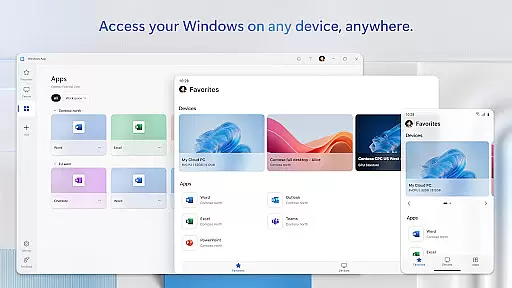
This application is optimized for Android devices running version 11 and above, including tablets, smartphones, VR headsets, and Chromebooks that support Play Store apps. With its comprehensive feature set, Windows App ensures that professionals can seamlessly connect to their work environments while maintaining enterprise-grade security.
Whether you're managing cloud resources or accessing your office desktop remotely, this app provides a reliable solution for business continuity and remote work requirements.
The Windows App offers an impressive array of features designed to enhance remote work capabilities. Its core functionality revolves around secure connections to multiple Windows services, including Azure Virtual Desktop and Windows 365, ensuring users can access their virtual desktops and applications with confidence.
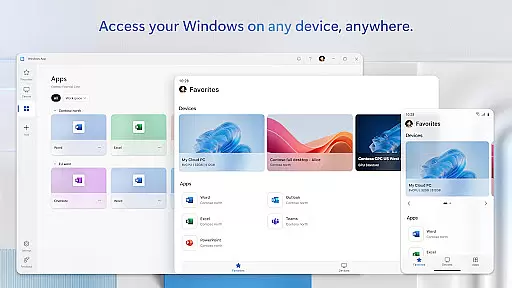
One of the standout features is its broad device compatibility, supporting all Android devices running version 11 and above. This includes not only smartphones and tablets but also VR headsets and Chromebooks, making it versatile for different work scenarios. The app maintains Microsoft's high standards for security and performance.
Additionally, users can expect regular updates and new feature rollouts, as Microsoft continuously improves the app based on user feedback and technological advancements. This commitment to innovation ensures that businesses always have access to the latest remote work technologies.
Collaborative work features are essential for modern business applications, enabling teams to work together efficiently regardless of their physical locations. Windows App excels in this area by providing secure connections to various remote Windows experiences.
This application supports collaboration through Azure Virtual Desktop, Windows 365, and other services, allowing users to access their work environments from Android devices. The ability to connect to remote PCs and utilize Microsoft Dev Box enhances team productivity and flexibility.
Users benefit from real-time access to their desktops and applications, ensuring that all team members have the necessary tools at their fingertips. This seamless integration across different platforms ensures that businesses can maintain continuity and efficiency.
The collaborative strength of Windows App lies in its robust support for multiple remote services, making it an indispensable tool for businesses aiming to foster a flexible and dynamic work environment.
Effective task management is crucial for maintaining productivity and ensuring that projects progress smoothly. Windows App offers comprehensive task management capabilities tailored for business use.
With this app, users can organize and prioritize their tasks across different remote services such as Azure Virtual Desktop and Remote Desktop Services. The ability to manage tasks on-the-go from Android devices ensures that no deadlines are missed and all responsibilities are met promptly.
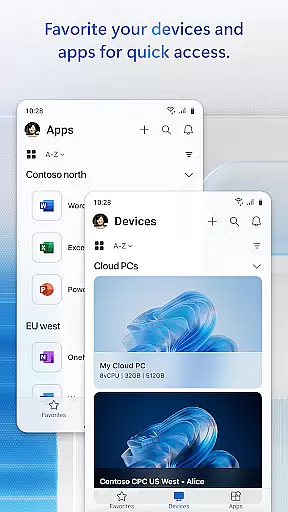
Windows App provides a unified interface where users can track their tasks, set reminders, and monitor progress. This centralized approach simplifies task management and helps users stay focused on their objectives.
By integrating with various Microsoft services, Windows App ensures that task management is not only efficient but also adaptable to the unique needs of each business, enhancing overall operational effectiveness.
Enterprise-grade security
Cross-platform compatibility
Seamless integration with Microsoft services
Regular feature updates
Wide device support
Limited to Android 11+
Requires stable internet
Complex setup process
Advanced features need subscription
Occasional connection issues

The Penny Puss app with DG penny finder
 4.10
4.10
Amazon A to Z is the place to manage your work-life at Amazon.
4.50
Finance, Investing, Stocks, Trading and Stock news
4.60
Recover what matters — quickly and easily.
4.70
A secure, all-in-one team collaboration app
4.30
Delivery Track App - Tracking with Fedex, USPS, UPS, DHL. Monitor your Orders.
3.20
Master crypto trading with real-time simulations and exciting challenges!
4.50
Access to Paylocity, empowering employees with information they need 24/7.
4.70
On the go? Take FedEx with you.
4.00
TurboScan turns your phone into a full-featured PDF document scanner.
4.80
Manage Your Shop
4.70
Find jobs and make money fast with JobStack.
4.60
The app that lets you deliver with Amazon.
4.50
One marketplace. Hundreds of services. Unlimited possibilities. All on Fiverr.
4.40
The All-in-One File Manager for Phone, TV, Watch, Cars, XR / VR, Chromebook
4.10
Zoom built for Chrome OS
3.90
Access All PDF Files
3.40
Find part-time earning opportunities near you that pay within days.
3.20
We are a dynamic team of creatives people of design, marketing, web & apps
3.00
User Reviews