

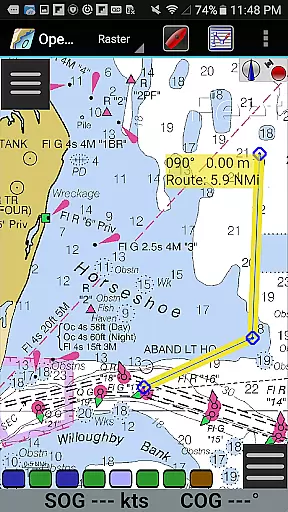
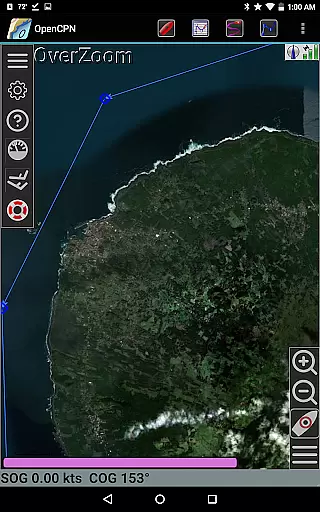
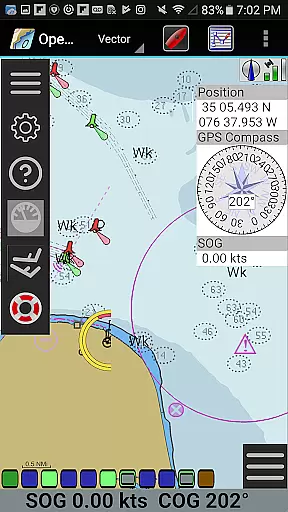
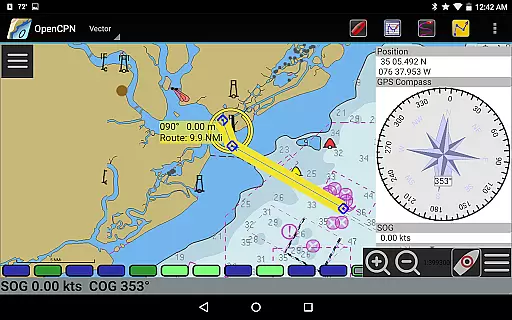
OpenCPN is a comprehensive chart plotter and navigation application designed for both desktop and mobile platforms. It offers advanced features such as BSB v3 raster chart support, S57 vector chart display, and integrated chart downloading. The app supports multiple display modes including North-up, Course-up, and Chart-up, providing flexible navigation options.
In addition to its core functionalities, OpenCPN includes route planning with tidal support, AIS input with target tracking, and autopilot output capabilities. These features make it an essential tool for marine enthusiasts who require precise navigation data. Whether you are cruising, racing, or working on the water, OpenCPN enhances safety and performance through its robust set of tools.
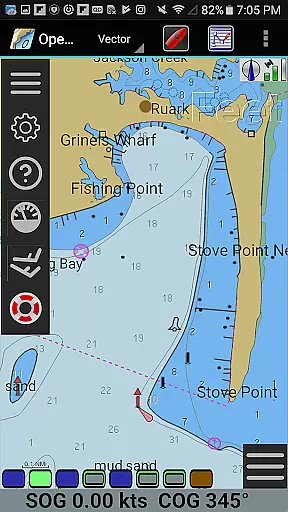
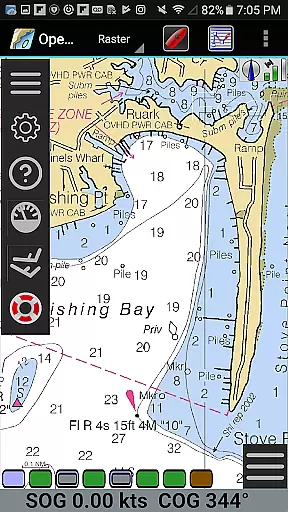
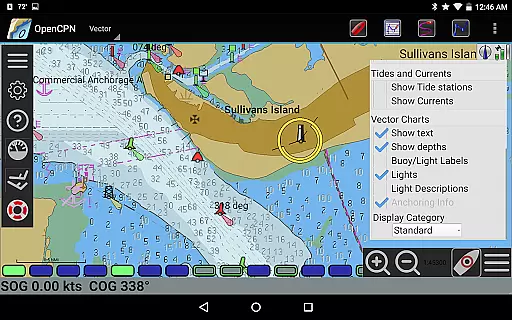
OpenCPN stands out with its extensive chart support, including BSB v3 raster charts, S57 vector charts, and CM93 vector charts with per-cell offset corrections. The app also supports MBTiles chart overlays and provides an integrated chart downloader for easy access to necessary maps. Its versatile display modes cater to different navigational preferences, ensuring users can customize their experience according to their needs.
Beyond basic navigation, OpenCPN offers advanced functionalities like networked AIS input with full target tracking, collision alerting, and support for SART devices. The app's integration with Google Maps and provision of tide and current predictions further enhance its utility. With GPX file support for waypoints, tracks, and routes, along with great-circle routing, OpenCPN delivers a complete package for maritime navigation.
Map accuracy is a fundamental aspect of any navigation application, and OpenCPN excels in this area. The app supports various chart formats including BSB v3 raster charts, S57 vector charts, and CM93 vector charts with per-cell offset corrections. This ensures that users have access to highly accurate and detailed maps for their marine navigation needs.
OpenCPN's support for IHO S52 compliant display of S57 vector charts means that the app adheres to international standards for electronic navigational charts. This guarantees that the information displayed on the screen is both reliable and consistent with what mariners around the world expect from professional-grade equipment.
The inclusion of MBTiles chart overlay support adds another layer of precision, allowing users to integrate custom map data seamlessly. With an integrated Chart Downloader, users can easily obtain updated charts directly within the app, ensuring they always have the most current and accurate mapping data available.
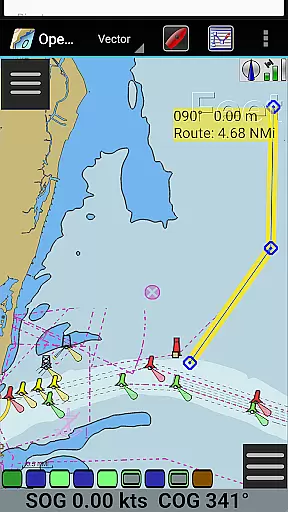
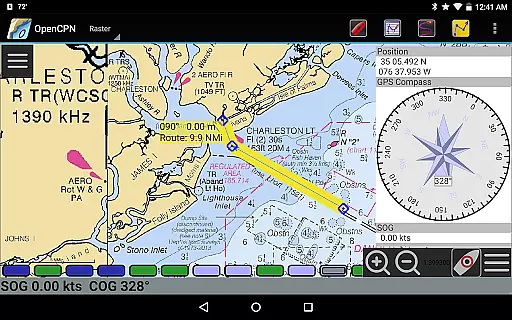
Effective route planning is crucial for safe and efficient marine travel, and OpenCPN offers robust tools to assist with this task. The app provides multiple display modes such as North-up, Course-up, and Chart-up, giving users flexibility in how they view their planned routes. Additionally, the moving-map display mode helps keep track of progress along the journey.
OpenCPN includes advanced features like AIS input with full target tracking and collision alerting, which are essential for avoiding hazards during navigation. These capabilities enhance situational awareness by providing real-time updates about nearby vessels and potential obstacles.
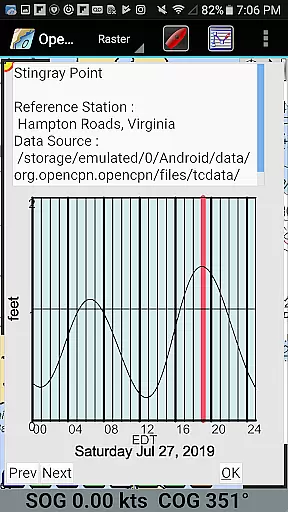
For those who require precise timing, OpenCPN also supports tide and current prediction based on location. This feature allows sailors to plan their trips around optimal conditions, improving safety and efficiency while reducing fuel consumption. Furthermore, built-in great-circle routing ensures that long-distance voyages follow the shortest possible path over the Earth's surface.
User-friendly interface
Comprehensive chart support
Advanced AIS features
Flexible display options
Integrated GPS support
Steep learning curve
Resource-intensive
Limited offline functionality
Occasional bugs
Complex setup process

The fastest and most convenient way to pay for parking on our lots.
 4.40
4.40
Discover over 800 points of interest along the canal.
3.70
Find trails, organize your locations and navigate with offline maps.
4.60
All of NHSA's trail information at your fingertips for the 2025-2026 season
4.0
Airport parking, with airport shuttle (TPS shuttle), reservations, and Spot Club
4.80
Your real-time window to the world. Explore anywhere, anytime.
3.30
Affordable rides and food delivery with incredible discounts in just one app.
4.50
Find radar, speed camera, flight tracker. Use hud, location tracker, speedometer
4.20
Navigation, weather, offline maps & tools for smarter, safer travel planning.
4.00
Truck Safe GPS Navigation & Maps: Parking, Fuel, Diesel, Weight Station
4.80
Bolt is a ride-hailing app for requesting fast, safe, and affordable transport
4.80
Find EV & Tesla charging stations with PlugShare
4.70
Complete offline 1:50k South Island topo map including DOC Hunting Permit Areas
4.60
Track friends in real-time and explore worldwide live cameras.
4.60
Voice GPS with driving directions, offline maps navigation GPS for safe travel
4.50
Simple & easy to use a compass app. Get accurate directions.
4.20
GPS phone tracker, family locator, secure location sharing app
4.20
Explore Live Earth Map with 3D World Map & locate cites, mountains real time.
3.80
Your guide to the recreational opportunities of the Bureau of Land Management!
3.40

User Reviews