

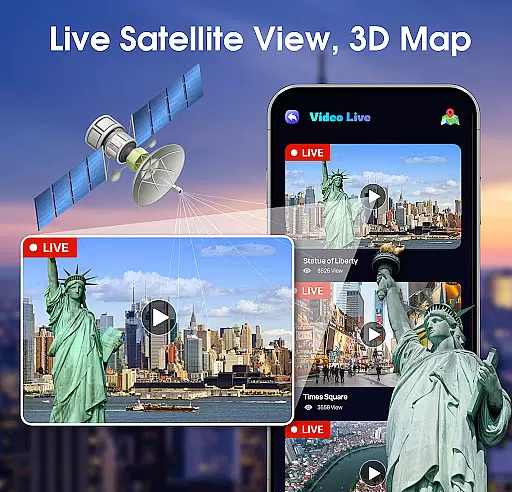
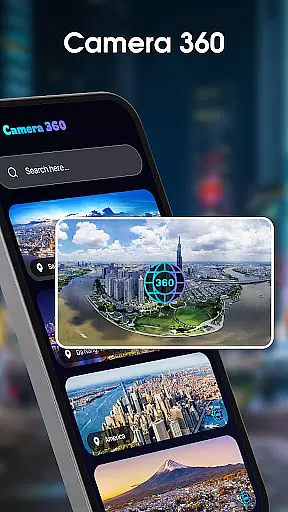
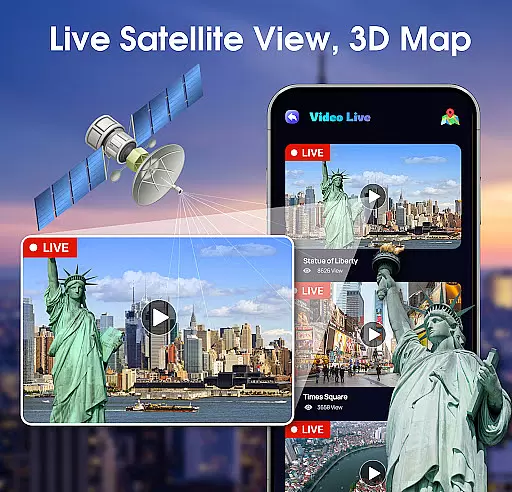
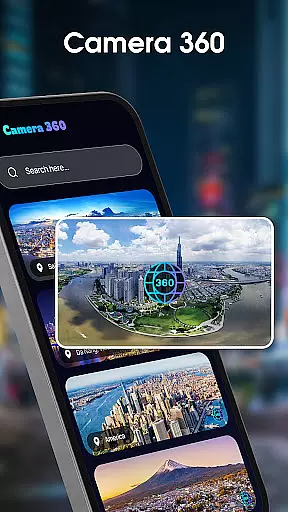
Live Satellite View, 3D Map is a cutting-edge navigation app that allows users to explore the world in real-time. With access to live CCTV cameras from major cities worldwide, users can observe bustling streets, serene cafes, and even monitor traffic conditions. The app's standout feature is its integration of 360-degree camera views, offering an immersive experience by letting users rotate and zoom into locations as if they were physically present.
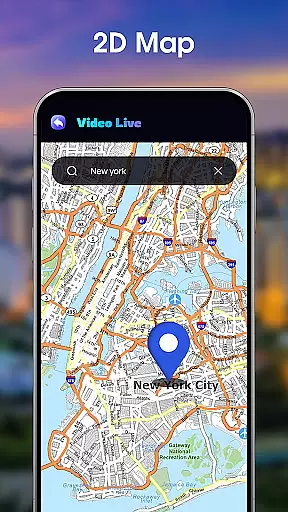
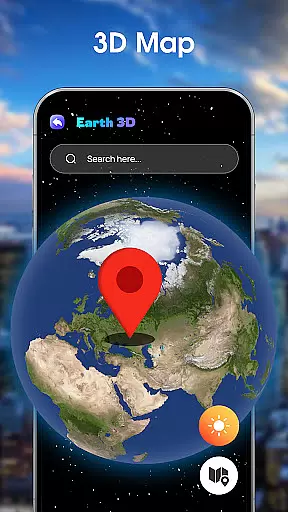
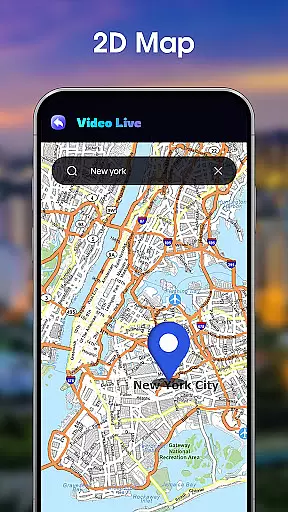
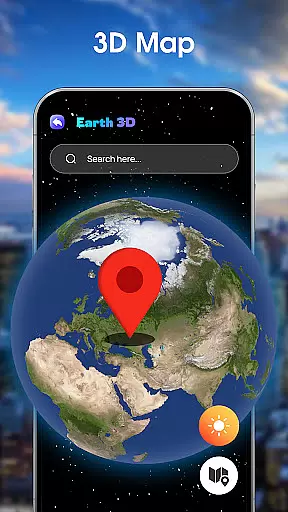
In addition to its live camera capabilities, the app provides both 3D Earth maps and classic 2D map views. The 3D Earth map showcases terrains, oceans, and landscapes with stunning clarity, while the 2D mode offers traditional navigation for those who prefer simplicity. Users can also track global air quality through the Air Quality Index (AQI) feature, making it a valuable tool for travelers and health-conscious individuals. Whether you're planning a trip or simply exploring out of curiosity, Live Satellite View, 3D Map delivers unparalleled value.
One of the most remarkable features of Live Satellite View, 3D Map is its ability to provide live feeds from thousands of public street cameras across the globe. This functionality not only helps users stay informed about traffic and weather conditions but also allows them to virtually 'people-watch' from anywhere in the world. The inclusion of 360-degree cameras enhances this experience further, enabling users to interact with environments by rotating and zooming within these feeds.
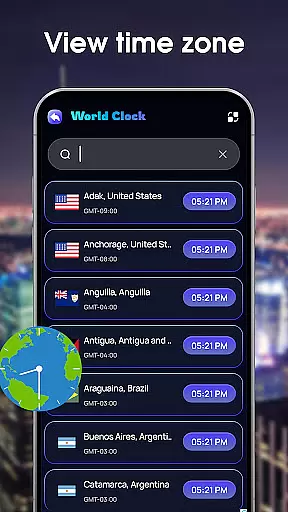
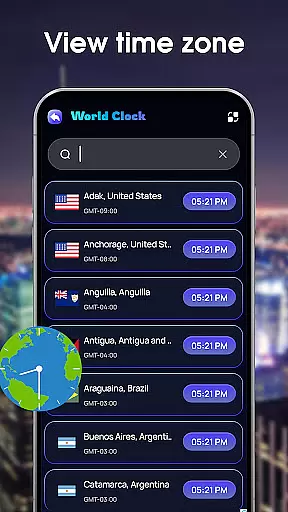
The app also boasts dual map modes—3D Earth and 2D Classic Maps. The 3D Earth view presents detailed terrains and landscapes, creating an engaging visual experience, while the 2D option caters to users seeking straightforward navigation tools. Additionally, the app includes a World Clock feature, which displays current times in cities worldwide, aiding international communication and travel planning. These comprehensive features make Live Satellite View, 3D Map an indispensable tool for explorers and professionals alike.
Map accuracy is essential for any navigation app, and Live Satellite View, 3D Map excels in this area. The app provides users with real-time access to thousands of public street cameras from cities worldwide, ensuring that the map data reflects current conditions. This feature is particularly useful for understanding traffic patterns and weather situations without leaving your home.
The integration of 360-degree cameras takes map accuracy to the next level. Users can rotate and zoom into specific locations, offering an immersive experience that closely mimics being physically present at the location. This interactive element enhances the reliability of the map data by allowing users to explore beyond static images or pre-rendered graphics.
In addition to live camera feeds, the app offers both 3D Earth and classic 2D map views. The 3D Earth map presents terrains, oceans, and landscapes with remarkable detail, making it easier to comprehend geographical features. Meanwhile, the 2D mode provides a traditional mapping experience for those who prefer simpler navigation tools. Both options ensure that users receive precise and comprehensive mapping information tailored to their preferences.
Effective route planning is crucial for travelers and commuters alike, and Live Satellite View, 3D Map offers robust solutions in this regard. By leveraging live CCTV footage from major cities such as New York, London, Seoul, and Dubai, the app allows users to assess current traffic conditions before embarking on their journeys. This real-time insight helps in selecting optimal routes and avoiding congested areas, ultimately saving time and reducing stress.
Beyond traffic monitoring, the app includes advanced features like air quality tracking through its Air Quality Index (AQI) functionality. For individuals concerned about environmental factors during travel, having access to AQI readings across thousands of cities ensures safer and healthier trip planning. Knowing which regions have poor air quality can influence routing decisions, especially for long-distance drives or urban commutes.
Furthermore, the inclusion of a world clock feature aids in efficient route scheduling. Whether coordinating international meetings or arranging personal travel plans, knowing the exact time in various global cities streamlines logistics significantly. This combination of live visuals, health-related data, and temporal awareness makes Live Satellite View, 3D Map an indispensable tool for meticulous route planners seeking convenience and precision.
User-friendly interface
Real-time camera access
360-degree immersive views
Detailed 3D mapping
Global air quality tracking
Limited offline functionality
High data usage
Occasional camera downtime
Premium features require subscription
Interface may overwhelm new users

Find AI powered cameras, ALPRs, and other surveillance infrastructure near you
 4.70
4.70
Route schedules, maps, and real-time tracking of MTA buses in New York City.
4.20
Find 93 Octane Gas: Locate Gasoline Stations Selling Premium 93 Octane or Higher
4.5
Fully offline 1:50k New Zealand topographical map North Island
4.5
America’s largest public fast charging network, with over 500 charging stations.
4.50
Get directions, Maps, GPS navigation & GPS Maps using GPS App
4.10
Navigate via GPS Maps of GPS Voice Navigation, driving directions to find routes
3.60
GPS Navigation: Get map directions and find the shortest routes to avoid delays!
4.00
Rideshare, taxi cabs, and more for your airport travels and everyday trips.
4.50
Offline maps & GPS for hiking, travel, fieldwork & outdoor adventures
4.70
Navigate confidently with our precise Digital Compass app & Direction Compass!
4.70
Park in Chicago, NYC, Boston, SF, Houston & more!
4.70
Explore a light pollution map to find suitable dark sky locations for observing.
4.30
Lets explore the world's famous places by using Live Cams, GPS & Satellite View.
4.20
GPS phone tracker, family locator, secure location sharing app
4.20
Number locator, real connection map
4.10
Navigate seamlessly with Real-Time Traffic, Offline Maps, and Voice Navigation.
4.10
TACNAV-X: Precision MGRS navigation, built specifically for the military.
4.00
Discover over 800 points of interest along the canal.
3.70
User Reviews