

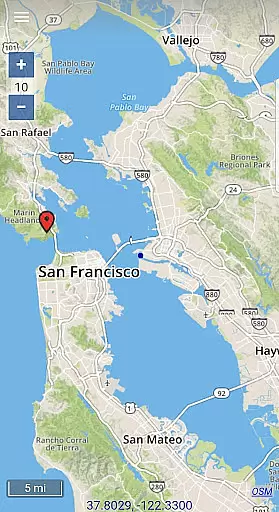
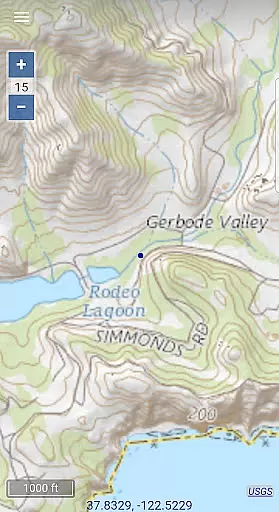
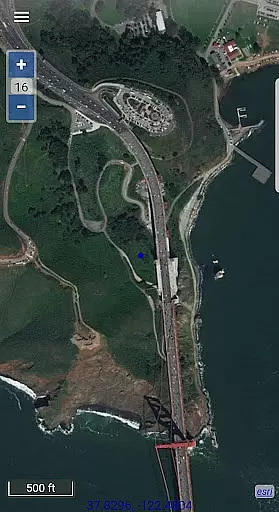
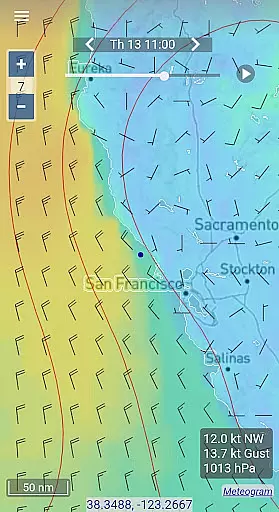
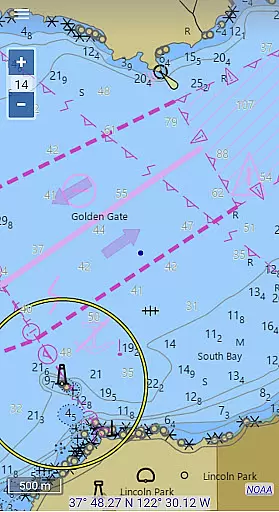
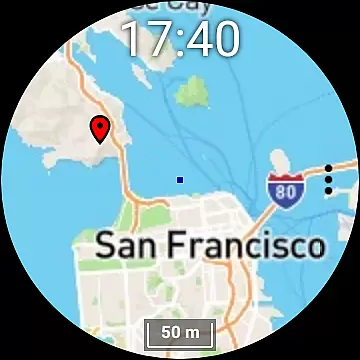
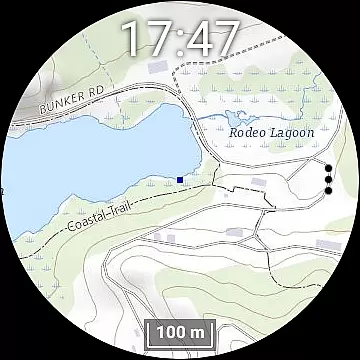
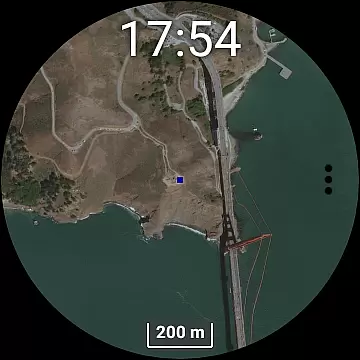
Map Chart Mosaic is a comprehensive offline mapping application designed for both smartphones and smartwatches. It offers users access to topographic maps, satellite images, GRIB weather forecasts, and road maps complete with cycling and hiking trails. The app supports nautical charts specifically for USA and Canada. Users can switch between different map sources to gather detailed information about any location.
A key feature of Map Chart Mosaic is its ability to store map views in an offline cache on your device, allowing you to view them later without an internet connection. You can also download maps directly to your smartwatch for viewing without needing to connect to your phone. This makes it an ideal tool for outdoor enthusiasts who require reliable navigation data even in areas with no network coverage.
In addition to offline map viewing, the app allows users to add markers, notes, create travel routes, and record GPS tracks. These features provide practical value by enabling users to save important locations, plan trips efficiently, and share their adventures as GPX files. With additional functionalities such as speed tracking, course plotting, odometer readings, and ETA calculations, Map Chart Mosaic proves itself as a versatile tool for various outdoor activities.
Map Chart Mosaic stands out due to its rich set of features tailored for both casual and professional use. One notable aspect is its seamless integration across multiple devices including smartphones and Wear OS smartwatches. This cross-device compatibility ensures that users have constant access to their maps regardless of whether they are connected to their primary device or not.
The app's support for various map types—topographic, satellite, GRIB weather forecasts, road maps, and nautical charts—provides users with a wide array of options depending on their specific needs. For instance, hikers might prefer topographic maps while sailors would benefit more from nautical charts. Furthermore, the ability to download these maps for offline use means that users aren't limited by connectivity issues when venturing into remote areas.
Additional functionalities like adding map markers, creating routes, recording GPS tracks, and sharing data as GPX files enhance the user experience significantly. These tools allow for personalized map interactions where users can mark points of interest, document journeys, and share experiences with others. Moreover, real-time GPS information such as speed, course, odometer readings, and estimated time of arrival (ETA) adds another layer of utility, making Map Chart Mosaic suitable for a variety of applications ranging from recreational hiking to professional navigation tasks.
Map Chart Mosaic offers a diverse range of map types, including topographic maps, satellite images, and road maps with cycle and hiking trails. This variety ensures that users can access accurate geographic information tailored to their specific needs.
The app seamlessly integrates maps from different sources, providing detailed location data. Its automatic offline caching system stores map views on your phone, allowing you to access them without an internet connection. This feature guarantees that the accuracy of the maps is maintained even in areas with poor connectivity.
For nautical enthusiasts, the app provides specialized charts currently available for USA and Canada. These charts are crucial for ensuring navigational accuracy in marine environments. Users can trust the precision of these maps when planning trips or engaging in water-based activities.
Overall, Map Chart Mosaic's commitment to sourcing various map types and ensuring they are accurately stored for offline use makes it a reliable tool for anyone needing dependable geographic information.
One of the standout features of Map Chart Mosaic is its robust route planning capabilities. Users can create travel routes and record GPS tracks directly within the app. This functionality is essential for individuals who require precise navigation tools for activities such as hiking, cycling, or road trips.
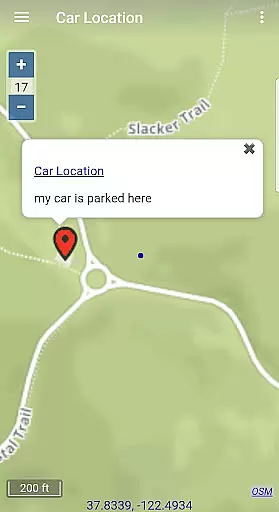
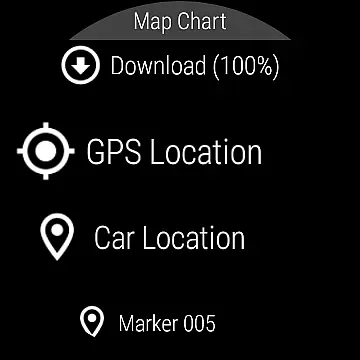
The app allows users to add map markers and notes to offline maps, which can be used to mark important locations like parking spots or points of interest along a planned route. By enabling users to customize their maps with these annotations, the app enhances the route planning process significantly.
Additionally, Map Chart Mosaic supports sharing map marker, route, and track data as GPX files. This feature facilitates collaboration and data exchange between users, making group travels or shared adventures more coordinated and efficient.
With comprehensive GPS travel info such as speed, course, odometer readings, and estimated time of arrival (ETA), users can plan their journeys down to the smallest detail. The availability of GRIB weather forecast maps further enriches route planning by providing critical environmental data that could affect travel conditions.
User-friendly interface
Offline map access
Cross-device sync
Comprehensive map types
Real-time GPS info
Limited nautical charts
No turn-by-turn navigation
Complex setup process
High storage requirements
Premium features cost extra

Explore the world with Live Satellite View, 3D Maps, GPS Navigation & Earth Map.
 2.90
2.90
This app is military GPS coordinate systems helper. (MGRS, UTM & DMS Maps)
4.80
Your guide to the recreational opportunities of the Bureau of Land Management!
3.40
Plan routes, share locations, and set custom alert zones
4.40
Navigate confidently with our precise Digital Compass app & Direction Compass!
4.70
Find routes fast with GPS Maps, GPS Navigation & driving directions.
4.10
MapQuest is your go-to app for maps, GPS, voice navigation & live traffic.
3.80
Live Satellite view app for find GPS navigation Direction and live location map
3.70
GPS phone tracker, family locator, secure location sharing app
4.20
Airport parking, with airport shuttle (TPS shuttle), reservations, and Spot Club
4.80
Bolt is a ride-hailing app for requesting fast, safe, and affordable transport
4.80
Find EV & Tesla charging stations with PlugShare
4.70
America’s largest public fast charging network, with over 500 charging stations.
4.50
Neshan: map & navigation app with 20M+ monthly active users
4.50
Lets explore the world's famous places by using Live Cams, GPS & Satellite View.
4.20
Explore Earth with live GPS, satellite view & street navigation
3.60
Explore offline maps with radar, satellite view, and real-time alerts.
3.60
Your real-time window to the world. Explore anywhere, anytime.
3.30
Off-Roading Navigation App With Trails, Public Lands, & Private Property Info
3.30


User Reviews