

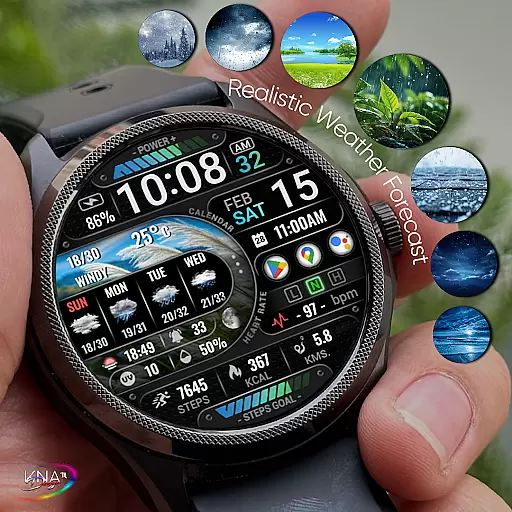
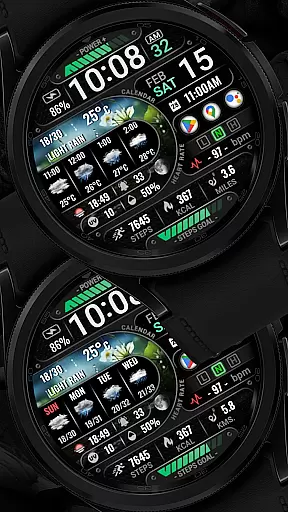
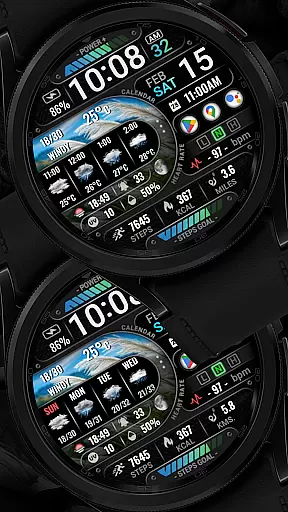
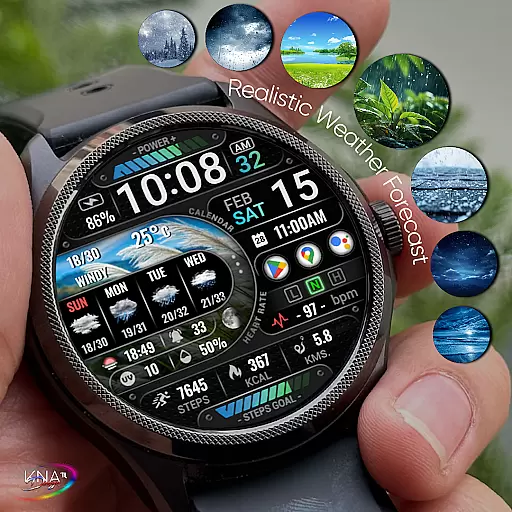
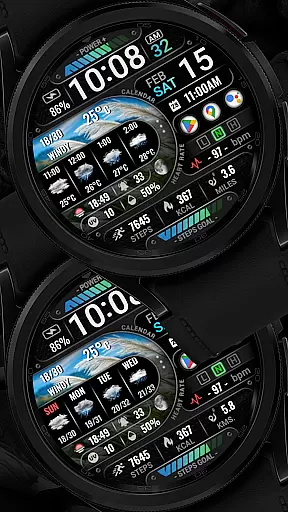
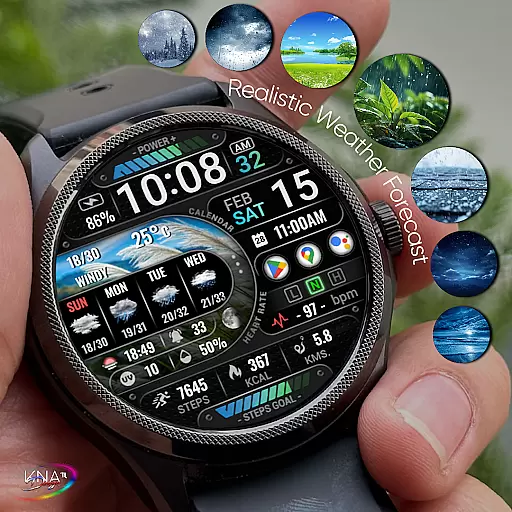
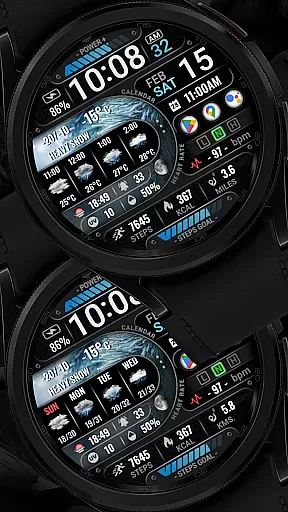
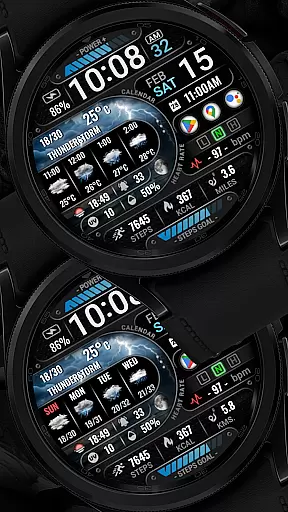
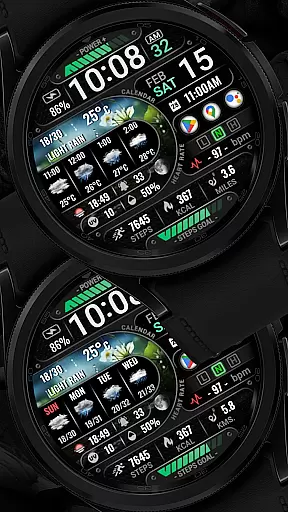
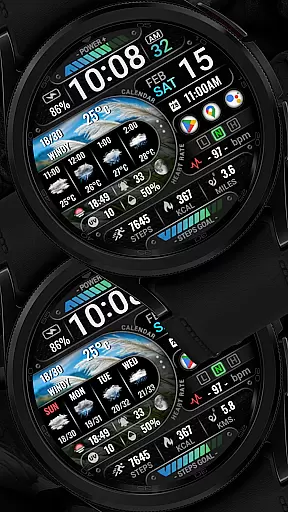
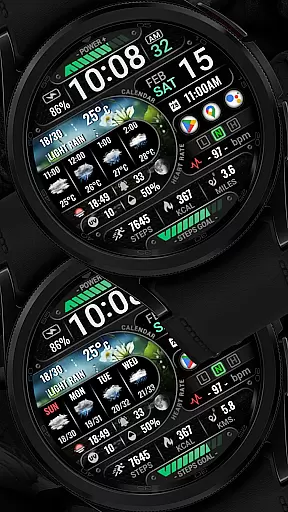
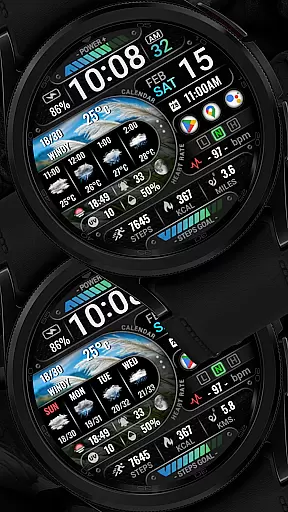
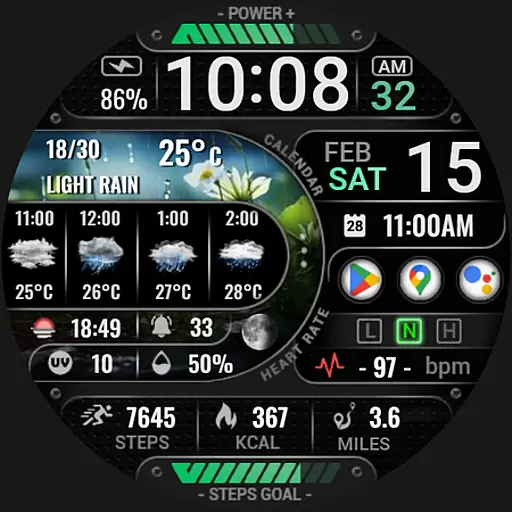
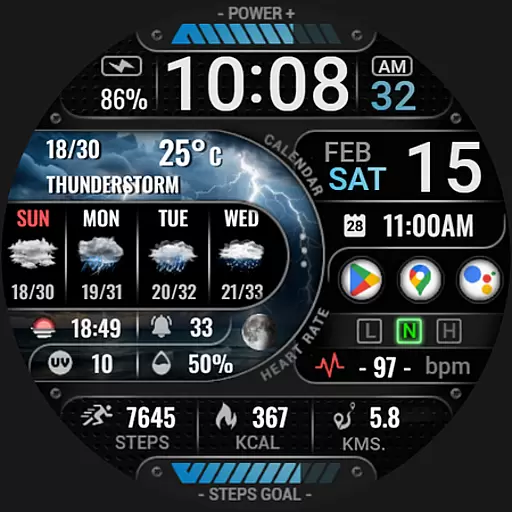
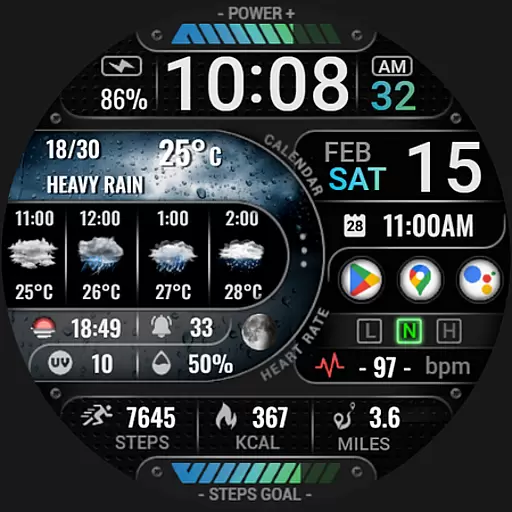
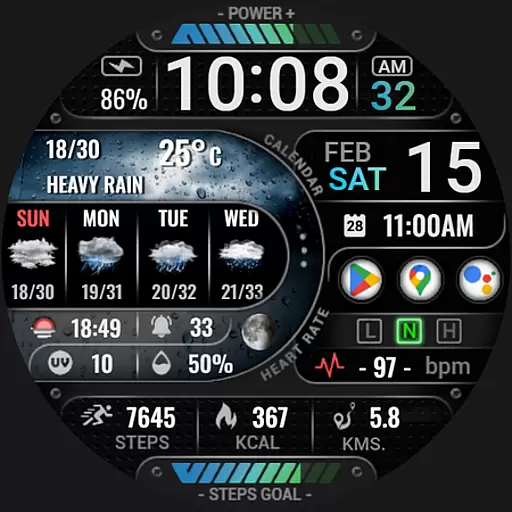
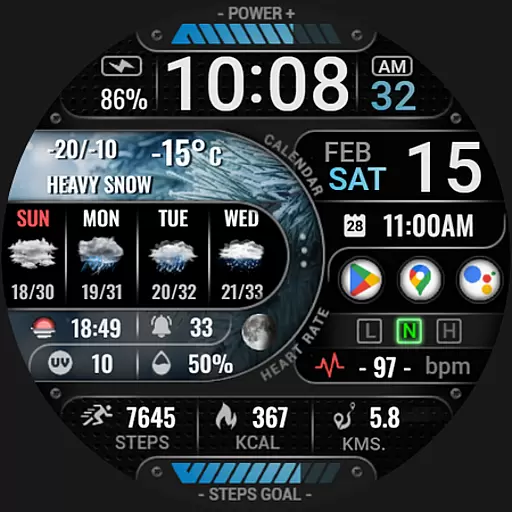
[KNA015] CRESCENT is a feature-rich watch face designed specifically for Wear OS 5+ devices. This customizable watch face offers users the ability to tailor their smartwatch display with various complications and widgets, making it both functional and visually appealing.
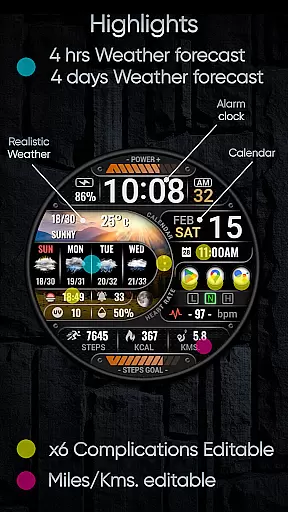
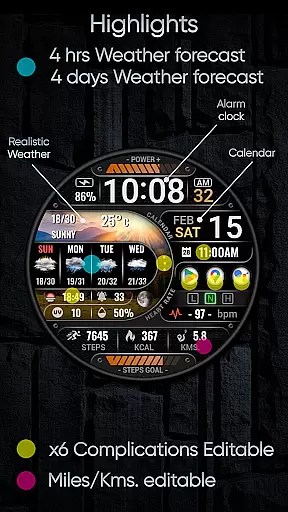
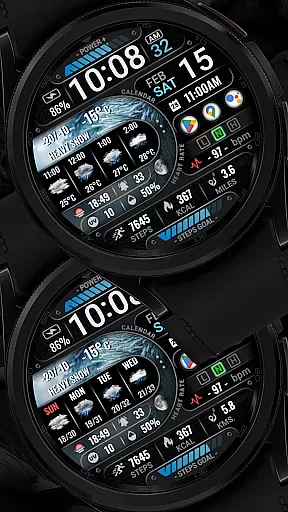
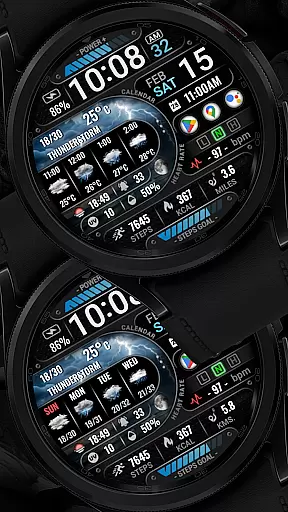
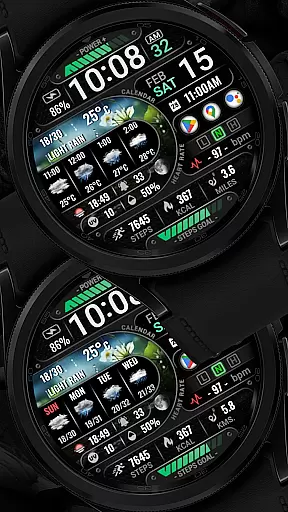
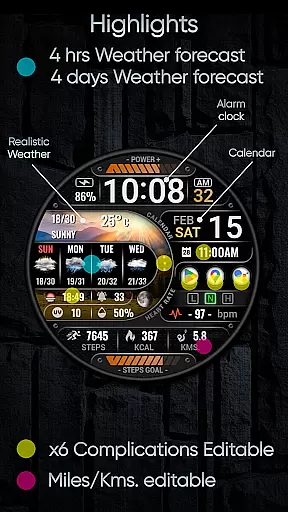
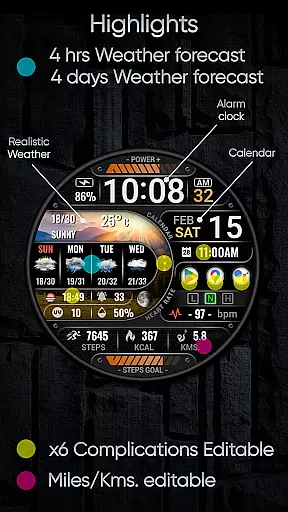
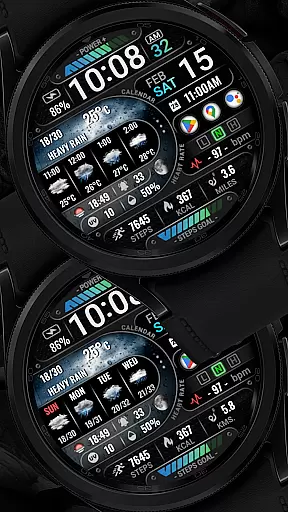
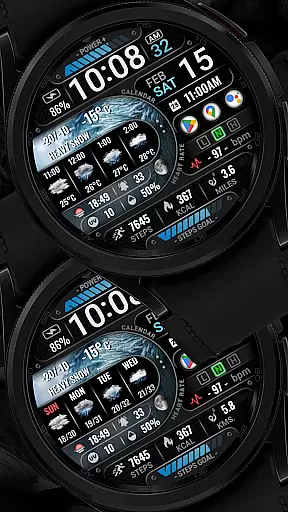
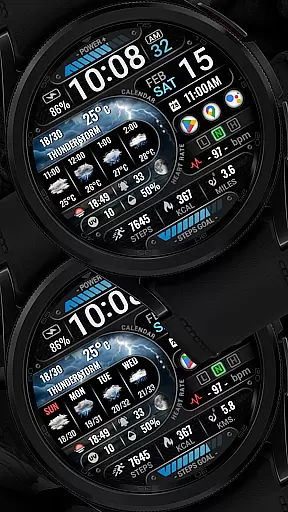
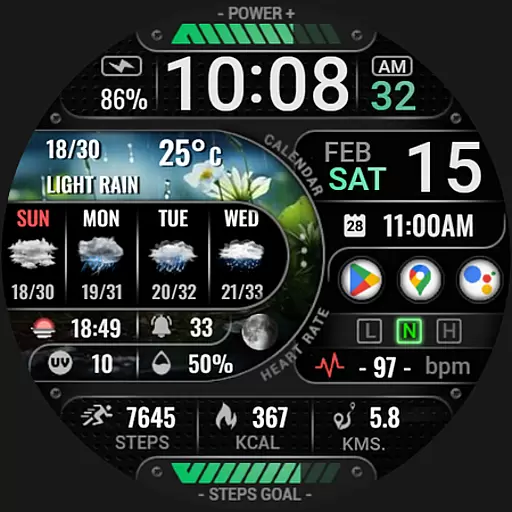
The watch face supports digital styles in 12/24 hour time formats and provides essential information such as date, day of the week, and month. It also features realistic weather updates, including weather forecasts for the next 4 hours and 4 days, chance of precipitation, UV index, and moon phase. With 6 editable complications, users can personalize their watch face with widgets displaying steps count, heart rate, battery level, unread messages, calories burned, and more.
Designed for tech-savvy individuals who value both aesthetics and utility, [KNA015] CRESCENT enhances the wearable experience by offering customization options that cater to individual preferences and needs.
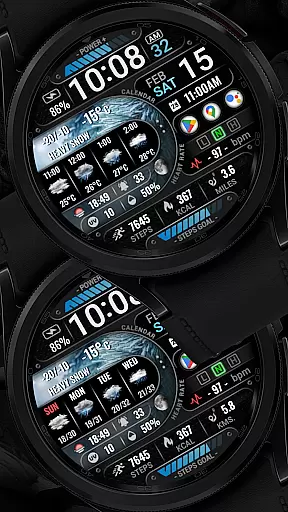
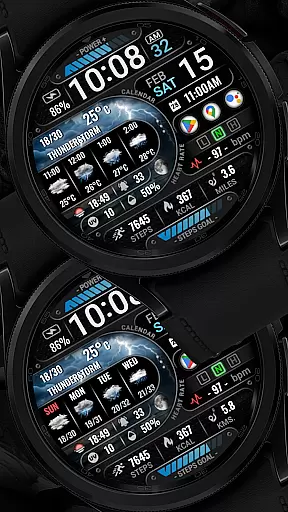
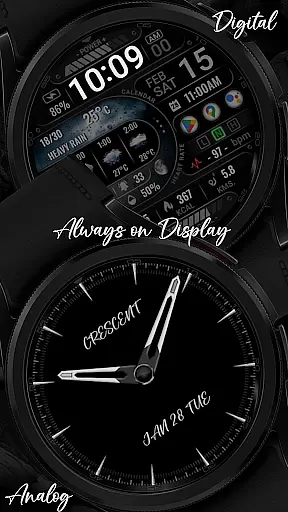
One of the standout features of [KNA015] CRESCENT is its extensive customization capabilities. Users can choose from digital or analog styles and select between 12-hour and 24-hour time formats. The watch face also displays comprehensive weather information, including realistic weather conditions, 4-hour and 4-day forecasts, chance of precipitation, UV index, and moon phases.
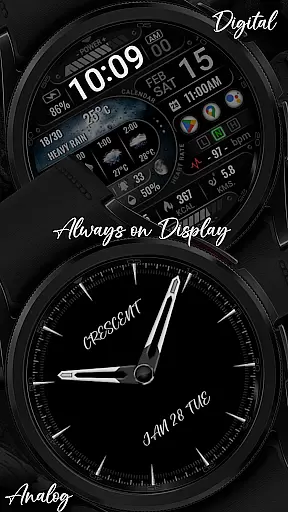
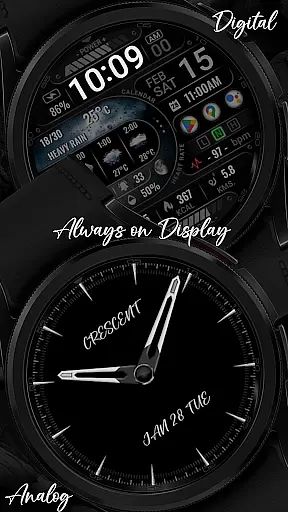
In addition to weather data, the watch face includes six editable complications that allow users to add widgets for various functions. These widgets can show steps count, heart rate, battery level, unread messages, calories burned, and more. Users can also switch between two Always-On Display (AOD) styles - Analog and Digital - and customize distance calculations in either kilometers or miles.
The intuitive customization process requires users to simply touch and hold the display, then tap on the 'Customize' option to modify complications. Available data options include weather, world clock, sunrise/sunset times, and barometer readings. Note that some features may not be available on all watches, ensuring compatibility across different devices while maximizing functionality.
When it comes to designing watch faces for Wear OS devices, having access to a comprehensive set of creative tools is essential. The [KNA015] CRESCENT watch face offers an impressive array of features that cater to both aesthetic customization and functional utility.
This application provides users with digital styles in 12/24 hour formats, realistic weather updates, and forecasts extending up to four days. Additionally, it includes vital statistics like UV index, moon phase, and chance of precipitation, ensuring that the user has all necessary information at a glance.
One of the standout aspects is its support for six customizable complications or widgets. Users can tailor these widgets to display various types of data such as world clocks, sunset/sunrise times, barometric pressure, and more. This level of personalization allows each user to create a unique interface that suits their specific needs and preferences.
Moreover, advanced functionalities include Always-On Display (AOD) options in analog or digital styles, distance calculations in kilometers or miles, step counts, heart rate monitoring, battery levels, unread messages, calorie tracking, and other useful metrics. These extensive capabilities ensure that users have everything they need within easy reach on their smartwatch screens.
The ability to adapt and modify the canvas and format settings is crucial for creating versatile and personalized watch faces. The [KNA015] CRESCENT excels in this area by offering flexible customization options that allow users to adjust nearly every aspect of their watch face design.
Users can easily customize the layout by simply touching and holding the display, then tapping on the 'Customize' option. This intuitive process enables quick modifications without needing any technical expertise. Whether you prefer an analog or digital style, this app supports both AOD formats, giving users the freedom to choose what best fits their lifestyle.
In addition to stylistic choices, the app also offers practical adjustments such as switching between kilometers and miles for distance calculations. Such flexibility ensures that users from different regions can configure their watch faces according to local standards and personal preferences.
Furthermore, compatibility with API level 34+ ensures that the latest Wear OS 5+ devices can fully utilize all features provided by [KNA015] CRESCENT. By prioritizing both form and function, this app delivers a highly adaptable solution for anyone looking to enhance their smartwatch experience through customized designs.
User-friendly interface
Highly customizable widgets
Realistic weather updates
Multiple time format options
Comprehensive health tracking
Limited device compatibility
Some features unavailable on certain watches
Requires latest Android version
No automatic application after installation
Potential battery consumption


Stylish letters, Stylish Keyboard, Symbols, Emojis, Cool nickname
 4.40
4.40
Digital Drawing: Draw & Paint
4.10
Passport size photo maker, create ID photo and visa photo in seconds
4.80
Convert image to JPG PNG HEIC PDF, support almost all kinds of image formats
4.70
Get creative and make art with your Sesame Friends!
4.00
Get an overview over all your embroidery threads, projects and more.
4.60
A luxurious gold watch face for an elegant and refined look.
4.4
Photo stitcher for automatically screenshot stitching into a long screenshot
4.70
AI-powered photo & video creation—fast, fun, and effortless with Quick Actions
4.60
Learn how to draw with step-by-step tutorials, fun lessons & multiplayer drawing
4.70
Minecraft & Roblox Clothes
4.70
2D animation studio for Android tablets - unlimited layers, infinite timeline
4.70
Create and Design Custom Logos in Seconds with AI-Powered Tools!
4.40
Just trace a projected picture on paper and color! Draw & Paint with AR drawing
4.40
OneUI 8.5 icons ✨ Smooth, modern & based on the latest Play Store design ??
4.10
AI Art Generator transforms your words into AI generated art & paintings.
3.70
Sketch, trace and master AR drawing with awesome anime art!
3.30
Create stunning video, photo & magic from text with FlixAI GPT video generator.
3.10
Retouch photos. Create or edit images. Endless capabilities.
2.70

User Reviews