

Cync is a comprehensive smart home application that allows users to control both Cync and C by GE products through a single platform. The app, powered by Savant, offers an intuitive user interface with a focus on personalization and ease of use. Key features include enhanced personalization options such as adding photos for device identification, a dynamic home screen, and a dark theme option for better viewing at night. Additionally, the app provides advanced color control and patented TrueImage technology, enabling users to experiment with colors and brightness remotely.
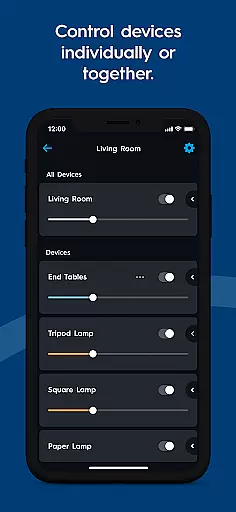
One of the standout capabilities of Cync is its ability to group devices within rooms, offering more granular control without complicating the room setup. Users can also enjoy improved stability and speed when connecting to their smart home devices. With functionalities like setting light schedules, changing room colors virtually, and creating multiple user profiles, Cync delivers a personalized smart home experience. It is compatible with voice assistants like Amazon Alexa and Hey Google, ensuring seamless integration into any smart home ecosystem.
The app's practical applications extend to safety and convenience, allowing users to monitor their homes with the Indoor Smart Camera or manage outdoor displays using the Outdoor Smart Plug. Whether automating daily routines or enhancing home security, Cync serves as a central hub for managing various smart devices, making it an essential tool for modern homeowners looking to simplify and elevate their living spaces.
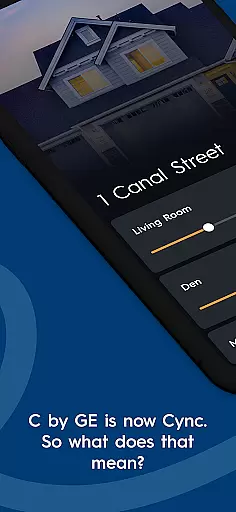
Cync stands out in the smart home market due to its rich feature set tailored to enhance user experience. One of the key highlights is the app's enhanced personalization, which allows users to add photos of their devices and rooms, making identification easier and interaction more engaging. The dynamic home screen adapts to user behavior, showcasing frequently used products prominently. This level of customization ensures that each user's interface is unique to their preferences and usage patterns.
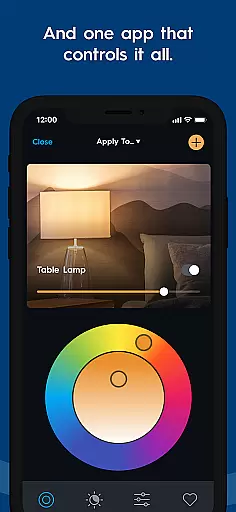
In addition to personalization, Cync incorporates cutting-edge technologies such as TrueImage and advanced color control. TrueImage lets users take pictures of their lighting setups and adjust colors and brightness remotely, providing unprecedented flexibility in home ambiance design. Advanced color control includes RGB value input and a double color wheel, empowering users to match lighting precisely with their interior decor. These features not only improve aesthetics but also offer practical benefits like mood setting and energy savings.
Another significant aspect of Cync is its robust organizational tools. Users can group devices within rooms, streamlining control without needing to create new rooms in the app. This feature is particularly useful for complex spaces like kitchens where different lighting zones may require independent management. Furthermore, the app boasts improved stability and speed, ensuring reliable connections and faster response times. Compatibility with voice assistants adds another layer of convenience, while integration with products like the Outdoor Smart Plug and Indoor Smart Camera extends functionality beyond basic lighting control, positioning Cync as a versatile solution for comprehensive smart home management.
The Cync app offers comprehensive coverage of lifestyle categories by integrating smart home functionalities into everyday living. From controlling lights and cameras to managing outdoor holiday displays, the app ensures that users can seamlessly interact with various aspects of their home environment.
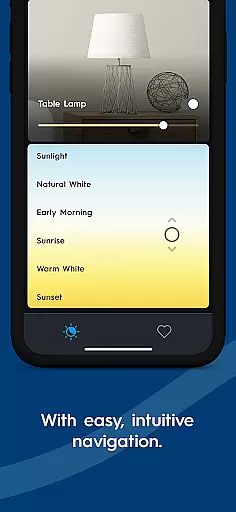
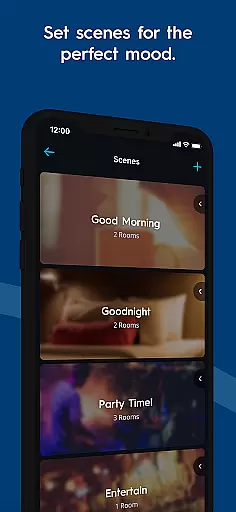
With features like advanced color control, dynamic home screens, and voice compatibility with Amazon Alexa and Hey Google, the app provides a personalized and intuitive experience. Users can experiment with colors, brightness, and even set schedules for their smart devices, ensuring their home is always ready to match their lifestyle needs.
Additionally, the app supports multiple profiles, allowing more than one person to manage and control the smart home setup. This collaborative feature enhances the app's utility in shared living spaces, making it an essential tool for modern households looking to simplify and enhance their daily routines.
Cync ensures content authenticity and expert credibility by leveraging patented technologies and innovative features developed by experts in smart home solutions. The app includes TrueImage technology, which allows users to take pictures of their lights and adjust settings remotely, offering a reliable and authentic way to manage home lighting.
Developed in collaboration with Savant, a leader in home automation, the app brings expert-level functionality to users. Features such as RGB value adjustments and double color wheels are designed by professionals to provide precise control over home environments, ensuring that users receive credible and high-quality guidance.
Furthermore, the app's integration with GE Lighting products, a trusted name in the industry, reinforces its credibility. By maintaining strong ties with reputable brands and continuously updating its offerings, Cync establishes itself as a dependable source for smart home management, providing users with confidence in their home automation choices.
User-friendly interface
Advanced customization options
Seamless device integration
Robust stability and speed
Voice assistant compatibility
Limited third-party support
Occasional connectivity issues
Requires specific hardware
Premium features may cost extra
Learning curve for new users



Healthy eating timer app to track meal pace, improve habits, and eat slowly.
 4.1
4.1
Unique informative Dial with Live Moon Phase at a glance!
3.60
Take Hobby Lobby with you wherever you go!
3.40
A watch face with transparency and fluid visuals inspired by liquid glass design
4.2
Immerse yourself in the serenity of lavender fields and white butterflies
4.0
Creativity and savings for kids, beginners and experts in arts and crafts
3.50
Redecor your home with Home AI interior design, room planner and home designer.
4.50
Your store’s deals, where you are.
4.80
The Wyze app is your gateway to a smarter life and a safer home.
4.40
Daily lessons from A Course in Miracles with scheduled reminders
4.80
Pay your rent, submit work orders and much more with the RentCafe Resident App.
4.70
A smart Siddur with halachic times
4.60
Premium floor cleaning robots
4.50
This app is intended to support professional EMDR therapy.
4.50
Play fun games, complete quick surveys, and earn money. It's fun and easy!
4.40
This minimalist yet classic board design brings a futuristic twist to your wrist
4.20
Do you want to communicate with spirits?
3.80
Easily manage your child's playtime, spending messaging and more.
3.50
Customize your Wear OS watch with festive Christmas figures and colors!
4.4


User Reviews