

Home AI is an innovative lifestyle application designed to transform the way users approach home design and renovation. This app allows homeowners, designers, and real estate professionals to reimagine spaces through advanced visualization tools. With features like Interior Design, Garden & Landscape, and Exterior Design, users can experiment with layouts, colors, and styles to create harmonious living environments.
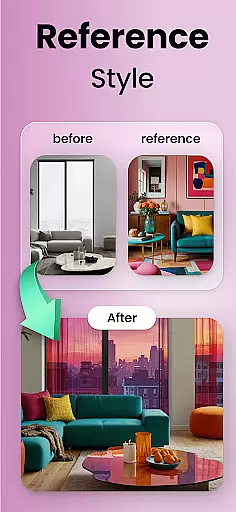
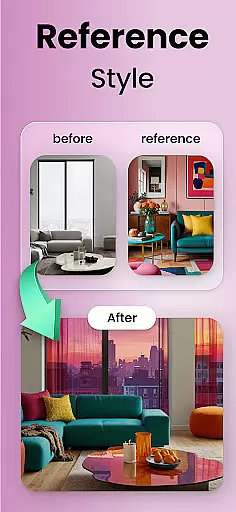
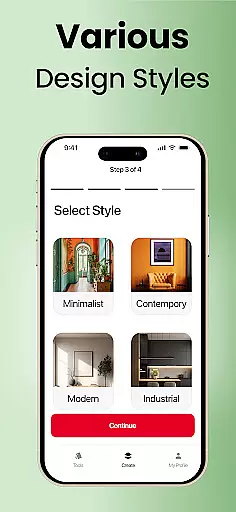
The app's Style Matching and Selective Changes capabilities enable users to upload inspiration photos or mood boards and apply those concepts directly to their own spaces. Whether planning a full renovation or simply refreshing a room's look, Home AI provides the tools to preview design options before making any physical changes. The app also supports saving favorite versions for easy comparison and sharing with others involved in the decision-making process.
Perfect for both professional designers and DIY enthusiasts, Home AI bridges the gap between imagination and reality. By offering endless possibilities for interior, exterior, and landscape transformations, this app empowers users to create spaces that truly feel like home while eliminating much of the guesswork from design decisions.
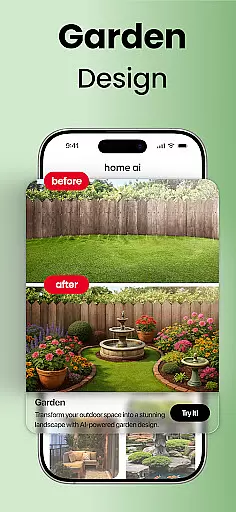
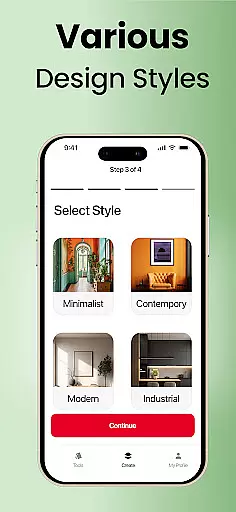
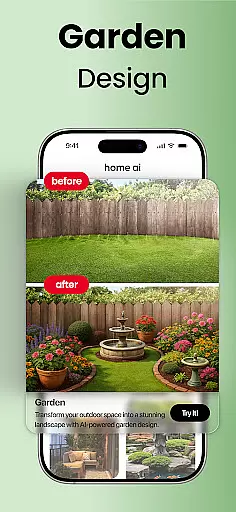
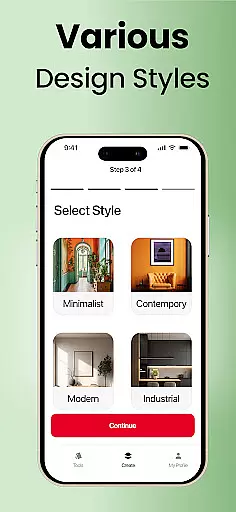
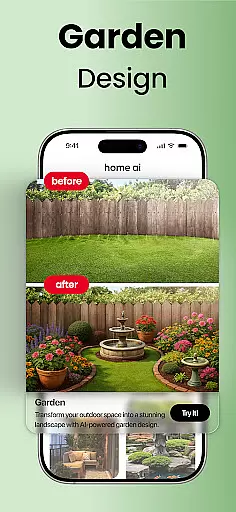
Home AI distinguishes itself through its comprehensive suite of design features tailored for various home improvement needs. The Interior Design module enables users to refresh living rooms, bedrooms, kitchens, and workspaces with balanced color schemes and optimized layouts. Meanwhile, the Garden & Landscape feature helps create inviting outdoor spaces complete with greenery, pathways, and tranquil areas.
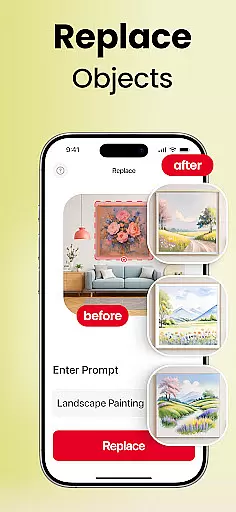
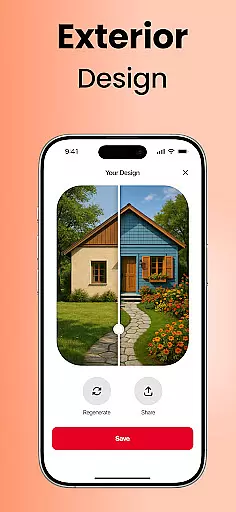
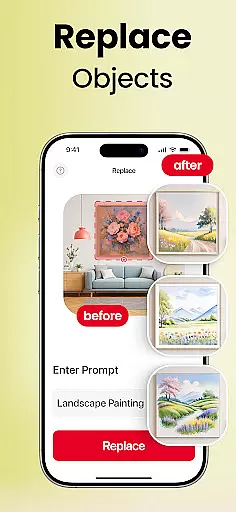
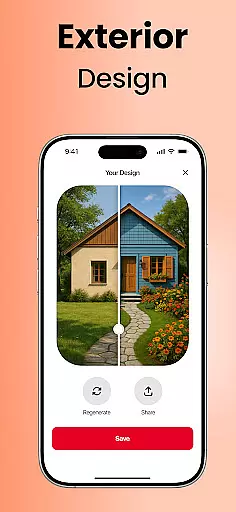
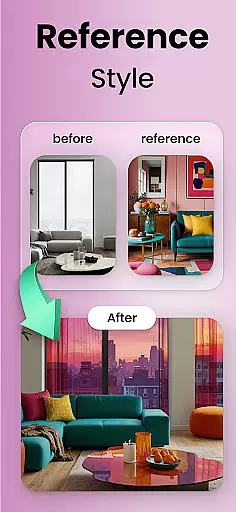
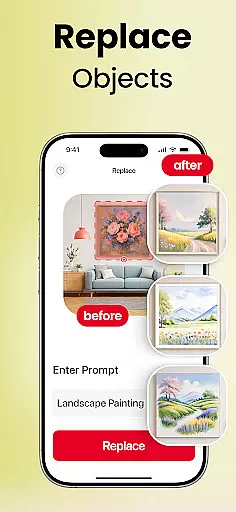
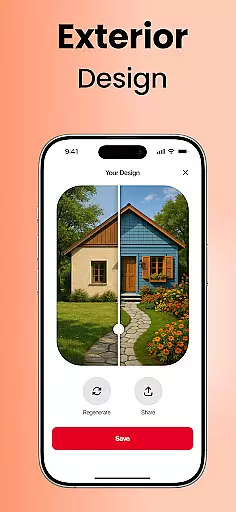
The app's Exterior Design capability allows users to reimagine building facades, balconies, and patios with tasteful variations that complement their property's architecture. Its powerful Style Matching engine can interpret uploaded mood boards or inspiration photos and translate those elements into customized design suggestions for the user's space. The Selective Changes tool provides precise control over individual design elements, enabling users to swap furniture, try different flooring options, or adjust wall colors with ease.
What sets Home AI apart is its ability to serve multiple user groups effectively. Homeowners can visualize renovations before committing resources, while professional designers can quickly generate visual concepts for client presentations. Real estate agents benefit from virtual staging capabilities, and gardening enthusiasts can experiment with landscape designs. These features collectively provide a versatile platform for anyone looking to enhance their living environment.
Home AI offers an extensive range of design options that cater to various aspects of home and lifestyle enhancement. The app allows users to explore interior design, garden and landscape transformations, as well as exterior makeovers.
With features like style matching and selective changes, Home AI ensures that every corner of your living space can be customized to match your personal taste and lifestyle needs. Whether you're refreshing a single room or redesigning your entire home, the app provides tools that cover all essential lifestyle categories.
This comprehensive approach empowers homeowners, designers, and real estate agents to visualize spaces with ease. By covering a wide array of design elements from furniture swaps to full garden layouts, Home AI stands out in its category by offering unmatched versatility for those looking to refine their living environments.
The content provided by Home AI is crafted with authenticity and aims at delivering credible design solutions. Users can upload inspiration photos or mood boards, which are then processed to generate realistic previews of potential home improvements.
Every design suggestion made by the app aligns with current trends and professional standards, ensuring that each transformation looks both stylish and achievable. This commitment to quality means users receive suggestions that not only look good but also hold up under practical scrutiny.
By enabling users to save favorite versions and share concepts with professionals, Home AI fosters an environment where expert opinions can be easily integrated into the planning process. This collaborative approach reinforces the reliability of the content generated, making it a trustworthy tool for anyone involved in home improvement projects.
User-friendly interface
Comprehensive design tools
Versatile application
Real-time visualization
Collaboration features
Requires learning curve
Premium features locked
Internet connection needed
Device compatibility issues
Rendering time delays










Countdown to Christmas 2025 with festive games & activities in a virtual village
 4.80
4.80
Cute Adorable Animals now on your wrist with our Wear OS watch face!
4.40
Paranormal EVP, Ghost Box, Spirit box, ITC, Haunted, Spirit communication device
3.70
Cute animated Thanksgiving watchface for your WearOS smartwatch
4.2
Paranormal Spirit Bell Trigger Device
4.30
Make money, get paid cash rewards & gift cards for every survey. Earn today!
4.60
Falling Fruit is a massive collaborative map of food in our cities.
3.20
Simple, stylish & fresh watch face. Customize colors, gradients & complications.
4.70
Wear your favorite memories, loved ones, pets or travel photos on your watch
4.2
Your store’s deals, where you are.
4.80
Earn money & gift cards when you take surveys, play games, scan receipts & more.
4.50
Zodiac & Horoscope Launcher: Daily Sign Predictions & Astrology
4.40
Get your life organized with My Agenda!
4.30
Digital watch face design. Modern looking, hi-res & battery friendly.
4.00
Spiritus Ghost Box is an Audio and Visual ITC tool for paranormal research.
4.00
Turn your watch into a key fob for your Tesla
2.90
Unique Dark Analog style for Wear OS watches.
4.4
A daily quote for success
4.0
Futuristic watchface inspired by Back to the Future: sleek, retro, timeless
4.3


User Reviews