

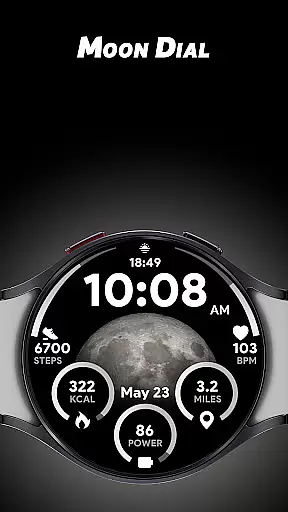
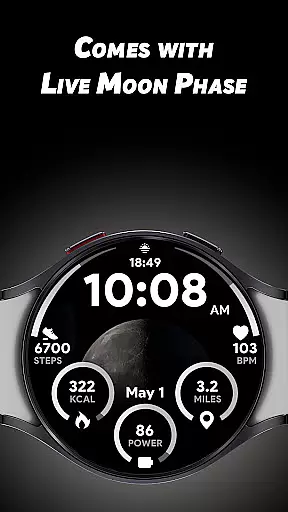
Moon Dial is a feature-rich watch face designed for Wear OS devices, offering users an innovative way to track moon phases directly from their smartwatch. The app provides essential information at a glance, including live moon phase updates, customizable complications, and additional shortcuts that enhance usability.
With its unique combination of aesthetics and functionality, Moon Dial is perfect for users who are curious about astronomy or simply want a visually appealing watch face that also delivers practical data. Whether you're tracking your fitness metrics or monitoring battery levels, this app seamlessly integrates into your daily lifestyle.
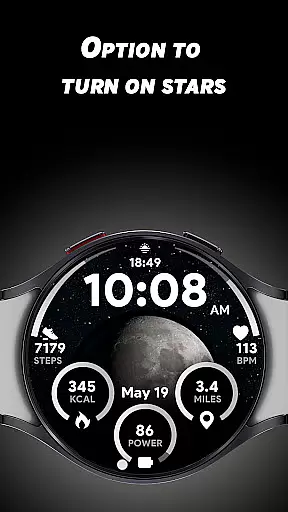
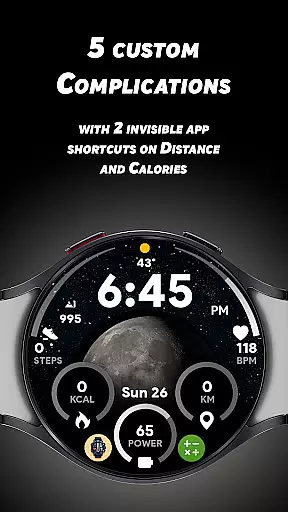
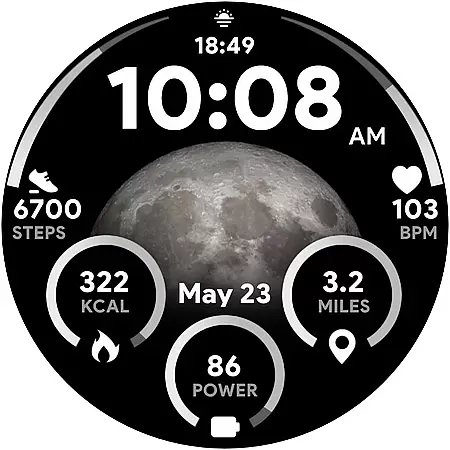
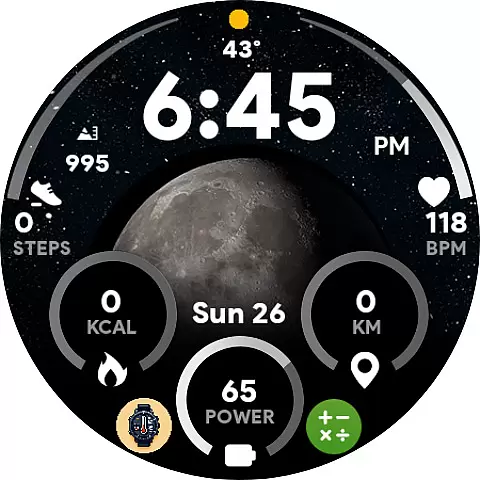
The Moon Dial watch face stands out with its comprehensive feature set tailored for both casual users and astronomy enthusiasts. The live moon phase display offers an accurate representation of the current lunar phase, while the optional star effects add a touch of visual charm to the interface.
Customization is key with Moon Dial, allowing users to personalize their experience through five custom complications. These enable you to display additional data such as heart rate, calories burned, or distance traveled. Two invisible app shortcuts provide quick access to favorite apps without disrupting core functionalities like calorie and distance tracking.
Moon Dial - Watch face offers a unique blend of lifestyle features that cater to those interested in astronomy and personal health. The app provides essential information at a glance, including the current moon phase, which is not only fascinating for sky watchers but also useful for those who rely on lunar cycles for various activities.
In addition to its primary function, the watch face includes five custom complications allowing users to personalize their experience. These customizations can display additional data such as calories burned or distance traveled, making it a versatile tool for fitness enthusiasts who want to keep track of their daily goals directly from their Wear OS device.
The inclusion of invisible app shortcuts on the watch face further enhances its utility by enabling quick access to favorite apps. This feature ensures that while the aesthetics and core functionalities of Moon Dial are maintained, users can still enjoy the convenience of launching frequently used applications without cluttering the interface.
Authenticity and credibility are at the heart of Moon Dial - Watch face's design. By focusing on delivering accurate moon phase information, the app ensures that users receive genuine insights into celestial events. This commitment to precision is crucial for anyone relying on this data for planning outdoor activities or simply satisfying their curiosity about the night sky.
Beyond moon phases, the application integrates trusted metrics like heart rate monitoring and battery percentage indicators. Users can tap these elements to launch specific functions within their smartwatch ecosystem, reinforcing the reliability of the information presented on the watch face.
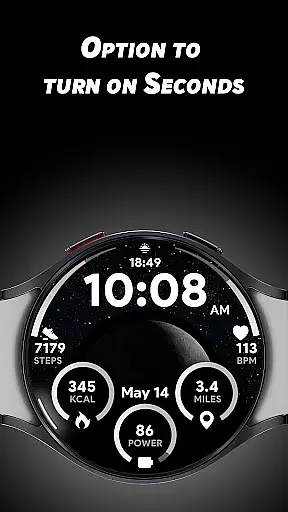
Moreover, options such as switching between 12/24-hour formats and choosing between kilometers or miles demonstrate attention to detail and respect for user preferences. Such thoughtful inclusions reflect an understanding of diverse user needs, enhancing both the authenticity of the content provided and the overall credibility of the app among lifestyle consumers.
Live moon phase display
Highly customizable
Visually appealing design
Essential info at a glance
Unique app shortcuts
Limited to Wear OS
Complex for beginners
Battery usage may increase
Some features are purely aesthetic
Requires compatible device


The Work of Byron Katie— the mobile app for inner peace.
 4.40
4.40
Cute Adorable Animals now on your wrist with our Wear OS watch face!
4.40
Discover how to help puppies stay calm around noise with this helpful app.
4.5
Pay your rent, submit work orders and much more with the RentCafe Resident App.
4.70
Duo Watch Face (animated)
4.0
Paranormal Spirit Bell Trigger Device
4.30
Play. Earn. Repeat. Get rewarded for playing mobile games. Welcome to Mobius!
4.80
The App can control Roborock vacuum cleaners from anywhere with rich features.
4.60
Your store’s deals, where you are.
4.80
Good magnifier app to see tiny things bigger and more clearly!
4.80
The all-new Cync app. The simple, connected app for Cync and C by GE.
4.50
Play fun games, complete quick surveys, and earn money. It's fun and easy!
4.40
This is a simple and highly functional alarm clock "Smart Alarm" paid version.
4.20
Spiritus Ghost Box is an Audio and Visual ITC tool for paranormal research.
4.00
Your home in your hand
3.80
Take Hobby Lobby with you wherever you go!
3.40
Smart home security protection
3.20
A uniquely designed isometric digital watch face made for Wear OS
4.4
Futuristic watchface inspired by Back to the Future: sleek, retro, timeless
4.4

User Reviews