

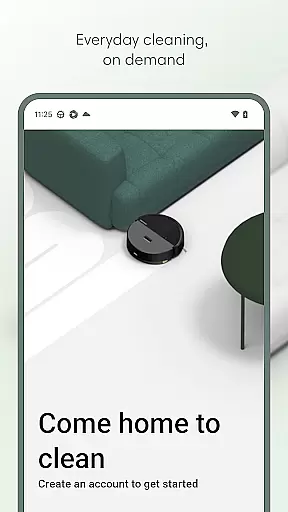
Roomba Home is a comprehensive lifestyle app designed to enhance your cleaning experience with smart robotic solutions. Compatible with Roomba 100, 200, 400, 500, and 700 series robots sold after March 2025, this app offers intuitive controls for managing your cleaning routines effortlessly.
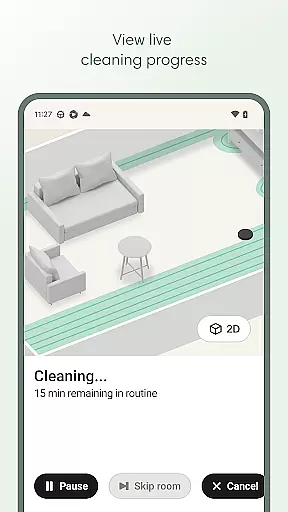
The app allows users to start, stop, or schedule their robot's cleaning tasks, customize detailed maps of their home, and create personalized cleaning routines. With real-time insights into where and how the robot is cleaning, proactive product maintenance alerts, and seamless smart home integrations, Roomba Home ensures an efficient and effortless cleaning process.
Whether you need to adjust cleaning settings, set up cleaning schedules, or integrate voice control through Alexa, Siri, or Google Assistant, Roomba Home provides intelligent recommendations and a user-friendly interface to keep your home spotless with minimal effort.
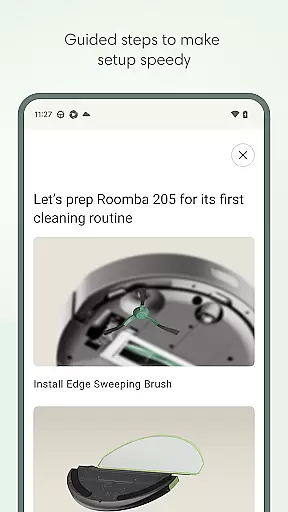
Roomba Home offers a variety of advanced features that make it stand out in the lifestyle category. The app includes easy, seamless setup guides that take you from unboxing to your first cleaning run with helpful tips along the way.
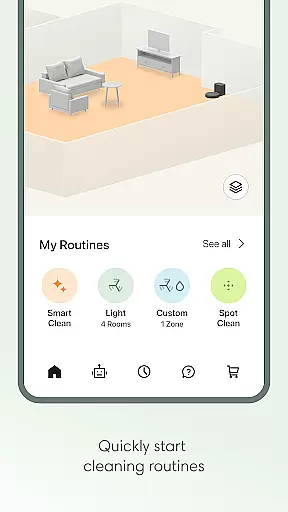
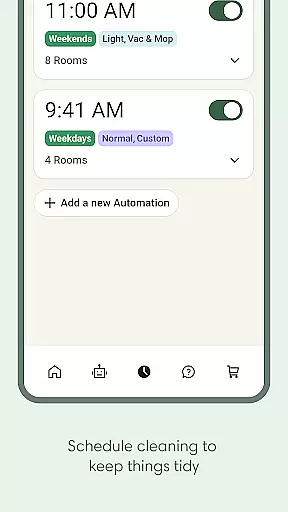
One of the key highlights is the Routine Builder, which allows users to create customized cleaning routines by selecting specific rooms, adjusting settings, and enabling advanced scrubbing options. Additionally, the app supports scheduling, enabling users to set convenient cleaning times and days.
Other notable features include real-time cleaning insights, voice control compatibility, and a Robot Maintenance & Health Dashboard that helps keep your robot operating smoothly. With support for up to five detailed maps, users can label rooms, add zones, and manage targeted cleaning areas efficiently.
The Roomba Home app offers extensive lifestyle category coverage by integrating multiple home management features into a single platform. This includes advanced cleaning routines, scheduling options, and personalized cleaning settings tailored to different rooms.
Users can create detailed maps of their homes, label rooms, and add specific zones for targeted cleaning control. The app also supports voice commands through Alexa, Siri, or Google Assistant-enabled devices, making it versatile for various smart home setups.
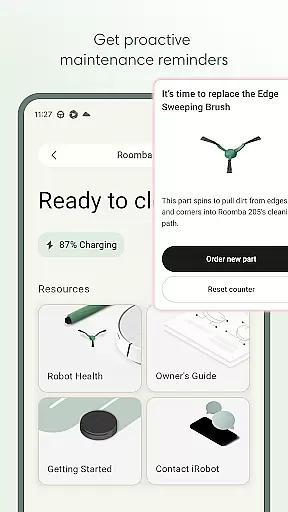
With proactive product maintenance alerts and real-time insights into the robot's cleaning path, users gain comprehensive control over their home cleaning processes. These features ensure that all aspects of maintaining a clean home are covered efficiently and conveniently.
The content provided in the Roomba Home app is developed with authenticity and expert credibility in mind. iRobot, the company behind Roomba, has years of experience in robotic home cleaning solutions, ensuring that all functionalities are designed based on proven cleaning methodologies.
Each feature, from routine building to advanced scrubbing settings, is crafted to offer genuine value to users. The app provides intelligent recommendations derived from previous cleaning jobs, enhancing its reliability and effectiveness.
Additionally, the Health Dashboard monitors both the robot and accessory conditions, offering credible advice on maintenance and troubleshooting. This ensures that users receive accurate and trustworthy information to keep their cleaning system operating optimally.
User-friendly interface
Advanced cleaning customization
Real-time cleaning insights
Voice control integration
Proactive maintenance alerts
Limited robot compatibility
Requires 2.4 GHz Wi-Fi
No 5GHz network support
Premium features may require subscription
Occasional connectivity issues

Discover how to help puppies stay calm around noise with this helpful app.
 4.0
4.0
Smart controls for your Ember Smart Mugs
4.10
Take Hobby Lobby with you wherever you go!
3.40
A watch face with transparency and fluid visuals inspired by liquid glass design
4.2
Paranormal EVP, Ghost Box, Spirit box, ITC, Haunted, Spirit communication device
3.70
Unique Dual Colors with 6 Custom Complications for Wear OS watches!
3.40
Discover the "To Be a Christian" App: Your Guide to Deepening Faith!
5.00
Zodiac & Horoscope Launcher: Daily Sign Predictions & Astrology
4.40
No more juggling multiple apps, now you can control everything in one place!
4.60
See wait times and check into a hair salon ahead of time with Online Check-In.
4.80
Get roadside help, discounts, travel tools & more — AAA is with you everywhere.
4.80
The App can control Roborock vacuum cleaners from anywhere with rich features.
4.60
The all-new Cync app. The simple, connected app for Cync and C by GE.
4.50
The go to app for taking unlimited notes!
4.50
Redecor your home with Home AI interior design, room planner and home designer.
4.50
This minimalist yet classic board design brings a futuristic twist to your wrist
4.20
Material You inspired colors with BIG and Bold looks for Wear OS watches.
4.20
Subwoofer school’s in session! You’ve now enrolled into KICKER U.
3.80
View over 160,000 line dance stepsheets from the CopperKnob website.
3.30


User Reviews