

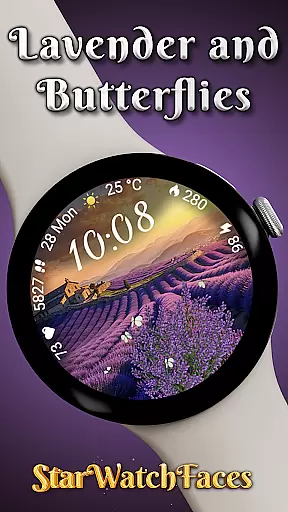
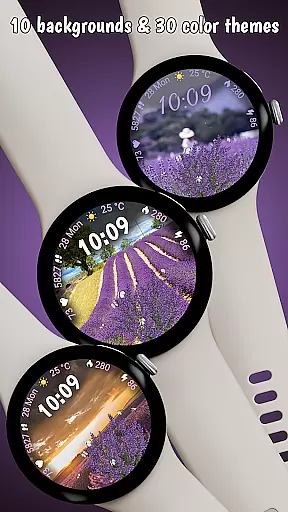
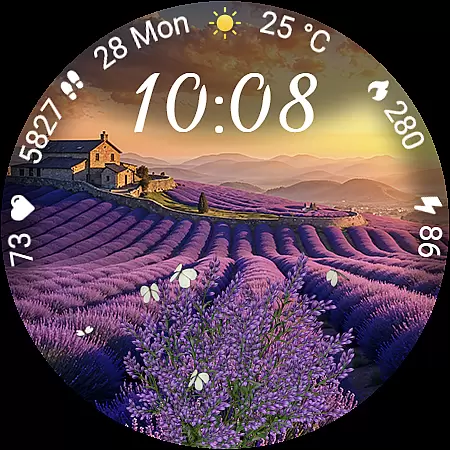
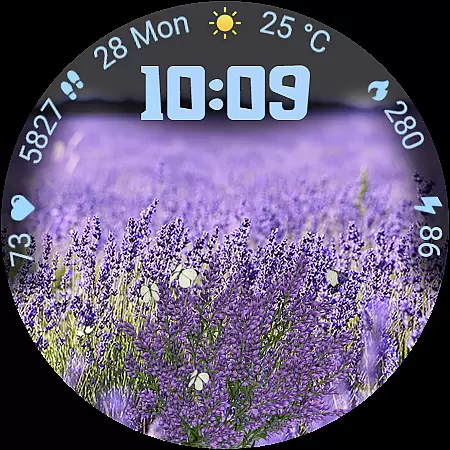
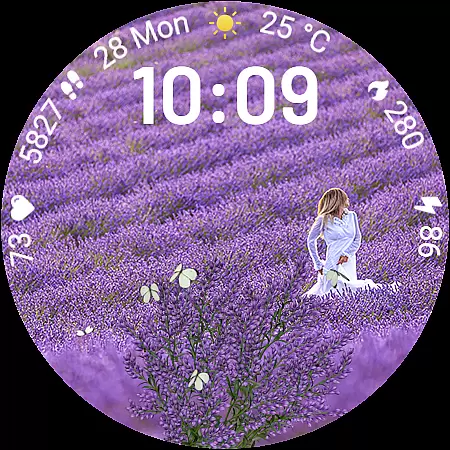
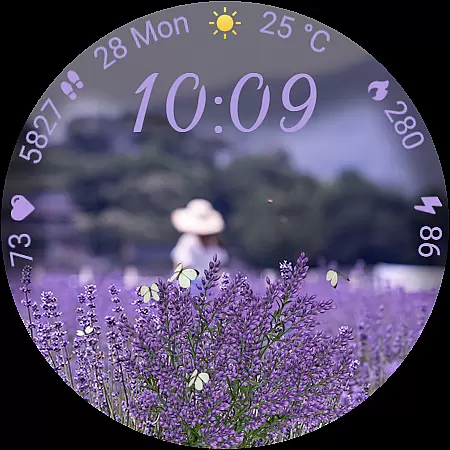
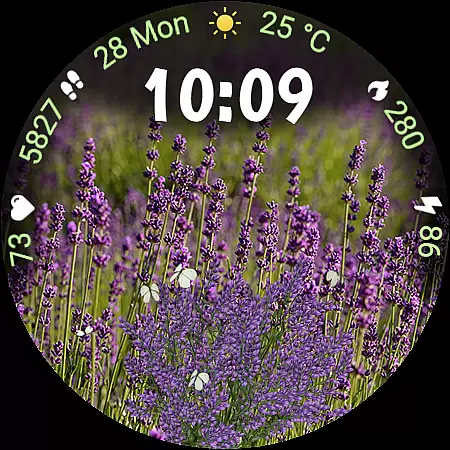
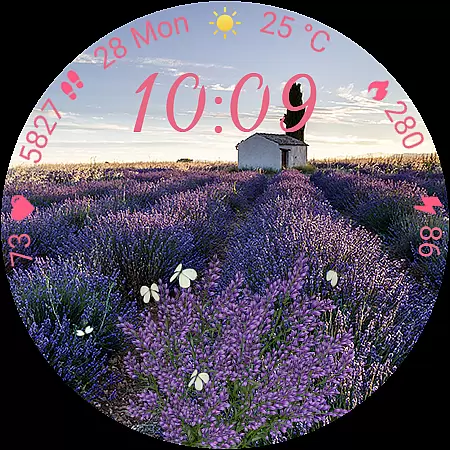
Lavender and Butterflies is an elegantly designed Wear OS watch face that combines serene lavender-themed visuals with practical functionality. The app features 10 unique animated backgrounds, each capturing the tranquil beauty of lavender fields at different times of day.
With real-time weather updates, health tracking metrics, and customizable elements like clock fonts and color themes, this watch face offers both aesthetic appeal and utility. Its optimized design ensures battery efficiency while providing users with essential information through an always-on display.
Ideal for those seeking a blend of style and function, Lavender and Butterflies transforms a smartwatch into a personalized accessory that's both visually stunning and highly practical for daily use.
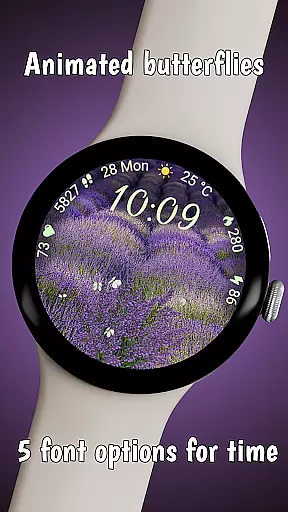
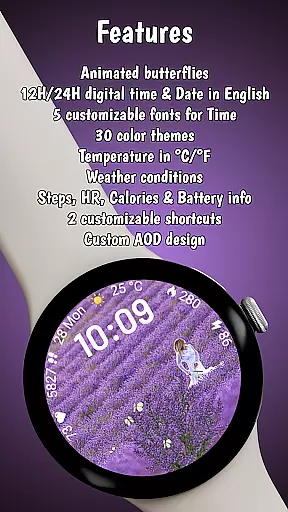
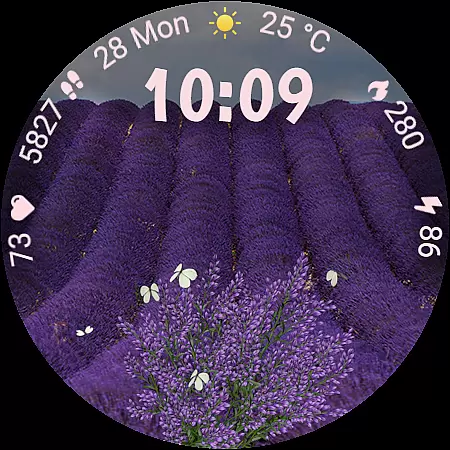
The app boasts a rich feature set including realistic animations of white butterflies fluttering across lavender fields, creating a dynamic yet calming visual experience. Users can choose from 5 stylish clock fonts and 30 matching color themes to personalize their watch face.
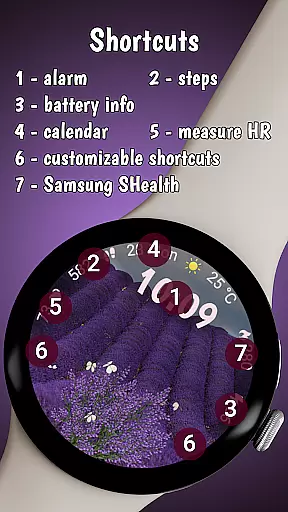
It provides essential daily information such as a 12h/24h digital clock, English date format, and live weather updates with temperature display and condition icons. Health-conscious users will appreciate the activity tracking capabilities, monitoring steps, heart rate, calories burned, and battery level.
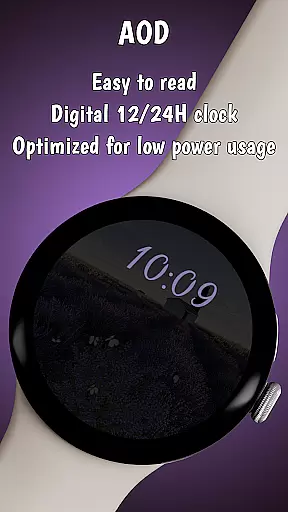
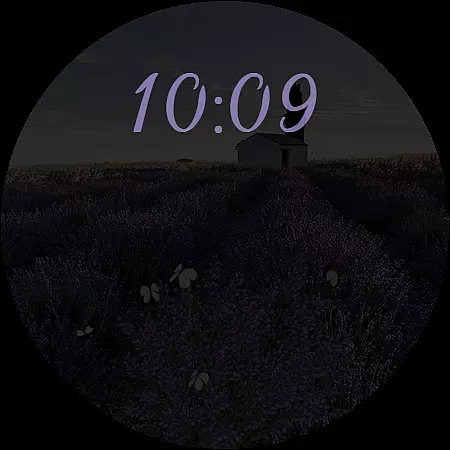
Additional features include an Always-On Display mode and two customizable shortcuts for quick access to favorite apps. Designed for Galaxy Watches running Wear OS 5 or newer, it ensures compatibility and optimal performance, making it a versatile choice for smartwatch users.
Lifestyle apps aim to enhance daily living by offering features that cater to various personal interests and needs. Lavender and Butterflies excels in this area by providing a serene, nature-inspired experience through its animated watch face. The app includes ten unique lavender-themed backgrounds, capturing different times of the day, which allows users to personalize their smartwatch according to their mood or preference.
In addition to the visual appeal, the app offers practical functionalities such as health tracking for steps, heart rate, and calories burned. This integration of style and utility ensures that users not only enjoy a beautiful interface but also have access to important personal metrics. The inclusion of live weather information with temperature display and condition icons further enriches the user's daily life by keeping them informed and prepared.
The depth of customization available in Lavender and Butterflies sets it apart within the lifestyle category. With five stylish clock fonts, thirty matching color themes, and two customizable shortcuts, users can tailor their watch face extensively. This level of personalization ensures that each user's experience is unique and closely aligned with their individual lifestyle, making the app a comprehensive tool for both aesthetic enjoyment and everyday practicality.
Authenticity and credibility are crucial for lifestyle apps, as users seek trustworthy content that enhances their daily routines. Lavender and Butterflies establishes its authenticity through meticulously designed, realistic animations of white butterflies fluttering across lavender fields. These animations are not just visually pleasing but also create a calming and immersive experience, reflecting the app's commitment to delivering genuine artistic value.
The app's credibility is further reinforced by its compatibility with Wear OS smartwatches, ensuring that it meets high technical standards and functions seamlessly on supported devices. By optimizing features like the always-on display mode and battery-friendly design, Lavender and Butterflies demonstrates expertise in creating an efficient and reliable user experience. This technical proficiency assures users that they are engaging with a polished and professional product.
Moreover, the app provides clear guidance on customization and compatibility, directing users to utilize the companion app for further exploration. This transparency in functionality and the offer of a BOGO promotion underscore the developer's confidence in their product. By combining beautiful design with practical features and clear communication, Lavender and Butterflies builds trust and credibility, positioning itself as a reliable choice within the lifestyle app category.
Beautiful lavender theme
Customizable options
Battery-friendly design
Health tracking features
Always-On Display mode
Limited device support
Some features not available
Premium cost required
Complex customization
Weather update dependency



A watch face with transparency and fluid visuals inspired by liquid glass design
 4.5
4.5
Paranormal EVP, Ghost Box, Spirit box, ITC, Haunted, Spirit communication device
3.70
A daily quote for success
4.1
Play. Earn. Repeat. Get rewarded for playing mobile games. Welcome to Mobius!
4.80
Earn money & gift cards when you take surveys, play games, scan receipts & more.
4.50
SmartHQ: Your Connected Home Command Center
4.10
Make money, get paid cash rewards & gift cards for every survey. Earn today!
4.60
DailyGift can help you record your habits and get rewards along the way!
4.60
Create slime on your phone and enjoy satisfying and relaxing ASMR games
4.50
Countdown to Christmas 2025 with festive games & activities in a virtual village
4.80
My Diary - Daily Journal with lock: Diary journal app and secret diary with lock
4.80
Pay your rent, submit work orders and much more with the RentCafe Resident App.
4.70
Digital smart watch face made for Wear OS.
4.70
Have your Tehillim with you at all times
4.70
Premium floor cleaning robots
4.50
Get your life organized with My Agenda!
4.30
This is a simple and highly functional alarm clock "Smart Alarm" paid version.
4.20
Smart controls for your Ember Smart Mugs
4.10
Turn your watch into a key fob for your Tesla
2.90

User Reviews