

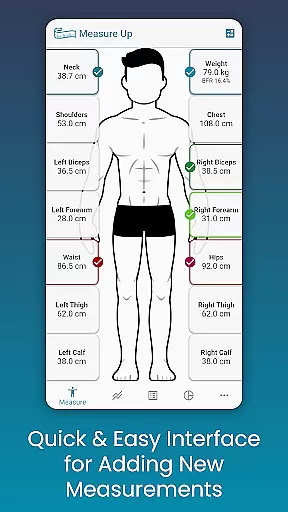
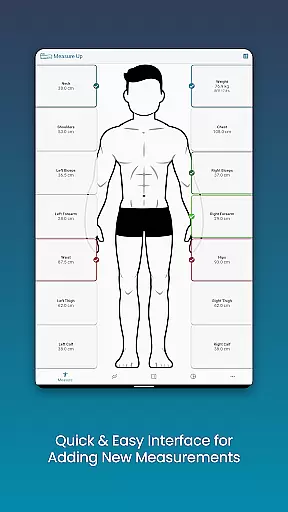
Body Measurement Tracker is a streamlined fitness application designed to help users monitor their weight loss or muscle gain journey with ease. The app offers a simple interface for recording daily body measurements, allowing users to track which body parts have been measured on a given day. This ensures no data is missed and provides a comprehensive tracking system.
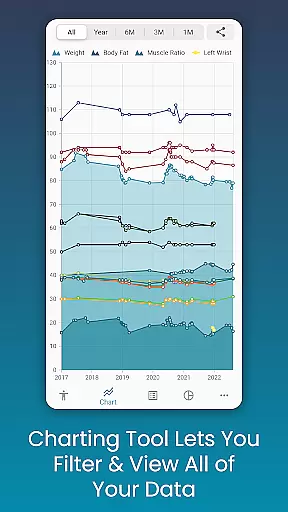
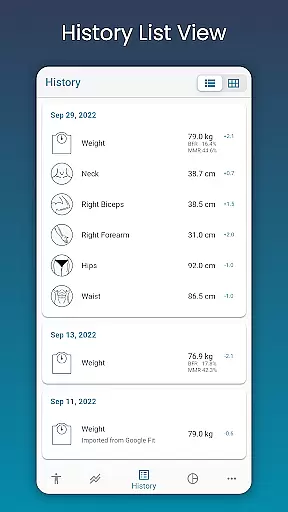
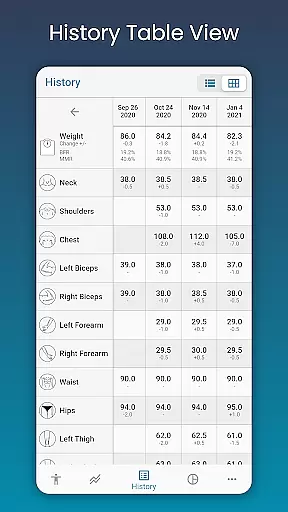
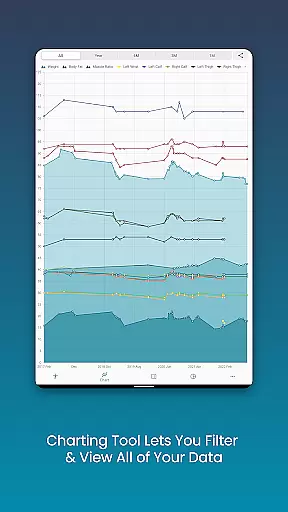
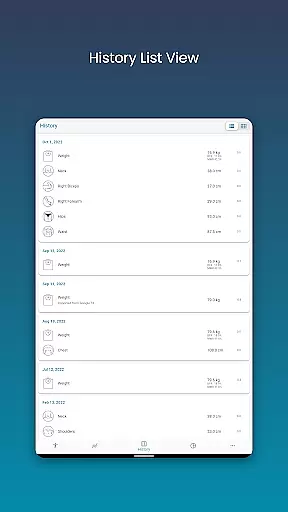
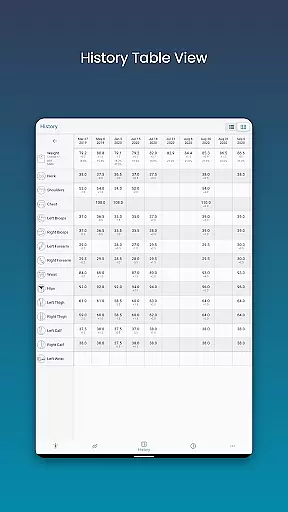
With its unique chart analysis feature, users can visualize their progress through various formats including charts, tables, and lists. The app also integrates with Google Fit, enabling seamless synchronization with other health apps. Whether you're focused on weight management or muscle building, Body Measurement Tracker equips you with the tools needed to interpret your progress efficiently.
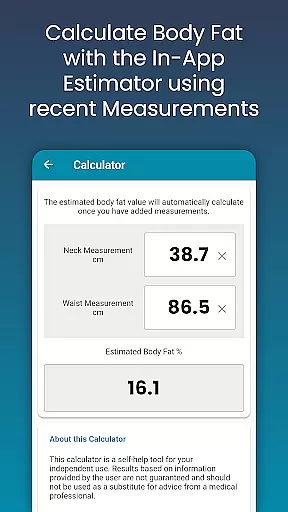
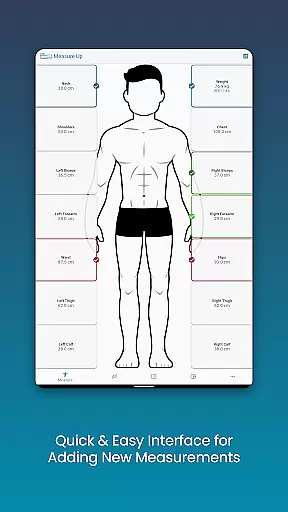
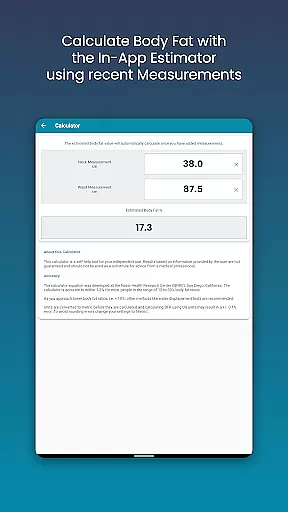
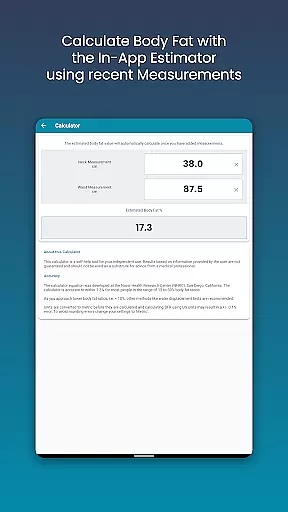
One of the standout features of Body Measurement Tracker is its easy measurement logging system. Users can quickly input data using an intuitive interface, add past measurements by adjusting the date, and even estimate body fat percentage with the built-in calculator. This makes tracking both current and historical data effortless.
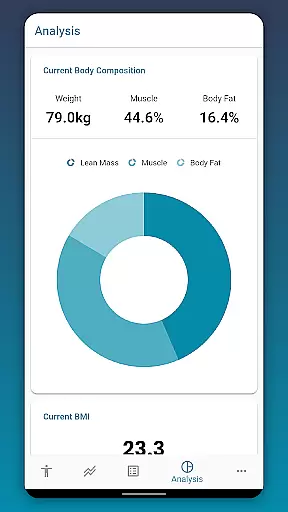
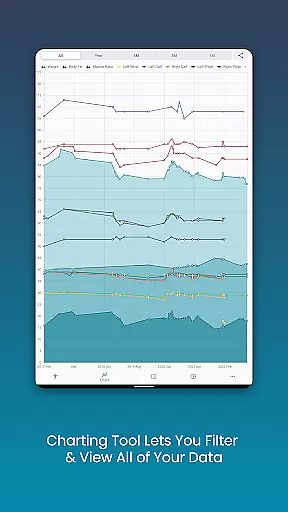
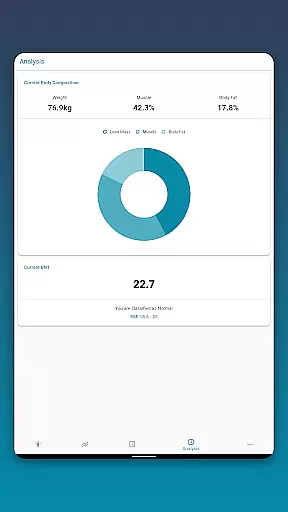
The app's chart analysis tool allows users to toggle different measurements on and off from the legend toolbar, providing a clear visualization of progress over time. Users can stack metrics such as lean mass, body fat, and muscle to better understand their fitness journey. Additionally, the ability to export charts as PNG images enables sharing via popular apps.
Customization is another key aspect, letting users create personalized length, weight, or percentage-based measurements and adjust chart colors to their preference. With options like data backup and restore, Body Measurement Tracker ensures that user information is safe and accessible at all times.
Personalized planning in Body Measurement Tracker offers tailored solutions for users aiming to lose weight or gain muscle. The app's interface is designed to make recording measurements fast and intuitive, ensuring that users can easily track their progress without any hassle.
The app highlights which body parts have been measured on a given day, preventing users from losing track of their routine. This feature ensures that users maintain consistency in their tracking, which is crucial for achieving their fitness goals.
By integrating with Google Fit, the app syncs measurements with other health apps, providing a comprehensive view of the user's fitness journey. This seamless integration allows for a more personalized experience as users can combine data from multiple sources to better understand their progress.
Overall, the personalized planning feature empowers users to take control of their fitness journey by offering an easy-to-follow system that adapts to their personal needs and goals, making it an invaluable tool for anyone serious about tracking their body transformation.
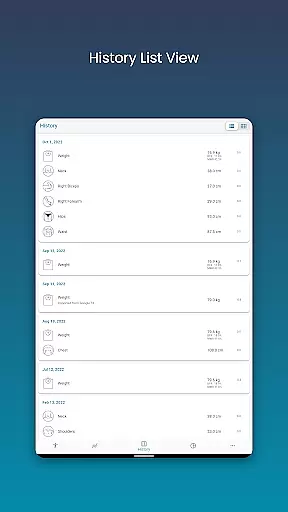
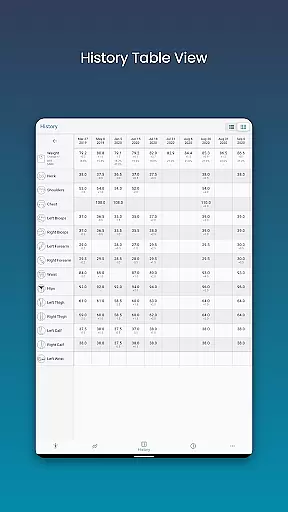
Progress visualization in Body Measurement Tracker is a powerful feature that allows users to interpret their fitness journey through various data representation formats. Users can view their measurement history in Chart, Table, and List formats, enabling them to choose the most comprehensible and motivating way to track their progress.
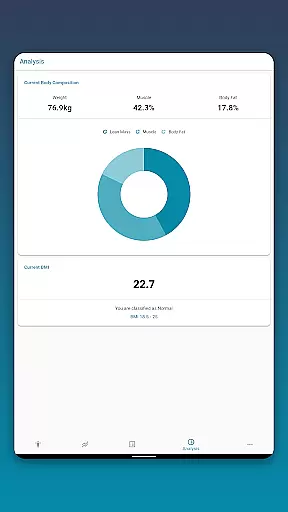
The unique chart analysis provides a clear picture of the user's progression by allowing them to toggle different measurements on and off. This helps users focus on specific metrics such as lean mass, body fat, and muscle gain, offering insights into how these elements contribute to their overall fitness objectives.
Exporting charts to PNG image format enhances the sharing capability, letting users showcase their progress via popular apps. This not only serves as a personal milestone marker but also as a motivational tool when shared with friends or within fitness communities.
With progress visualization, users are equipped with an intuitive and engaging way to monitor their achievements, making their weight loss or muscle gain journey more tangible and rewarding.
User-friendly interface
Comprehensive tracking
Google Fit integration
Customizable settings
Data backup available
Limited advanced metrics
No in-app coaching
Premium features locked
Occasional bugs
Basic design

Text notifications, button control, heart monitor & more for your Amazfit.
 2.40
2.40
The simplest way to track your 21 Day Program containers, exercises, and water.
4.50
Your Health Has Met Its App (℠)
3.90
The Wear OS BeechBand app is designed to alleviate anxiety and other conditions
4.0
Weight loss app: home workout for women to lose weight & burn calories.
4.80
The Sleep Miracle Sound Machine: Soothes baby to sleep with a gentle "Shhh"
3.00
GloryFit is a companion app for the smart bracelet.
3.60
Lazy home workouts with your virtual fitness coach for weight loss.
4.30
Comprehensively record and manage your health
4.50
Easy to use step counter, calorie counter helps lose weight, count steps offline
4.80
Measure your Pupil Distance for Eyeglasses and VR headsets in 3 quick steps.
4.70
Effortlessly and naturally release anxiety by harnessing the power of your brain
4.60
Get lasting results with Chair Yoga, Wall Pilates, and Walking workouts!
4.60
Period Tracker, the easiest way to track your periods!
4.50
Personal step counter for you, private and accurate
4.50
Chair Workout: Women's Edition for safe, flexible, and personalized fitness.
4.40
Turn your steps into cash, gift cards & rewards with our step counting pedometer
3.80
Control your sleep in real-time wearing Garmin device
3.60
Use your watch as a bike computer, heart rate monitor and cycling power meter
2.50

User Reviews