

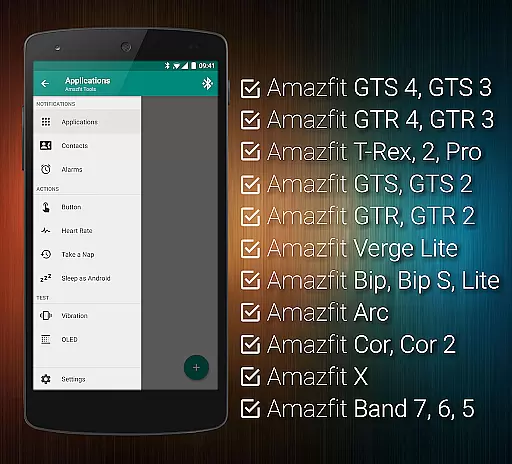
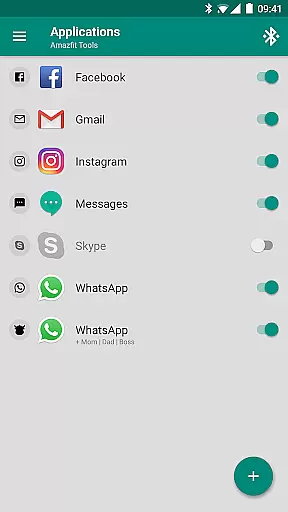
Tools & Amazfit is a comprehensive utility application designed to maximize the functionality of your Amazfit smart bracelet. This app offers advanced features such as customizable notifications for calls and apps, continuous heart rate monitoring, and integration with Sleep as Android. It supports various models of Amazfit devices and works seamlessly with the original Zepp/Mi Fit app, ensuring you have access to the latest firmware and features.
With Tools & Amazfit, users can fine-tune their experience by configuring custom patterns for notifications, setting up power naps, and creating personalized button control profiles. The app also includes idle alerts, missed notifications, and fully customizable widgets, making it an indispensable tool for managing your smart bracelet efficiently.
This app is particularly useful for those who want to extend the capabilities of their Amazfit device beyond basic functionalities. Whether you're looking to optimize your fitness tracking or enhance productivity through smart notifications, Tools & Amazfit provides the tools necessary to get the most out of your wearable technology.
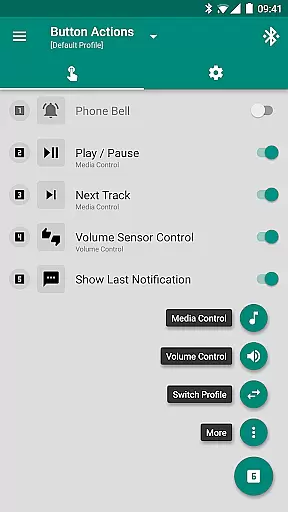
Tools & Amazfit boasts a wide array of features that cater to both casual users and tech enthusiasts. One of its standout features is Display Text Support, which allows users to see caller contact names and full notification contents directly on their Amazfit device. Additionally, Button Control and Sensor Control enable users to assign actions to button presses and control media with hand movements, offering a highly interactive experience.
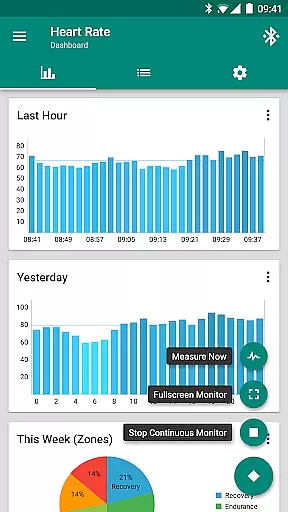
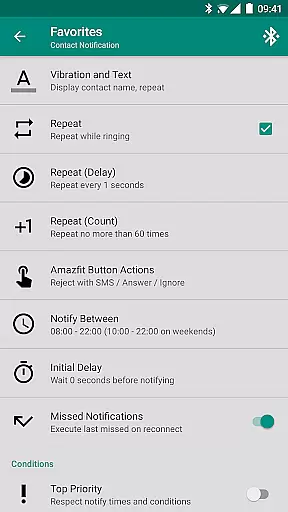
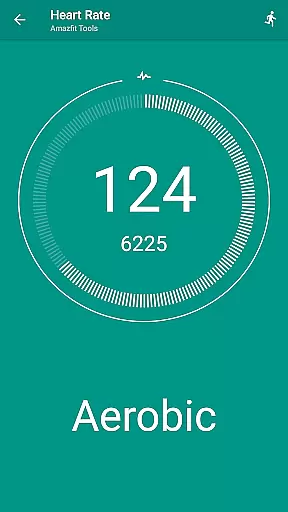
The app also includes advanced health monitoring features like continuous heart rate monitoring and notifying, along with configurable heart rate dashboard charts. Users can set up custom repeating notifications for reminders, create notification content filters, and manage multiple notifications with ease. These features ensure that users stay informed and in control of their notifications at all times.
Furthermore, Tools & Amazfit supports integration with other applications such as Tasker, Automagic, and Locale, providing advanced and customizable action and event plugins. With support for a wide range of Amazfit models and compatibility with all Android versions from 4.3 to 13+, this app delivers a versatile and robust solution for enhancing your smart bracelet's capabilities.
Personalized planning in health and fitness applications refers to the ability to create tailored workout and wellness routines based on individual user data. This feature is crucial for maintaining user engagement and ensuring that fitness goals are met effectively.
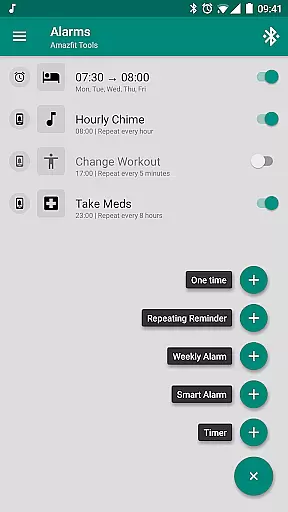
Tools & Amazfit offers personalized planning through advanced features like custom repeating notifications, idle alerts, and continuous heart rate monitoring. Users can set up hourly chimes, workout reminders, or even medication alerts, all of which contribute to a structured and personalized health plan.
The application's power nap feature allows users to take short, restorative naps, enhancing overall productivity and well-being. By configuring custom patterns for each notification, users can fine-tune their experience to match their lifestyle and fitness objectives.
Ultimately, personalized planning in Tools & Amazfit empowers users to optimize their health routines, ensuring they remain active and engaged with their fitness journey while accommodating their unique schedules and goals.
Progress visualization is an essential component of any health and fitness app, providing users with clear insights into their achievements and motivating them to continue their efforts. Visual representations of progress help users understand their performance trends and make informed decisions about their fitness routines.
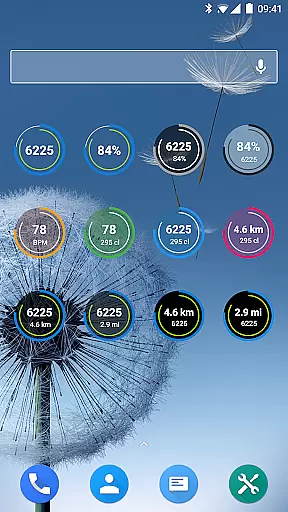
Tools & Amazfit excels in progress visualization by offering fully customizable widgets that display daily fitness goal progress, bracelet battery status, and heart rate information. These widgets allow users to track their metrics conveniently and maintain awareness of their health data throughout the day.
In addition to widgets, the app provides configurable heart rate dashboard charts and sleep tracking integration, enabling users to visualize their heart rate trends and sleep patterns over time. This comprehensive approach ensures that users have a holistic view of their health metrics.
By leveraging these visualization tools, users can celebrate milestones, identify areas for improvement, and stay motivated on their path to achieving better health and fitness outcomes.
User-friendly interface
Extensive customization options
Advanced health monitoring
Wide device compatibility
Integration with third-party apps
Requires additional setup
Some features may be complex
Premium version needed for full access
Occasional sync issues
Limited iOS support

Easy access to health benefits
 4.70
4.70
Control your sleep in real-time wearing Garmin device
3.60
Transform your body and soul with DBFFitness, with a 40-day fitness journey.
4.1
Personal Measurements - Track your gains!
4.50
Mind on steroids - relaxation, productivity, meditation and sleep!
4.60
Pupillary distance PD with camera quick and easy, checking glasses frames on you
3.70
Relax. Sleep Better. Feel Better.
4.50
Find Paid Clinical Trials In Your Area
3.70
Jogging app for calorie counter and distance tracker. Running app to lose weight
4.20
sobriety counter app to help and motivate people to stop drinking alcohol.
4.90
App to stop smoking slowly or now with a motivational badges and helpful tips
4.80
Load the bar with this barbell & plate calculator. It's leg day, not brain day!
4.70
Get lasting results with Chair Yoga, Wall Pilates, and Walking workouts!
4.60
Blood Pressure Log, HRV & Heartbeat Tracker. Pulse Checker.
4.40
Looking to take control of your health? Our psychology-based programs can help.
4.10
GloryFit is a companion app for the smart bracelet.
3.60
The Sleep Miracle Sound Machine: Soothes baby to sleep with a gentle "Shhh"
3.00
The Wear OS BeechBand app is designed to alleviate anxiety and other conditions
4.1
Using Recognise™ has been shown to reduce pain and improve performance
4.1
User Reviews