

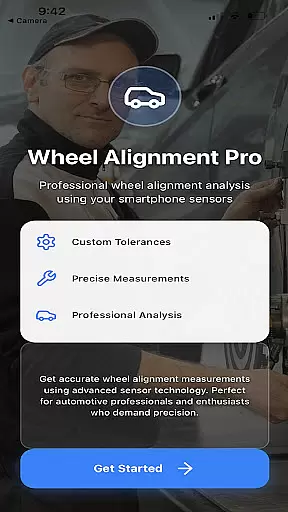
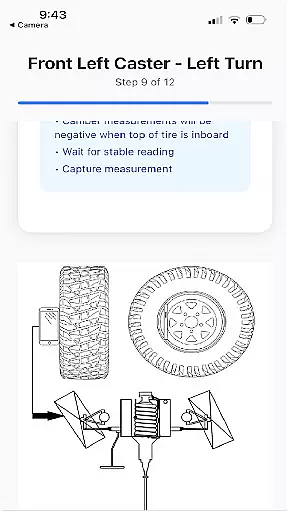
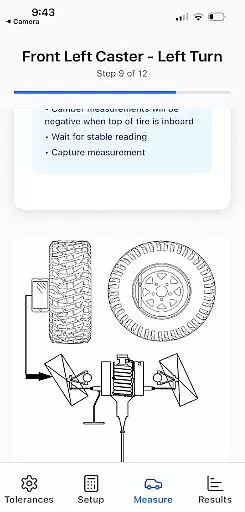
Alignment Pro is an advanced wheel alignment solution that utilizes your phone's internal sensors and a simple tape measurement to collect precise alignment data. Designed for both professional mechanics and car enthusiasts, the app provides on-screen instructions that make the process straightforward and efficient. It supports industry-standard specifications while allowing users to input custom vehicle-specific settings easily found online.
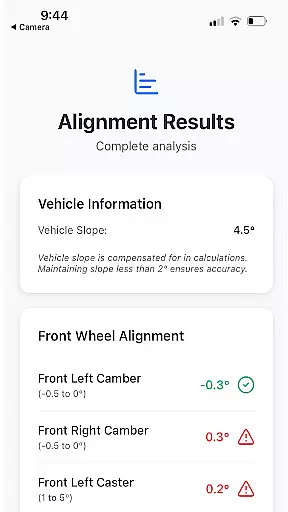
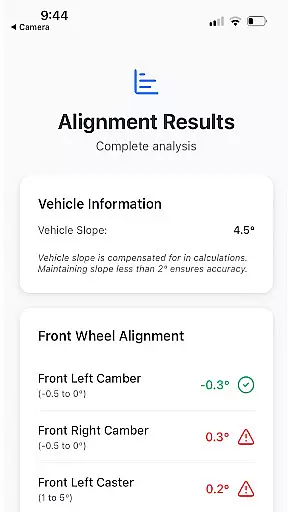
A key feature of Alignment Pro is its ability to compensate for uneven surfaces through vehicle slope compensation. This ensures accurate readings even on inclined driveways. Additionally, the app generates detailed alignment summaries that highlight specific out-of-tolerance conditions. These summaries help users understand potential issues and explain them clearly to customers or peers, making it an invaluable tool in the auto service industry.
Alignment Pro offers a comprehensive set of features tailored to simplify and enhance wheel alignment tasks. One standout capability is its compatibility with industry-standard alignment specifications, which can be customized to match the unique requirements of any vehicle. Users can easily update these specifications using data available online, ensuring maximum accuracy and flexibility.
The app also includes vehicle slope compensation, a feature designed to account for uneven surfaces during measurements. This ensures reliable results regardless of the environment. Furthermore, Alignment Pro provides a detailed alignment summary that identifies specific issues caused by out-of-tolerance conditions. This functionality not only aids in diagnosing problems but also helps communicate these findings effectively to clients or colleagues, enhancing transparency and trust.
Alignment Pro offers comprehensive details about your vehicle's alignment specifications, ensuring you have all the necessary data at your fingertips. The app utilizes industry standards to provide accurate specifications or allows for manual updates tailored to your specific vehicle.
By integrating your phone's internal sensors with simple on-screen instructions, the app collects precise wheel alignment data. This feature is crucial for diagnosing and correcting alignment issues that could affect vehicle performance and safety.
Users benefit from detailed alignment summaries that highlight out-of-tolerance conditions. These summaries not only identify problems but also explain potential implications, helping users understand the importance of maintaining proper alignment.
The app's ability to compensate for uneven driveways through vehicle slope compensation ensures that collected data remains accurate regardless of external conditions. This attention to detail underscores the app's commitment to delivering reliable vehicle information.
One of Alignment Pro's key strengths is its transparent approach to pricing and service offerings. Unlike many automotive apps, Alignment Pro provides clear information on how services are priced, ensuring users can make informed decisions without hidden costs.
The app leverages a straightforward pricing model based on standard industry practices. Users can easily find and update their vehicle's alignment specifications online, avoiding unnecessary expenses associated with professional diagnostic services.
With features like vehicle slope compensation and detailed alignment summaries, users receive full value for their investment. These tools empower users to understand and address alignment issues effectively, saving money in the long run.
Overall, Alignment Pro's emphasis on price transparency enhances user trust and satisfaction, making it an invaluable tool for anyone seeking cost-effective vehicle maintenance solutions.
User-friendly interface
Accurate sensor integration
Customizable alignment specs
Detailed alignment reports
Slope compensation technology
Requires manual input
Limited to phone sensors
Premium feature costs
Internet-dependent updates
Steep learning curve

Ultimate OBD2 Car Scanner: Diagnostics, Service and Modification Tool
 4.30
4.30
Realtime Charts is a plugin for the Torque Pro App (OBD 2 & Car)
4.20
App Mirroring for Tesla Car's Browser
2.80
Play what you want through Android Auto
4.90
Autolist - The Largest Selection of Local Used Cars and Trucks
4.50
Your Path to Driving Licensing Success Begins Here! Develop your driving skills.
4.40
Shop cars & see your financing
4.60
Available in select states.
4.00
Autotrader is your online solution for buying and selling new and used cars.
4.40
Marathon ARCO Rewards members earn rewards & apply the rewards for fuel savings!
4.80
Oil change service & coupons for car maintenance at Valvoline Instant Oil Change
4.70
Launcher for use in the car
4.40
* This app needs an adapter cable and a certain OBD2 adapter to work *
4.20
Control maps, media and messaging, with the Google Assistant while you drive
4.10
ODB2 based monitoring application for the Chevy Bolt (2017-2021)
4.00
Read and delete OBD codes with any ELM327 OBD scanner. Coding functions included
3.40
The Smarter Way Forward
3.30
Attention! This is the theme for the Car Launcher app
4.0
Theme for Car Launcher
4.0


User Reviews