

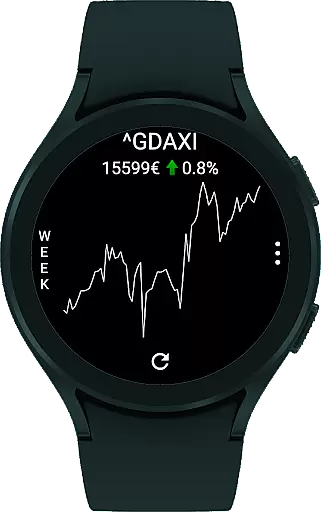
StockTiles is a specialized finance application designed for smartwatch users who need quick access to stock market data. The app provides dedicated Tiles that display charts and prices of your preferred stock assets directly on your Wear OS watch. With its lightweight design, StockTiles allows you to check your favorite assets within seconds without the need to open a full-fledged app.
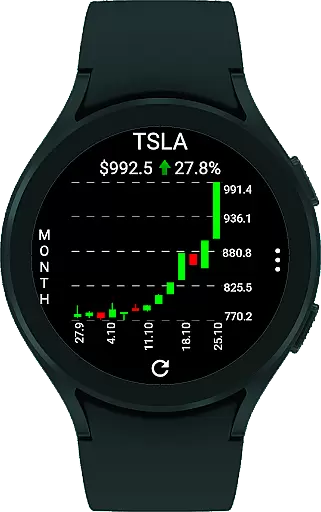
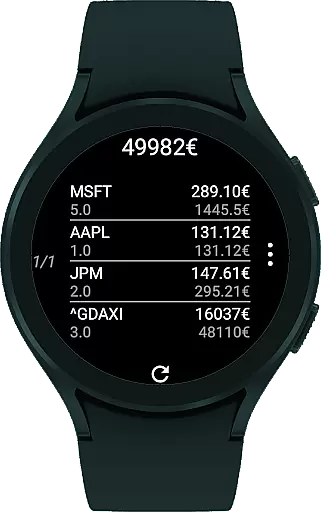
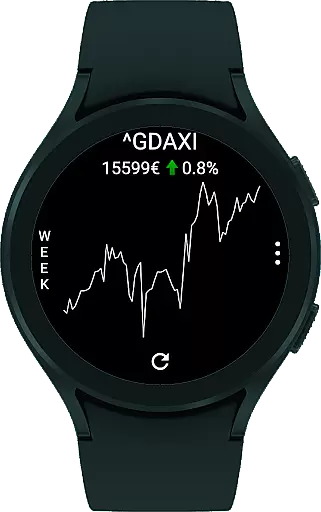
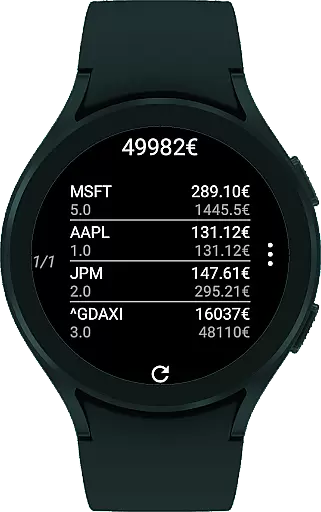
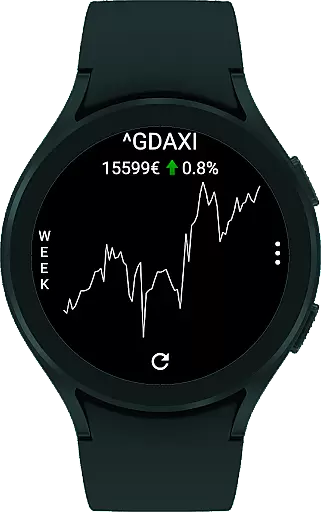
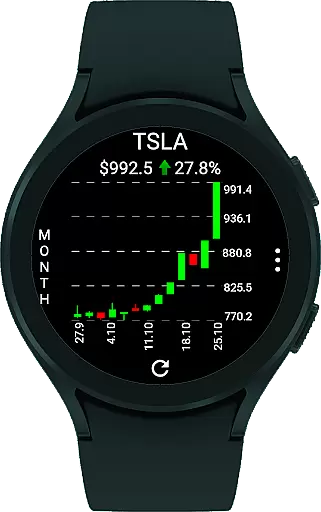
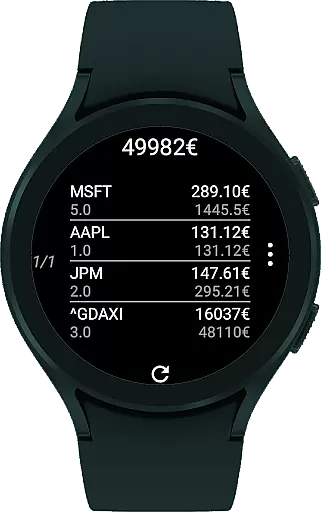
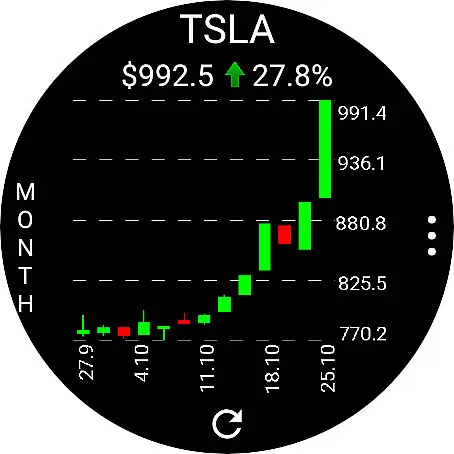
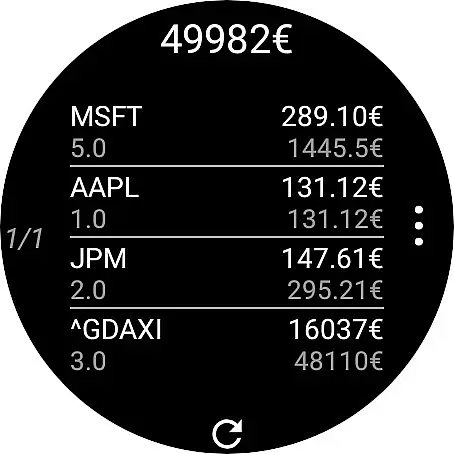
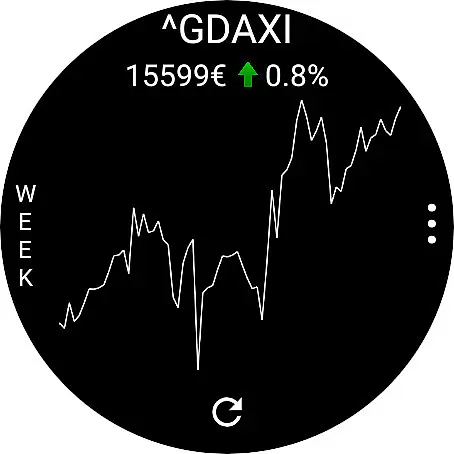
The app features two main tiles - a chart tile showing candlestick or line charts where you can toggle tickers and change time frames, and an overview tile summarizing all your assets including the total value if shares are input. Additionally, complications enable displaying selected asset values directly on your watch face. Using Yahoo Finance API, it supports all listed assets and offers currency conversion through ExchangeRate-API.
This app is ideal for investors who require immediate updates on their portfolio while on the go. Its seamless integration with wearables ensures you stay informed about market movements without needing to pull out your phone or computer, making it a valuable tool for both casual and serious traders.
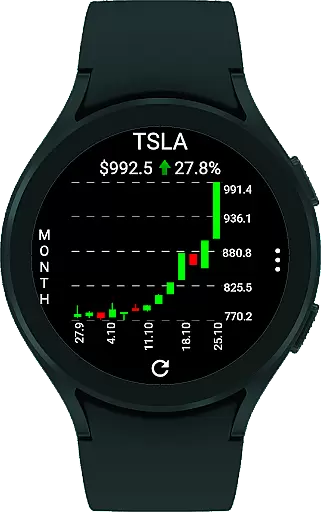
StockTiles stands out with its unique set of features tailored for smartwatch users. The app includes two primary tiles: the Chart Tile and the Overview Tile. The Chart Tile displays either candlestick or line charts, allowing users to toggle between different tickers by tapping the center of the display and change the time frame by tapping the left side of the tile. This interactive feature makes tracking multiple stocks effortless and intuitive.
The Overview Tile provides a comprehensive summary of all user-selected assets. If the number of shares owned is provided, this tile also shows the total value of the assets. Users can cycle through their entire portfolio by simply tapping the screen. Furthermore, StockTiles offers complications that allow displaying a chosen asset's value or the total portfolio value right on the watch face, ensuring critical information is always visible at a glance.
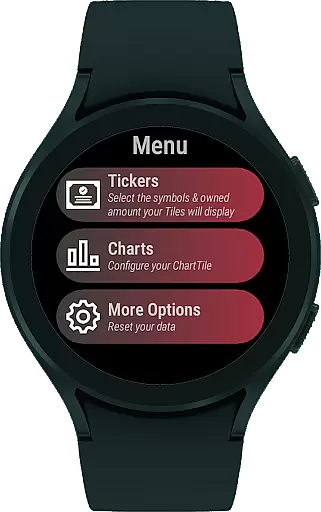
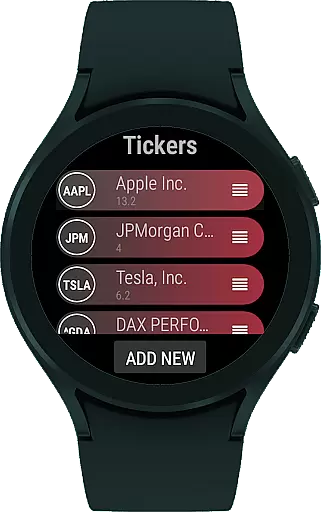
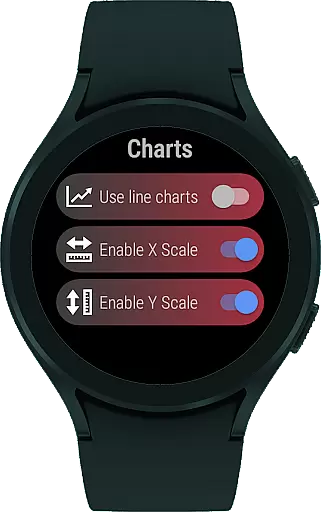
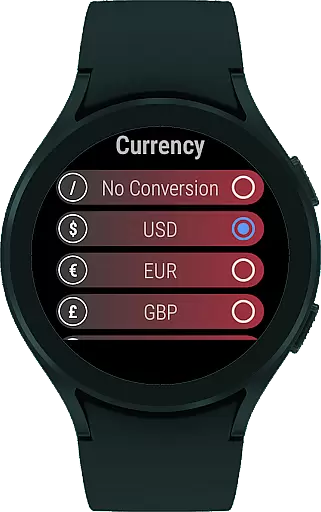
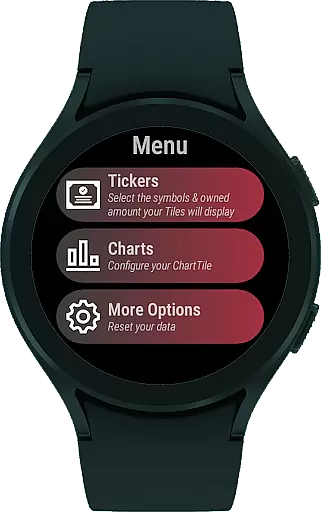
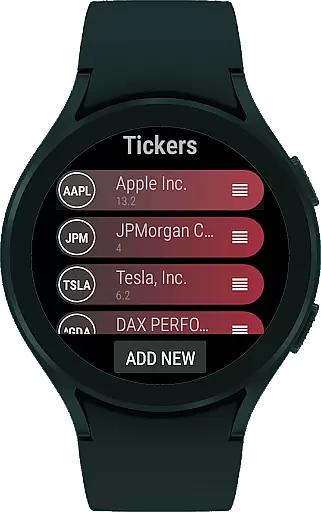
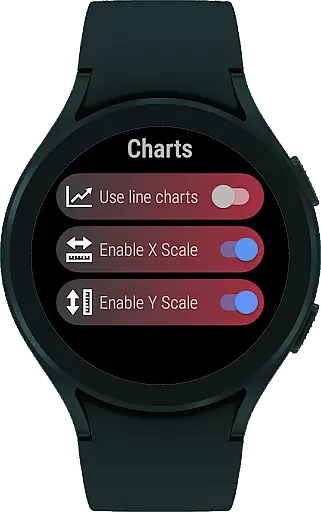
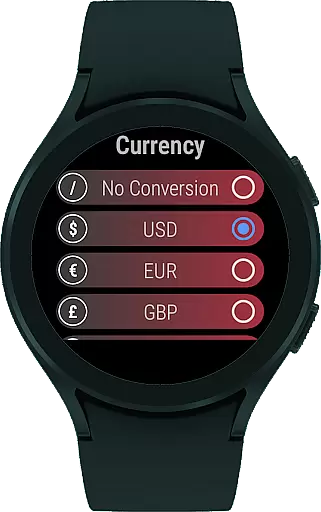
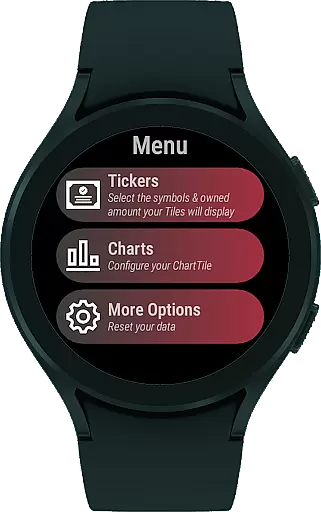
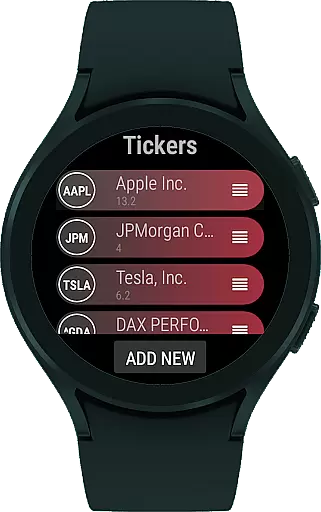
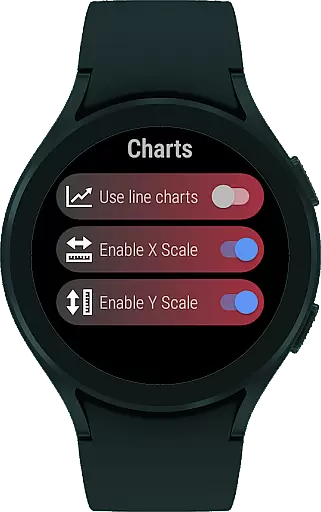
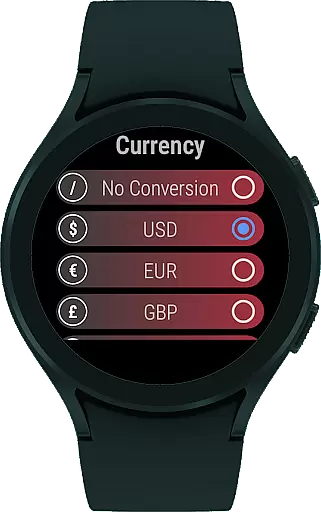
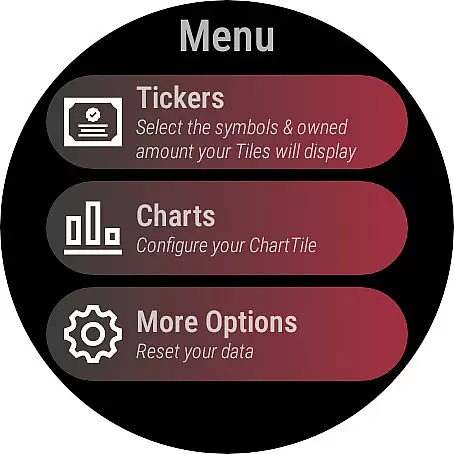
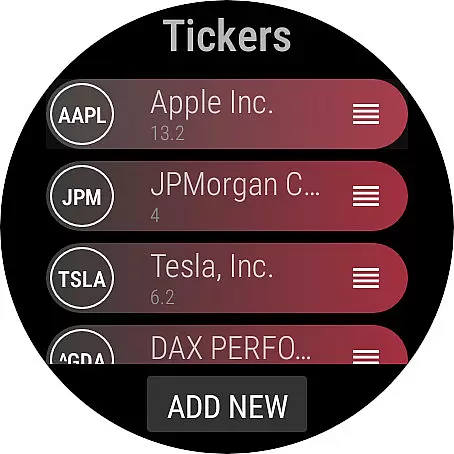
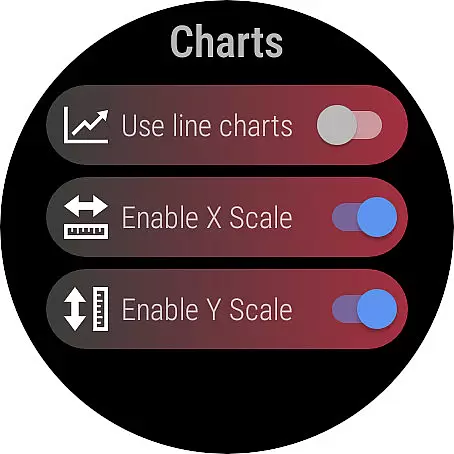
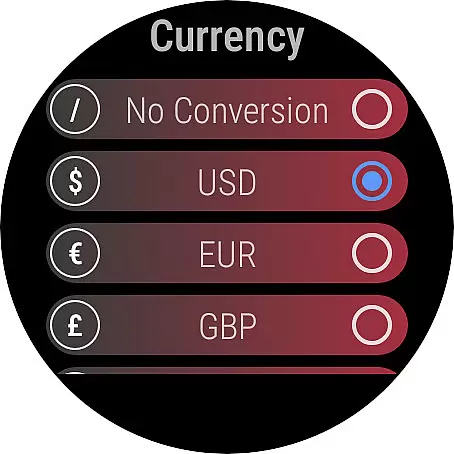
Additional customization options include selecting specific tickers to display via the app’s menu, configuring chart display preferences (line or candlestick, scales, etc.), and setting up currency conversions using ExchangeRate-API. These features collectively enhance user experience by providing personalized and easily accessible financial data, making StockTiles an indispensable tool for managing investments on the go.
StockTiles ensures robust account and fund security by leveraging the Yahoo Finance API, which provides reliable and up-to-date financial data. This guarantees that users receive accurate information about their stock assets directly on their Wear OS watch.
The app allows you to configure how your charts are displayed and manage your tickers securely. By tapping the display center, you can toggle your tickers, and change the time frame by tapping the tile's left side, ensuring that sensitive financial data is easily accessible yet secure.
Additionally, StockTiles supports price conversion to your preferred currency using the ExchangeRate-API, adding an extra layer of personalization and security. This feature ensures that all transactions and asset valuations are presented in a familiar currency context, enhancing user trust.
For any security concerns or feature requests, users can directly contact the developer at tiles@tobias-goerke.de, ensuring that any potential vulnerabilities or enhancements are promptly addressed.
StockTiles offers a seamless transaction experience by providing quick access to stock charts and prices through its intuitive Wear OS tiles. These tiles are lightweight compared to full applications, allowing users to check their favorite assets within seconds.
The app features two primary tiles: the chart tile, which displays candlestick or line charts, and the overview tile, summarizing all your assets. The overview tile also shows the total value of shares owned, offering a comprehensive view of your portfolio with simple screen taps.
In addition to tiles, StockTiles includes complications that enable displaying selected asset values directly on your watch face. This functionality streamlines the user experience by keeping critical financial information always visible and accessible.
Users can freely choose which tickers to display and configure chart settings such as line or candlestick views and scales. This flexibility ensures a personalized and efficient transaction experience tailored to individual preferences.
User-friendly interface
Real-time stock updates
Customizable tiles
Comprehensive asset overview
Seamless wearable integration
Limited to Wear OS
No standalone iOS support
Dependent on external APIs
Requires manual ticker input
Premium features may cost extra

Expenses, Bills, Budget and Accounts - All seamlessly integrated in one app!
 3.80
3.80
Early payday cash advance up to $150 a day with a max of $1,000 per pay period
4.70
Easily invest, save, and plan—all in one app.
4.60
Get, Earn, and Save Money
4.30
Manage your credit card account with the Credit One Bank mobile app.
4.70
Check EBT, SNAP, WIC balances, manage food stamps, and save money with benefits
4.80
Read and extract public data on NFC Contactless banking card (VISA, MasterCard
4.30
SuperQi, Your all-in-one Super App.
1.30
Venmo is the fun and easy way to pay and get paid.
4.10
BA Financial Calculator PRO – Perfect for CFA/FRM/CPA and finance professionals
4.90
Pay rent on your schedule.
4.70
Managing your money just got easier. Get the new Mobile app.
4.70
Your Big Financial Friend
4.70
Navigate your unique financial path confidently with help from Credit Karma.
4.70
Real-time tracking: Stocks, Indices, Futures, Commodities, ETF, & Funds prices.
4.60
Trade NFL, NBA, Crypto, Tech
4.50
Registration of your debts and Mdionatk and assembled, as well as a significant reports
4.30
The PayPal app is the secure way to send and receive money, shop and pay in 4.
4.20
Your insurance, anytime, anywhere
4.00

User Reviews