

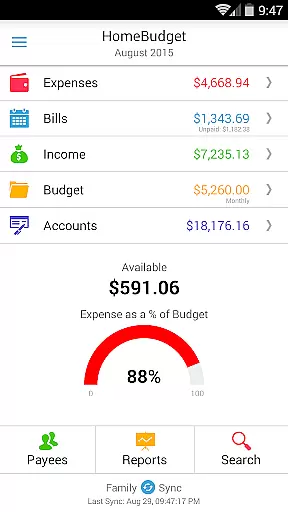
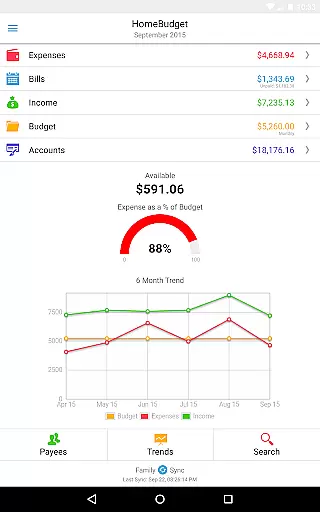
Home Budget with Sync is a comprehensive financial management application designed to help users track expenses, income, bills-due, and account balances across multiple platforms. Available on Android, iPhone/iPad, Windows, and Mac OS, this app offers instant data synchronization between devices, ensuring seamless access to your financial information wherever you are. The app's integrated expense tracker supports budgeting and provides detailed analysis through charts and graphs, giving users clear insights into their spending habits.
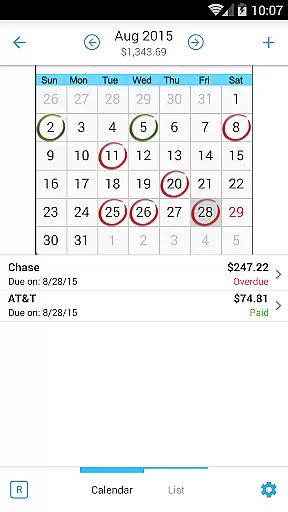
One of the standout features of Home Budget is its Family Sync functionality, which allows multiple devices within a household to exchange financial information automatically. This feature enables families to work together within a single budget, making it easier to manage shared expenses. Whether you're tracking daily expenditures or planning for future bills, Home Budget with Sync provides the tools necessary to maintain a clear and organized financial picture.
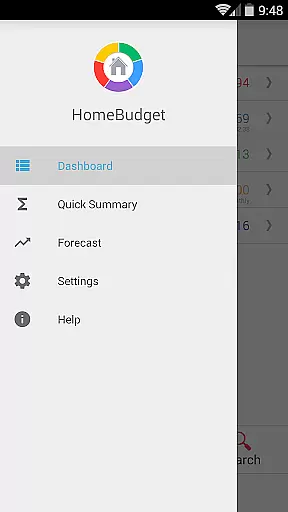
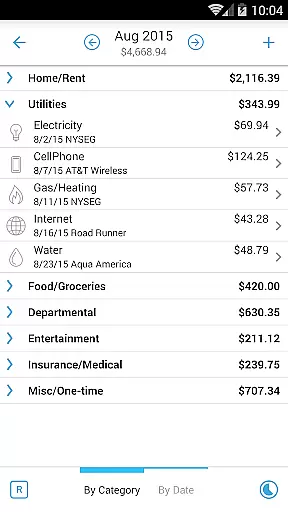
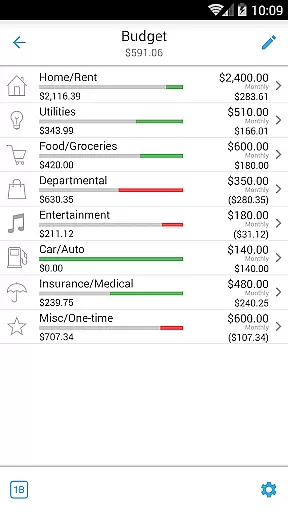
Home Budget with Sync boasts an impressive array of features tailored to meet the needs of meticulous financial planners. Users can create, edit, and delete expenses, income, and recurring bills with ease. The app supports detailed categorization of expenses, allowing users to set budgets at both category and sub-category levels. With options to associate accounts and payees with transactions, users gain a holistic view of their financial activities.
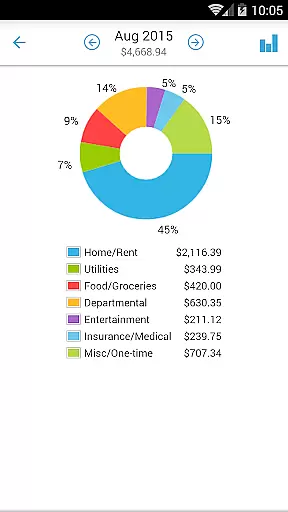
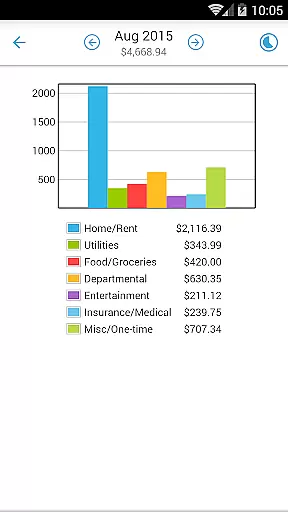
The app also includes advanced reporting tools such as trend charts for expenses, budgets, and income over the last six months, as well as pie and bar charts for visual breakdowns. Additionally, Home Budget with Sync facilitates automatic syncing across multiple devices via Family Sync, ensuring that all household members have access to the same financial data. This combination of detailed tracking, robust reporting, and seamless synchronization makes Home Budget with Sync an invaluable tool for managing personal and family finances.
Account and fund security is a critical aspect of any financial management application. Home Budget with Sync ensures the safety of your financial data through multiple layers of protection. The app provides password protection features, allowing users to secure their sensitive information from unauthorized access.
Beyond basic password protection, the app supports automatic backup and restore functionality for all application data, including receipt images. This ensures that your financial records are safe even in cases of device loss or damage. The synchronization feature across multiple devices uses secure protocols, maintaining data integrity during transmission.
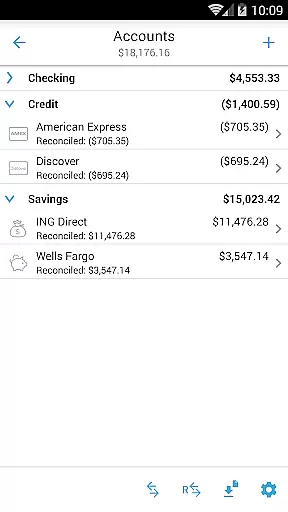
The application's account management system is designed to accurately track balances across different account types, including checking, savings, credit, and cash accounts. Each transaction automatically updates the corresponding account balance, providing real-time financial status updates while maintaining data consistency.
For users concerned about privacy, Home Budget with Sync offers peace of mind through its comprehensive security measures. The app's implementation of secure data storage and transmission protocols ensures that personal financial information remains confidential and protected against potential threats.
A seamless transaction experience is essential for effective financial management. Home Budget with Sync excels in this area by providing an integrated system that connects expenses, income, and account balances. Users can create and manage various types of transactions, including one-time and recurring expenses and income entries, with ease.
The application streamlines transaction management through its intuitive interface. A large numeric keypad facilitates quick data entry, while automatic decimal placement adapts to users' regional settings. The ability to associate transactions with specific accounts and payees creates a comprehensive financial tracking system that maintains accurate records.
Home Budget with Sync enhances the transaction experience through its innovative features. Users can attach receipt images to expense entries and manipulate them directly on the screen. The search functionality allows for efficient retrieval of past transactions, while the drill-down capability enables detailed analysis of expenses by category and date.
Real-time synchronization across multiple devices ensures that all household members have access to the most current financial information. This feature, combined with instant account balance updates and bill payment tracking, creates a cohesive transaction management system that adapts to modern family needs.
User-friendly interface
Comprehensive budgeting tools
Instant cross-platform sync
Detailed financial reports
Family-oriented features
Separate purchase for each OS
Limited free version
Complex setup for beginners
Occasional sync issues
Advanced features may overwhelm casual users

PayMe helps you claim money from settlements on companies that harmed you.
 4.80
4.80
Car Insurance Made For You.
4.50
No credit checked needed.
4.80
All expenses at a glance.
4.80
StockTiles lets you view prices & charts of your favorite stock assets
2.30
Real-time tracking: Stocks, Indices, Futures, Commodities, ETF, & Funds prices.
4.60
Make your paycheck work harder for you with Perpay.
4.10
Cash Advance, Credit Cards, Credit Lines, Score Monitoring, Saving, Budgeting
4.70
Navigate your unique financial path confidently with help from Credit Karma.
4.70
Simple & secure international money transfers - for personal & business needs.
4.80
Easy budgeting planning on a calendar!
4.80
Wells Fargo Mobile allows you to access your investment and bank accounts.
4.80
Money transfer made easy. Send money to friends and family with great rates.
4.70
Pay, bank & build credit.
4.70
Earn cash & save money daily. Access instant cash advances* - no credit check!
4.50
Put crypto to work & earn rewards. Stake crypto like Ethereum, Solana & Cardano
4.40
BTC, Crypto, Stocks & Options.
4.20
Earn money as a tester with Testerup, get cash testing apps and games
4.20
Venmo is the fun and easy way to pay and get paid.
4.10


User Reviews