

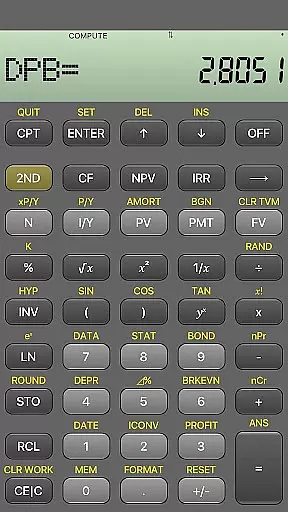
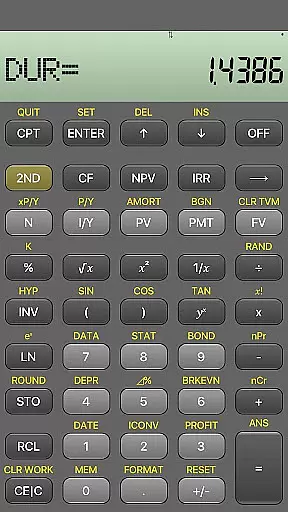
BA Financial Calculator PRO is a comprehensive mobile application designed specifically for finance professionals, CFA/FRM candidates, and students. This app fully emulates the TI BAII Plus financial calculator, offering identical functionality in a clean and user-friendly interface. With features like PB, DPB, DUR, and MIRR calculations, it provides reliable tools for financial analysis and exam preparation.
The app stands out with its ad-free experience, regular updates, and dedication to accuracy. Its intuitive design ensures fast and efficient calculations, making it an essential tool for anyone involved in finance-related studies or professions. Whether you're preparing for professional exams or managing complex financial computations, this app delivers optimal performance and precision.
BA Financial Calculator PRO offers a complete set of advanced financial calculation tools that cater to both students and professionals. The app replicates all functions of the TI BAII Plus Professional calculator, including specialized computations such as PB (Payback Period), DPB (Discounted Payback Period), DUR (Duration), and MIRR (Modified Internal Rate of Return).
Designed with usability in mind, the app features a clean interface that ensures fast and accurate calculations without any distractions. It is regularly tested and updated to maintain compatibility and reliability. The absence of ads and in-app purchases creates a seamless user experience, while its lightweight design guarantees smooth performance on all devices.
For financial applications like BA Financial Calculator PRO, account and fund security is paramount. This app ensures data protection through regular updates and rigorous testing, maintaining a reliable environment for sensitive calculations.
The absence of ads and in-app purchases not only enhances user experience but also minimizes potential security risks associated with third-party transactions. Users can trust that their financial data remains confidential within this emulator's ecosystem.
Furthermore, the dedicated support from the developer adds an extra layer of security assurance. Any issues or vulnerabilities can be promptly addressed by contacting cfa.calculator@gmail.com, ensuring continuous protection of user information.
BA Financial Calculator PRO offers a seamless transaction experience by replicating all functions of the TI BAII Plus Professional with precision. Its clean and fast interface allows users to perform complex financial calculations effortlessly.
The app's reliability is evident in its regular testing and updates, ensuring consistent performance without interruptions. Finance professionals and students can depend on this tool for accurate computations during critical exam preparations or professional tasks.
Moreover, the user-friendly design optimizes the overall transaction experience, making it ideal for CFA, FRM, and CPA candidates who require efficient and precise financial tools at their fingertips.
User-friendly interface
No ads or in-app purchases
Regular updates and testing
Ideal for exam preparation
Accurate financial calculations
Limited to financial calculations
No physical buttons for tactile feedback
Requires device compatibility
Premium price point
Dependent on internet for updates

Manage your account, make a payment, and redeem your rewards on the go.
 4.50
4.50
Companies owe you money.
4.80
Simple & secure international money transfers - for personal & business needs.
4.80
Car Insurance Made For You.
4.50
Earn cash back. Build credit.
4.60
StockTiles lets you view prices & charts of your favorite stock assets
2.30
SuperQi, Your all-in-one Super App.
1.30
Navigate your unique financial path confidently with help from Credit Karma.
4.70
Pay, bank & build credit.
4.70
Secure, simple money transfer app. Send money to Mexico and worldwide fast.
4.80
Easy budgeting planning on a calendar!
4.80
Join 12M+ users. Instant cash advances, personal loans, build credit, save money
4.80
Get 250$ Cash Advance to solve emergencies instantly in loan app called LendMe
4.70
Military retirement pay estimation calculator
4.70
Cash Advance, Credit Cards, Credit Lines, Score Monitoring, Saving, Budgeting
4.70
The US Debt Clock .org App gives you a Real-Time glimpse of US Financial Stats
4.60
The simplest way to budget, bank, save and invest.
4.50
Registration of your debts and Mdionatk and assembled, as well as a significant reports
4.30
Bill Manager is a simple app to help you keep track of your upcoming bills.
4.5


User Reviews