

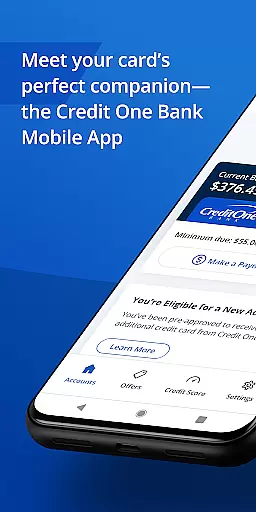
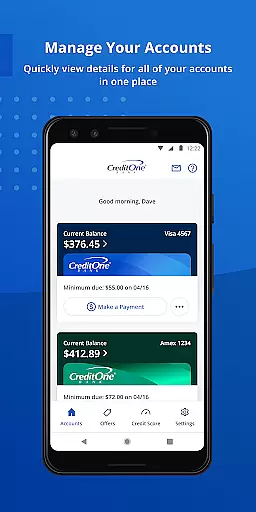
Credit One Bank Mobile is a comprehensive financial management tool designed specifically for Credit One Bank cardholders. This app allows users to manage their accounts with ease, offering features such as activating new cards, viewing statements, and setting up customized alerts for fraud prevention and transaction notifications.
One of the standout features of this app is its robust security framework. Users can sign in quickly using fingerprint authentication, lock and unlock their cards instantly, and customize various security settings. Additionally, the app provides tools for tracking credit scores and accessing detailed credit reports, empowering users to maintain better control over their financial health.
Whether you're at home or on the go, Credit One Bank Mobile ensures that essential banking services are always within reach. The Quick View feature allows users to check balances and make payments without needing to sign in, making it an ideal solution for managing finances anytime, anywhere.
Credit One Bank Mobile offers a wide array of features tailored to enhance the banking experience. Firstly, the app provides advanced security measures including fingerprint login, card locking/unlocking capabilities, and customizable fraud alerts. These features ensure that users' financial information remains protected against unauthorized access.
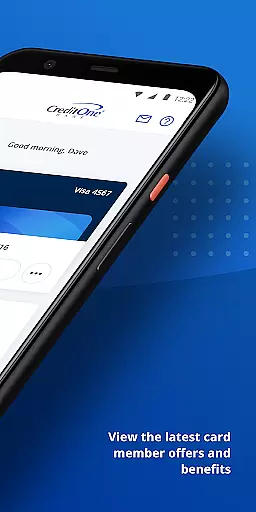
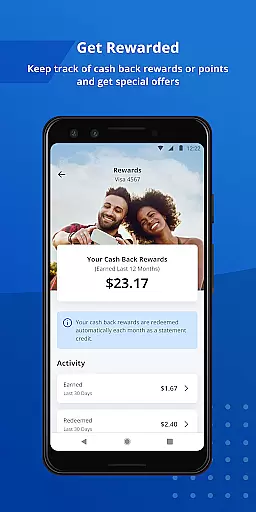
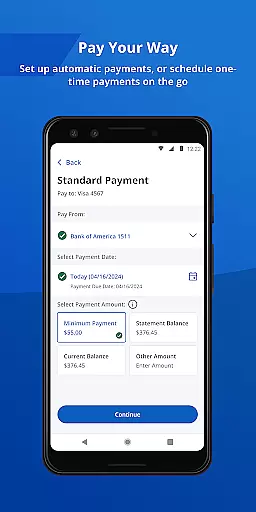
In addition to security, the app excels in convenience and accessibility. Users can schedule payments quickly, enable AutoPay for automatic monthly payments, and add their card to Google Pay for seamless transactions both online and in-store. Furthermore, the app keeps users informed about their rewards programs, notifying them when they become eligible for account upgrades or credit line increases.
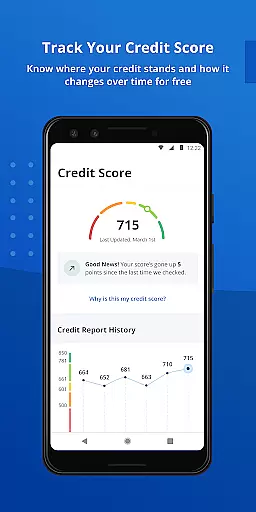
The app also includes powerful credit monitoring tools. Users can track their monthly credit scores for free and receive detailed insights into factors affecting their credit ratings through complimentary monthly credit reports. With these features, Credit One Bank Mobile not only simplifies daily banking tasks but also helps users build and maintain strong credit profiles.
Account and fund security is a critical aspect of any financial application, ensuring that users' sensitive information is protected from unauthorized access. Credit One Bank Mobile offers robust security features designed to safeguard your account and transactions.
The app allows you to sign in quickly and securely using fingerprint authentication, providing an additional layer of security beyond traditional passwords. This biometric verification method ensures that only you can access your account, significantly reducing the risk of unauthorized access.
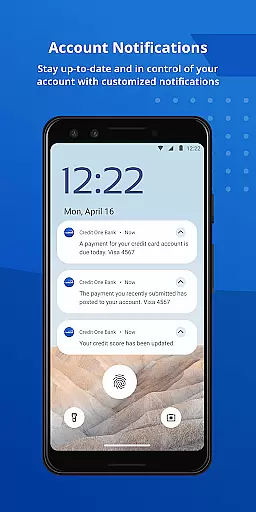
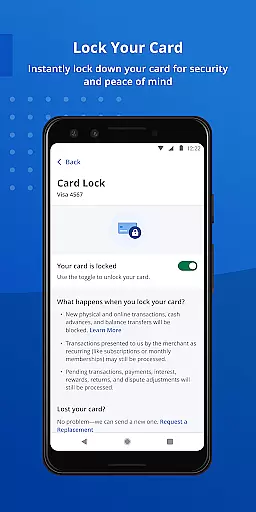
In addition to secure login options, the app enables you to lock and unlock your card directly from your mobile device. This feature is particularly useful if your card is lost or stolen, allowing you to prevent fraudulent transactions immediately. You can also set customized fraud alerts, transaction notifications, and balance updates, empowering you to monitor your account activity closely.
By offering these comprehensive security measures, Credit One Bank Mobile not only protects your funds but also provides peace of mind, knowing that your financial information is secure. These features collectively enhance user trust and confidence in managing their finances digitally.
A seamless transaction experience is essential for any banking app, and Credit One Bank Mobile excels in providing users with efficient and convenient ways to manage their finances. The app's design focuses on simplifying the process of making payments and tracking financial activities.
With Credit One Bank Mobile, scheduling payments is quick and straightforward. Users can easily set up payments anytime, ensuring bills are paid on time without hassle. For those who prefer automation, the AutoPay feature allows you to automate monthly payments, eliminating the need to manually check off this task each month.
Beyond basic payment functionalities, the app supports integration with digital wallets like Google Pay. By adding your card to Google Pay, you can enjoy the convenience of making payments both online and in-store effortlessly. This flexibility enhances the overall transaction experience, catering to various user preferences.
Overall, Credit One Bank Mobile delivers a superior transaction experience by combining ease of use with advanced features. Whether it's through timely notifications, automated processes, or digital wallet support, the app ensures that managing your finances is both efficient and user-friendly.
User-friendly interface
Advanced security options
Comprehensive credit monitoring
Convenient payment scheduling
Reward tracking system
Limited to Credit One customers
No international support
Potential fingerprint issues
Occasional bugs reported
Dependent on internet connection

Bill Manager is a simple app to help you keep track of your upcoming bills.
 4.4
4.4
Debt pay off. Build credit history. AI budget tool. Loan offers.
4.60
Managing your money just got easier. Get the new Mobile app.
4.70
Car Insurance Made For You.
4.50
No credit check, no interest, no worries.
4.70
Mine Bitcoin in the cloud! Earn BTC daily with high-speed mining power.
4.30
“Money Manager” is an optimized application for personal asset management.
4.70
Real-time tracking: Stocks, Indices, Futures, Commodities, ETF, & Funds prices.
4.60
Manage budget, save money, or file tax. Build, track & improve your credit score
4.40
Simple & secure international money transfers - for personal & business needs.
4.80
Join 12M+ users. Instant cash advances, personal loans, build credit, save money
4.80
Banking with no monthly fees, fee-free overdraft, and early payday.
4.70
Manage and cancel subscriptions, lower bills, track expenses, create budgets.
4.60
Our Chase Mobile App makes it easy for you to bank on the go 24/7.
4.60 4.50
4.50
Manage your account, make a payment, and redeem your rewards on the go.
4.50
The simplest way to budget, bank, save and invest.
4.50
Bitcoin gpu app helps you remote mine using your cell phone easily .
3.60
StockTiles lets you view prices & charts of your favorite stock assets
2.30


User Reviews