

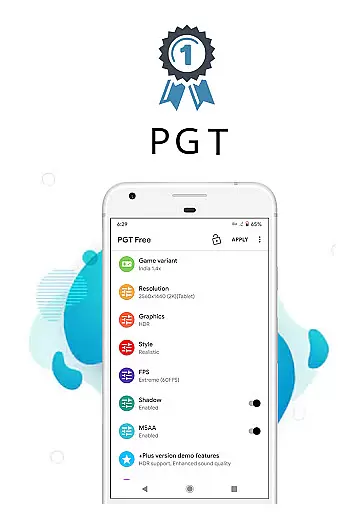
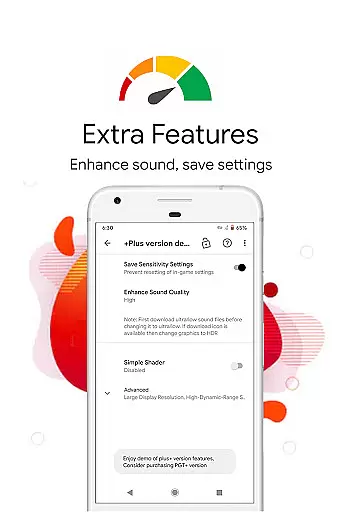
PGT is a powerful launcher utility designed to enhance mobile gaming performance through advanced graphics optimization. The app allows users to customize various graphics settings, including resolution, HDR, and UHD options, even on low-end devices. With support for all major Android OS versions (4.3 to 13+), it ensures broad compatibility while delivering features like FPS unlocking (up to 90 FPS), shadow customization, anti-aliasing, and ultra audio quality.
The application stands out with its unique Potato Graphics and Simple Shaders modes, which help optimize performance without sacrificing visual quality. Whether you're playing Global, CN, LITE, KR, VN, TW, or BETA versions of your favorite games, PGT provides tailored solutions to improve both visuals and gameplay smoothness. Its intuitive interface makes it accessible for gamers of all skill levels who want to maximize their device's potential.
PGT offers an extensive range of features that cater to gamers seeking optimal performance. Key functionalities include the ability to change resolution, apply HDR and UHD graphics, unlock all FPS levels (up to 90 FPS), customize shadows, enable anti-aliasing, and set ultra audio quality. These tools collectively ensure a superior gaming experience by balancing high-quality visuals with smooth frame rates.
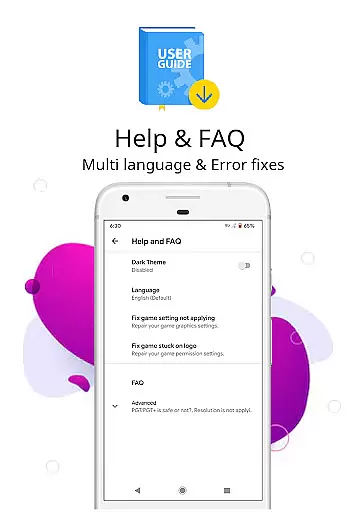
One standout aspect is its compatibility with multiple Android versions (4.3 to 13+) and support for various regional game editions such as Global, CN, LITE, KR, VN, TW, and BETA. Additionally, the app provides helpful resources like FAQs and tips for new users. Permissions required include storage access for applying and backing up settings, internet connectivity for server-based configurations, and background app termination for memory boosting purposes.
Functionality completeness refers to the range and depth of features an application provides to meet user needs. PGT excels in this area by offering a comprehensive suite of tools for gamers and developers alike. The app supports all major Android OS versions, from 4.3 to 13+, ensuring that a wide array of devices can benefit from its capabilities.
PGT allows users to change resolution, apply HDR and UHD graphics even on low-end devices, and unlock all FPS levels up to 90 FPS. These features provide extensive coverage for users looking to enhance their gaming experience without needing high-end hardware. Additionally, the ability to customize shadows, enable anti-aliasing, and set ultra audio quality ensures that every aspect of game graphics and performance can be tailored to individual preferences.
The inclusion of unique features such as Potato Graphics and Simple Shaders further demonstrates PGT's commitment to providing a complete toolkit for optimizing gaming performance. By covering basic, miscellaneous, advanced, and experimental graphics settings, PGT empowers users to fully customize their gaming environment, resulting in beautiful visuals and smooth gameplay.
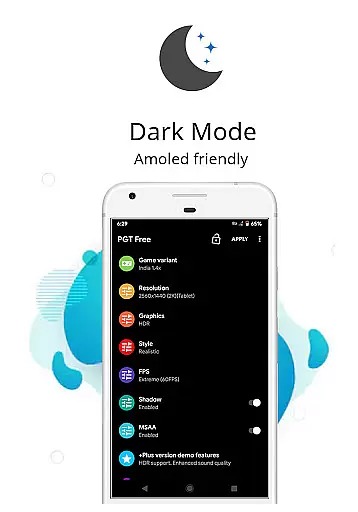
Usability is a critical factor in determining how easily users can navigate and utilize an application's features. PGT stands out by offering an intuitive interface that simplifies the process of customizing game graphics. Users can effortlessly adjust settings related to resolution, HDR, UHD, FPS, shadows, anti-aliasing, and audio quality, making it accessible even for those who may not be technically inclined.
Operational smoothness is evident in PGT's seamless integration with various Android versions and its support for multiple regional versions of games, including Global, CN, LITE, KR, VN, TW, and BETA. This broad compatibility ensures that users across different regions and with varying device specifications can enjoy a hassle-free experience when using PGT to optimize their gaming performance.
Furthermore, PGT requires specific permissions for storage, internet access, and background app management to ensure smooth operation. These permissions facilitate the application and backup of graphics settings, loading configurations from a server, and boosting memory by killing background apps. Such operational considerations highlight PGT's dedication to delivering a user-friendly and efficient experience, ultimately enhancing usability and operational fluidity.
Wide OS compatibility
Highly customizable settings
Supports multiple game versions
Optimizes low-end devices
User-friendly interface
Requires multiple permissions
Potential learning curve
Limited to Android platform
No iOS version available
Dependent on internet for some features

If you are looking for melon playground mod that fun you deffinitely try our app
 2.70
2.70
a wireless controller that provides a seamless and gaming experience for players
3.80
Mirror link car connector to share your screen with car dashboard
3.80
Turn your phone into a wireless Xbox controller – play, stream & control anytime
4.4
Game booster GFX may reduce interruptions and improve gaming experience.
4.50
A Pydroid Quick Install repository provider.
4.00
Ps2 plugins for 64 bit artitechture
3.70
Simulator of real black light
3.50
Expo is a free & open source platform to build apps using JavaScript and React.
4.70
Block, disable and secure phone camera from secretly taking photos by spyware.
4.50
Enjoy Minecraft Mod Scary Neighbor Granny for Minecraft PE.
4.30
Al QURAN-القرأن الكريم app to read Quran offline just like an actual Quran book
4.30
Connect and find your Smarttag devices through our app.
4.00
Connect your phone to any endoscope camera, USB camera, or borescope with ease.
3.70
With Endoscope Camera Connector you can connect your phone with endoscope cam
3.70
Mirror phone to TV effortlessly! Stream, share & connect with Airplay ease.
3.60
Experience virtual reality on your smartphone with Cardboard.
3.50
Read Quran pak offline & listen online mp3 Quran in Al Quran Majeed app
4.0
Mirror Link Car Display to share your screen with car dashboard wirelessly
4.3

User Reviews