

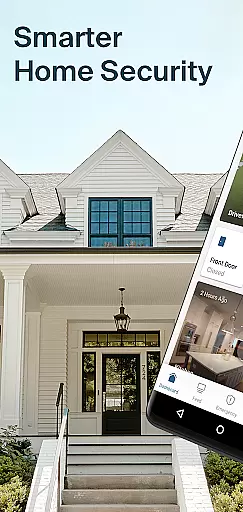
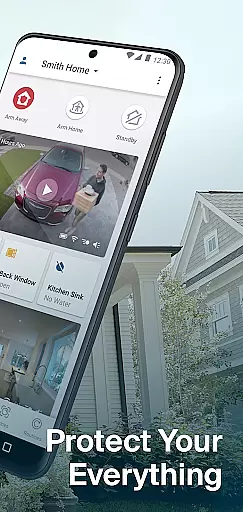
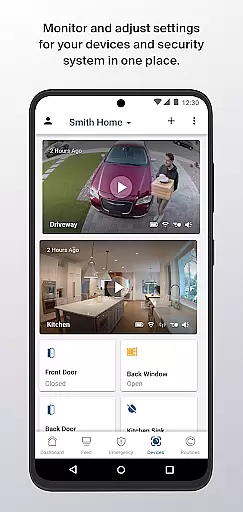
Arlo Secure is a comprehensive smart home security application that allows users to manage their home security systems, video doorbells, cameras, and floodlights from anywhere. The app provides an easy-to-use interface for controlling multiple locations at once, arming or disarming the system with one tap, and customizing security settings through activity zones and schedules.
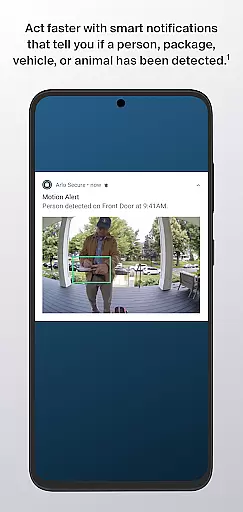
The app offers 24/7 monitoring by live security experts, ensuring continuous protection for your home. Users can also access emergency response services with a single tap to quickly get police, fire, or medical help. With an Arlo Secure plan, users can view 30 days of video history and receive notifications about detected events such as people, packages, vehicles, or animals through advanced AI object detection.
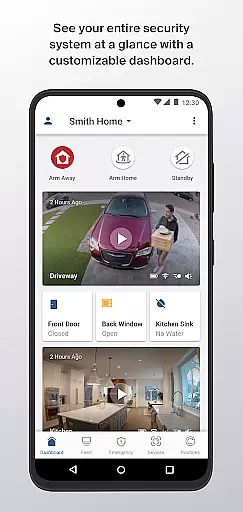
Arlo Secure brings your home security to the next level with personalized features like customizable dashboards, instant status updates, and control over your entire smart home security system in one place. This makes it an essential tool for anyone looking to enhance their home security with cutting-edge technology.
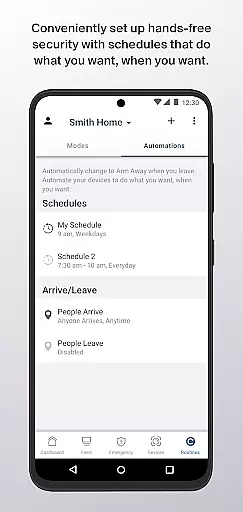
Arlo Secure stands out with its robust feature set designed to provide maximum security and convenience. One of the key features is the ability to control multiple locations simultaneously, allowing users to manage different properties from a single app interface. The app also supports quick arming or disarming of the security system through customizable modes, giving users flexibility in setting up their security preferences.
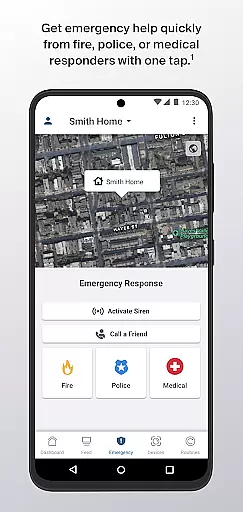
Another notable feature is the 24/7 Live Security Experts monitoring service, which ensures constant surveillance of your home. In case of emergencies, users can utilize the one-tap Emergency Response feature to swiftly get assistance from local authorities. Additionally, the app's advanced AI Object Detection notifies users when specific objects are spotted, reducing false alarms and unwanted notifications.
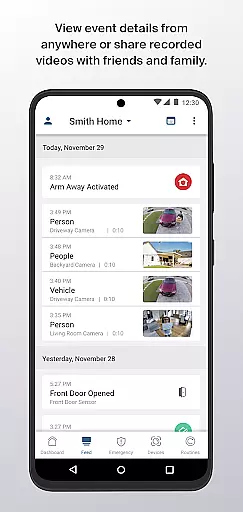
With an Arlo Secure subscription, users gain access to 30 days of video history and detailed event feeds, enabling them to review past activities easily. The app also includes a customizable dashboard that displays real-time video feeds and system statuses, making it simple to monitor and manage all aspects of home security from one central location.
Arlo Secure offers comprehensive coverage across various aspects of smart home security, making it a versatile choice for modern homeowners. The app integrates seamlessly with Arlo's range of devices including cameras, video doorbells, and floodlights, providing users with a centralized platform to manage their entire home security system.
The application allows users to control multiple locations simultaneously, offering flexibility for those managing more than one property. With features like 24/7 Live Security Experts monitoring and customizable activity zones, the app caters to diverse user needs while reducing unwanted notifications through intelligent customization options.
Advanced AI Object Detection capabilities enable users to receive specific alerts when people, packages, vehicles, or animals are detected on their property. This level of detail in notification preferences demonstrates the app's commitment to covering all essential aspects of home security within the lifestyle category.
Furthermore, the inclusion of Emergency Response services (available in the United States) and the ability to review 30 days of video history with an Arlo Secure plan showcases the app's extensive coverage of both basic and premium security features, positioning it as a comprehensive solution within the lifestyle and home security market.
The authenticity of Arlo Secure's content is evident through its award-winning smart home security system and verified features that have been developed in collaboration with security experts. The app's integration with professional monitoring services, where Live Security Experts monitor homes around the clock, adds a layer of credibility to its offerings.
Each feature within the app, from customizable activity zones to advanced AI Object Detection, has been designed based on expert knowledge of home security requirements. These features are not just superficial additions but are rooted in practical security needs, ensuring that users receive genuine value from the application.
The app's partnership with emergency services for its Emergency Response feature (available in the United States) further enhances its credibility. This service connects users directly with police, fire, or medical help when needed, demonstrating a commitment to authentic and reliable security solutions.
Moreover, the requirement of an Arlo Secure paid plan for certain advanced features ensures that these services are maintained at a high standard, reinforcing the authenticity and expert-backed nature of the content provided through the application. This approach guarantees users access to professional-grade security tools developed with industry expertise.
User-friendly interface
Comprehensive security features
24/7 expert monitoring
Advanced AI detection
Customizable dashboard
Paid subscription required
Limited free trial period
Emergency response US-only
Dependent on internet connection
Varied camera compatibility

Chat, meet genuine singles in your area. Real connections start with being real.
 4.30
4.30
Digital watch face design. Modern looking, hi-res & battery friendly.
4.00
Pay your rent, submit work orders and much more with the RentCafe Resident App.
4.70
A uniquely designed isometric digital watch face made for Wear OS
4.0
Material You inspired colors with BIG and Bold looks for Wear OS watches.
4.20
Zodiac & Horoscope Launcher: Daily Sign Predictions & Astrology
4.40
Simple, stylish & fresh watch face. Customize colors, gradients & complications.
4.70
DailyGift can help you record your habits and get rewards along the way!
4.60
Create slime on your phone and enjoy satisfying and relaxing ASMR games
4.50
See wait times and check into a hair salon ahead of time with Online Check-In.
4.80
Smart & Healthy Living
4.60
Make money, get paid cash rewards & gift cards for every survey. Earn today!
4.60
The all-new Cync app. The simple, connected app for Cync and C by GE.
4.50
Share opinions, get paid cash
4.30
Your home in your hand
3.80
Going above and beyond known spirit communication
3.60
BILT interactive 3D instructions help you get the job done right
3.50
Big bold hybrid watch face with 30 colors, 5 fonts & 5 complications.
4.4
Celebrate the holidays with Advent Calendar: daily surprises and festive fun!
4.0


User Reviews