

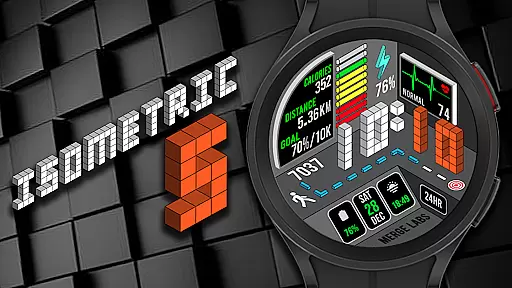
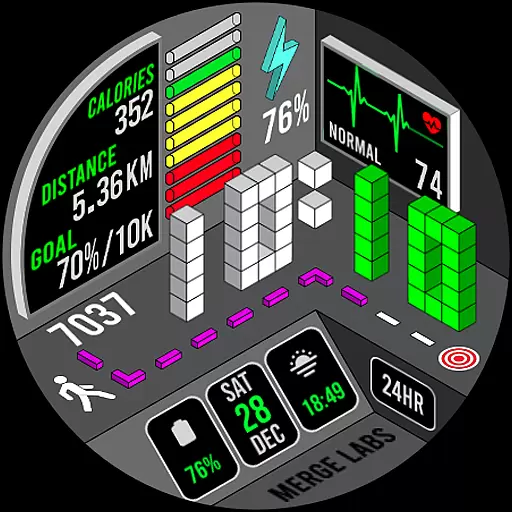
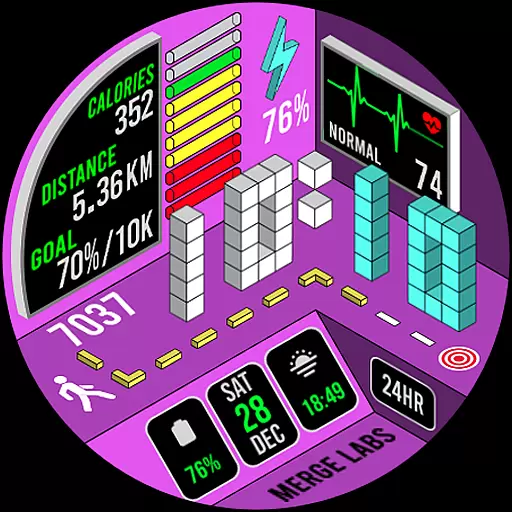
Merge Labs Isometric 5 is a distinctive smartwatch face designed for Wear OS, offering an innovative take on displaying common metrics like heart rate, steps, and battery power through its unique isometric design. This watch face stands out with its exclusive approach to integrating essential data into a visually appealing layout that enhances your wearable experience.
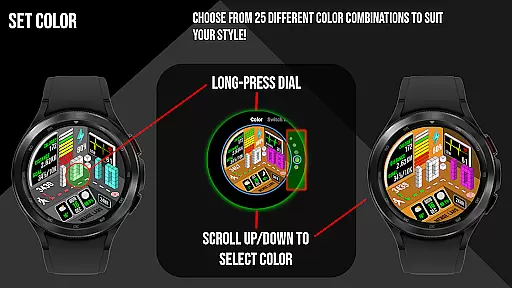
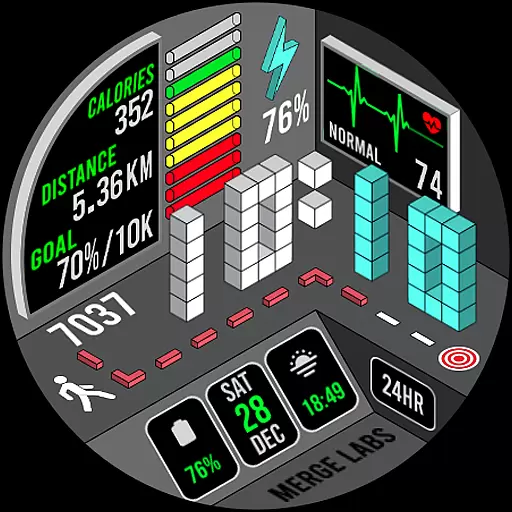
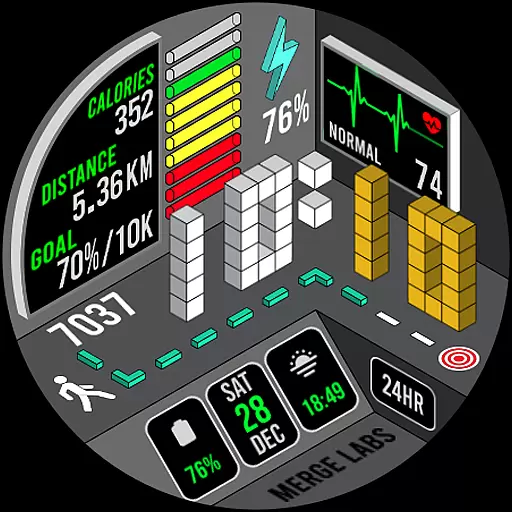
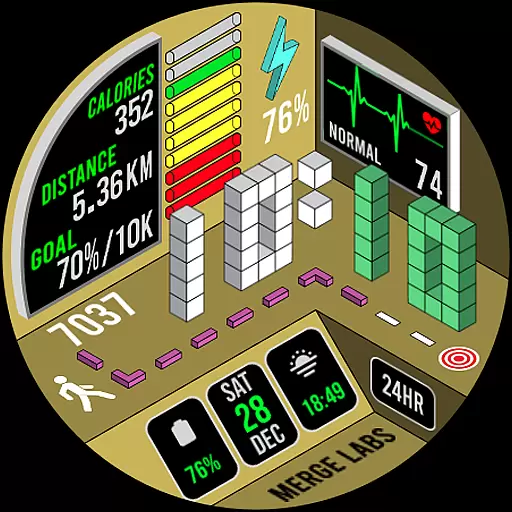
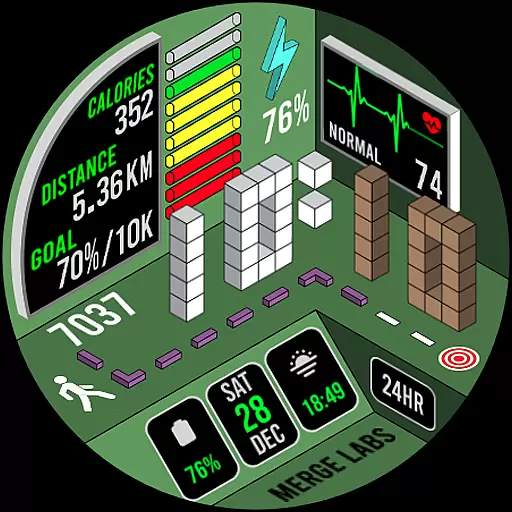
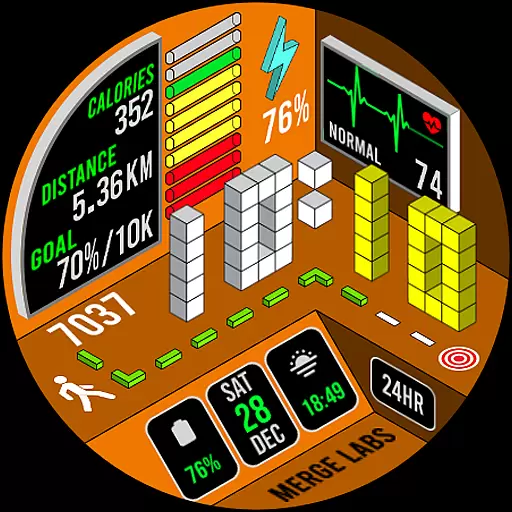
With 25 color combinations and customizable complications, users can tailor the display to their preferences while accessing detailed health and device information. The design not only emphasizes aesthetics but also functionality, ensuring that users can efficiently monitor their daily activities and device status in style.
Ideal for tech-savvy individuals who appreciate both form and function in their wearable technology, Merge Labs Isometric 5 transforms routine data tracking into an engaging and personalized experience.
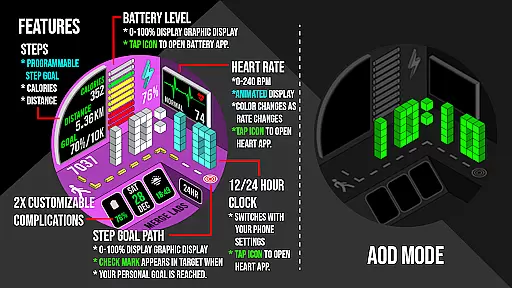
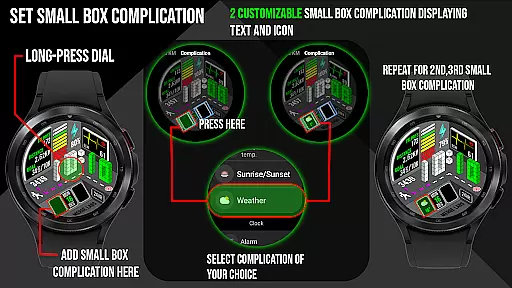
This app offers a rich set of features that cater to both customization enthusiasts and health-conscious users. With 25 different color schemes and two customizable complications, it allows users to personalize their watch faces while displaying relevant information such as text and icons.
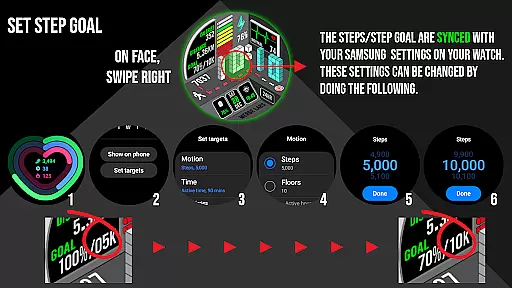
The app provides comprehensive health tracking, including heart rate monitoring with color-coded indicators (yellow for low, green for normal, red for high), step counting with graphic indicators, and calorie and distance tracking. Users can sync their step goals via Samsung Health or default health apps, with visual cues like a green checkmark upon reaching targets.
Additionally, practical features like tap-to-open functionalities for battery and calendar apps, along with a 12/24-hour clock display and KM/Miles setting options, ensure seamless integration into daily routines, enhancing both usability and convenience.
In the realm of wearable technology, lifestyle applications play a pivotal role in enhancing user engagement by offering diverse functionalities that cater to everyday needs. Merge Labs Isometric 5 stands out as an exclusive smartwatch face designed for Wear OS, integrating essential features like heart rate monitoring, step counting, and battery status into a unique isometric design.
This application provides users with 25 color combinations and customizable complications, allowing personalization that suits individual preferences while maintaining necessary information at a glance. The inclusion of health metrics such as daily steps, calories burned, distance traveled, and heart rate ensures comprehensive lifestyle tracking.
By syncing with health apps like Samsung Health, this watch face not only displays real-time data but also supports goal setting and achievement tracking, indicated by visual cues like the incremental step path and green checkmark upon reaching targets. Such features foster a proactive approach to personal wellness management.
Moreover, practical elements like date display, 12/24 HR clock format, and KM/Miles settings enhance daily convenience, making it a versatile tool for both fitness enthusiasts and casual users seeking a blend of style and functionality on their wearables.
Authenticity and credibility are crucial factors when evaluating lifestyle applications, especially those dealing with health-related data. Merge Labs Isometric 5 demonstrates content authenticity through its reliance on device-gathered information, ensuring that metrics such as heart rate, step count, and battery levels are accurately represented within the isometric interface.
The application's integration with established platforms like Samsung Health App underscores its commitment to credible data sourcing. By syncing step goals and other health parameters, it leverages trusted sources to provide reliable feedback to users, reinforcing trust in the displayed information.
Furthermore, interactive elements such as tapping the heart rate area or battery icon to access respective apps highlight the thoughtful design aimed at providing seamless user experiences. These features not only authenticate the presented data but also empower users to take immediate action based on real-time insights.
With clear categorizations for heart rate zones indicated by color changesu2014yellow for low, green for normal, and red for highu2014the application offers intuitive understanding without requiring expert knowledge, thus democratizing access to vital health information while maintaining professional standards in presentation.
Unique isometric design
Highly customizable
Comprehensive health tracking
User-friendly interface
Versatile tap actions
Limited to Wear OS
No advanced analytics
Premium pricing
Complex setup
Battery intensive

Discover how to help puppies stay calm around noise with this helpful app.
 4.0
4.0
Immerse yourself in the serenity of lavender fields and white butterflies
4.4
A smart Siddur with halachic times
4.60
Spirit Communicator is a real paranormal ghost hunting app with many fun modes.
3.90
Smart home security protection
3.20
Creativity and savings for kids, beginners and experts in arts and crafts
3.50
LineLearner, the quick way to learn lines.
2.90
Remotely monitor the time and temperature of food cooking on your grill.
4.60
Just play, earn rewards, fetch gift cards, and turn gaming into real payouts!
4.80
My Diary - Daily Journal with lock: Diary journal app and secret diary with lock
4.80
Digital smart watch face made for Wear OS.
4.70
Make money, get paid cash rewards & gift cards for every survey. Earn today!
4.60
Crochet made easy: step-by-step tutorials, beginner patterns & projects
4.60
Unique "Isometric" style digital watch face for Wear OS
4.50
Earn money & gift cards when you take surveys, play games, scan receipts & more.
4.50
Play fun games, complete quick surveys, and earn money. It's fun and easy!
4.40
Chat, meet genuine singles in your area. Real connections start with being real.
4.30
Design and brew great homebrewing beer, mead, cider and wine recipes on the go!
3.60
Turn your watch into a key fob for your Tesla
2.90

User Reviews