

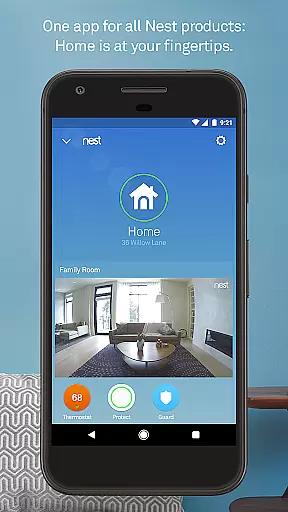
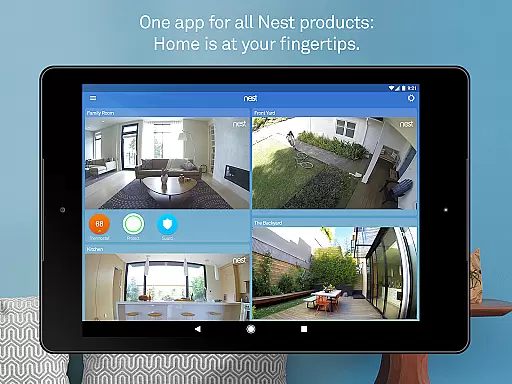
Nest is a comprehensive smart home application that allows users to control and monitor various Nest devices from a single interface. The app serves as the central hub for managing thermostats, security systems, smoke detectors, cameras, video doorbells, and smart locks. It provides real-time alerts, remote control capabilities, and personalized settings based on user behavior and preferences.
Through advanced algorithms and sensors, Nest optimizes energy usage, enhances home security, and ensures safety by automatically adjusting settings when you're away. Whether it's regulating your home temperature, receiving security alerts, or monitoring live camera feeds, the app offers both convenience and peace of mind. Its intuitive design makes it accessible for all users seeking an interconnected smart home experience.
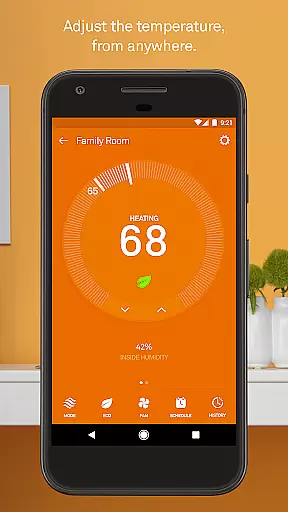
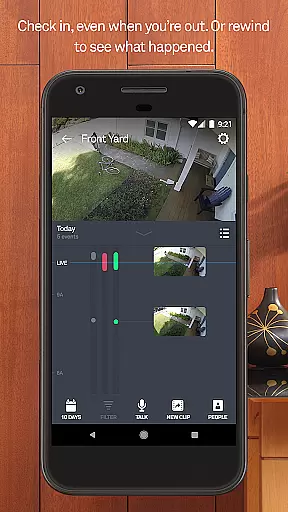
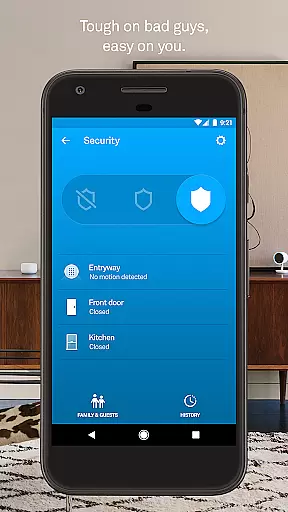
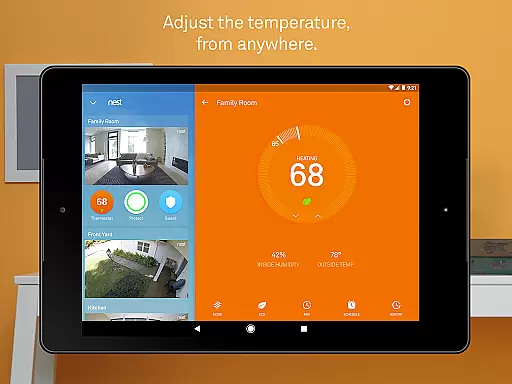
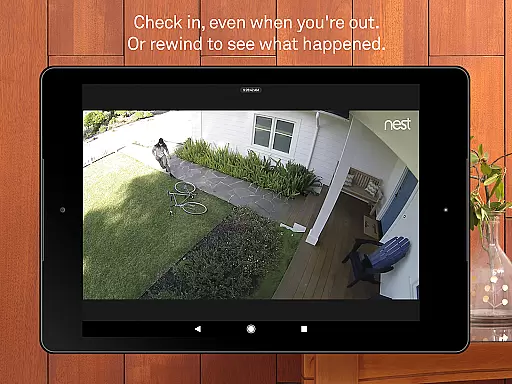
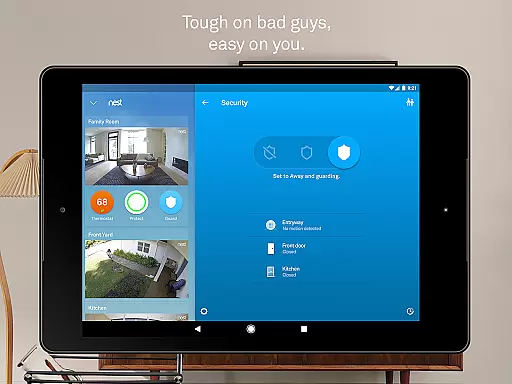
The Nest app boasts an array of features designed to simplify smart home management. One standout capability is its ability to control multiple devices like thermostats, cameras, alarms, and locks from one dashboard. Users can remotely adjust their thermostat settings, arm or disarm their alarm system, and even view live camera footage directly from their mobile device.
Another key feature is Home/Away Assist, which uses phone location and sensor data to automatically manage energy usage and security settings. For instance, it can lower heating when you leave home or activate security cameras. Additionally, the app provides detailed energy usage reports, person-specific alerts for cameras, and safety checkups for smoke detectors. These features not only enhance convenience but also promote energy efficiency and increased home security.
The Nest app offers comprehensive coverage of essential lifestyle categories, making it an all-in-one solution for smart home management. With features spanning climate control, security systems, smoke and carbon monoxide detection, and indoor-outdoor cameras, the app ensures that users can manage various aspects of their home environment with ease.
Each category within the app is meticulously designed to provide maximum convenience and safety. For instance, the Nest Learning Thermostat helps save energy by automatically adjusting temperatures based on user behavior, while the Nest Secure alarm system allows remote arming and disarming, ensuring your home remains protected even when you're not there.
Users benefit from real-time alerts and notifications across all devices, enhancing their ability to respond quickly to any situation. Whether it's receiving an alert about a triggered alarm or checking live video feeds from their cameras, the Nest app keeps homeowners informed and in control.
This extensive coverage of lifestyle categories makes the Nest app an indispensable tool for modern homeowners seeking to enhance their living experience through technology.
Content authenticity and expert credibility are at the core of the Nest app's offerings. Developed by Google Nest, known for creating beautiful, helpful, and easy-to-use products, the app leverages advanced sensors, algorithms, and machine learning to deliver accurate and reliable information to its users.
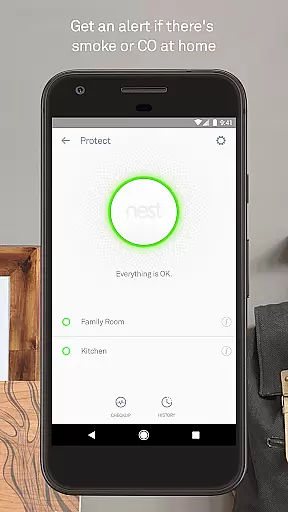
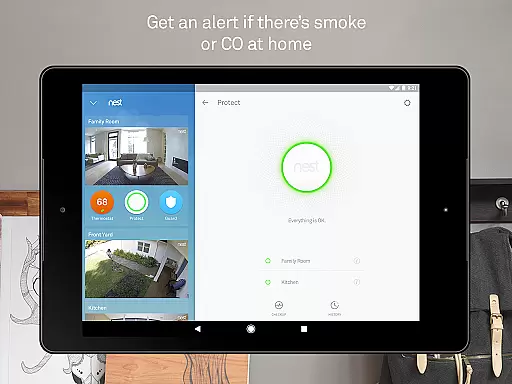
Every feature within the app is backed by rigorous testing and validation processes. For example, the Nest Protect smoke and carbon monoxide alarm uses sophisticated sensors to detect potential hazards and sends immediate alerts to users' phones, ensuring timely action can be taken.
Moreover, the app integrates seamlessly with other Nest devices, providing a cohesive ecosystem that enhances overall home security and efficiency. This integration is made possible through expert engineering and continuous updates, ensuring that users always have access to the latest advancements in smart home technology.
By prioritizing content authenticity and expert credibility, the Nest app establishes itself as a trusted companion for homeowners looking to create safer, more efficient living spaces.
User-friendly interface
Comprehensive device integration
Real-time alerts and notifications
Remote access and control
Energy-saving automation
Requires constant internet
Subscription fees for features
Limited third-party support
Dependent on Nest hardware
Privacy concerns with data

Countdown to Christmas 2025 with festive games & activities in a virtual village
 4.80
4.80
Earn points with every purchase with Moe Rewards.
4.20
The go to app for taking unlimited notes!
4.50
See wait times and check into a hair salon ahead of time with Online Check-In.
4.80
Digital smart watch face made for Wear OS.
4.70
Celebrate the holidays with Advent Calendar: daily surprises and festive fun!
4.2
LineLearner, the quick way to learn lines.
2.90
Just play, earn rewards, fetch gift cards, and turn gaming into real payouts!
4.80
Create slime on your phone and enjoy satisfying and relaxing ASMR games
4.50
Get the news, events and savings that matter to you with AARP Now.
4.80
This minimalist yet classic board design brings a futuristic twist to your wrist
4.20
Material You inspired colors with BIG and Bold looks for Wear OS watches.
4.20
What is my face shape? Find out your face shape from picture, see fitting frames
3.90
Unique BIG BOLD TIME with amazing colors and customisations.
3.70
Going above and beyond known spirit communication
3.60
Turn your watch into a key fob for your Tesla
2.90
Discover how to help puppies stay calm around noise with this helpful app.
4.3
Bring the warm colors of fall directly to your wrist with Autumn Leaves!
4.5
Big bold hybrid watch face with 30 colors, 5 fonts & 5 complications.
4.1


User Reviews