

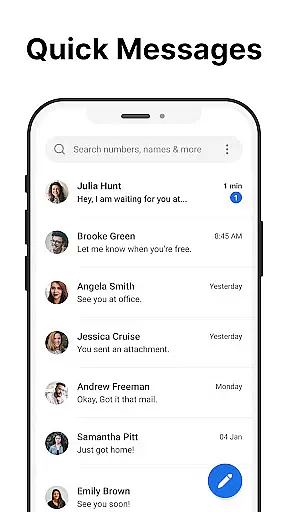
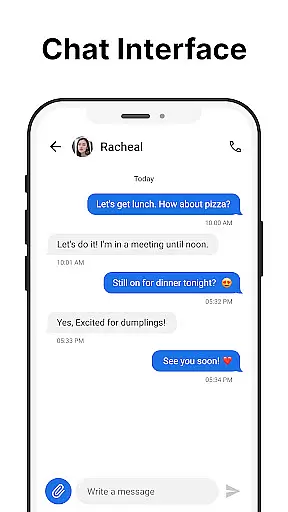
Messages is a robust SMS messaging app designed specifically for Android users who value simplicity and reliability. The app allows you to send and receive text messages without requiring an internet connection, making it ideal for areas with poor connectivity. Its clean and intuitive interface ensures that managing your communications is effortless.
One standout feature of Messages is the After Call screen, which provides immediate access to your SMS inbox after each phone call. This functionality streamlines communication by allowing users to respond to calls with text messages instantly. Whether you need to schedule messages, manage group chats, or block spam, Messages offers a comprehensive suite of tools to enhance your texting experience.
The app's core value lies in its ability to combine essential SMS features with user-friendly customization options. From message backup and restore capabilities to personalized notifications and dark mode, Messages ensures that your texting needs are met while prioritizing privacy and security. It is perfect for individuals seeking a reliable communication tool that works seamlessly without internet dependency.
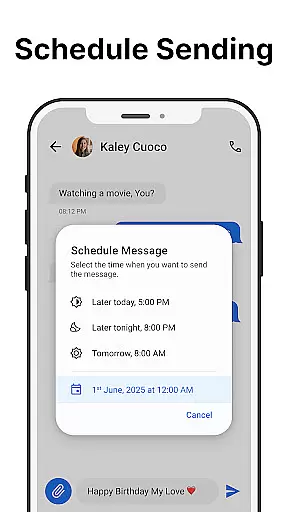
Messages stands out with its rich set of features tailored to simplify and enhance SMS communication. One of its primary functions is the ability to send and receive text messages quickly and reliably, ensuring your conversations flow smoothly. Additionally, the app supports scheduled messaging, enabling users to compose texts in advance and have them sent at a specified time, thus improving communication efficiency.
Group messaging is another key feature, allowing users to create and manage group chats effortlessly. This function is particularly useful for coordinating with multiple contacts simultaneously. The app also includes advanced functionalities such as message backup and restore, which safeguard important conversations against data loss. Furthermore, Messages incorporates spam blocking to filter unwanted messages, keeping your inbox organized and clutter-free.
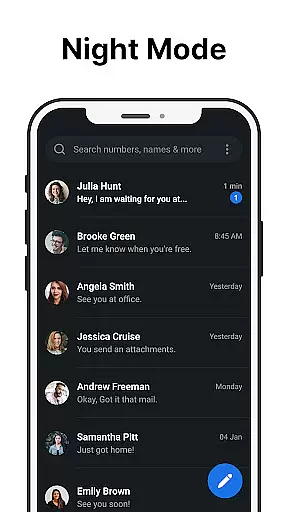
Customization is at the heart of Messages, offering features like custom notifications, ringtones, and a dark mode to reduce eye strain. These personalization options ensure that the app adapts to individual preferences. Another innovative aspect is the After-Call Menu, which lets users send quick messages directly from the post-call screen, enhancing convenience. With these features, Messages delivers a versatile and user-centric texting experience.
Real-time messaging speed and reliability are crucial for any communication app, ensuring that messages are delivered instantly and without fail. Messages excels in this area by providing a seamless SMS experience that works efficiently even without an internet connection.
The app is optimized to send and receive text messages quickly, making it ideal for users who need reliable communication on the go. Whether you're scheduling messages for later or engaging in group chats, the app ensures that all interactions are smooth and timely.
With features like spam blocking and quick access to your inbox via the After Call screen, Messages enhances user convenience while maintaining high performance standards. This focus on speed and reliability ensures that users can trust the app for all their important communications.
Overall, Messages offers a dependable solution for anyone looking to manage their text-based interactions effortlessly. Its commitment to fast delivery and consistent performance makes it a top choice among Android users seeking a straightforward messaging tool.
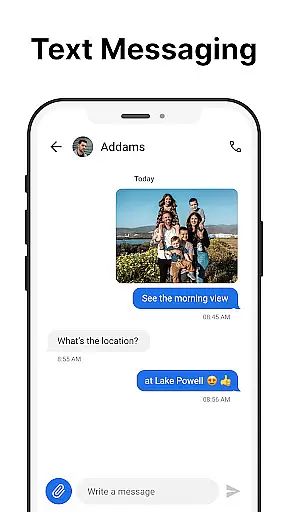
Media sharing support is an essential feature for modern messaging apps, allowing users to exchange various types of content beyond plain text. While Messages primarily focuses on SMS functionality, it still provides robust options for sharing media files such as images, videos, and audio clips.
The app supports multiple file formats, ensuring compatibility across different devices and operating systems. Users can easily attach media files to their messages, enhancing the richness of their conversations. Additionally, the ability to customize notifications extends to media sharing, offering personalized alerts for incoming multimedia content.
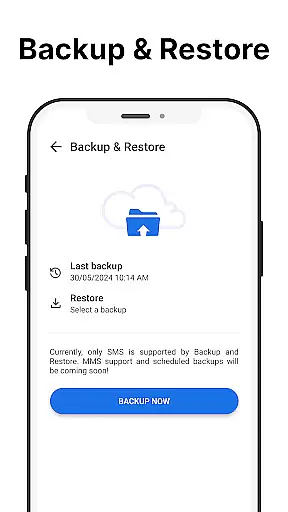
Messages also includes practical features like message backup and restore, which help safeguard shared media along with other important data. This ensures that valuable memories captured through photos or videos remain secure over time.
By combining efficient media handling with user-friendly customization options, Messages delivers a comprehensive communication experience suitable for both casual chats and more formal exchanges involving diverse content types.
User-friendly interface
No internet required
Free to use
Message scheduling
Spam blocking
Limited multimedia support
No cloud sync
Basic UI design
In-app ads present
Local backup only

BiP is a fast, secure, free messaging and HD video calling app!
 4.10
4.10
Tether to Windows, OS X, Linux PCs or Android tablets. No root. No tether fees.
3.90
فیلتر شکن قوی پرسرعت کلید جدید برای اندرویدسریع ترین وی پی ان برای همه اپراتورها
4.70
Save 10% automatically on your first international mobile top up.
4.60
SMS & MMS Messaging App to easily send messages or schedule SMS on Chat
4.10
At select facilities, you now have an easy way to video visit your loved ones!
3.30
A Browser with powerful ad blocker to help focus on what really matters.
3.00
Call & Text Anywhere With A Canadian Number.
3.60
A softphone app with seamless SIP calling and an intuitive VoIP dialer
3.50
Manage your mobile phone plan, check unlimited 5g data usage and track rewards
4.50
Create a secure hotspot on-the-go with Portable WiFi - Mobile hotspot.
4.40
Get through your inbox faster with the mail app designed to simplify your life.
4.40
HD Video Meeting app is a fast & unlimited video conferencing app across world.
4.30
Messages is Private SMS Messenger 2023 with text message, instant messaging.
4.00
Measure BHP, Torque & 0-60 Clear car OBD faults View engine data in Google Earth
4.00 3.90
3.90
Caller ID, Spam Call & SMS Blocker
3.80
Pure modern IRC experience for Android
3.70
Quickly and easily identify and block unknown callers
3.70
User Reviews