

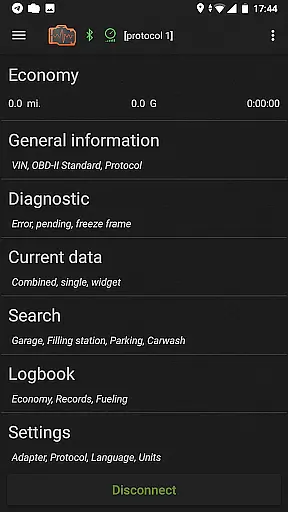
inCarDoc Pro is a comprehensive vehicle diagnostics tool designed for car owners and automotive professionals. This application serves as an OBD-II scanner, reading real-time parameters from your car's Engine Control Unit (ECU) and providing detailed diagnostic information. It supports multiple connection methods including Bluetooth, WiFi, and BLE through compatible adapters like ELM327.
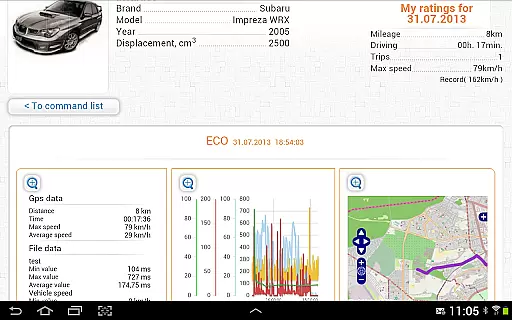
The app offers advanced features such as recording parameters in the background, viewing traces of recorded data, and GPS support. Users can upload their diagnostic data to the server for further analysis. Additionally, it provides widgets for fuel economy and acceleration, along with an overlay feature to display economy data over any application screen.
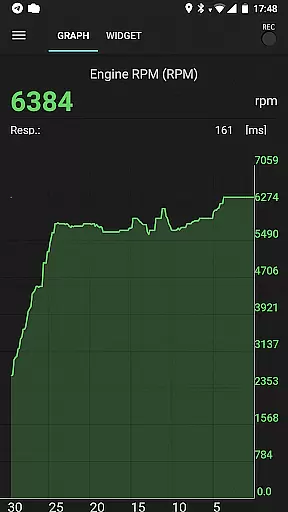
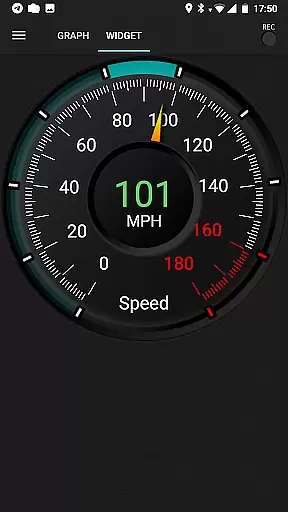
inCarDoc Pro stands out with its extensive range of features tailored for vehicle diagnostics. The app reads and displays multiple real-time parameters from the car's sensors, including speed, RPM, coolant temperature, and pressure. It presents this data through charts and customizable analog/digital widgets, allowing users to monitor their vehicle's performance effectively.
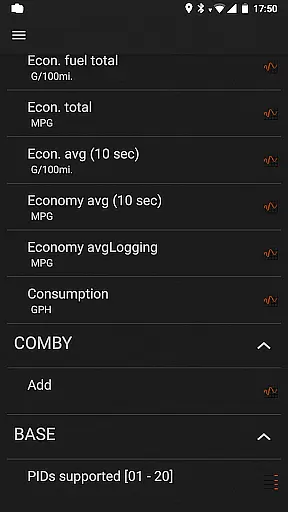
One of the key functionalities is its trip computer mode, which tracks fuel economy and consumption. This feature provides instant and average MPG statistics, helping users optimize their driving habits. Furthermore, the logbook function allows users to maintain records of fueling, service, and maintenance, ensuring comprehensive vehicle management.
Accessing detailed vehicle information is crucial for both professional mechanics and car owners who want to maintain their vehicles in optimal condition. inCarDoc Pro provides comprehensive data about your car's engine and emission systems, offering real-time diagnostics through its compatibility with OBD-II scanners. This includes reading parameters such as speed, RPM, coolant temperature, and more from the car's sensors.
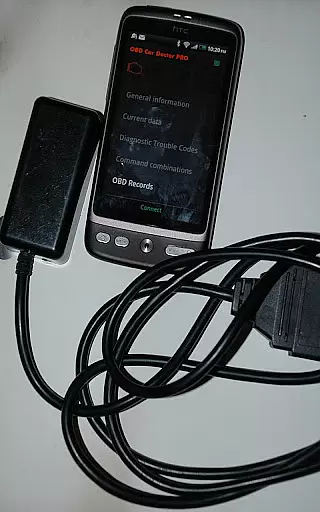
The application supports a wide range of OBD-II compliant cars and various scanner types like Bluetooth, WiFi, and BLE-enabled devices. By connecting an ELM327 or compatible OBD scanner to your vehicle, you can retrieve valuable insights into your car's performance. The app allows users to view recorded parameter traces over time, which helps in identifying patterns or irregularities that may indicate potential issues.
For those without an ELM327 scanner, limited functionality is still available using GPS mode, providing basic details such as speed and altitude. With this feature set, inCarDoc Pro empowers users with critical knowledge about their vehicleu2019s health, enabling them to make informed decisions regarding maintenance and repairs.
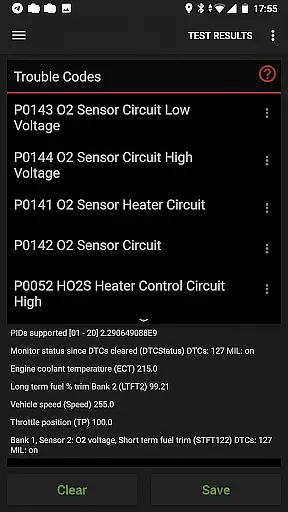
Price transparency in automotive services ensures that customers are fully aware of the costs associated with maintaining their vehicles. While inCarDoc Pro itself does not directly deal with pricing for repairs or services, it offers tools that contribute to cost savings by allowing users to perform preliminary diagnostics at home. By reading and clearing diagnostic trouble codes (DTCs), users can avoid unnecessary trips to the mechanic.
The Pro version of inCarDoc eliminates ads and provides advanced features like real-time parameter recording, extended widgets for fuel economy, and acceleration metrics. These features help users understand how different driving habits affect fuel consumption, potentially leading to significant savings on gas expenses. Additionally, the ability to log service records within the app creates a transparent history of maintenance activities and associated costs.
Moreover, when seeking professional repair assistance, having detailed diagnostics data at hand enables car owners to discuss issues more effectively with mechanics, ensuring fair pricing for necessary work. Thus, while not a traditional pricing tool, inCarDoc Pro contributes significantly to financial clarity in vehicle ownership.
User-friendly interface
Comprehensive diagnostics
Real-time parameter tracking
Customizable widgets
Data upload capability
Requires compatible adapter
Limited without ELM327
Advanced features may overwhelm beginners
Compatibility varies by car model
Premium price point

Wonder how much horsepower and torque your car/truck makes? Look no further.
 3.40
3.40
OBDII - ELM327 Terminal tool for 96-00 Volvos
4.50
App Mirroring for Tesla Car's Browser
2.80
Listings of Tesla's with FSD - Included package
4.60
Play what you want through Android Auto
4.90
Buy and sell your boat
4.70
Get your personalized financing options and shop for used cars today!
4.20
O'Reilly Pro will streamline your parts lookup and ordering process!
3.20
Find Your Local Store or Shop Online for the Car, Truck, or SUV Parts You Need
4.70
Get more out of your AAWireless adapter with this companion app | aawireless.io
4.80
Lexus app currently supports 2010 or newer vehicles (2018 or newer for Hawaii).
4.80
7-Day Returns on All Cars
4.80
Marathon ARCO Rewards members earn rewards & apply the rewards for fuel savings!
4.80
DMV practice test 2025: Driver License permit test & written test for all states
4.70
Launcher for use in the car
4.40
Your car is talking. Start listening.
4.30
ODB2 based monitoring application for the Chevy Bolt (2017-2021)
4.00
Earn and save with Fuel Rewards®
3.20
DIY Vehicle Wheel Alignment
4.3

User Reviews