

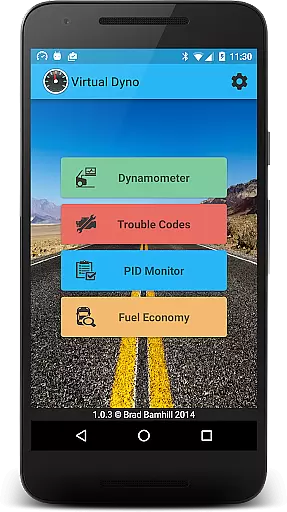
Virtual Dyno Mobile brings the power of desktop dyno tuning to your smartphone. This automotive diagnostic tool allows users to connect via an ELM-327 Bluetooth adapter to monitor vehicle performance data in real time.
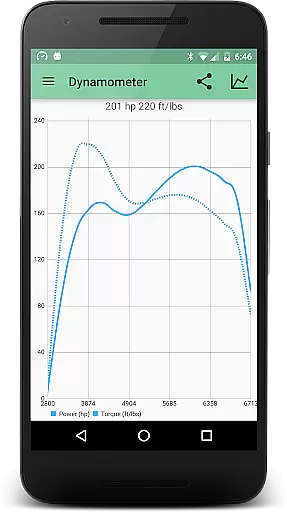
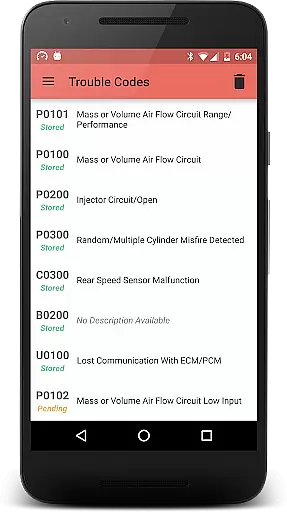
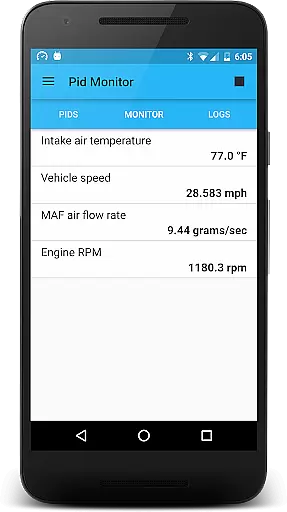
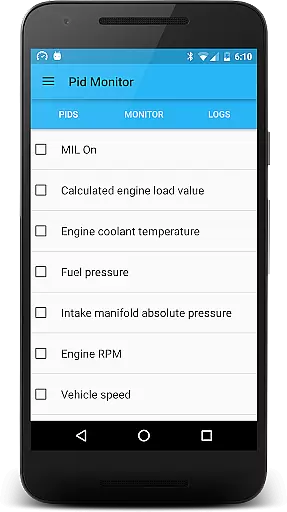
The app provides comprehensive monitoring of PIDs (Parameter IDs) including RPM, engine load, timing, and air temperatures. Users can generate dyno graphs, analyze vehicle performance, and even reset trouble codes. Its key value lies in delivering professional-grade diagnostics to both automotive enthusiasts and mechanics on the go.
Virtual Dyno Mobile stands out with its robust feature set tailored for automotive diagnostics. The app supports real-time monitoring of essential engine parameters through a Bluetooth OBD-II adapter.
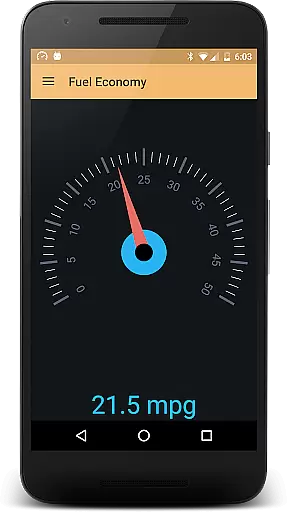
One of its notable capabilities is the ability to create detailed dyno graphs that can be overlaid for comparison. These graphs, along with other performance metrics, can be shared directly from the app. Additionally, it offers real-time gas mileage monitoring and complete trouble code management, making it an all-in-one solution for vehicle performance tracking.
Virtual Dyno Mobile offers comprehensive access to detailed vehicle information, empowering users with real-time data monitoring.
This application allows you to connect your OBD II Bluetooth adapter to track essential parameters such as RPM, engine load, timing, and air temperatures. By doing so, it ensures that drivers have a clear understanding of their vehicle's performance metrics.
The ability to monitor these PIDs provides significant benefits, including the early detection of potential issues before they escalate. This proactive approach helps maintain optimal vehicle health and performance.
With Virtual Dyno Mobile, users can make informed decisions about maintenance and driving habits, ultimately enhancing both safety and efficiency on the road.
One of the standout features of Virtual Dyno Mobile is its commitment to price transparency, particularly concerning additional hardware requirements.
The app clearly states the need for an ELM-327 Bluetooth adapter and provides a direct link for purchase. This straightforward approach ensures that users are fully aware of any extra costs involved in utilizing the app's full capabilities.
By offering this clarity, Virtual Dyno Mobile builds trust with its users, who can budget accordingly for the necessary equipment. The provided link directs users to a reputable source, streamlining the acquisition process.
This level of transparency not only enhances user experience but also sets clear expectations regarding the total investment required for optimal app functionality.
User-friendly interface
Real-time data monitoring
Comprehensive PID tracking
Dyno graph generation
Trouble code analysis
Requires ELM-327 adapter
Premium features locked
Occasional connectivity issues
Limited vehicle compatibility
No offline functionality

OBD1 ECMs application. Data log or tune directly from your phone or tablet!
 4.60
4.60
Monitor specific TOYOTA parameters by adding this plugin to Torque Pro.
2.00
AlfaOBD software for Fiat Group cars native diagnostic
3.70
Buy and sell your boat
4.70
myAudi offers users services and Audi connect services for Audi drivers
4.10
Oil change service & coupons for car maintenance at Valvoline Instant Oil Change
4.70
Monitor your behind-the-wheel behavior to become a safer driver and save.
4.10
Easy connect & control your cars from afar. Remote Lock & unlock car and carplay
4.60
Shop, finance, or sell today.
4.80
Practice the drills within MotoJitsu Master Riding Program Volume 1 & 2!
4.80
The Texaco App allows you to pay for fuel from the comfort of your car!
4.80
Car Values, Research and More
4.80
Trip computer+car diagnostic tool with widest variety of features and dashboard!
4.70
Digital Car Key/Launcher, Screen Mirror, Android Dashboard, Remote Wireless Link
4.40
AI Powered - Automotive Mechanic Assistant
4.30
Realtime Charts is a plugin for the Torque Pro App (OBD 2 & Car)
4.20
Available in select states.
4.00
Mobile Phone Parking - So easy to park
3.70
Theme for Car Launcher
4.3

User Reviews