

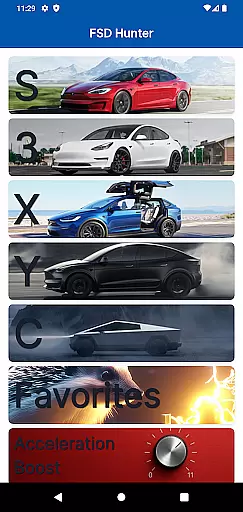
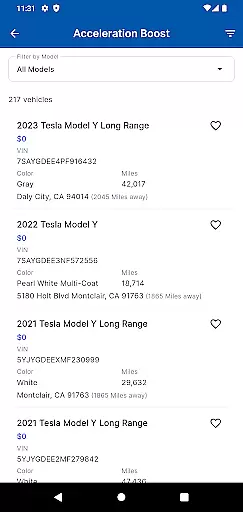
FSD Hunter is a specialized automotive app designed for Tesla enthusiasts and buyers in the U.S. and Canada. The app focuses on identifying used Tesla vehicles equipped with Full Self-Driving Capability (FSD), Enhanced Autopilot (EAP), or Acceleration Boost packages. These premium features significantly enhance the value of the cars, making them more desirable in the second-hand market.
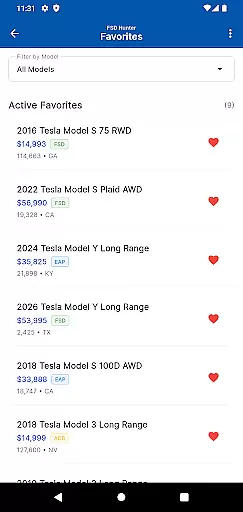
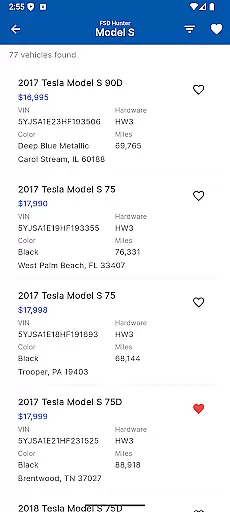
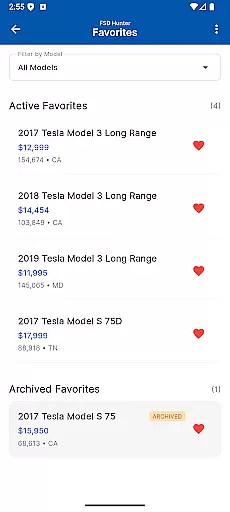
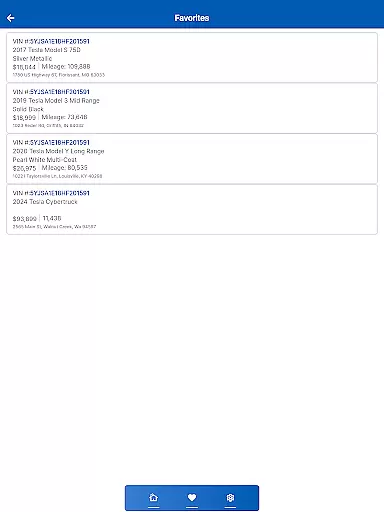
With FSD Hunter, users can save time by accessing pre-screened listings that highlight these rare and valuable upgrades. The app eliminates the need to manually sift through thousands of listings, presenting only those 1-2% of vehicles that meet specific criteria. Additionally, users can favorite vehicles with a simple tap of a heart icon, streamlining the search process.
Whether you're looking for a car with existing FSD capabilities or planning to upgrade an EAP vehicle for $2,000, FSD Hunter provides all the necessary tools to make informed purchasing decisions. It's particularly useful for buyers who prioritize advanced driving technologies and performance enhancements.
FSD Hunter offers several standout features that set it apart from other automotive apps. First, it uses advanced scanning technology to identify Tesla vehicles listed with Full Self-Driving Capability, Enhanced Autopilot, or Acceleration Boost. This ensures that users are only shown the most technologically advanced and valuable cars available in the used market.
The app also includes a favorites feature, allowing users to save vehicles they are interested in with a single tap. This simplifies the comparison process and helps users keep track of potential purchases. Furthermore, FSD Hunter supports both U.S. and Canadian markets, although Canadian listings are currently limited in number.
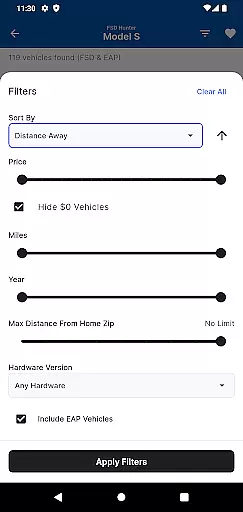
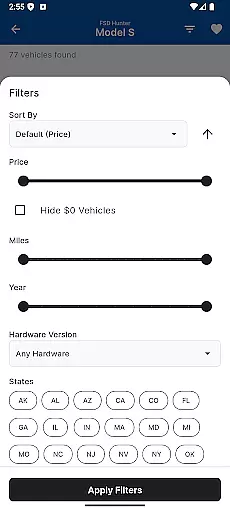
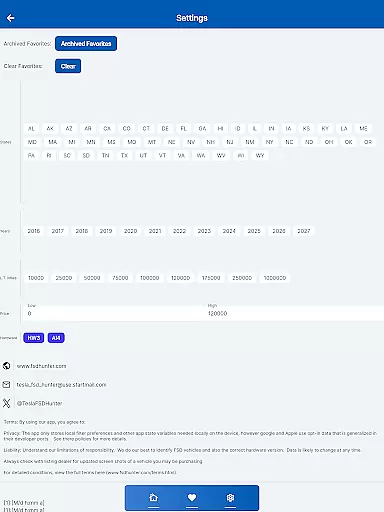
Another key feature is the detailed filtering system, which allows users to narrow down their search based on specific packages and upgrades. This level of customization ensures that users find exactly what they're looking for without wasting time on irrelevant listings. Overall, FSD Hunter is a powerful tool for anyone serious about buying a Tesla with advanced features.
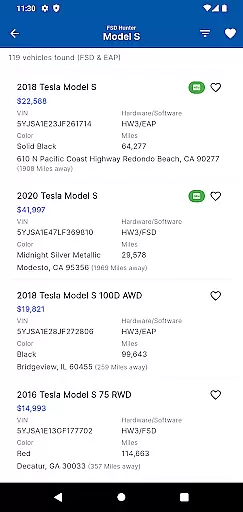
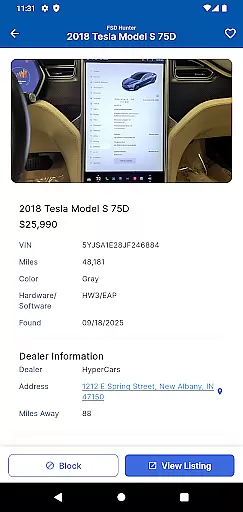
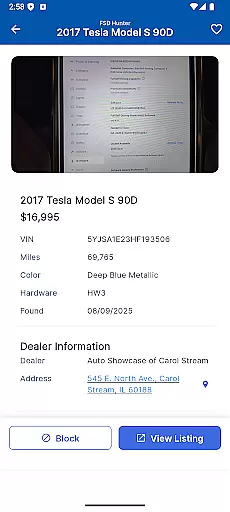
Detailed vehicle information is crucial for making informed decisions when purchasing a used car, especially in the realm of advanced technology packages like Tesla's Full Self Driving Capability (FSD), Enhanced Autopilot (EAP), and Acceleration Boost. FSD Hunter excels in providing comprehensive details on these specific features, ensuring users have all the necessary data at their fingertips.
The app meticulously scans and lists Tesla vehicles available for sale in the U.S.A. and Canada that are equipped with these sought-after packages. Each listing includes essential specifications such as the inclusion of FSD, EAP, or Acceleration Boost, allowing buyers to quickly identify premium vehicles that stand out in the used car market.
By focusing on the 1-2% of cars with these advanced features, FSD Hunter saves users countless hours that would otherwise be spent manually searching through thousands of listings. This targeted approach not only enhances efficiency but also significantly improves the chances of finding a vehicle that perfectly matches the buyer's requirements.
Price transparency is vital in the automotive industry, particularly when dealing with high-value features such as Teslau2019s Full Self Driving Capability (FSD) and Enhanced Autopilot (EAP). FSD Hunter addresses this need by clearly displaying pricing information related to these advanced packages, empowering users to make financially sound decisions.
The app provides detailed insights into the cost implications of purchasing vehicles with FSD, EAP, or Acceleration Boost. For instance, it highlights that EAP vehicles can be upgraded to FSD for an additional $2,000, while Acceleration Boost vehicles do not offer discounts towards FSD. This clarity helps buyers understand the true value of each listing.
Moreover, FSD Hunter extends its service to include Canadian vehicles, albeit with limited results. By maintaining transparency about the availability of less than 30 FSD, less than 15 EAP, and less than 20 Acceleration Boost vehicles, the app ensures users are well-informed about market conditions. This commitment to openness fosters trust and confidence among users seeking premium Tesla vehicles.
User-friendly interface
Time-saving search
Advanced filtering options
Supports US and Canada
Detailed vehicle information
Limited Canadian listings
No direct purchase option
Requires internet connection
Premium pricing for some cars
Dependent on third-party listings
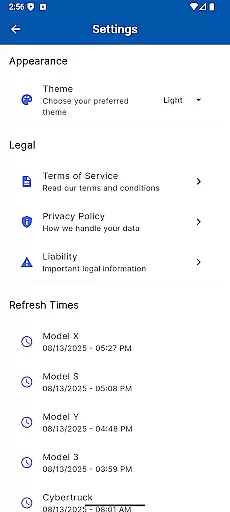
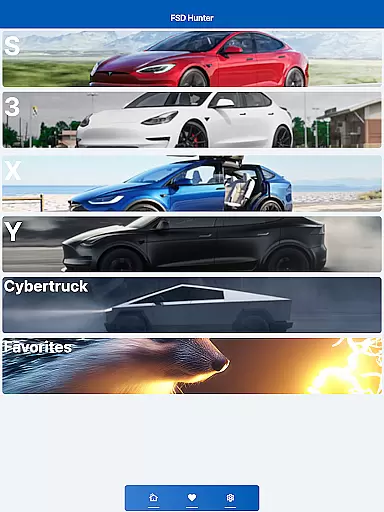
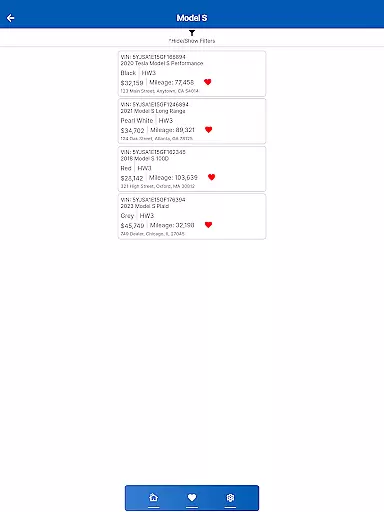
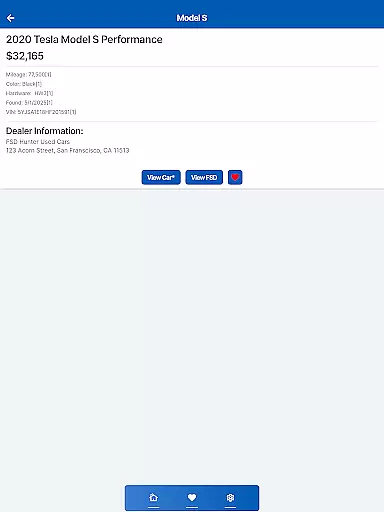

Attention! This is the theme for the Car Launcher app
 4.2
4.2
A full featured, real-time transit locator system
4.30
Read and delete OBD codes with any ELM327 OBD scanner. Coding functions included
3.40
Control maps, media and messaging, with the Google Assistant while you drive
4.10
AI Powered - Automotive Mechanic Assistant
4.30
Car Values, Research and More
4.80
Instant diesel savings. No credit checks or fees. Nationwide growing network.
4.40
Earn and save with Fuel Rewards®
3.20
Browse millions of cars, track vehicle listings or sell your car today
4.70
The Texaco App allows you to pay for fuel from the comfort of your car!
4.80
Trip computer+car diagnostic tool with widest variety of features and dashboard!
4.70
Quick and easy car diagnostics to get you the right fix.
4.70
Digital Car Key/Launcher, Screen Mirror, Android Dashboard, Remote Wireless Link
4.40
Taximeter; the professional's choice
4.30
* This app needs an adapter cable and a certain OBD2 adapter to work *
4.20
OBD diagnostics, Live Data, DPF regeneration for BMW
4.00
The Smarter Way Forward
3.30
Club Car Wash Mobile App—the fast lane to managing your wash membership.
3.30
Ferrari inspired analog & digital watch face with quick access and premium style
4.4


User Reviews