

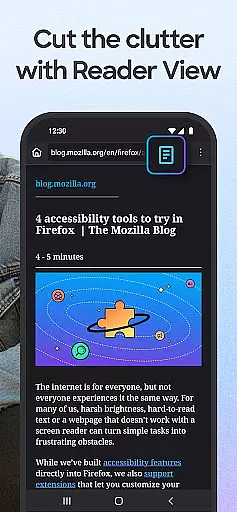
Firefox Fast & Private Browser is a top-tier communication app designed to provide users with a secure and customizable browsing experience. As a privacy-focused browser, Firefox blocks trackers by default, including social media trackers and cross-site cookies, ensuring your online activities remain confidential. Its enhanced tracking protection offers an additional layer of security, making it an ideal choice for private browsing.
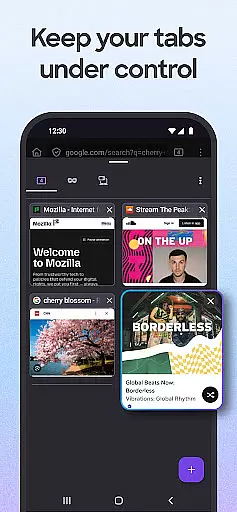
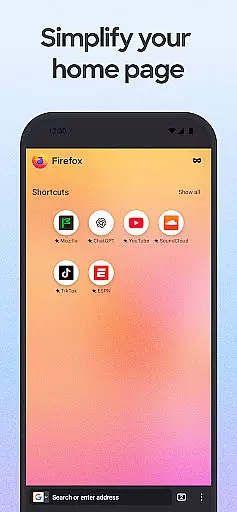
The app's user-friendly interface allows seamless tab management, enabling users to create multiple tabs without losing track of their content. With features like password management, automatic syncing across devices, and tailored search engine options, Firefox ensures a smooth and personalized browsing experience. Whether you're managing passwords or customizing your homepage, Firefox delivers both functionality and simplicity.
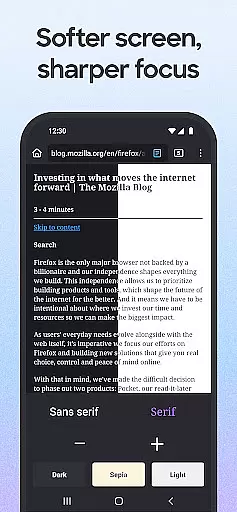
One standout feature is its ability to save battery life through dark mode, which reduces eye strain while prolonging device usage. Additionally, the picture-in-picture video mode lets users multitask efficiently. Suitable for anyone seeking a reliable, fast, and private browser, Firefox enhances productivity while safeguarding user data in today's digital landscape.
Firefox Fast & Private Browser stands out with its robust set of features that cater to modern browsing needs. The app provides automatic tracker blocking, eliminating social media trackers, cross-site cookie trackers, and fingerprinters by default. Users can further enhance their privacy by selecting the 'strict' setting, which acts as an effective ad blocker, ensuring a safer browsing environment.
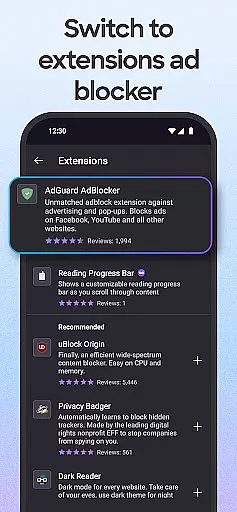
Customization is at the core of Firefox's offering. Users can tailor their browsing experience by choosing their preferred search engine, organizing tabs in thumbnail or list views, and even moving the search bar location for one-handed navigation. The app also supports helpful add-on extensions, such as ad blockers and privacy boosters, allowing users to turbo-charge their settings based on individual preferences.
Another key feature is its seamless integration across devices. By syncing with a Mozilla account, users can access open tabs from their mobile on desktop browsers and vice versa. The inclusion of a home screen with recent bookmarks, popular articles, and a dark mode option adds convenience while conserving battery power. These features collectively ensure that Firefox remains a versatile and indispensable tool for efficient, secure browsing.
Real-time messaging speed and reliability are crucial for a seamless communication experience. Firefox Fast & Private Browser ensures that your interactions with web applications, chats, and other real-time services remain smooth and uninterrupted.
The browser achieves this through its Enhanced Tracking Protection, which not only safeguards your privacy but also reduces the load from trackers that can slow down your browsing. This means you can send and receive messages without unnecessary delays.
Moreover, by blocking ad trackers and scripts such as social media trackers and fingerprinters, Firefox minimizes the risk of performance bottlenecks. This allows users to enjoy a consistently fast messaging experience across different platforms.
In addition to speed, Firefox's reliability is bolstered by its cross-device synchronization. Whether you're on mobile or desktop, your conversations and data remain accessible and up-to-date, ensuring you never miss an important message.
Media sharing support in a browser enhances user interaction by allowing seamless exchange of images, videos, and other content. Firefox Fast & Private Browser excels in this area by providing robust features that facilitate easy media sharing.
With the ability to sync tabs and browsing history across devices, Firefox makes it simple to share media links and content. Users can start sharing on one device and continue on another without losing context or progress.
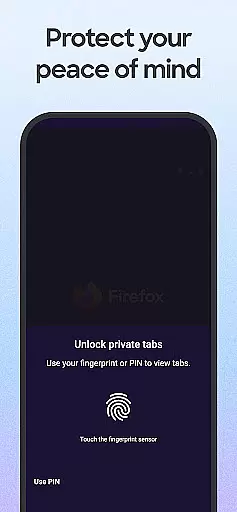
Furthermore, Firefox's private browsing mode ensures that when you share media, your privacy remains intact. The auto-lock feature for private tabs adds an extra layer of security, making sure that sensitive media is not accessible to unauthorized users.
Additionally, Firefox offers helpful add-on extensions, including those that enhance media sharing capabilities. These extensions allow users to customize their sharing options, ensuring a tailored and efficient media sharing experience.
Fast browsing speed
Strong privacy controls
Customizable interface
Cross-device syncing
Built-in ad blocker
Occasional bugs
Heavy on memory
Limited offline support
Complex settings
Slower updates



BiP is a fast, secure, free messaging and HD video calling app!
 4.10
4.10
Tether to Windows, OS X, Linux PCs or Android tablets. No root. No tether fees.
3.90
Manage and Fund Calling Accounts and Schedule and Join Video Sessions
3.60
Experience real private browsing without tracking, surveillance, or censorship.
4.50
Create a secure hotspot on-the-go with Portable WiFi - Mobile hotspot.
4.40
Fun, free app that lets kids video call and message family and close friends.
3.80
RemoteHams.com Android RCForb Client Pre-Release
4.30
Talk & text free with a second phone number plus unlimited 5G data, no fees.
4.50
Useful. Social. Expressive.
4.70
Say “hello” to privacy.
4.60
The ultimate productivity solution for all your email communication needs.
4.40
Manage your data, talk & text - affordable phone plans & data usage made simple
4.30
Call Blocker app: Identify unknown callers, block spam calls, fraud & robocalls
4.30
BE PRIVATE
Anonymous. No Trace. Fast.
4.20
Google's fast and secure browser
4.10
Messenger app for faster and simpler SMS text messaging, and personalized themes
4.10
Measure BHP, Torque & 0-60 Clear car OBD faults View engine data in Google Earth
4.00 3.90
3.90
Comprehensive and powerful scan tool app with enhanced functions
3.00

User Reviews