

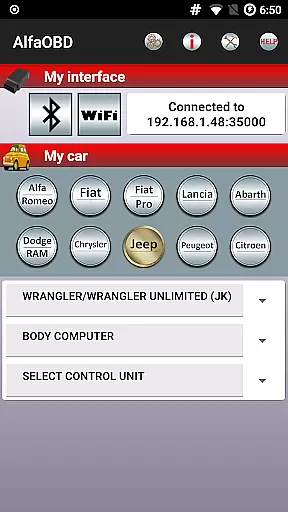
AlfaOBD is a comprehensive diagnostic tool tailored for vehicles produced by Stellantis, including brands like Alfa-Romeo, Fiat, and Jeep. This application offers car owners access to professional-level diagnostic features typically reserved for commercial scanners.
With functionalities ranging from monitoring dynamic parameters of various electronic control units (ECUs) to performing dealer-level diagnostic procedures, AlfaOBD empowers users with extensive vehicle insights. It supports multiple languages and requires a compatible OBD interface for operation, making it an essential tool for both personal and professional automotive diagnostics.
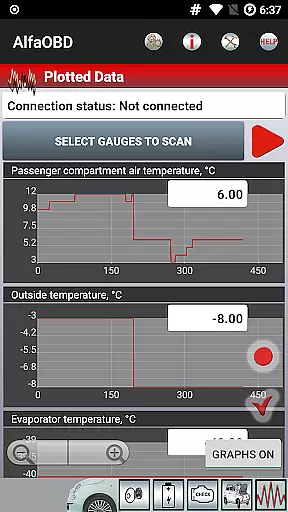
AlfaOBD stands out with its native support for ECUs used in Fiat group cars, surpassing the generic OBDII support provided by other applications. The app allows real-time monitoring of engine, gearbox, ABS, and climate control parameters, displaying them graphically for easy interpretation.
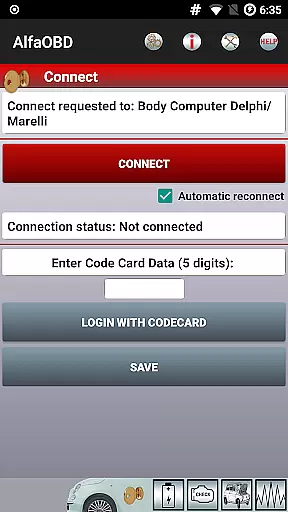
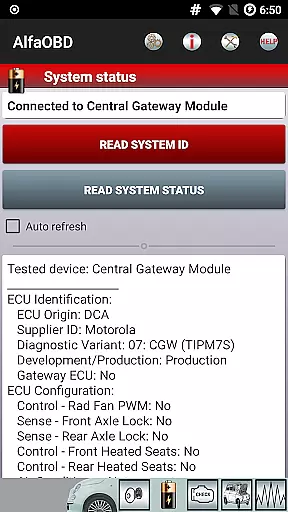
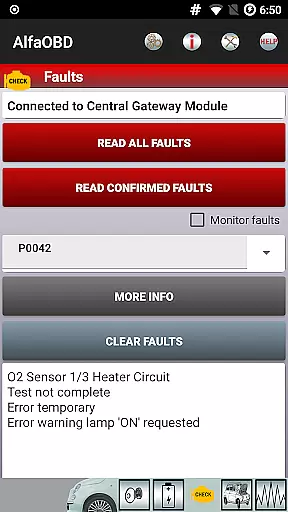
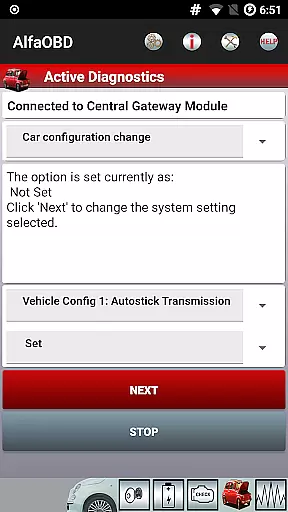
Users can read static data such as ECU identification, system status, and fault codes, alongside clearing these codes when necessary. Advanced features include active diagnostics, configuration procedures, and programming capabilities for electronic keys and RF remote controls, providing a complete suite for vehicle diagnostics and maintenance.
Detailed vehicle information is crucial for effective diagnostics and maintenance. AlfaOBD provides comprehensive data on various electronic control units used in Fiat group cars, offering native support that sets it apart from other diagnostic applications with limited generic OBDII support.
The application allows users to monitor dynamic parameters of essential systems such as the engine, gearbox, ABS, and climate control ECUs. This real-time monitoring is presented graphically, enabling users to visualize system performance and identify potential issues.
Additionally, AlfaOBD reads static data including ECU identification, system status, fault codes, and environmental information where applicable. This feature empowers car owners with detailed insights into their vehicle's health, aiding in timely maintenance and repairs.
By providing access to dealer-level diagnostic and configuration procedures, AlfaOBD ensures that even complex vehicle information is accessible to non-professional users, enhancing their ability to manage vehicle upkeep effectively.
Price transparency in automotive diagnostics tools can significantly impact user decisions. AlfaOBD addresses this by offering a clear value proposition through its extensive features tailored for Stellantis vehicles, including Alfa-Romeo, Fiat, Lancia, Dodge, RAM, Chrysler, and Jeep models.
While the app itself is available at a defined price point, it emphasizes cost-effectiveness by supporting many dealer-level diagnostic functions typically requiring expensive professional equipment. Users can perform advanced diagnostics without incurring additional service costs.
AlfaOBD also highlights compatibility requirements openly, ensuring customers understand necessary investments like SGW bypasses or specific OBD interfaces. Such upfront communication about potential extra costs fosters trust and helps users make informed choices regarding their diagnostic solutions.
Overall, AlfaOBD delivers significant value by combining robust functionality with transparent pricing, empowering users to maintain their vehicles efficiently without unexpected expenses.
User-friendly interface
Professional diagnostic tools
Wide range of brand compatibility
Active diagnostic functions
Multilingual support
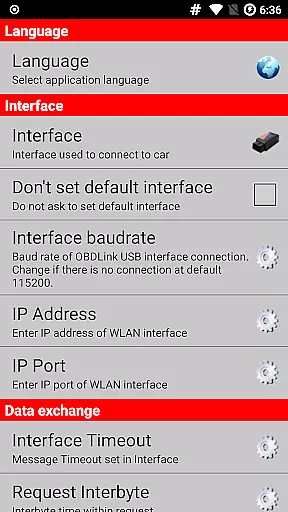
Requires compatible OBD device
SGW may block access
Limited Android device support
Interface issues possible
Complex for beginners

OBD2 car scanner and diagnostics: read Check Engine, DTC, economy....
 4.30
4.30
Realtime Charts is a plugin for the Torque Pro App (OBD 2 & Car)
4.20
Listings of Tesla's with FSD - Included package
4.60
The Texaco App allows you to pay for fuel from the comfort of your car!
4.80
DMV Test Pro offers all the updated FREE DMV tests online.
4.60
Simplify your drive
3.90
The ExtraMile App allows you to pay for fuel from the comfort of your car!
4.70
Mobile Phone Parking - So easy to park
3.70
Your Path to Driving Licensing Success Begins Here! Develop your driving skills.
4.40
Buy and sell your boat
4.70
Autolist - The Largest Selection of Local Used Cars and Trucks
4.50
Instant diesel savings. No credit checks or fees. Nationwide growing network.
4.40
Autotrader is your online solution for buying and selling new and used cars.
4.40
Control maps, media and messaging, with the Google Assistant while you drive
4.10
Monitor your behind-the-wheel behavior to become a safer driver and save.
4.10
Read and delete OBD codes with any ELM327 OBD scanner. Coding functions included
3.40
The Smarter Way Forward
3.30
Club Car Wash Mobile App—the fast lane to managing your wash membership.
3.30
Earn and save with Fuel Rewards®
3.20

User Reviews