

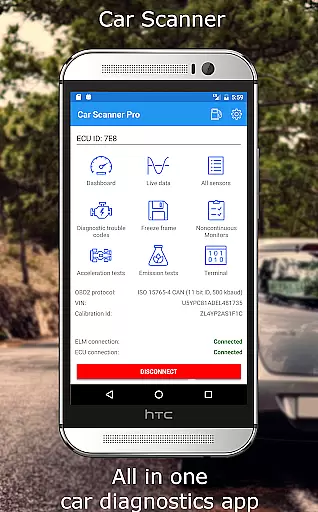
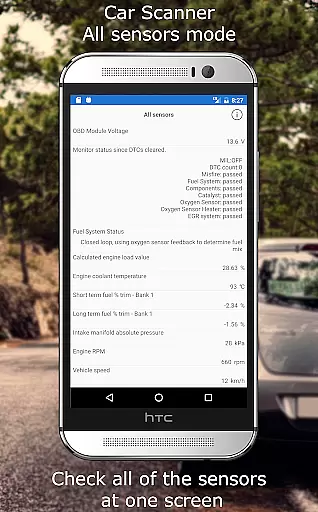
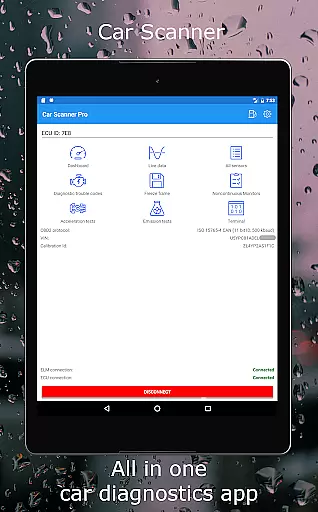
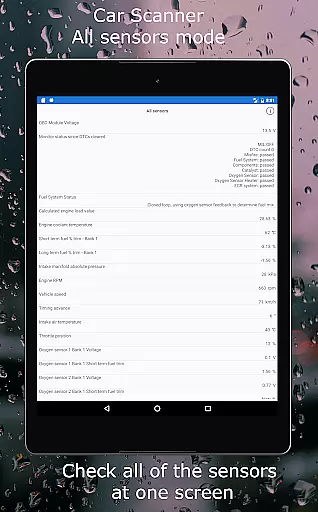
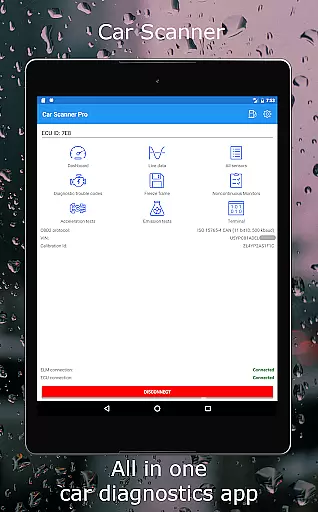
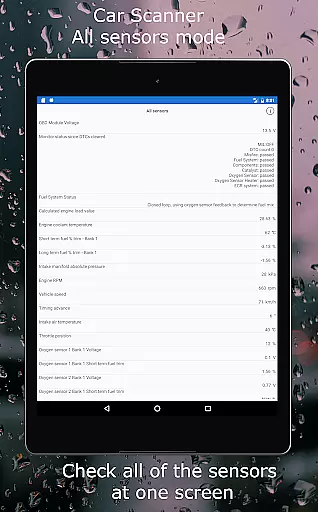
Car Scanner ELM OBD2 is a comprehensive vehicle diagnostics tool that connects to your car's OBD II system through a Wi-Fi or Bluetooth adapter. It provides real-time data on car performance, fault codes, and sensor information. Designed for both everyday users and car enthusiasts, the app allows you to create custom dashboards, read and reset diagnostic trouble codes (DTCs), and access unique features like Mode 06 testing and free-frame analysis.
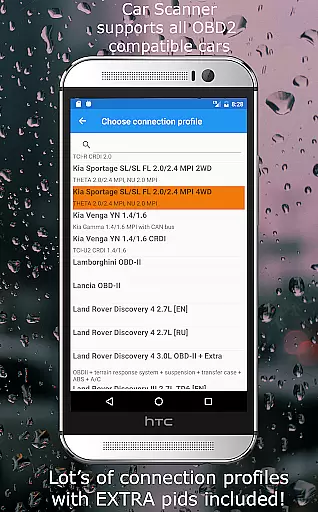
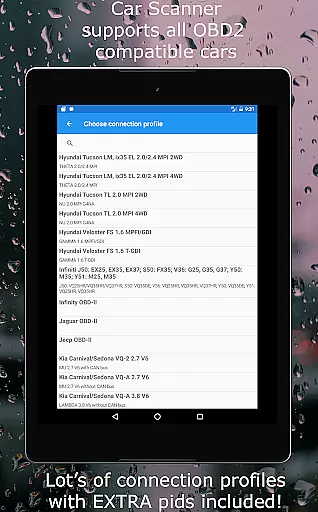
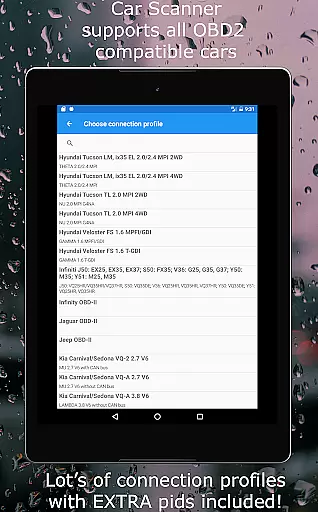
This application supports a wide range of vehicles built after 1996 that comply with the OBD 2 standard. With specialized connection profiles for brands like Toyota, Ford, Volkswagen, and more, it offers tailored functionalities such as video in motion activation and ambient light configuration. Whether you're diagnosing issues before an emissions test or monitoring fuel consumption, Car Scanner ELM OBD2 equips you with professional-grade tools for free.
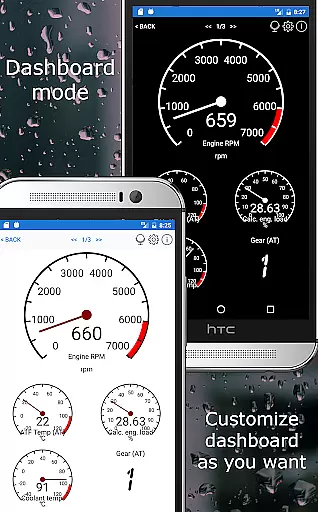
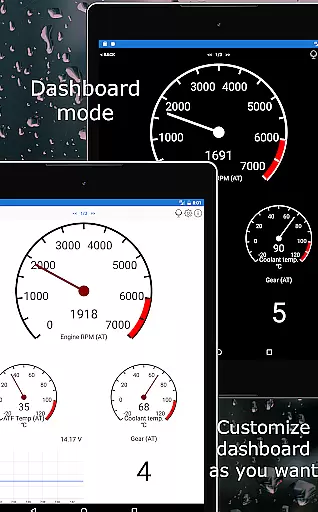
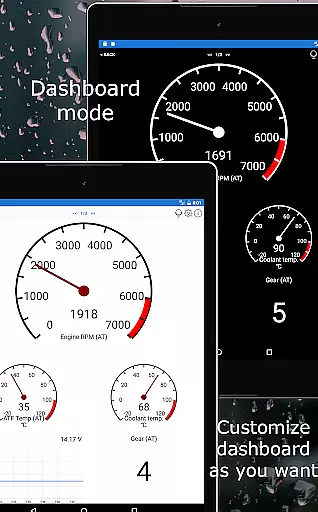
Car Scanner ELM OBD2 stands out with its extensive feature set tailored for detailed vehicle diagnostics. One of its key highlights is the customizable dashboard, allowing users to display gauges and charts according to their preferences. Additionally, the app supports extended PIDs, unlocking hidden manufacturer data, and includes a vast database of DTC code descriptions for accurate diagnostics.
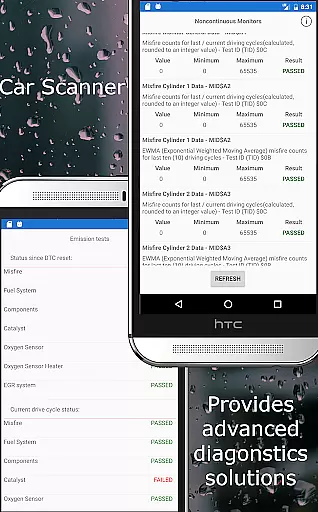
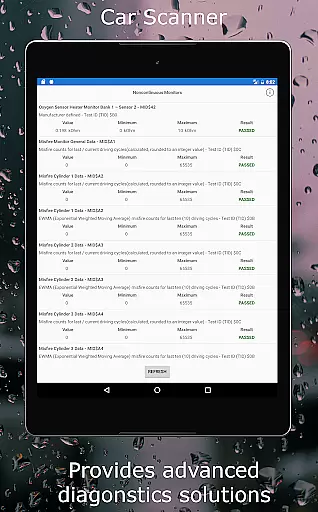
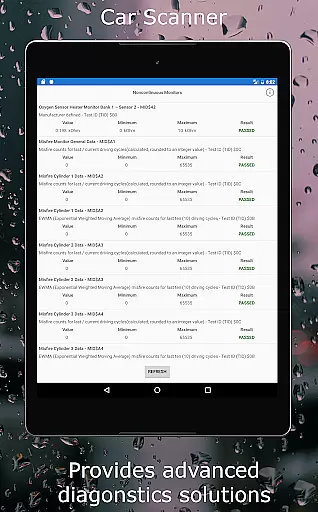
Advanced functionalities include Mode 06 testing, which retrieves ECU self-monitoring results, and free-frame analysis, showing sensor states when faults occur. The app also serves as a trip computer, measuring acceleration and tracking fuel consumption. For specific car models, it even enables coding—changing hidden vehicle settings. These features collectively make Car Scanner ELM OBD2 one of the most versatile and powerful diagnostic tools available on the Play Store.
Accessing detailed vehicle information is crucial for both car enthusiasts and everyday drivers. Car Scanner ELM OBD2 provides a comprehensive solution by connecting to your vehicle's OBD2 engine management system through a compatible Wi-Fi or Bluetooth adapter. This connection allows users to retrieve real-time data on car performance, sensor readings, and fault codes.
The app stands out with its customizable dashboard, enabling users to layout gauges and charts according to their preferences. It also supports extended PIDs, unlocking hidden information from the car manufacturer. With these features, users can monitor their vehicle's health and performance in a way that was previously only accessible to professionals.
Car Scanner further enhances user experience by offering unique functionalities such as Mode 06 tests, readiness checks for emission tests, and even HUD mode for projecting data onto the windshield. These tools not only empower users with knowledge about their vehicle but also assist in maintaining optimal performance and addressing issues before they become severe.
Ultimately, the ability to access such detailed vehicle information leads to informed maintenance decisions, potentially saving costs on repairs and ensuring the longevity of the vehicle. Whether you're diagnosing a problem or simply monitoring your car's status, Car Scanner equips you with the necessary insights to stay ahead.
Price transparency in automotive tools is essential for users seeking value without hidden costs. Car Scanner ELM OBD2 addresses this need by offering a wide array of features for free, making it an attractive option across the Play Market. Users can access critical vehicle diagnostics, sensor data, and performance metrics without worrying about unexpected charges.
The app includes a vast database of DTC code descriptions and supports various connection profiles for different car brands. This ensures that users receive accurate and relevant information tailored to their specific vehicle models. Additionally, advanced functionalities like coding (changing hidden settings) are available for certain cars, providing further customization and control over vehicle settings.
While Car Scanner offers extensive features at no cost, it's important to note that a compatible OBD2 adapter is required for operation. The app recommends reputable adapter brands such as OBDLink and Veepeak, ensuring reliable connectivity and data accuracy. By guiding users towards quality adapters, Car Scanner maintains transparency regarding additional equipment needs.
In summary, Car Scanner delivers significant value by combining robust diagnostic capabilities with clear pricing. Users benefit from a transparent pricing model that empowers them to manage vehicle diagnostics effectively without financial surprises. This approach fosters trust and satisfaction among users who rely on precise automotive data.
User-friendly interface
Customizable dashboard
Wide vehicle compatibility
Free advanced features
Comprehensive DTC database
Requires compatible adapter
Dependent on car sensors
Some features model-specific
Bluetooth connectivity issues
Cheap adapters unreliable

On the CarShield app, you can view contracts, make payments, & request roadside.
 4.40
4.40
Attention! This is the theme for the Car Launcher app
4.5
OBDII - ELM327 Terminal tool for 96-00 Volvos
4.50
Digital Car Key/Launcher, Screen Mirror, Android Dashboard, Remote Wireless Link
4.40
Car Values, Research and More
4.80
Lexus app currently supports 2010 or newer vehicles (2018 or newer for Hawaii).
4.80
Automotive Electrical Wiring Diagrams
4.40
DMV practice test 2025: Driver License permit test & written test for all states
4.70
Marathon ARCO Rewards members earn rewards & apply the rewards for fuel savings!
4.80
Take Control of Your Car
4.80
Oil change service & coupons for car maintenance at Valvoline Instant Oil Change
4.70
Launcher for use in the car
4.40
Control maps, media and messaging, with the Google Assistant while you drive
4.10
PayByPhone: A quick and easy way to pay for parking.
3.80
Wonder how much horsepower and torque your car/truck makes? Look no further.
3.40
Earn and save with Fuel Rewards®
3.20
App Mirroring for Tesla Car's Browser
2.80
Theme for Car Launcher
4.2
Theme for Car Launcher
4.1


User Reviews