

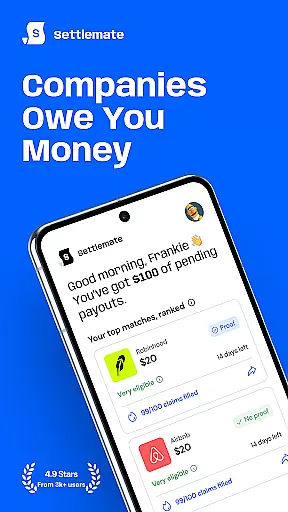
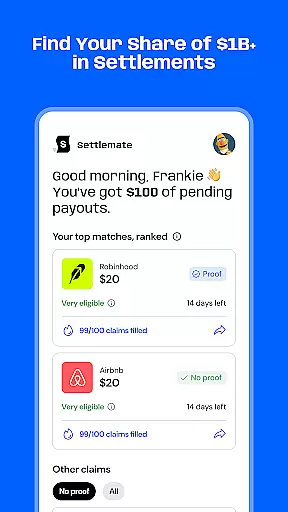
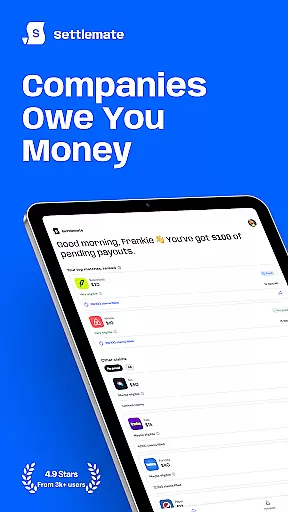
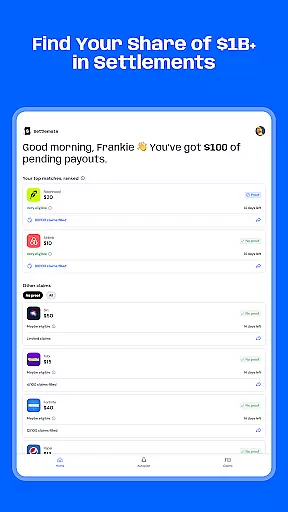
Settlemate is a financial application designed to help users discover and claim money from class action settlements they may be entitled to. The app simplifies the legal process by allowing users to track lawsuits, check eligibility, and file claims without needing a lawyer or understanding complex legal procedures.
With features like instant eligibility checks, real-time updates on refund statuses, and smart notifications for new class actions, Settlemate ensures that users never miss an opportunity to claim what is rightfully theirs. Its secure login options with Apple or Google ensure that all user information remains private and encrypted.
This app is particularly useful for individuals who want to access unclaimed settlement funds without dealing with complicated legal paperwork. By streamlining the entire process, Settlemate empowers everyday people to easily manage their claims and receive compensation.
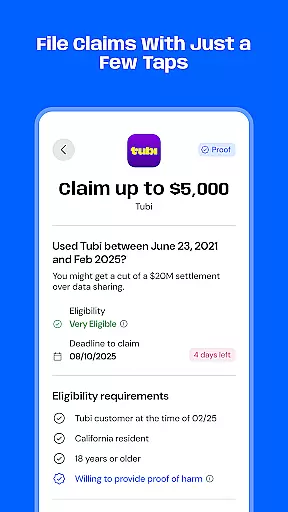
Settlemate offers several key features that make it stand out in the finance category. One of its primary functions is the ability to instantly find eligible claims by answering simple questions, eliminating the need for legal advice. This feature alone saves users time and reduces complexity significantly.
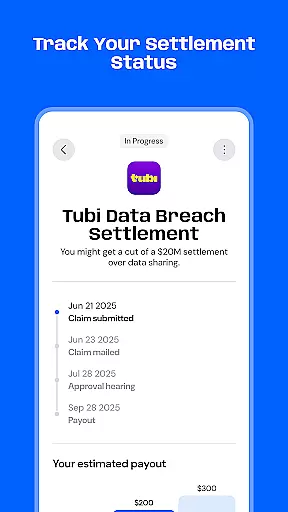
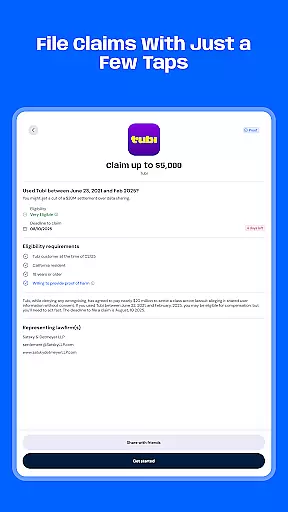
Another notable feature is the capability to file class action claims without hiring a lawyer. Users can submit their claims quickly, bypassing cumbersome legal forms and procedures. Additionally, the app provides real-time tracking of refunds, payouts, and compensation timelines, ensuring transparency throughout the process.
Smart notifications alert users about new class actions, while secure login options via Apple or Google keep personal data safe. These features collectively enhance user experience by making the class action settlement process accessible, efficient, and secure.
Account and fund security is a critical aspect of any financial application, ensuring that users' personal and financial information remains protected at all times. Settlemate employs advanced encryption protocols to safeguard your data, whether you're checking eligibility for class action settlements or tracking payouts. This means that every piece of sensitive information, from your login credentials to your settlement details, is encrypted and secure from unauthorized access.
In addition to encryption, Settlemate offers secure authentication methods, allowing you to sign in safely using Apple or Google accounts. This not only streamlines the login process but also adds an extra layer of security by leveraging trusted third-party authentication systems. By integrating these features, Settlemate ensures that your legal information and financial data are kept private and secure, providing peace of mind while you manage your claims.
The importance of robust security measures cannot be overstated, especially when dealing with financial transactions and sensitive personal data. With Settlemate's comprehensive approach to security, users can confidently submit their settlement claims without worrying about data breaches or unauthorized access. This focus on security empowers users to take full advantage of the platform's capabilities, knowing their information is protected by industry-leading standards.
A seamless transaction experience is essential for any financial app, enabling users to efficiently manage their funds and complete necessary actions without hassle. Settlemate excels in this area by offering intuitive features that simplify the entire class action settlement process. From finding eligible claims to filing them without needing a lawyer, the app streamlines each step, making it easy for users to navigate and utilize its services effectively.
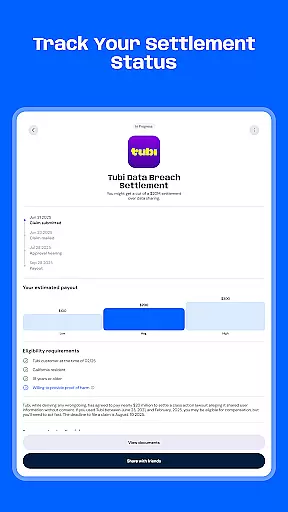
One standout feature is the ability to track refunds, payouts, and compensation in real-time. Users receive timely updates on their settlement status, ensuring they are always informed about where they stand in the process. Additionally, smart notifications alert users to new class actions, so they never miss an opportunity to claim what they are owed. These functionalities enhance the overall user experience by keeping users engaged and informed throughout their journey.
By removing the complexities typically associated with legal procedures, Settlemate provides a smooth and efficient transaction experience. Whether submitting claims or monitoring payment timelines, users benefit from a hassle-free interface that prioritizes clarity and convenience. This dedication to a superior transaction experience underscores Settlemate's commitment to helping users effortlessly manage their financial entitlements.
User-friendly interface
Real-time updates
Secure encryption
Smart notifications
No legal expertise needed
Subscription fees apply
Limited to class actions
Auto-renewal policy
Requires internet
Eligibility varies

Over 180 currencies conversion rates with live exchange rates and offline mode.
 4.60
4.60
Expenses, Bills, Budget and Accounts - All seamlessly integrated in one app!
3.80
The all-in-one app to save, earn, travel, and put more money in your pocket
4.50
Bitcoin gpu app helps you remote mine using your cell phone easily .
3.60
Manage your prepaid cards and add to Google or Samsung Wallet.
4.60
Early payday cash advance up to $150 a day with a max of $1,000 per pay period
4.70
Money transfer made easy. Send money to friends and family with great rates.
4.70
The US Debt Clock .org App gives you a Real-Time glimpse of US Financial Stats
4.60
Insurance that's quick and easy to buy and use—anytime, anywhere.
4.60
PayMe helps you claim money from settlements on companies that harmed you.
4.80
Easy budgeting planning on a calendar!
4.80
Keep track of your subscriptions with no limitations
4.80
Managing your money just got easier. Get the new Mobile app.
4.70
Your Big Financial Friend
4.70
Manage your account, make a payment, and redeem your rewards on the go.
4.50
Car Insurance Made For You.
4.50
Amazing Financial Calculator. Based on HP 10bII, but easier to use!
4.40
Registration of your debts and Mdionatk and assembled, as well as a significant reports
4.30
Read and extract public data on NFC Contactless banking card (VISA, MasterCard
4.30


User Reviews