

The 10bii Financial Calculator is a versatile and powerful financial calculator which features more than 105 different functions for financial analysis, business, statistics, and general mathematics. Modeled after the extremely popular 10bII Financial Calculator by Hewlett Packard, the 10bii Financial Calculator combines precise mathematics, intuitive display, and ease-of-use in one compact package.
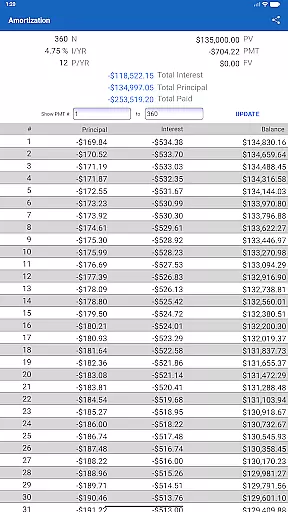
It allows you to easily calculate loan payments, interest rates, amortization, time value of money, investment value, and more using a combination of powerful and intuitive equation-writing functionality and helpful worksheets. By expanding on HP's traditional presentation, the 10bii Financial Calculator allows quick and intuitive building and visualization of TVM (Time Value of Money) calculations and Uneven Cash Flow scenarios and lets you type in whole equations for easy review and one-touch evaluation.
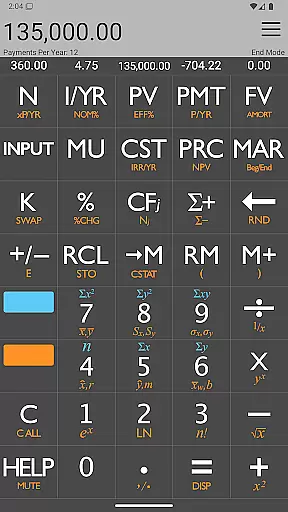
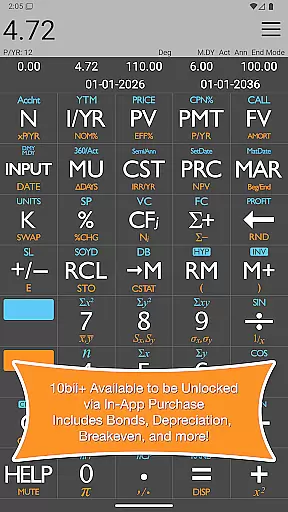
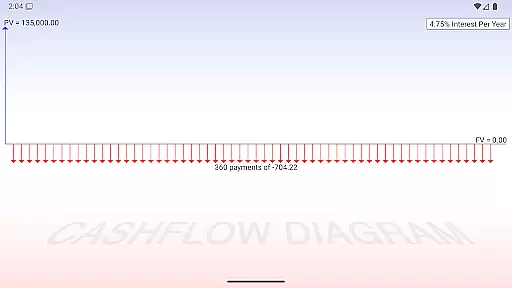
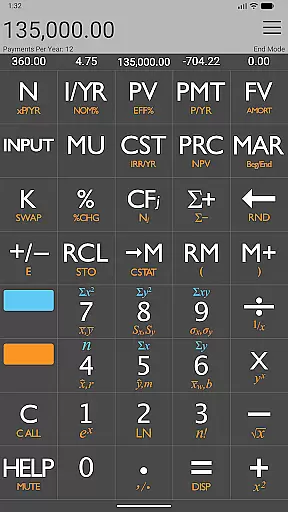
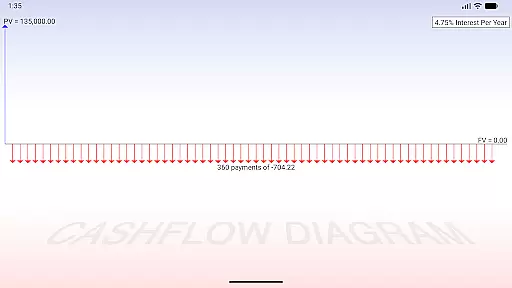
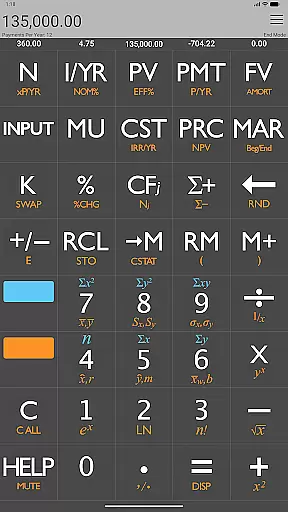
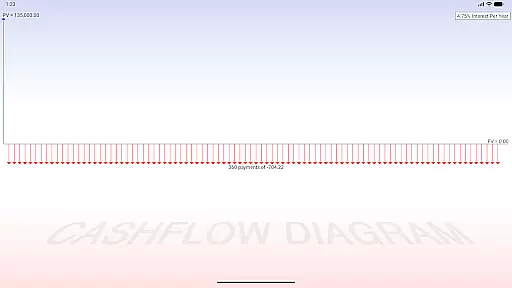
With the 10bii Financial Calculator, you can calculate Time Value of Money (Length of Term, Present Value, Nominal Interest, Loan Payments, Future Value) and see the cash flow diagram produced for you via the Graph TVM key. Values for N, PV, I, PMT, and FV are displayed right above their keys for easy reference.
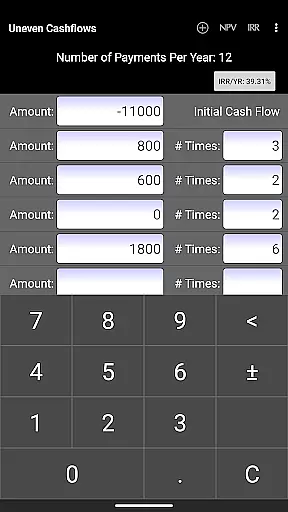
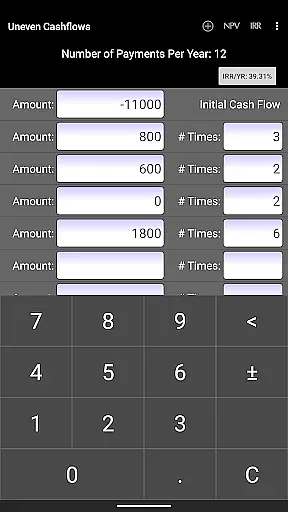
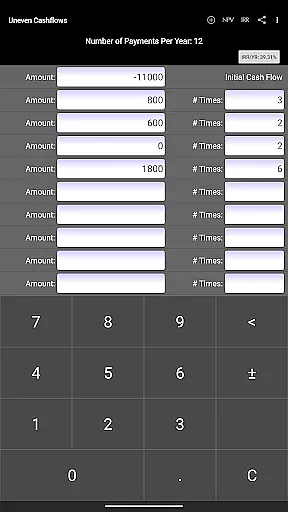
Easily enter Uneven Cash Flows, including rapid calculation of Net Present Value and Internal Rate of Return. A dedicated interface makes adding, editing, deleting, and reordering uneven cash flows a breeze. Switch between Nominal and Effective interest rates with the simple touch of a button.
Enter and analyze statistical data points. Includes standard calculations such as standard deviation, mean, and linear regression forecasting. Never has using a financial calculator been so easy or intuitive. The 10bii Financial Calculator is truly powerful enough for the professional but accessible enough for everyone.
When it comes to financial applications like the 10bii Financial Calculator, account and fund security is of paramount importance. This app ensures that all calculations involving Present Value (PV), Nominal Interest (I/YR), Loan Payments (PMT), and Future Value (FV) are handled with precision and confidentiality. The app does not require cloud storage for data, which means your financial information remains on your device unless you choose to share or save it externally.
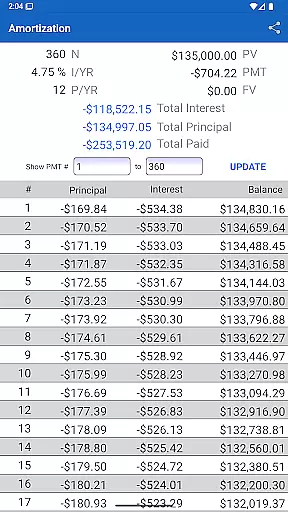
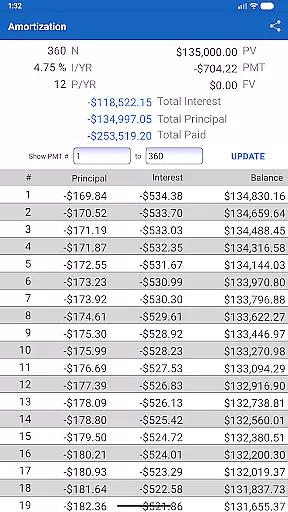
The 10bii Financial Calculator provides users with a secure environment by allowing them to perform complex financial analyses without transmitting sensitive data over the internet. With features such as Uneven Cashflow analysis and Amortization Schedules, users can be confident that their financial planning stays private. Additionally, the app's developers offer prompt support in case of any issues, ensuring that users' experiences remain smooth and secure.
By focusing on local computation and offering tools like easy equation-writing functionality and helpful worksheets, the app minimizes risks associated with online transactions or data breaches. Users can calculate loan payments, interest rates, investment values, and more without exposing their data to potential online threats. This dedication to security empowers users to manage their finances with peace of mind.
The transaction experience within the 10bii Financial Calculator revolves around its ability to provide quick, accurate, and intuitive financial computations. Whether calculating Time Value of Money (TVM), Net Present Value (NPV), or Internal Rate of Return (IRR), this app delivers seamless interactions through its thoughtfully designed interface. Its emulation of HP's traditional presentation allows users to build and visualize TVM calculations effortlessly.
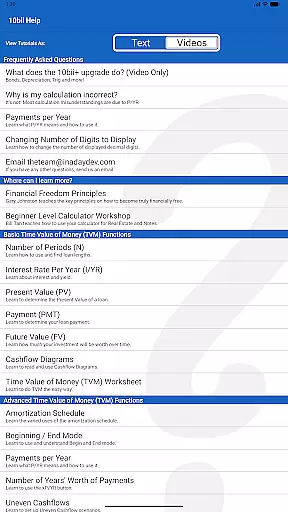
With dedicated keys displaying current N, I/YR, PV, PMT, and FV values right above them, users enjoy an efficient workflow that enhances accuracy during financial assessments. The inclusion of video tutorials in the Help section further enriches the user experience by providing guidance on maximizing the calculatoru2019s capabilities for various scenarios.
Moreover, the app supports functionalities like saving recent calculations for easy reloading and switching between Nominal and Effective interest rates with a simple button touch. These features contribute to a fluid transactional journey where users can focus on analyzing deals or teaching compounding interest concepts without being hindered by cumbersome processes. Overall, the 10bii Financial Calculator offers a robust platform for both professionals and learners alike.
Powerful functions
Intuitive display
Easy-to-use
Comprehensive financial analysis
Uneven cash flow management
Paid upgrades
Complex for beginners
Limited offline support
Interface not customizable
No cloud sync








 4.50
4.50
Bank better with our new app
3.80
All your crypto & stocks in one secure and trusted app.
4.40
Get, Earn, and Save Money
4.30
Mine Bitcoin in the cloud! Earn BTC daily with high-speed mining power.
4.30
Registration of your debts and Mdionatk and assembled, as well as a significant reports
4.30
Military retirement pay estimation calculator
4.70
Our Chase Mobile App makes it easy for you to bank on the go 24/7.
4.60
Navigate your unique financial path confidently with help from Credit Karma.
4.70
Currency Converter, Exchange Rates, Widgets
4.90
Manage your Discover account conveniently from anywhere.
4.80
The DailyPay app lets you access earned wages before your next payday.
4.70
Early payday cash advance up to $150 a day with a max of $1,000 per pay period
4.70
Get 250$ Cash Advance to solve emergencies instantly in loan app called LendMe
4.70
Cash Advance, Credit Cards, Credit Lines, Score Monitoring, Saving, Budgeting
4.70
Download the MySynchrony App to manage your accounts securely and conveniently!
4.60
Put crypto to work & earn rewards. Stake crypto like Ethereum, Solana & Cardano
4.40
BTC, Crypto, Stocks & Options.
4.20
Bitcoin gpu app helps you remote mine using your cell phone easily .
3.60


User Reviews