

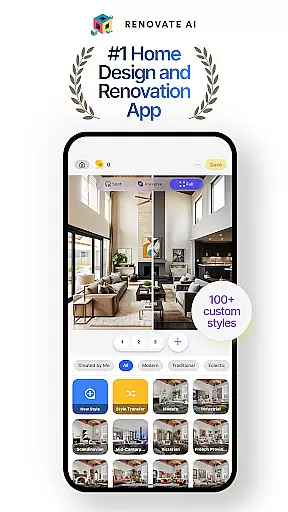
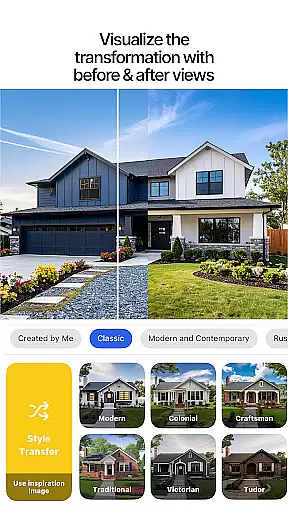
Renovate AI is a cutting-edge home design and interior decoration application that utilizes advanced AI technology to help users reimagine their living spaces. The app provides powerful tools for creating photorealistic interiors and exteriors, making it an ideal solution for anyone planning a house design, room design, or full renovation project.
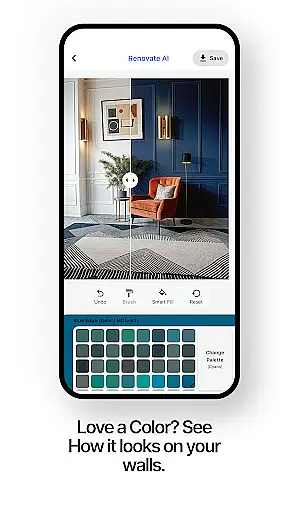
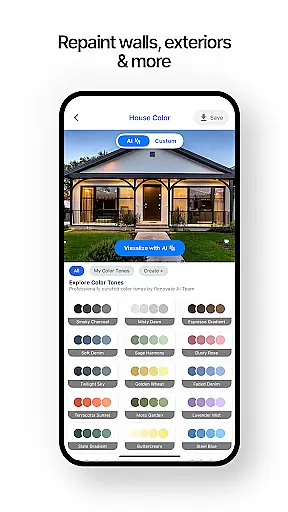
With features like virtual staging, 3D elevations, and exterior remodeling, Renovate AI empowers users to redecorate and plan every corner of their home with ease. Whether you're redesigning a bedroom, laying out a garden, or experimenting with new wall colors, the app offers endless possibilities to explore and realize your design ideas.
This versatile app is perfect for homeowners, interior designers, and renovation enthusiasts who want to visualize their dream spaces without the need for expensive professional help. By transforming sketches into stunning renders and offering smart room planner tools, Renovate AI brings professional-grade design capabilities to your fingertips.
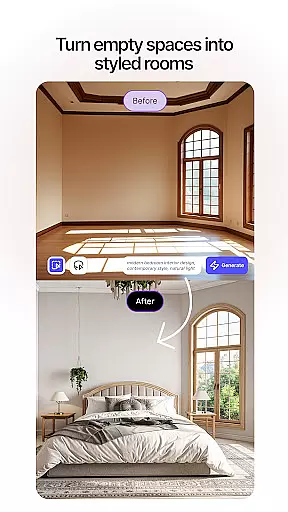
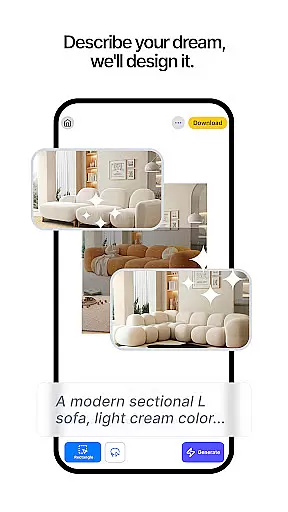
Renovate AI stands out with its comprehensive suite of design features tailored for both novice decorators and seasoned professionals. One of its key highlights is the Virtual Staging tool, which allows users to instantly redesign interiors by adding furniture, lighting, fixtures, and decor elements. This feature helps in visualizing how different pieces can transform a space before making any physical changes.
The app also includes a powerful 3D Elevation feature that converts flat 2D projects into lifelike 3D renders, providing a realistic preview of potential renovations. Additionally, Renovate AI offers Image Upscaling to enhance low-resolution plans into crystal-clear 4K visuals, ensuring every detail is visible and precise. For outdoor spaces, the Landscape Design tool provides over 40 styles to create beautiful gardens and patios that match your vision.
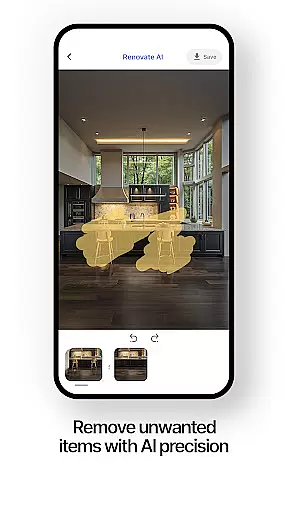
Other notable features include Sketch-to-Render, which turns hand-drawn sketches into polished designs, and Object Removal, allowing users to eliminate unwanted items from their digital spaces. These innovative tools collectively enable users to experiment freely with colors, furniture arrangements, and layout options until they achieve the perfect look that reflects their personal style.
In the realm of home design and renovation, having authentic and reliable property listings is crucial for making informed decisions. Renovate AI ensures that every design or renovation project starts with accurate representations of spaces. The app provides users with verified base templates of rooms and exteriors, ensuring that the starting point of each design is as close to reality as possible.
Renovate AI employs advanced scanning technologies and partnerships with real estate platforms to guarantee that the property dimensions, features, and architectural details are true to life. This meticulous attention to detail allows users to experiment confidently with redesigns, knowing that their virtual creations can be realistically implemented in actual spaces.
The value of this authenticity is immense for users who are planning renovations or redecorating projects. By eliminating guesswork and discrepancies, Renovate AI empowers homeowners, interior designers, and real estate professionals to visualize transformations accurately. This feature not only saves time and resources but also enhances the overall user experience by providing a trustworthy foundation for creative exploration.
Beyond its design capabilities, Renovate AI offers comprehensive home management features that streamline the organization and execution of renovation projects. These tools allow users to track progress, manage budgets, and store important documents related to their home improvement endeavors. With everything centralized within the app, staying on top of complex projects becomes significantly easier.
One standout feature is the ability to create detailed project timelines. Users can set milestones, assign tasks, and receive reminders for upcoming deadlines. This structured approach helps ensure that projects stay on schedule and within budget. Additionally, Renovate AI's cloud storage solution securely saves all design iterations, contracts, and receipts, making it simple to retrieve necessary information whenever needed.
For those juggling multiple projects or managing larger-scale renovations, these home management features provide peace of mind and enhance productivity. By integrating sophisticated organizational tools with innovative design technology, Renovate AI positions itself as an indispensable companion for anyone looking to efficiently oversee their home transformation journey.
User-friendly interface
Advanced AI models
Versatile design options
Secure cloud storage
Professional community access
Limited free renders
Premium subscription required
Steep learning curve
Occasional bugs
High system requirements


Home Ideas | Renovation Advice | Local Pros. Go From Dream to Home with Houzz.
 4.70
4.70
B-hyve Pro App for landscape irrigation professionals
4.70
Turn your phone into a wifi cam with smart features and umlimited reach.
4.20
Draw your floor plan smartly. Make house design blueprint with home planner app
3.60
Find paints using a Color Muse & ColorSnap® Match
3.60
Control Fire TV & mirror your phone screen instantly over Wi-Fi.
3.30
IP camera view and playback, for your WiFi cam or home security cctv system.
3.70
Plan your remodel AI home renovation easily using planner 5D and home decor AI.
4.40
Universal Tv Remote Control for all Tv. Cast for chromecast & all Tv Controller
4.20
MLS-powered real estate app to find homes for sale & apartments for rent
4.70
Search for Homes, Rentals, Agents & Schools
4.70
A Smarter Home in Seconds
4.70
Innovative and budget-friendly housing options
4.60
Fire & Power Safety
4.50
SmartRent - Opening Doors To A Smarter World
4.40
3D House Design and AI Room Planner - from floor plans to full interior design.
4.40
Set up your devices, customize settings, and monitor your home—from anywhere
4.40
For all of your Airthings devices
4.30
Control your Vivint Smart Home with the next generation Vivint App.
4.30


User Reviews