

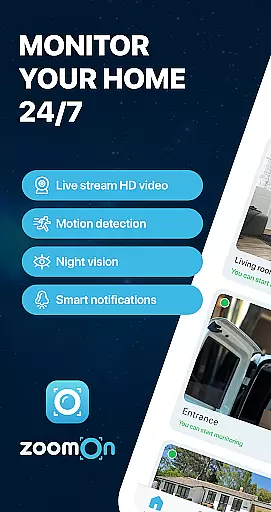
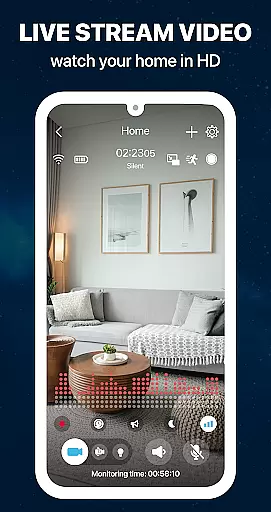
ZoomOn Home Security Camera is a smart home monitoring solution that transforms two smartphones into a comprehensive security system. The app offers live HD video streaming, unlimited reach across various networks, and advanced features like night vision, motion detection, and two-way audio communication.
This innovative application allows users to repurpose old devices, turning them into dedicated security cameras. With support for multi-room monitoring, smart notifications, and secure encrypted connections, ZoomOn provides peace of mind whether you're at work or on vacation.
The app's practical use case extends beyond home security - it can serve as a baby monitor, elderly care system, or pet camera. Its compatibility with ONVIF-compliant cameras and flexible subscription model make it a versatile choice for modern homeowners seeking affordable yet reliable security solutions.
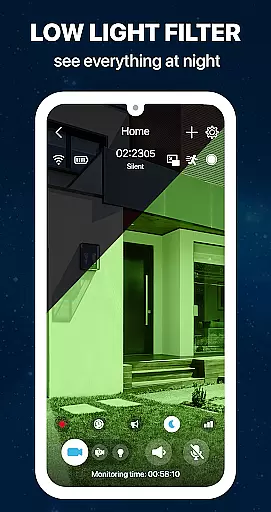
ZoomOn distinguishes itself through its comprehensive feature set designed for maximum security coverage. The app's core functionality includes live HD video streaming with optional front or back camera selection, ensuring crystal-clear monitoring of your premises regardless of lighting conditions.
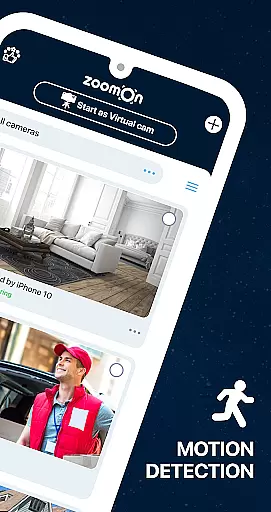
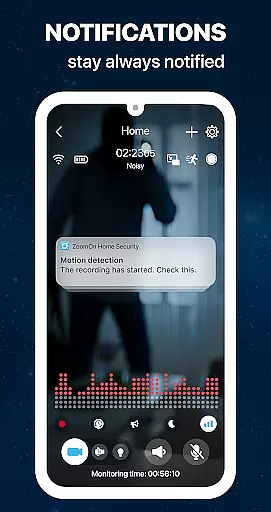
Advanced detection systems are implemented through motion sensors, noise detection, and smart notification triggers. Users can customize sensitivity levels and set up time-based monitoring schedules. The app's unique selling point is its ability to utilize existing devices while maintaining professional-grade security standards through private cloud encryption.
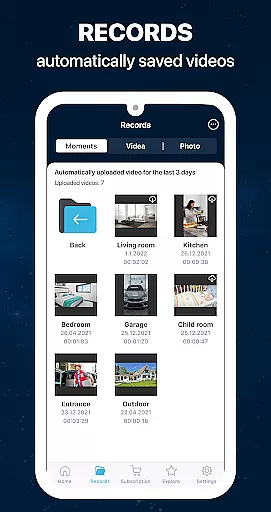
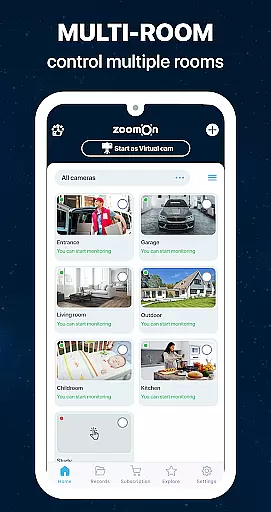
Additional notable features include two-way audio communication, multi-room monitoring capabilities, automatic recording with playback functionality, and low battery alerts. These features collectively create a robust security ecosystem that adapts to various household needs while maintaining ease of use and reliability.
In the context of home security, ensuring the authenticity and reliability of your monitoring setup is crucial. ZoomOn Home Security Camera app provides a dependable solution by turning your existing smartphones into a robust home surveillance system. The app's compatibility with both Android and iOS devices ensures that users can utilize their old devices without additional investment in dedicated security hardware.
The application employs industry-standard encryption protocols to secure all communications between paired devices. This private cloud solution guarantees that only authorized users have access to the live video stream, maintaining the integrity and authenticity of your home monitoring system. With features like motion detection, noise alerts, and smart notifications, users can trust the accuracy of the security information they receive.
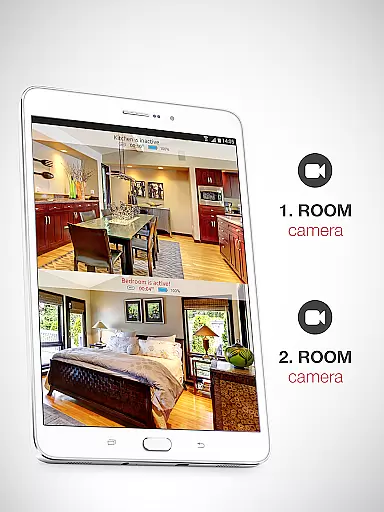
Furthermore, the app supports ONVIF-compliant security cameras, allowing users to integrate professional-grade equipment if desired. This feature ensures that property listings or monitored areas are accurately represented through verified camera feeds. The ability to view footage from multiple rooms simultaneously adds another layer of authenticity to your home security setup.
By repurposing old devices as security cameras, users not only save money but also contribute to environmental sustainability. This practical approach to home security demonstrates how technological innovation can transform unused resources into valuable monitoring tools while maintaining complete transparency about the source and quality of the surveillance data.
Effective home management requires comprehensive monitoring capabilities, and ZoomOn Home Security Camera excels in this aspect. The app offers an array of features designed to simplify household oversight, starting with its innovative multi-room monitoring functionality. By installing the application on multiple devices strategically placed throughout your home, you can maintain constant vigilance over different areas simultaneously.
The inclusion of time plans and continuous recording features enables users to establish structured monitoring schedules. These home management tools allow for precise tracking of activities during specified periods, creating a detailed historical record of events. The automatic timeline feature captures every monitoring session, providing a seamless overview of your home's activity history.
Advanced detection systems, including motion and noise sensors, work in tandem with smart notifications to alert homeowners about significant events. The two-way audio functionality serves as a virtual intercom system, facilitating communication across different home areas. Additionally, features like low battery alerts and lighting control demonstrate the app's commitment to comprehensive home management.
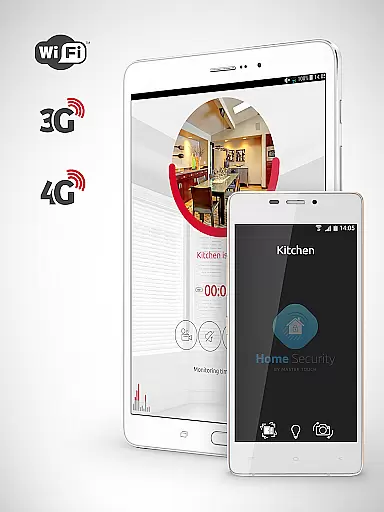
ZoomOn's support for various network types (WiFi, 3G, 4G, 5G, LTE) ensures uninterrupted connectivity, while night mode and zooming capabilities enhance visibility during challenging conditions. These sophisticated home management features collectively create a reliable system for maintaining household security and organization, making it an invaluable tool for modern homeowners seeking efficient property oversight.
User-friendly interface
Multi-device support
HD video quality
Secure encryption
Flexible pricing
Requires two devices
Internet dependent
Premium features
Setup complexity
Battery consumption

For all of your Airthings devices
 4.30
4.30
Map-based search app for apartments and homes for rent.
4.60
Unlock AI-based barcode scanning and support the development of Grocy Android
4.1
Tailored Care Guides For Houseplants, Indoor Plants, Garden Plants & Flowers.
4.60
This Fire TV Remote control's your Fire TV Device and Insignia Fire TV Remote
3.70
Schlage Lock Company LLC
4.00
Design your dream home with 3D planning app, Visualize your dream home in 3D.
4.20
Universal Tv Remote Control for all Tv. Cast for chromecast & all Tv Controller
4.20
Set up your devices, customize settings, and monitor your home—from anywhere
4.40
Houses for Sale & Homes for Rent: Buy Homes, Rent Apartments & Sell Real Estate
4.80
Turn old phones into security cameras, baby monitors, pet cams, and more.
4.70
Night Owl Protect helps you secure, protect, and connect your world!
4.60
AI Home Designer & Room Planner: Decorate your interior space with AI
4.40
Plan your remodel AI home renovation easily using planner 5D and home decor AI.
4.40
3D House Design and AI Room Planner - from floor plans to full interior design.
4.40
The official app for Home Assistant. Control your home anywhere in the world.
4.30
Floor Plan Creator Home Design with 2D interior design and 3d view.
3.90
Use Home by ShowingTime to easily manage showings, tours, feedback and more
3.60
Universal TV remote Control for Roku TV brands via WiFi remote
4.4

User Reviews