

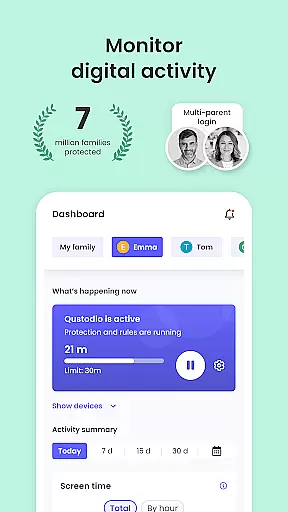
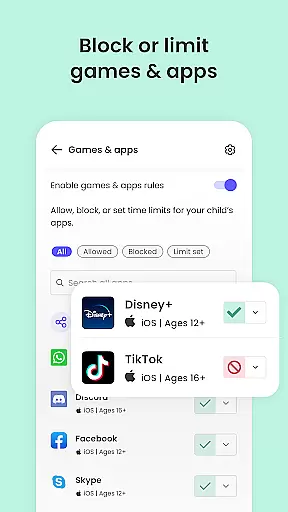
Qustodio Parental Control App is an award-winning solution designed to simplify parenting in the digital age. This comprehensive tool allows parents to manage their children's screen time effectively, ensuring a safer online environment. Key features include automatic screen time limits, app blocking, and real-time GPS tracking.
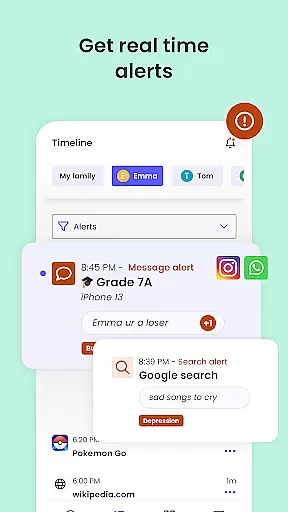
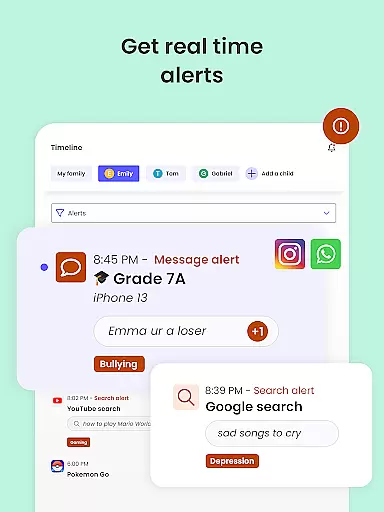
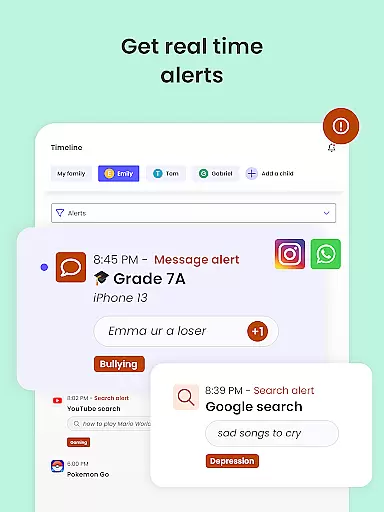
The app also employs AI-powered technology to provide alerts on suspicious browsing activity and social media messages. Parents can filter inappropriate content, block harmful websites, and enforce safe search protocols. With multi-platform support across Android, iOS, and other major operating systems, Qustodio ensures consistent protection and monitoring.
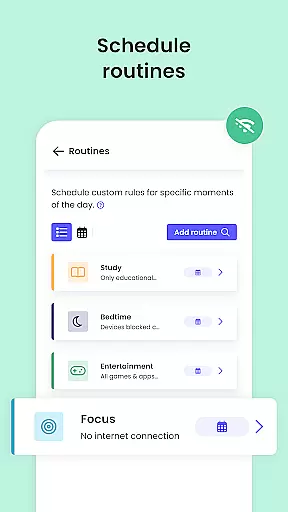
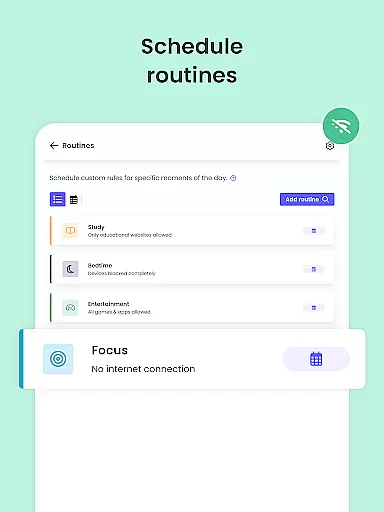
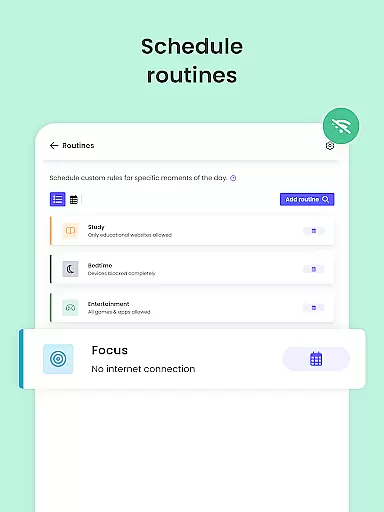
Beyond safety controls, Qustodio helps nurture healthy digital habits by allowing customizable routines for apps and websites. Parents receive detailed activity reports and can supervise jointly with another guardian. The app's geolocation capabilities enable family tracking, making it a versatile tool for modern families seeking both protection and peace of mind.
Qustodio stands out with its robust set of parental control features. The app's core functionality revolves around three main pillars: screen time management, content filtering, and location tracking. These features work together to create a comprehensive digital safety net for families.
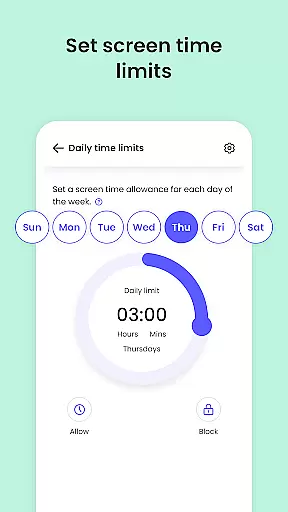
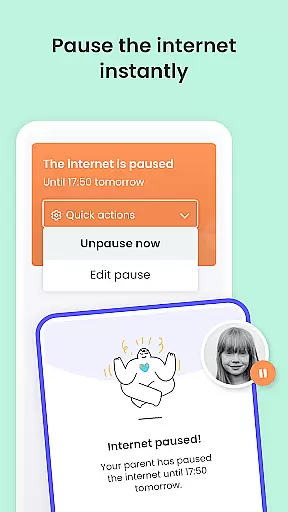
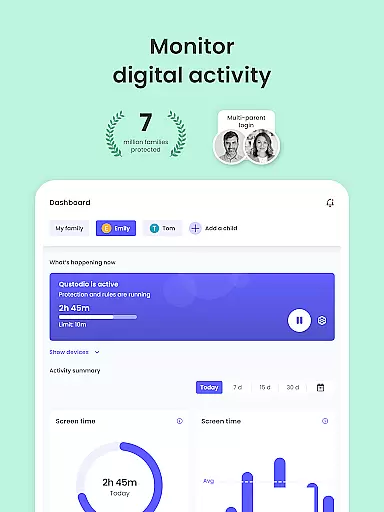
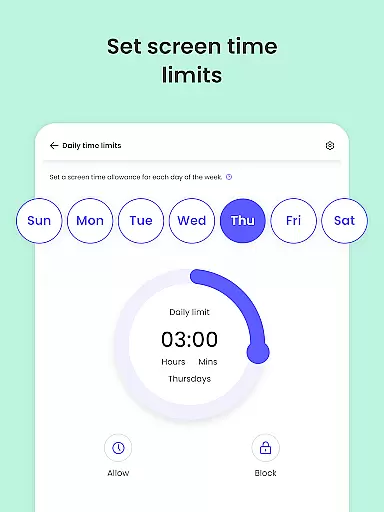
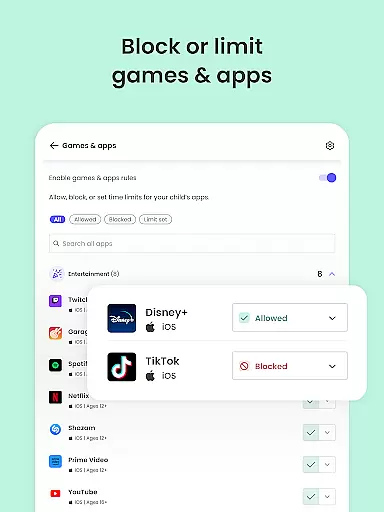
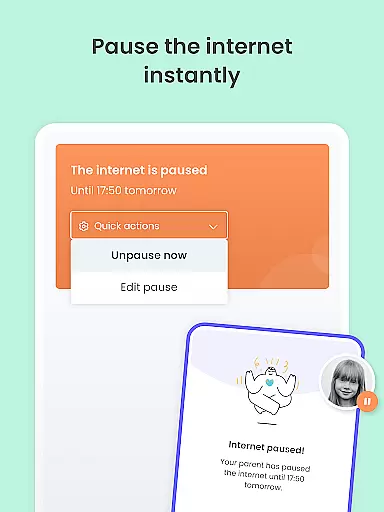
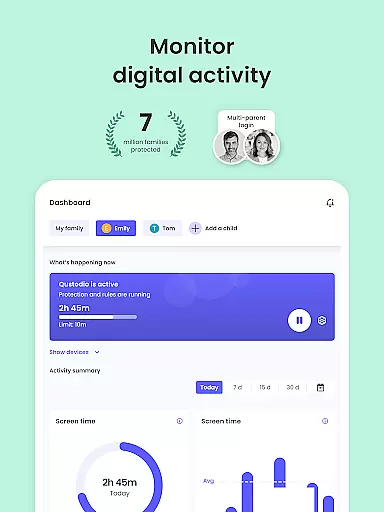
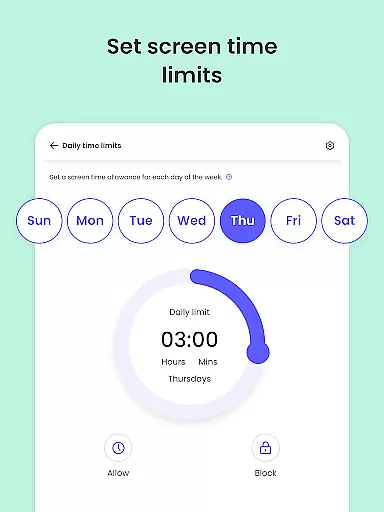
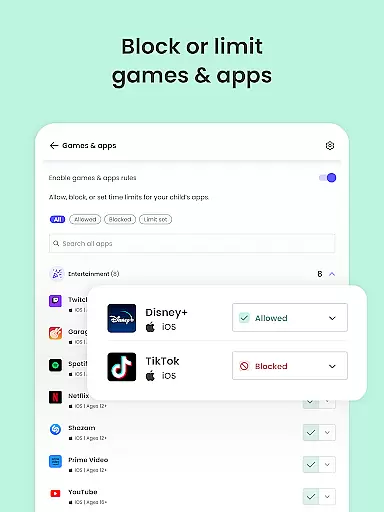
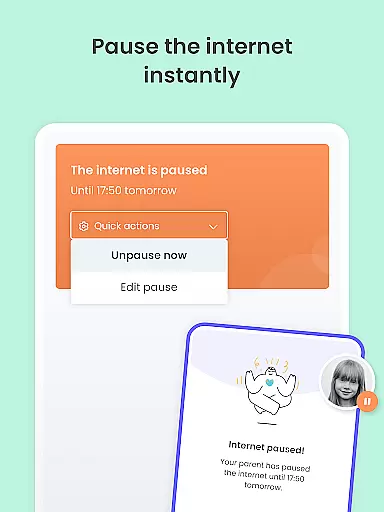
The screen time management system allows precise control over daily usage limits across all devices and applications. Parents can pause internet access instantly and set custom schedules for different types of content. The content filtering system uses advanced algorithms to block inappropriate websites, games, and applications while providing real-time alerts about potentially harmful activities.
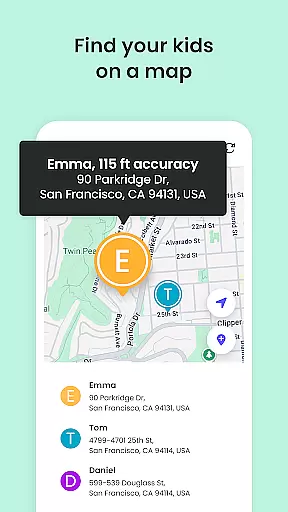
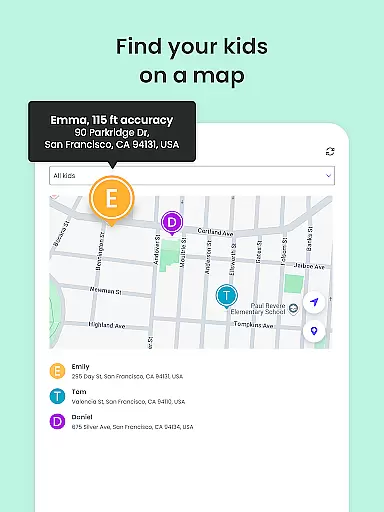
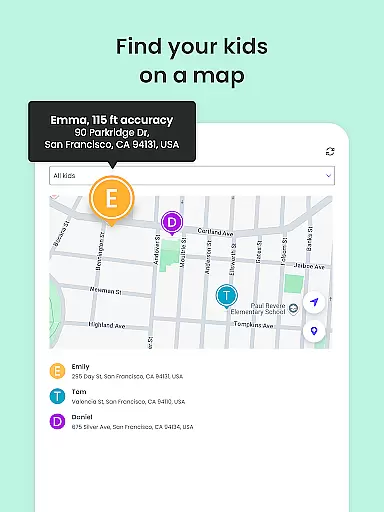
Location tracking capabilities include real-time GPS monitoring, saved locations, and emergency panic buttons. The app's unique strength lies in its ability to integrate these features seamlessly across multiple platforms and devices. Additionally, the dual-app system (Parental Control App and Kids App) ensures smooth implementation and monitoring of all protective measures.
Parenting content credibility and expert validation are crucial for ensuring that the information and guidance provided by apps like Qustodio Parental Control App are reliable and beneficial. Qustodio has been awarded PC Mag's Editors' Choice, which speaks volumes about its trustworthiness and effectiveness.
The app offers a comprehensive suite of features designed to protect children online. It filters inappropriate content such as games, websites, porn, and gambling, while also providing alerts on web activity and blocked sites. This ensures parents have peace of mind knowing their children are not exposed to harmful material.
Qustodio goes beyond simple filtering by incorporating AI-powered message and search alerts. These monitor and alert parents to any suspicious browsing activity or potentially harmful SMS and social media messages. Such advanced technology is often developed with input from child safety experts, adding another layer of credibility to the app's offerings.
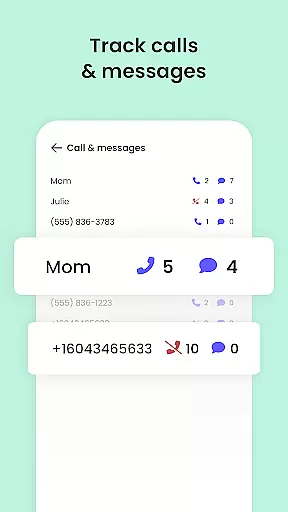
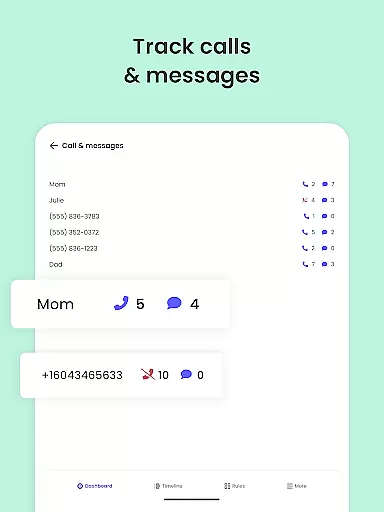
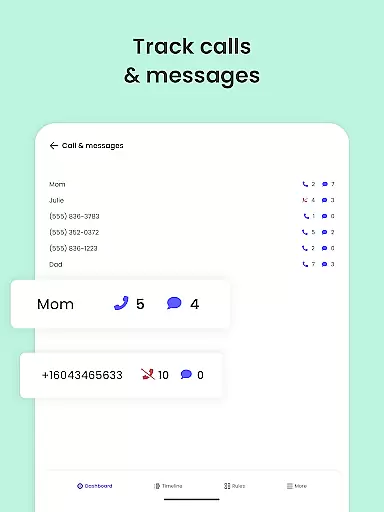
Moreover, Qustodio provides detailed reports on children's online activities, including 30-day activity summaries and daily/weekly updates sent directly to parents' inboxes. This transparency allows parents to stay informed and engaged in their children's digital lives, fostering healthier habits and safer internet use.
Growth tracking accuracy is essential for understanding a child's development over time. The Qustodio Parental Control App excels in this area by offering precise tools to monitor various aspects of a child's digital behavior and physical location.
One key feature is the family locator and GPS family tracker, which tracks the child's phone and sends real-time GPS locations to parents. This not only helps locate the child but also provides insights into their daily routines and movements, contributing to accurate growth tracking.
In addition to location tracking, Qustodio monitors screen time usage across multiple devices and platforms, including Android, iOS, and others. By setting daily screen time limits and custom routines for apps and websites, parents can ensure balanced digital consumption, promoting healthier lifestyle habits.
Furthermore, the app delivers detailed activity reports, including app download alerts and YouTube activity monitoring. These reports give parents a clear picture of their child's interests and behaviors, enabling them to guide their growth more effectively. With these robust tracking capabilities, Qustodio empowers parents to make informed decisions about their child's development.
Advanced AI monitoring
Multi-platform support
Comprehensive reporting
Real-time alerts
Joint supervision
Premium features costly
Complex setup process
Limited free version
Device compatibility issues
Privacy concerns

Comprehensive Parental Control & Child Safety — Hear & Protect Your Child World
 4.30
4.30
With BabyCam you can monitor your baby using your mobile phone, tablet, PC or TV
4.40
Parental Control including Screen time control, GPS tracking, App/Game blocker.
3.90
A Coloring for the Whole Family! Discover the Joy of Family Love Through Colors!
3.60
Protect kids online safety through GPS tracking,screen time control,app blocking
4.20
3D Baby size, Fruit comparisons, Smart Checklist, Trending Names & Training.
4.90
Affirmations | Stories | Bible
4.10
It is a screen time management tool for games and mobile applications
4.50
Advanced baby tracking, expert sleep help & parenting support for every stage.
4.80
All-In-One Pregnancy Tracker, Your Baby's Milestones, Growth Stages & Parenting.
4.90
Daily Routine & Timer for kids, ADHD, & Autism
4.80
Sleep better with white noise app! Discover rain sounds, fan noise and more.
4.70
Track your pregnancy, kick & contraction counter, baby & mom's heartrate monitor
4.60
Reliable phone tracker by number & locate phone app. Protect your family.
4.50
All-in-one pregnancy app, contraction timer, kick counter & due date calculator
4.40
Keep track of your stored breastmilk
4.40
Magic chalkboard coloring and drawing!
4.20
Save money on diapers. Get the Pampers Rewards app.
3.90
Lullabies, Night Light & Age-based Routines to help your baby fall asleep
4.3

User Reviews