

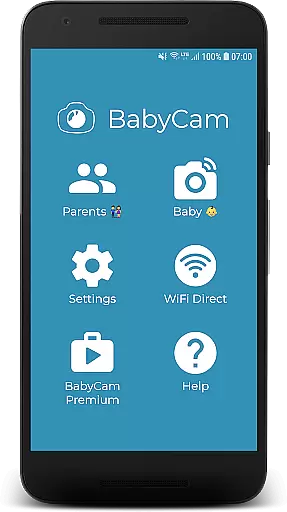
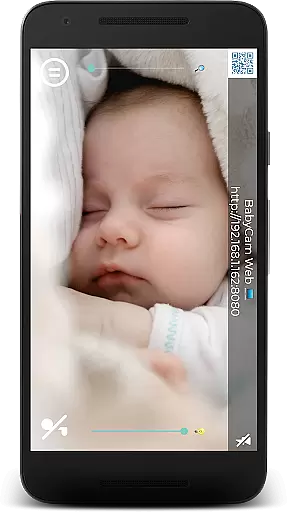
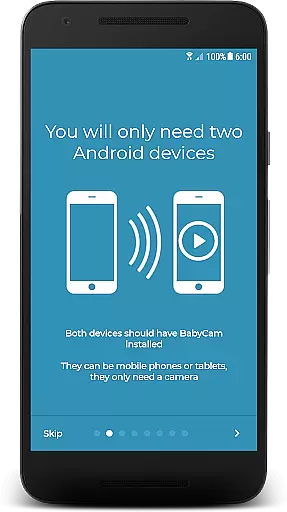
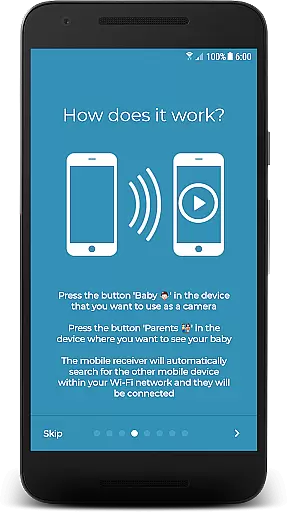
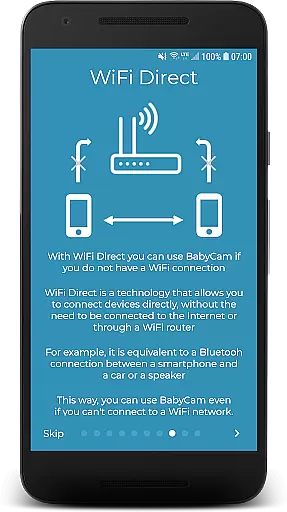
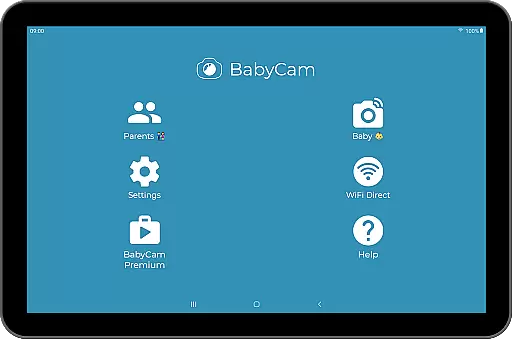
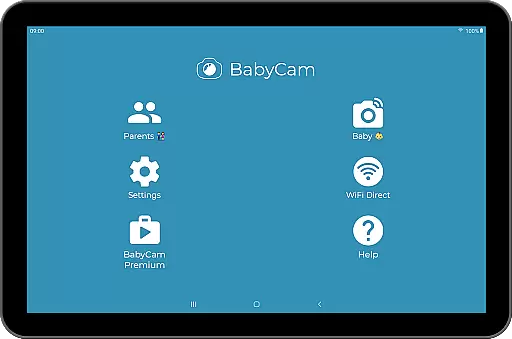
BabyCam is a smart parenting solution that allows parents to monitor their baby using two devices, such as smartphones or tablets. One device acts as a camera placed near the baby, while the other serves as a viewing screen for the parents. The app operates seamlessly on the same WiFi network or via WiFi Direct, ensuring real-time monitoring without requiring an internet connection.
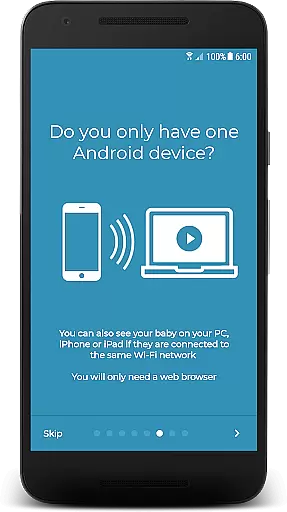
What sets BabyCam apart is its simplicity and versatility. There’s no need for account registration or complex pairing codes—just a single tap connects the devices. It also supports advanced features like Chromecast streaming, web browser access for PC or iPhone, lullabies, night mode, and more. With both free and premium versions available, BabyCam offers flexibility for every family’s needs.
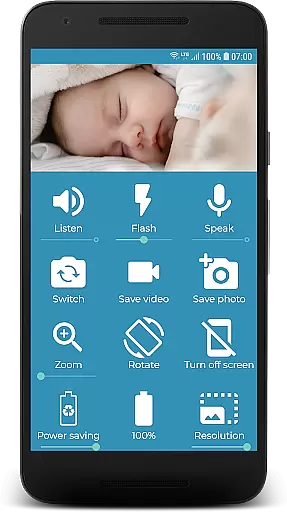
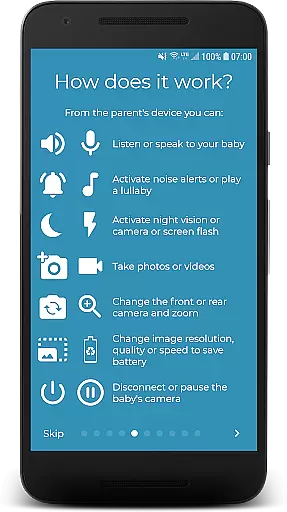
BabyCam stands out with its rich feature set tailored for modern parenting. The app provides live video streaming from the baby’s room directly to the parent’s device, complete with audio monitoring and two-way communication. Parents can listen to their baby, talk back through the app, and even play soothing lullabies to help the baby sleep.
Additional functionalities include flash control for low-light visibility, front and back camera switching, zoom capability, and microphone volume adjustments. The app also supports multi-device connections, enabling both parents to monitor simultaneously. Premium users can enjoy an ad-free experience for $1.99, making BabyCam both powerful and customizable.
When it comes to parenting applications, the credibility of the content and expert validation are crucial factors. BabyCam ensures that all features provided are safe and suitable for both babies and parents. The app has been developed with a focus on providing reliable functionalities that have been tested for safety and ease of use.
The application offers a variety of features such as lullabies, night mode, and the ability to monitor the baby's environment through video and audio. These features are designed based on common needs and concerns of parents, ensuring that they serve a practical purpose in daily parenting routines. Furthermore, BabyCam is free from intrusive advertisements, which enhances the user experience and maintains a child-friendly environment.
BabyCam also provides options like flash control, camera switching, and zoom, which are essential for effective baby monitoring. These features have been included after considering the feedback from real-life usage scenarios, making them not only useful but also reliable. Parents can trust that these functions will work seamlessly without causing any harm or discomfort to their child.
Growth tracking accuracy is an important aspect of parenting apps, even though BabyCam focuses more on real-time monitoring rather than long-term growth tracking. However, the app still offers valuable tools that help parents keep track of certain aspects of their babyu2019s development. For instance, the ability to take pictures and videos allows parents to capture milestones and significant moments effortlessly.
BabyCam includes features like listening and talking to your baby, which although not directly related to growth tracking, play a vital role in cognitive and emotional development. These interactive features encourage communication between parents and their children, fostering a nurturing environment that supports healthy growth.
Additionally, the app provides battery level indicators and volume adjustments, which might not seem directly linked to growth tracking but contribute to creating a consistent monitoring routine. By maintaining a stable and continuous observation setup, parents can ensure they do not miss out on any important developments. This consistency is key to accurate growth tracking over time.
User-friendly interface
No internet required
Multi-device support
Free basic version
Rich feature set
Premium costs extra
WiFi dependency
Limited remote access
Ads in free version
Device compatibility

Find unique + popular baby names for your little peanut.
 4.30
4.30
Fake call application designed for parents and adults to discipline their children through the children's police.
4.20
Parental Control including Screen time control, GPS tracking, App/Game blocker.
3.90
Cherish every beat - capture your baby's heart sounds with our app
4.30
Protect kids online safety through GPS tracking,screen time control,app blocking
4.20
3D Baby size, Fruit comparisons, Smart Checklist, Trending Names & Training.
4.90
Limit screen time, Block Apps & Games, Monitor with Parental control app
4.20
Lullabies, Night Light & Age-based Routines to help your baby fall asleep
4.4
Keep track of your stored breastmilk
4.40
Track baby’s development & growth week by week with BabyCenter’s pregnancy app!
4.90
Track your labor contractions
4.90
Advanced baby tracking, expert sleep help & parenting support for every stage.
4.80
FamilyAlbum helps you share, save, and remember your child's special moments.
4.80
All-In-One Pregnancy Tracker, Your Baby's Milestones, Growth Stages & Parenting
4.70
Fun Ideas for Parents
4.70
Track your pregnancy, kick & contraction counter, baby & mom's heartrate monitor
4.60
Live Location, Alerts & 2-Way Voice for Kids and Adults with Special Needs
4.60
Comprehensive Parental Control & Child Safety — Hear & Protect Your Child World
4.30
Keep Your Family Safe with Pollog Family Assistants
4.10
User Reviews